
1. Ürün Bittiview
The Bewinner Mini Body Camera CS02 is a compact and portable 1080p WiFi action camera designed for various applications including security, cycling, and vlogging. It features a high-definition night vision lens, one-click recording, and automatic loop recording. Its lightweight and ergonomic design make it easy to carry and clip onto clothing or bags.
Temel Özellikler:
- HD Gece Görüşü: Equipped with 6 high-strength night vision lights for clear imaging in low-light conditions.
- Tek Tıkla Çalıştırma: Simple one-button control to power on and initiate recording.
- Entegre Mikrofon: Built-in microphone for synchronized audio recording.
- Taşınabilir Tasarım: Ergonomic, lightweight, and features a detachable clip for easy attachment.
- Uzun bekleme süresi: Built-in 900mAh high-capacity battery supports extended use.
- Automatic Loop Recording: Intelligently overwrites older footage to ensure continuous recording without missing frames.
- WiFi Bağlantısı: Uzaktan kumandaya izin verir ve viewing via a dedicated application.

Resim: Ön view of the Bewinner Mini Body Camera CS02, highlighting its WiFi Action Camera capabilities. The background shows security personnel, indicating its use in law enforcement or security.

Resim: Yan view of the camera with its detachable clip, illustrating its night vision lens, simple one-button power, and ergonomic design for easy portability.
2. Kurulum Kılavuzu
2.1 Cihazı Şarj Etme
Before first use, fully charge the camera. Connect the provided USB data cable to the camera's USB port and a standard USB power adapter (not included) or a computer's USB port. The charging indicator will show the charging status. A full charge typically takes a few hours.

Image: The Bewinner Mini Body Camera CS02 shown alongside its USB charging cable, indicating the connection for power.
2.2 Bellek Kartının Takılması
The camera supports memory cards up to 256GB (not included). Locate the memory card slot on the device. Gently insert the memory card with the contacts facing the correct direction until it clicks into place. Ensure the card is properly seated before operating the camera.
2.3 Uygulama Kurulumu ve Bağlantısı
To utilize the camera's WiFi features and advanced settings, download the corresponding application. Scan the QR code provided in the physical manual (if available) or search for the 'Bewinner' app in your device's app store. Follow the in-app instructions to connect your camera via WiFi and configure settings.
3. Kullanım Talimatları
3.1 Güç Açma/Kapatma ve Kayıt
- Güç Açık: Press and hold the power button (usually indicated by a power symbol) for a few seconds until the indicator light illuminates.
- Kaydı Başlat: Once powered on, a single press of the designated recording button will start video recording. The indicator light will change to confirm recording is active.
- Kaydı Durdur: Press the recording button again to stop recording. The indicator light will change back to standby mode.
- Kapat: Gösterge ışığı sönene kadar güç düğmesini birkaç saniye basılı tutun.
3.2 Gece Görüş Modu
The camera automatically activates its night vision capabilities in low-light environments. The 6 infrared lights will assist in capturing clear images without visible illumination.
3.3 Döngü Kaydı
The camera features automatic loop recording. When the memory card is full, the camera will automatically overwrite the oldest video files to continue recording. Video segments are typically saved in 5-minute intervals to manage file sizes efficiently.
3.4 Veri Aktarımı
Kaydedilenlere erişmek için files, connect the camera to a computer using the USB data cable. The camera will appear as a removable storage device, allowing you to copy files. Alternatively, remove the memory card and insert it into a card reader connected to a computer.
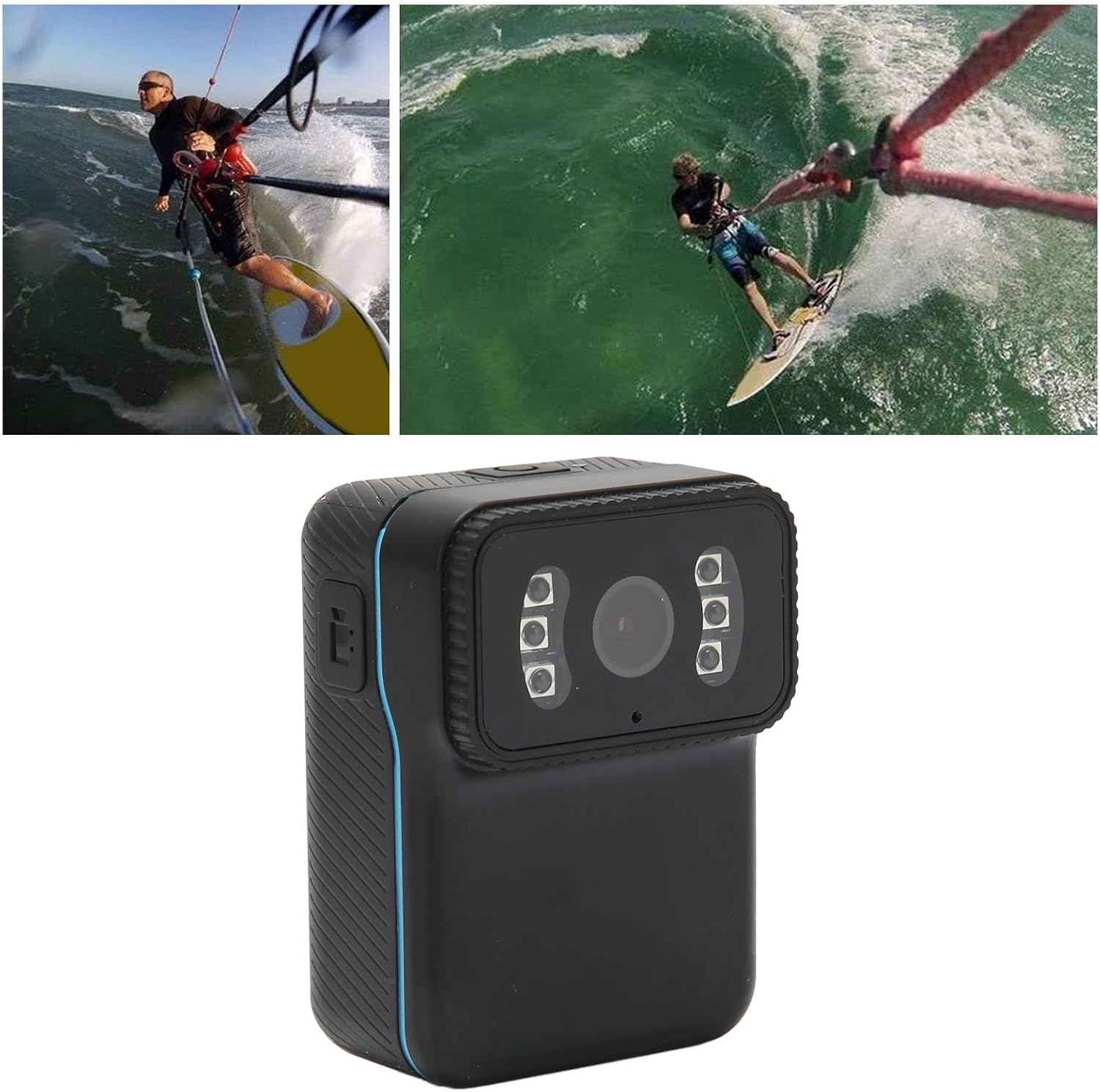
Image: The camera shown in an action scenario during water sports, highlighting its suitability for dynamic activities.

Image: The camera attached to a person while cycling, demonstrating its application as a portable bike camera for recording rides.
4. Bakım
4.1 Temizlik
Wipe the camera body with a soft, dry cloth. Do not use liquid cleaners or solvents, as these may damage the device. Keep the lens clean for optimal image quality.
4.2 Depolama
Store the camera in a cool, dry place away from direct sunlight, extreme temperatures, and high humidity. Remove the memory card if storing for extended periods.
4.3 Pil Bakımı
To prolong battery life, avoid fully discharging the battery frequently. If the camera will not be used for a long time, charge it to about 50% every few months.
4.4 Hafıza Kartı Yönetimi
Regularly back up important recordings to a computer or external storage. Periodically format the memory card (via the camera settings or computer) to maintain optimal performance and prevent data corruption.
5. Sorun Giderme
- Kamera açılmıyor: Ensure the battery is charged. Connect the camera to a power source and try again. If the issue persists, contact support.
- Camera does not record: Check if a memory card is inserted and has sufficient free space. Format the memory card if necessary.
- Poor video/image quality: Ensure the lens is clean and free from smudges. Check lighting conditions; while the camera has night vision, extreme darkness may still affect quality.
- WiFi bağlantı sorunları: Ensure the camera's WiFi is enabled and you are within range of your mobile device. Restart both the camera and your mobile device. Verify the app is up to date.
- Camera records in 5-minute segments: This is a normal function of the automatic loop recording feature, designed to manage file sizes and ensure continuous recording. It is not an error.
- Cihaz bilgisayar tarafından tanınmadı: Farklı bir USB bağlantı noktası veya kablo deneyin. Bağlantı kurulduğunda kameranın açık olduğundan emin olun.
6. Özellikler
| Özellik | Şartname |
|---|---|
| Örnek | CS02 |
| Video Format | MP4 |
| Video Kodlama | H264 |
| Video Çözünürlüğü | 1920 x 1080p (Effective 1080 Pixels) |
| Video Kare Hızı | 25 kare/saniye |
| En Boy Oranı | 16:9 |
| Fotoğraf Çözünürlüğü | 4032x3024 |
| Resim Biçimi | JPG |
| Pil Türü | Built-in 900 mAh Lithium-ion battery |
| Depolama Ortamı | Memory card up to 256 GB (not included) |
| Desteklenen Sistemler | Windows, OS X, Linux |
| Bağlantı | Wifi |
| Özel Özellikler | Lightweight, Night Vision |
| Boyutlar | 13.4x9.4x6.4 cm |
| Ağırlık | 180 gram |
| Sensör Teknolojisi | CMOS |
| Odak Türü | Sabit Odak |
| Önerilen Kullanımlar | Sports, Vlogging, Security, General Use |
7. Garanti ve Destek
Specific warranty information is not provided in this manual. Please refer to the product packaging or the Bewinner official webAyrıntılı garanti şartları ve koşulları için siteyi ziyaret edin.
For technical support, troubleshooting assistance, or any product-related inquiries, please contact Bewinner customer service through their official channels. Contact information can typically be found on the product packaging or the manufacturer's webalan.