
1. Giriş
This manual provides essential information for the safe and efficient operation of your Coocaa 43Y72 4K Ultra HD Smart IPS Google LED TV. Please read it thoroughly before using the television and retain it for future reference. This television features a 108 cm (43 inches) frameless 4K Ultra HD IPS display, powered by Google TV, offering a comprehensive entertainment experience.

Image: The Coocaa 43Y72 TV showcasing its Google TV interface with personalized content and app recommendations.
2. Kutuda Neler Var?
Paketi açtığınızda lütfen aşağıdaki tüm öğelerin mevcut olduğundan emin olun:
- 1 x Coocaa 43Y72 LED TV
- 1 x Uzaktan Kumanda
- 1 x Güç Kablosu
- 1 x Start Guide
- 1 x Garanti Kartı
- 2 x AAA Pil (uzaktan kumanda için)
- 1 x Set of Base Stands
- 4 x Screws (for base stands)
3. Kurulum
3.1 Fiziksel Kurulum
- Paketin açılması: Televizyonu ambalajından dikkatlice çıkarın. Bu işlem için iki kişinin olması önerilir.
- Stand Kurulumu: If using the included base stands, align them with the mounting holes on the bottom of the TV. Secure them using the provided screws. Ensure the TV is placed on a stable, flat surface.
- Duvara Montaj (Opsiyonel): If wall mounting, refer to the instructions provided with your wall mount kit. Ensure the wall mount is compatible with VESA standards for your TV model and installed by a qualified professional.
- Güç Bağlantısı: Connect the power cord to the TV's power input and then to a suitable electrical outlet.
3.2 İlk Güç Açma
- Televizyonu açmak için televizyondaki veya uzaktan kumandadaki güç düğmesine basın.
- Ekranda gösterilen talimatları izleyerek dil seçimi, ağ bağlantısı ve Google hesabı oturum açma dahil olmak üzere ilk kurulumu tamamlayın.
4. Bağlantı
Your Coocaa 43Y72 TV offers multiple connectivity options for various devices.

Resim: Ayrıntılı view of the TV's side panel, illustrating the arrangement of USB, Digital Audio, AV, HDMI, and LAN ports.
4.1 Kablolu Bağlantı
- HDMI Bağlantı Noktaları (3): Set üstü kutuları, Blu-ray oynatıcıları, oyun konsollarını veya HDMI özellikli diğer cihazları bağlayın.
- USB Bağlantı Noktaları (2): Medya oynatımı için sabit diskleri, USB flash sürücüleri veya diğer USB aygıtlarını bağlayın.
- LAN Bağlantı Noktası: Sabit kablolu internet bağlantısı için.
- Dijital Ses Çıkışı: Daha iyi ses kalitesi için harici ses sistemlerine bağlanın.
- AV Girişi: Kompozit video ve stereo ses kablolarını kullanarak eski cihazları bağlamak için.
- IR Port: To control connected devices like DVD/STB players.
4.2 Kablosuz Bağlantılar
- Wi-Fi (Çift Bant): İnternet erişimi ve yayın akışı için ev ağınıza bağlanın.
- Bluetooth: Pair with compatible devices such as headphones, speakers, or game controllers.
5. TV'nin çalıştırılması
5.1 Uzaktan Kumanda
The included remote control allows you to navigate the TV's features. It supports voice commands and has dedicated buttons for popular streaming services.

Image: The Coocaa remote control, highlighting its ergonomic design and dedicated buttons for smart features and streaming services.
- Güç Düğmesi: Televizyonu açar veya kapatır.
- Google Asistan Düğmesi: İçerik arama, akıllı ev cihazlarını kontrol etme ve daha fazlası için sesli kontrolü etkinleştirir.
- Navigasyon Pedi: Menülerde gezinmek için yön tuşlarını ve Tamam düğmesini kullanın.
- Ses Seviyesi/Kanal Düğmeleri: Sesi ayarlayın ve kanalları değiştirin.
- Hızlı Erişim Düğmeleri: Direct access to Netflix, Prime Video, and YouTube.
5.2 Google TV Arayüzü
Google TV organizes movies, shows, live TV, and more from your apps and subscriptions into one personalized interface.
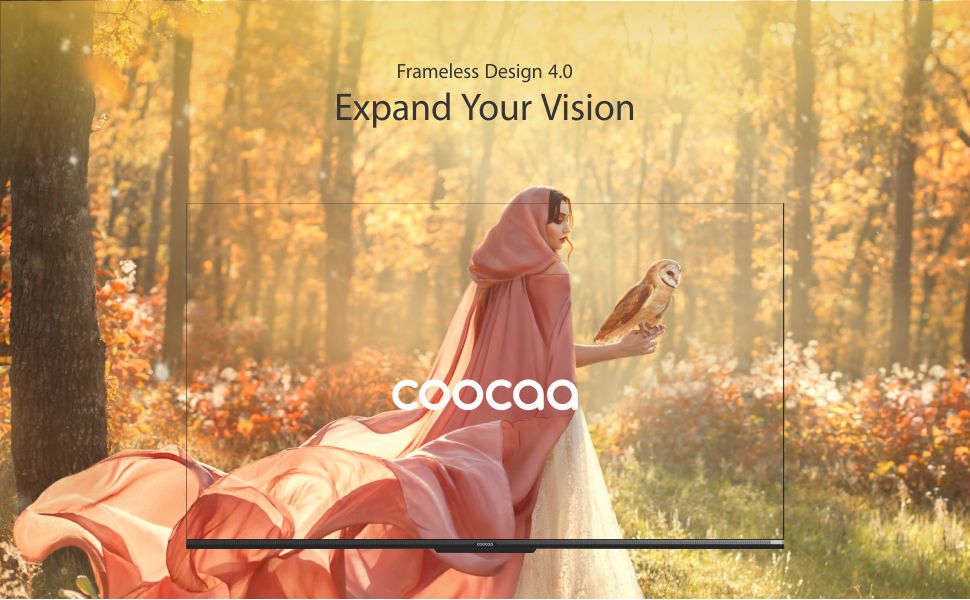
Image: The Google TV home screen, demonstrating personalized content suggestions and easy access to various applications.
- Personalized Homescreen: Content recommendations are tailored to your viewalışkanlıklar.
- Content Catalog: Access a vast library of movies and TV shows from services like Prime Video, Netflix, Hotstar, Zee5, Sony LIV, YouTube, and more.
- Google Duo Support: Engage in video calls directly from your TV (requires compatible camera, sold separately).
- Swaiot Home Feature: Integrate and control compatible smart home devices.
- Chromecast Yerleşik: Akıllı telefonunuzdan veya tabletinizden içeriği doğrudan televizyona aktarın.
- Google Sesli Asistanı: Use voice commands for navigation, search, and control.
6. Ekran ve Ses Özellikleri
6.1 Ekran Teknolojisi
- 4K HDR (3840 x 2160) Resolution: Delivers sharp, detailed images with vibrant colors.
- IPS Ekranı: Geniş sağlar viewing angles (178 degrees), ensuring consistent picture quality from various positions.
- Durable A+ Grade DLED Panel: Ensures reliability and consistent performance.
- Ultra Bright Screen: Maintains picture clarity even in well-lit rooms.
- Çerçevesiz Tasarım: Sürükleyici bir deneyim için ekran alanını en üst düzeye çıkarır viewDeneyim.
- Chameleon Extreme 2.0 Picture Engine: Enhances picture quality by optimizing color, contrast, and clarity.
- HDR 10 ve HLG: Supports high dynamic range content for improved contrast and color accuracy.

Image: The Coocaa TV featuring its frameless design, designed to provide an expansive visual experience.
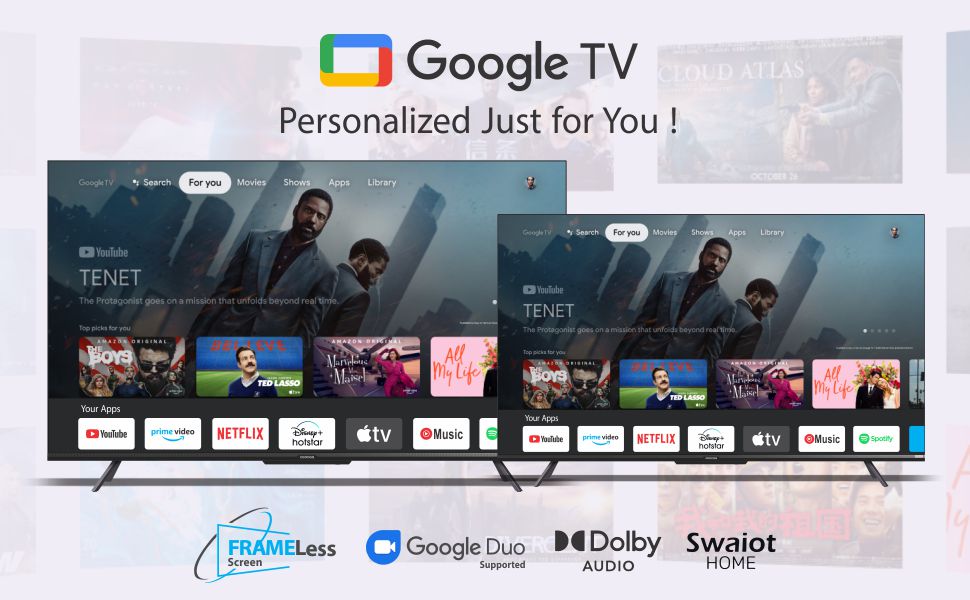
Image: Visual representation of the Chameleon Extreme 2.0 Picture Engine, highlighting its role in bringing out every detail.
6.2 Ses Teknolojisi
- 30 Watt Çıkış Gücü: Provides clear and powerful sound.
- Dolby Ses: Delivers rich, clear, and powerful sound for an immersive audio experience.
- DTS Tru Surround: Enhances audio with virtual surround sound for remarkable sound quality.
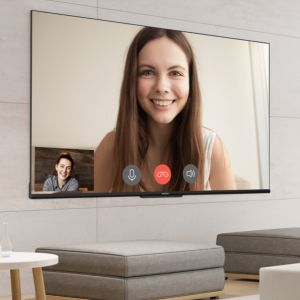
Image: Logos for Dolby Audio and DTS TruSurround, signifying advanced audio processing for superior sound.
7. Özellikler
Detailed technical specifications for the Coocaa 43Y72 TV:

Image: Technical drawing illustrating the precise dimensions of the Coocaa 43Y72 TV, including screen size, width, height, and depth.
| Özellik | Detay |
|---|---|
| Örnek | 43Y72 |
| Ekran Boyutu | 108 cm (43 inç) |
| Çözünürlük | 4K HDR (3840 x 2160) |
| Yenileme Hızı | 60 Hertz |
| ViewAçı | 178 Derece |
| Görüntü Türü | IPS LED |
| Ses Çıkışı | 30 Watt |
| Ses Teknolojisi | Dolby Audio, DTS Tru Surround |
| İşletim Sistemi | Google TV (Android) |
| Veri deposu | 2 GB |
| Depolamak | 16 GB |
| HDMI Bağlantı Noktaları | 3 |
| USB Bağlantı Noktaları | 2 |
| Kablosuz Bağlantı | Dual-band Wi-Fi, Bluetooth |
| Boyutlar (UxGxY) | 95.07x19.09x56.06 cm |
| Ürün Ağırlığı | 6 kilo |
| Güç Kaynağı | AC 200 Volts, 100 Watts |
8. Sorun Giderme
Televizyonunuzda sorunlarla karşılaşırsanız, aşağıdaki yaygın sorunlara ve çözümlere bakın:
- Güç Yok:
- Ensure the power cord is securely connected to both the TV and the electrical outlet.
- Başka bir cihaz takarak prizin çalışıp çalışmadığını kontrol edin.
- Televizyonun üzerindeki güç düğmesine basın, uzaktan kumandaya değil.
- Görüntü Yok, Ama Ses Var:
- Doğru giriş kaynağının seçildiğinden emin olun (örneğin, HDMI 1, AV).
- Televizyon ile harici cihazlar arasındaki kablo bağlantılarını kontrol edin.
- Ses Yok, Ama Görüntü Var:
- Sesi açın.
- Televizyonun sesinin kapalı olup olmadığını kontrol edin.
- Harici hoparlör kullanıyorsanız, ses kablolarının doğru şekilde bağlandığından emin olun.
- Televizyon menüsünden ses çıkışı ayarlarını kontrol edin.
- Uzaktan Kumanda Çalışmıyor:
- Replace the batteries (2 AAA batteries).
- Uzaktan kumanda ile televizyonun kızılötesi sensörü arasında herhangi bir engel olmadığından emin olun.
- Re-pair the Bluetooth remote if it's a smart remote.
- Wi-Fi Bağlantı Sorunları:
- Yönlendiricinizi ve modeminizi yeniden başlatın.
- Wi-Fi şifresini kontrol edin.
- Televizyonun Wi-Fi yönlendiricinizin kapsama alanında olduğundan emin olun.
For persistent issues, please contact Coocaa customer support.
9. Bakım
Düzenli bakım, televizyonunuzun uzun ömürlü olmasını ve en iyi performansı göstermesini sağlar:
- Ekranın Temizlenmesi: Elektronik cihazlar için özel olarak tasarlanmış, yumuşak ve tüy bırakmayan bir bez kullanın. Sert kimyasallar veya aşındırıcı malzemeler kullanmayın. Hafifçe silin.ampGerekirse bezi suyla nemlendirin ve nazikçe silin.
- Vücudun Temizlenmesi: Televizyonun çerçevesini ve ayaklığını yumuşak, kuru bir bezle silin.
- Havalandırma: Televizyonun etrafında yeterli hava akışı olduğundan emin olun. Havalandırma açıklıklarını kapatmayın.
- Kullanılmadığında Gücü Kapatma: Turn off the TV and unplug it during lightning storms or when leaving it unused for extended periods.
10. Garanti ve Destek
Your Coocaa 43Y72 TV comes with a standard brand warranty. Please refer to the included Warranty Card for specific terms, conditions, and duration of coverage.
- Garanti Kapsamı: Typically covers manufacturing defects and malfunctions under normal use.
- Destek Ekibiyle İletişime Geçin: For warranty claims, technical assistance, or service requests, please refer to the contact information provided on your Warranty Card or the official Coocaa webalan.
- Satın Alma Kanıtı: Always retain your purchase receipt as proof of purchase for warranty validation.