
1. Giriş
Satın aldığınız için teşekkür ederizasing the YOUTHINK Portable Shortwave Radio. This manual provides essential information for the safe and efficient operation of your device. Please read it thoroughly before use and retain it for future reference.
This portable radio offers AM/FM tuning, MP3 playback, and multiple power options, making it suitable for various listening environments.
2. Güvenlik Bilgileri
- Radyoyu aşırı sıcaklıklara, doğrudan güneş ışığına veya yüksek neme maruz bırakmayın.
- Cihazı düşürmekten veya güçlü darbelere maruz bırakmaktan kaçının.
- Radyoyu sökmeye veya değiştirmeye çalışmayın. Bu, garantiyi geçersiz kılar ve hasara neden olabilir.
- Yalnızca belirtilen pil tipini ve şarj yöntemlerini kullanın.
- Cihazınızı su ve diğer sıvılardan uzak tutunuz.
- Radyoyu yumuşak, kuru bir bezle temizleyin. Aşındırıcı temizleyiciler veya çözücüler kullanmayın.
3. Paket İçeriği
Paketinizde tüm öğelerin mevcut olduğundan emin olun:
- YOUTHINK Portable Shortwave Radio
- USB Şarj Kablosu
- Power Cord (if applicable, please check your product packaging)
- Kullanım Kılavuzu (bu belge)
Note: The 18650 lithium battery is typically included or sold separately. Please check your product packaging for confirmation.
4. Ürün Bittiview
Radyonun bileşenlerini ve kontrollerini iyice öğrenin.

Şekil 4.1: Ön view of the YOUTHINK Portable Shortwave Radio with antenna extended, showing the speaker, LCD display, and control buttons.

Şekil 4.2: Ayrıntılı view of the radio's control panel. Labels indicate: On/Off/Pause button, Previous Song button, Next Song button, Numeric keys (0-9), Volume Down (V-), Volume Up (V+), and Mode/Circulation (M) button.
Kontrol Düğmeleri:
- On/Off/Pause Button: Press to power on/off the radio. During playback, press to pause/resume.
- Sayısal Tuşlar (0-9): Used for direct frequency input or track selection in MP3 mode.
- Prev Song Button: Skips to the previous track in MP3 mode or tunes to the previous station.
- Sonraki Şarkı Butonu: Skips to the next track in MP3 mode or tunes to the next station.
- Ses Kısma (V-): Ses seviyesini azaltır.
- Sesi Yükselt (V+): Ses düzeyini artırır.
- Mode/Circulation (M) Button: Switches between radio modes (AM/FM) and MP3 playback. May also control playback circulation (repeat modes).
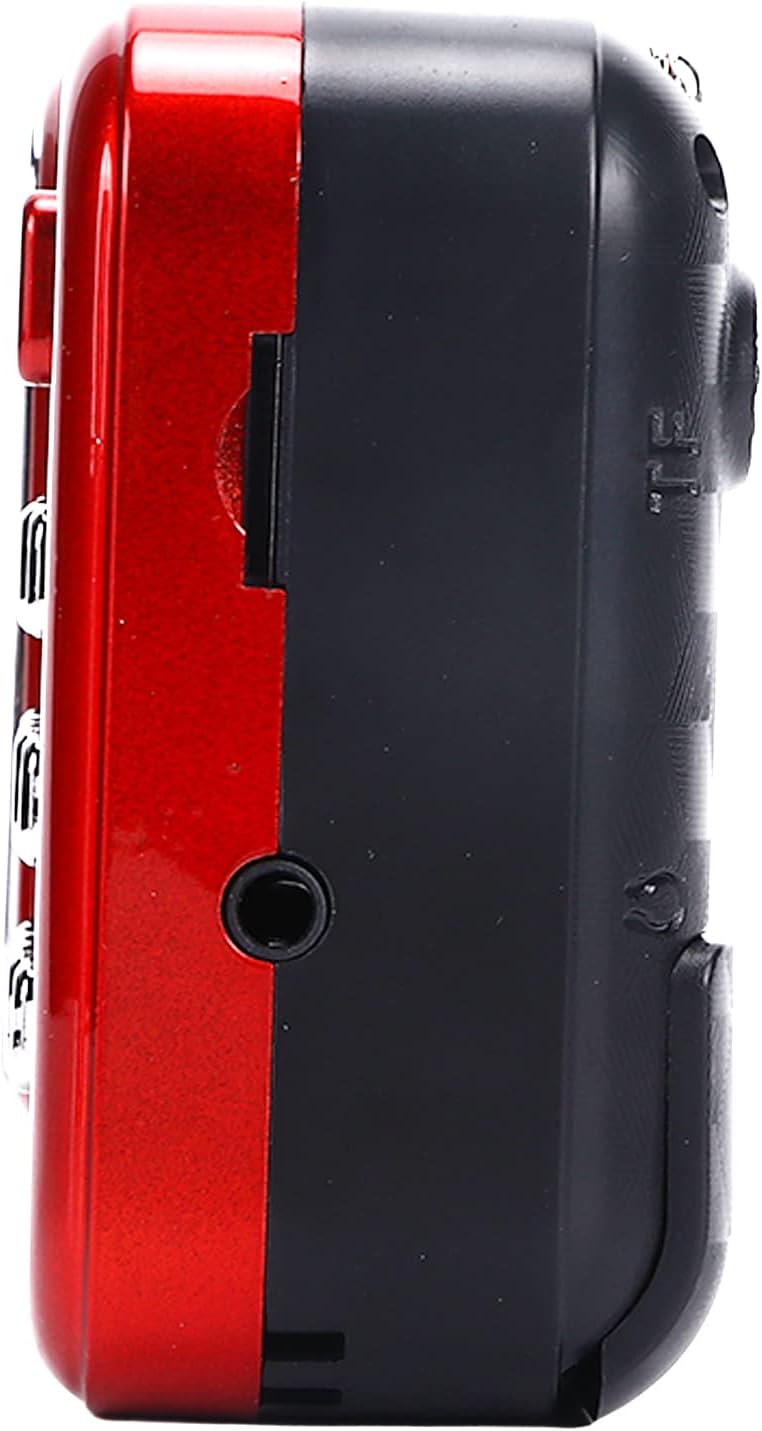
Şekil 4.3: Yan view of the radio, highlighting the headphone jack for private listening.
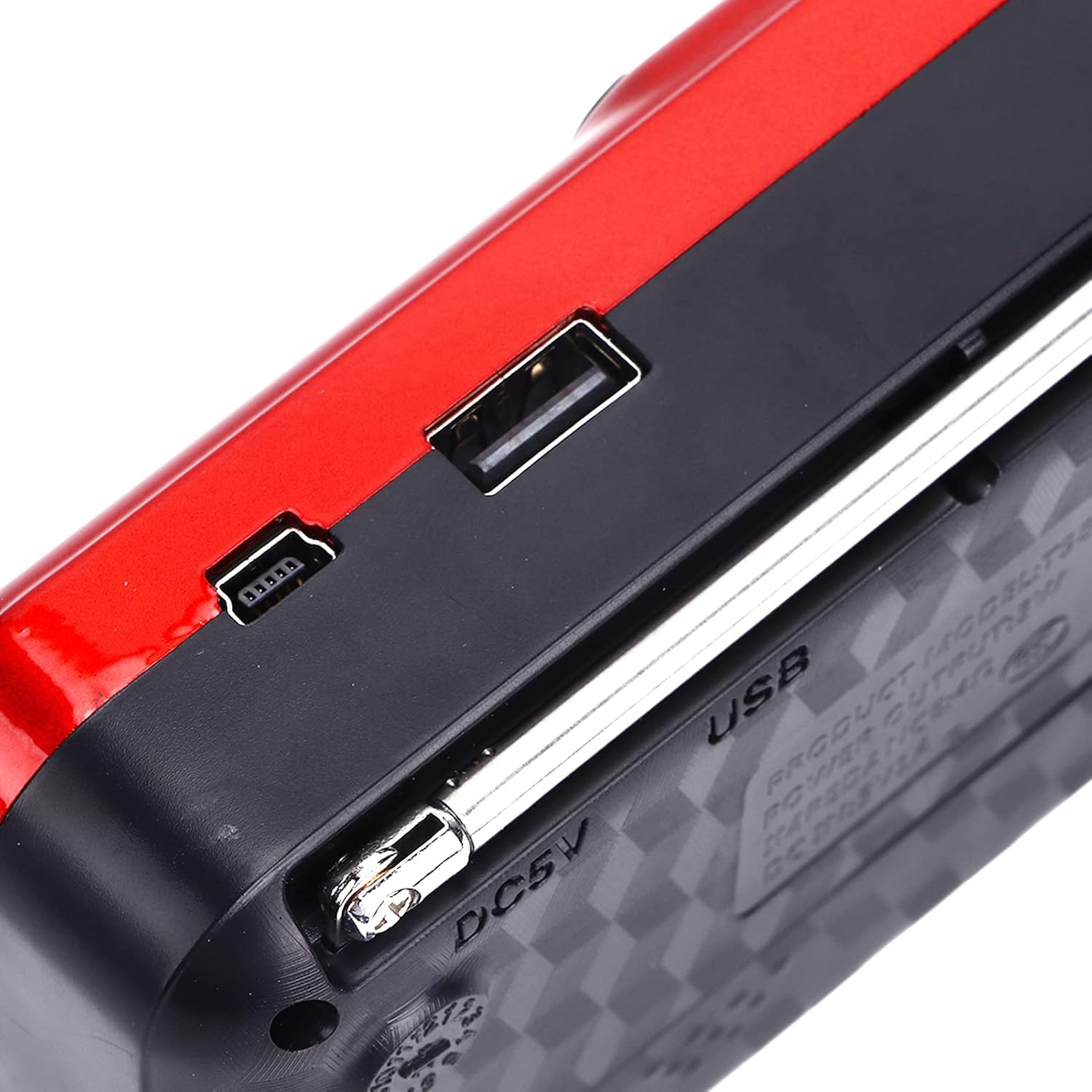
Şekil 4.4: Üst view of the radio, showing the USB port and DC 5V charging port.
5. Kurulum
5.1 Pil Kurulumu
- Radyonun arkasındaki pil bölmesi kapağını bulun.
- Bölmeyi açmak için kapağı kaydırın veya kaldırın.
- Insert one 18650 lithium battery, ensuring correct polarity (+/-) as indicated inside the compartment.
- Pil bölmesi kapağını sıkıca kapatın.

Figure 5.1: Open battery compartment showing the insertion of an 18650 lithium battery.
The radio can operate for approximately 6-8 hours on a fully charged 18650 lithium battery.
5.2 Pilin Şarj Edilmesi
- Connect the provided USB charging cable to the DC 5V port on the radio.
- Connect the other end of the USB cable to a compatible USB power source (e.g., computer, USB wall adapter, power bank, car charger).
- The LCD display may indicate charging status. Disconnect the charger once the battery is fully charged.
Şarj Hacmitage: DC 5V 1A.
6. Kullanım Talimatları
6.1 Güç Açma/Kapatma
- Basılı tutun Açık/Kapalı/Duraklat Radyoyu açmak için düğme.
- Press and hold the same button again to power off.
6.2 Sesi Ayarlama
- Basın V+ Sesi artırmak için düğmesine basın.
- Basın V- Sesi azaltmak için düğmesine basın.
6.3 Radio Mode (AM/FM)
- Daha iyi alım için teleskopik anteni uzatın.
- Basın Mod (M) button to switch to FM or AM radio mode. The current mode will be displayed on the LCD screen.
- Otomatik Tarama: Radyo modunda, tuşunu basılı tutun. Oynat/Duraklat button (often doubles as scan) to automatically scan and save available stations.
- Manuel Ayarlama: Kullanın Önceki Şarkı or Sonraki Şarkı buttons to manually tune to the desired frequency.
- Doğrudan Frekans Girişi: Use the numeric keys (0-9) to directly enter a radio frequency.
6.4 MP3 Çalma
The radio supports MP3 format playback from a USB drive or TF (MicroSD) card (not included).
- USB bağlantı noktasına bir USB bellek veya TF kart yuvasına bir TF kart takın.
- Basın Mod (M) button to switch to MP3 playback mode. The radio will automatically detect and begin playing MP3 files.
- Kullanın Önceki Şarkı Ve Sonraki Şarkı Parçalar arasında gezinmek için kullanılan düğmeler.
- Basın Açık/Kapalı/Duraklat Oynatmayı duraklatmak veya sürdürmek için düğmesine basın.
- Use the numeric keys (0-9) to directly select a track number.
6.5 El Fenerinin Kullanımı

Figure 6.1: The radio's integrated LED flashlight illuminating a dark area, useful for emergencies or low-light conditions.
The radio includes an integrated LED flashlight. To activate or deactivate the flashlight, locate the dedicated flashlight button or switch, usually on the side of the device.
6.6 Kulaklık Kullanımı
For private listening, plug standard 3.5mm headphones into the headphone jack located on the side of the radio.
7. Bakım
- Temizlik: Wipe the radio with a soft, dry cloth. Do not use liquid cleaners or aerosols.
- Depolamak: When not in use for extended periods, store the radio in a cool, dry place. If using a removable battery, consider removing it to prevent leakage.
- Pil Bakım: Recharge the battery regularly, even if not in use, to maintain its lifespan. Avoid fully discharging the battery frequently.
8. Sorun Giderme
| Sorun | Olası Neden | Çözüm |
|---|---|---|
| Radyo açılmıyor. | Pil bitmiş veya yanlış takılmış. | Pili şarj edin veya doğru kutuplulukta takıldığından emin olun. |
| Zayıf radyo alımı. | Anten uzatılmamış veya sinyal zayıf. | Teleskopik anteni tamamen açın. Radyonun konumunu değiştirmeyi deneyin. |
| Hoparlörden ses gelmiyor. | Ses seviyesi çok düşük veya kulaklık bağlı. | Sesi artırın. İstenmiyorsa kulaklıkları çıkarın. |
| MP3 fileOynamıyor. | Yanlış mod, desteklenmiyor file format, or faulty USB/TF card. | Ensure radio is in MP3 mode. Verify files are in MP3 format. Try a different USB drive or TF card. |
9. Özellikler
- Modeli: YOUTHINKmxkn0ugipz
- Marka: SENCE
- Ayarlayıcı Teknolojisi: Sabah, FM
- Desteklenen Radyo Bantları: Sabah, FM
- Bağlantı Teknolojisi: USB
- Güç Kaynağı: Battery Powered (18650 Lithium Battery)
- Şarj Hacmitage: DC 5V 1A
- Çıkış Gücü: 3W
- Yanıt Sıklığı: 100Hz-18KHz
- Sinyal Gürültü Oranı: ≤70dB
- Müzik Çalma: Supports MP3 Format
- Ürün Ölçüleri: 4.65"L x 2.76"W x 1.38"H (Approx. 11.8 x 7 x 3.5 cm)
- Ürün Ağırlığı: 5.9 ons (Yaklaşık 167 g)
- Özellik: Portable, LCD Display, MP3 Player, Flashlight
10. Garanti ve Destek
For warranty information or technical support, please refer to the documentation provided with your purchase or contact YOUTHINK customer service through the retailer where the product was purchased.
Garanti talepleri için lütfen satın alma belgenizi saklayın.