
1. Giriş
Thank you for choosing the Dracool Keyboard Case for iPad Pro 12.9". This manual provides essential information for setting up, operating, and maintaining your new keyboard case. Please read it carefully to ensure optimal performance and longevity of your device.
2. Uyumluluk
This keyboard case is designed to be compatible with the following iPad Pro 12.9" models:
- iPad Pro 12.9" 5th Generation (2021): A2378, A2379, A2461, A2462 modelleri
- iPad Pro 12.9" 4th Generation (2020): A2229, A2069, A2232, A2233 modelleri
- iPad Pro 12.9" 3rd Generation (2018): A1876, A2014, A1895, A1983 modelleri
To verify your iPad model number, please check the back of your iPad device.

Image: Compatibility chart for Dracool Keyboard Case with various iPad Pro 12.9 inch models and their respective model numbers.
3. Paket İçeriği
Lütfen pakette tüm öğelerin mevcut olduğundan emin olun:
- 1x Dracool Bluetooth Keyboard Case
- 1x USB-C Şarj Kablosu
- 1x Kullanım Kılavuzu (bu belge)
4. Temel Özellikler
- Manyetik Bağlantı: Securely holds your iPad Pro 12.9" in place.
- Çoklu Dokunmatik İzleme Paneli: Hassas gezinme için çoklu parmak hareketlerini destekler.
- Arkadan Aydınlatmalı Tuşlar: 7 color options and 3 adjustable brightness levels for comfortable typing in various lighting conditions.
- Ayarlanabilir Viewaçı: Offers a floating design with continuous angle adjustment up to 135 degrees.
- Full Body Protection: Provides front and back protection for your iPad.
- Bluetooth 5.2 Bağlantısı: İstikrarlı ve verimli bir kablosuz bağlantı sağlar.
- Makas Anahtarlı Tuşlar: Designed for a responsive and quiet typing experience.
- Sıçramalara Dayanıklı: Protects against accidental spills (do not immerse in water).
- Uzun Pil Ömrü: Up to 320 hours of working time without backlight.
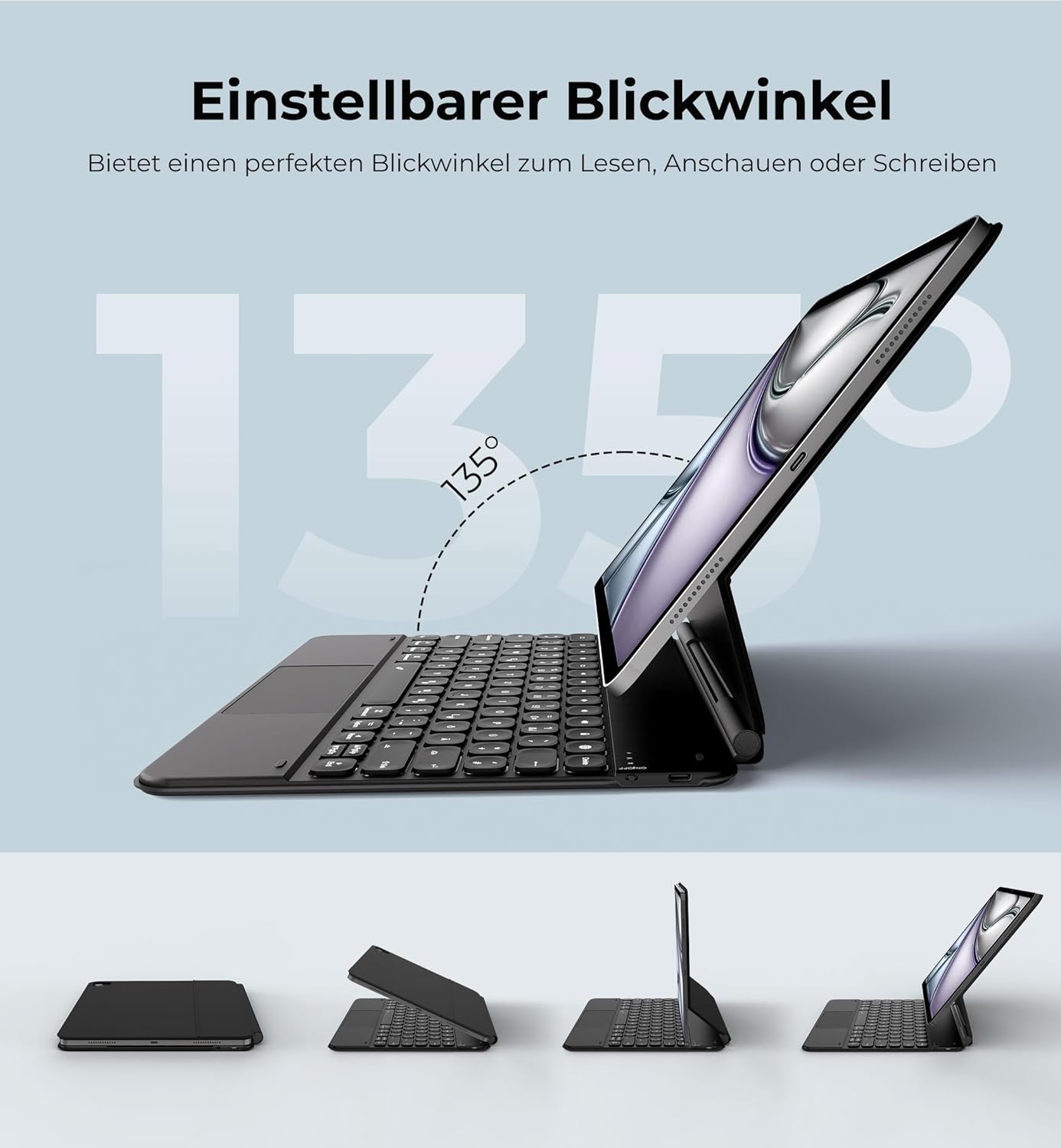
Image: The iPad Pro 12.9 inch is shown securely attached to the keyboard case via strong magnets, illustrating the magnetic attachment feature.
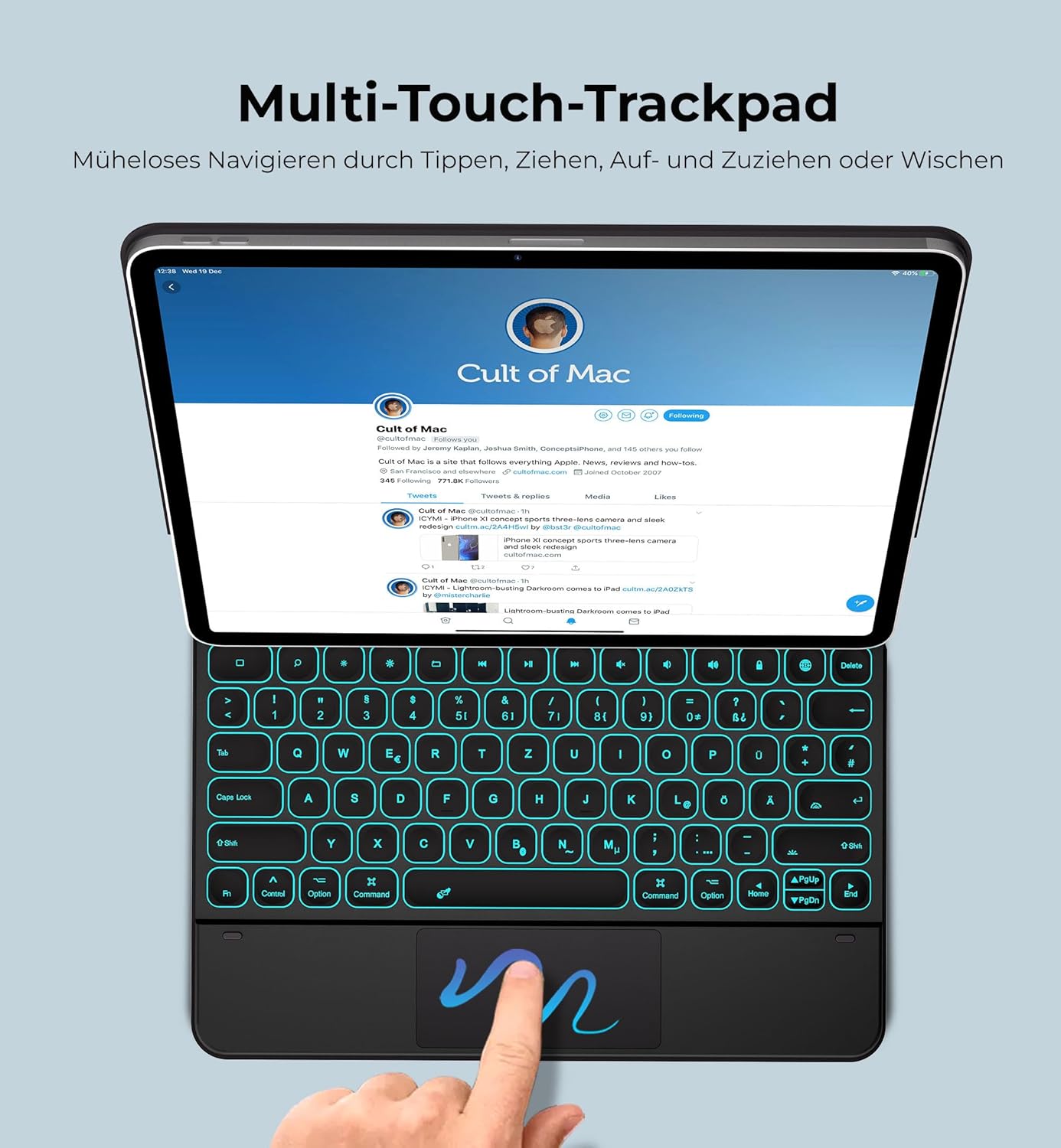
Image: The keyboard case with an iPad Pro 12.9 inch demonstrates its adjustable viewing angles, highlighting the 135-degree range for optimal screen positioning.

Image: The keyboard case displays its backlit keys in a low-light setting, with additional graphics indicating 7 backlight colors, 3 brightness levels, 1500 hours standby, and 320 hours working time.
5. Kurulum Talimatları
5.1 Klavyeyi Şarj Etme
- Locate the USB-C charging port on the keyboard case.
- Connect the provided USB-C charging cable to the keyboard and a suitable USB power adapter (not included).
- Şarj gösterge ışığı yanacaktır. Tam şarj yaklaşık 4 saat sürer.
- Once fully charged, the indicator light will change or turn off (refer to LED status in Operating Instructions).

Image: A USB-C charging cable is shown, illustrating the connection point for charging the keyboard case.
5.2 iPad'inizi Bağlama
- Klavye kasasını açın.
- Align your iPad Pro 12.9" with the magnetic back panel of the case. Ensure the iPad's camera aligns with the camera cutout on the case.
- The strong magnets will securely hold your iPad in place.
- Ayarla viewaçıyı istediğiniz gibi ayarlayın.
Önemli Not: Ensure the iPad's camera and the case's camera hole are perfectly aligned. Misalignment may affect the magnetic hold.
5.3 Bluetooth Eşleştirme
- Turn on the keyboard by sliding the power switch (usually located on the side or top edge of the keyboard). The indicator light will flash.
- iPad'inizde şuraya gidin: Ayarlar > Bluetooth.
- Bluetooth'un açık olduğundan emin olun. On.
- Your iPad will search for available devices. Look for "Dracool Keyboard" or a similar name in the list of devices.
- Tap on the keyboard name to pair. If prompted, enter the pairing code displayed on your iPad using the keyboard, then press Girmek.
- Once paired, the indicator light on the keyboard will stop flashing and remain solid or turn off, and your iPad will show the keyboard as "Connected".
6. Kullanım Talimatları
6.1 Klavyeyi Kullanmak
The keyboard features a QWERTZ layout (German) with scissor-switch keys for a comfortable typing experience. It includes a full row of iPadOS shortcut keys for quick access to media controls, volume, and more.
6.2 Arka Aydınlatmanın Ayarlanması
The keyboard offers 7 backlight colors and 3 brightness levels:
- Basın Ampul key (often located near the function keys) to cycle through backlight colors.
- Basın Ampul anahtar ile birleştirildi Yukarı / Aşağı Ok keys (or similar dedicated brightness keys) to adjust brightness levels (Brightest - Medium - Low - Off).
6.3 Çoklu Dokunmatik İzleme Yüzeyinin Kullanımı
The integrated trackpad supports various multi-touch gestures for seamless navigation on your iPad. These gestures mimic mouse functions and enhance productivity.
- Musluk: Single tap for click, double tap for double click.
- Taslak: Two-finger swipe up or down.
- Yakınlaştır: İki parmağınızla sıkıştırın.
- Uygulamalar arasında kaydırma hareketi yapın: Three-finger swipe left or right.
- Ana ekrana git: Üç parmakla yukarı kaydırma.
- Uygulama Değiştiriciyi Açın: Three-finger swipe up and hold.

Image: An iPad Pro 12.9 inch is shown in the Dracool keyboard case, with a hand demonstrating the use of the multi-touch trackpad for navigation.
6.4 Güç Tasarruf Modu
Klavye, pil ömrünü korumak için bir süre kullanılmadığında otomatik olarak uyku moduna geçer. Uyandırmak için herhangi bir tuşa basın.
7. Bakım
- Temizlik: Yumuşak bir d kullanınamp cloth to clean the surface of the keyboard case. Avoid harsh chemicals or abrasive materials.
- Depolamak: When not in use for extended periods, store the keyboard case in a cool, dry place. Ensure it is fully charged before long-term storage.
- Suya Dayanıklılık: The keyboard is splash-resistant. Do not immerse it in water or expose it to heavy rain.
- Aşırı Sıcaklıklardan Kaçının: Cihazınızı aşırı sıcağa veya soğuğa maruz bırakmayın; bu durum pil ve dahili bileşenlerine zarar verebilir.
8. Sorun Giderme
| Sorun | Olası Çözüm |
|---|---|
| Keyboard not pairing with iPad |
|
| Tuşlar yanıt vermiyor |
|
| Trackpad not working correctly |
|
| Arka ışık çalışmıyor |
|
| iPad not holding magnetically |
|
9. Özellikler
| Özellik | Detay |
|---|---|
| Marka | Dracool |
| Model Numarası | A2764 |
| Uyumlu Cihazlar | iPad Pro 12.9" (2021, 2020, 2018) |
| Bağlantı Teknolojisi | Bluetooth 5.2 |
| Klavye Düzeni | QWERTZ (Almanca) |
| Anahtar Sayısı | 78 |
| Anahtar Türü | Scissor Switches |
| Arka ışık | 7 Colors, 3 Brightness Levels (RGB) |
| Özel Özellikler | Magnetic Attachment, Multi-Touch Trackpad, Adjustable Viewing Angle, Splash-Resistant |
| Pil Kapasitesi | 800 mAh |
| Şarj Portu | USB-C |
| Şarj Süresi | Yaklaşık 4 saat |
| Çalışma Süresi (arka ışık olmadan) | 320 saate kadar |
| Working Time (brightest backlight) | 8 saate kadar |
| Çalışma Aralığı | 10 metreye kadar |
| Ürün Boyutları (U x G x Y) | 28.7x23x1.3 cm |
| Ürün Ağırlığı | 970 Gram |
| Malzeme | ABS, PU Leather |
10. Garanti ve Destek
For warranty information, technical support, or customer service inquiries, please refer to the product packaging or visit the official Dracool webalan. Garanti talepleri için satın alma makbuzunuzu saklayın.