
1. Giriş
This manual provides essential information for the safe and effective operation of your EXO Cinemaster 2-4K UHD Camera Drone. Please read this manual thoroughly before operating the drone to ensure proper usage and to maximize your flying experience. The EXO Cinemaster 2 is designed for capturing stunning aerial photography and videography with its advanced camera system and intelligent flight features.

The EXO Cinemaster 2-4K UHD Camera Drone, its remote controller, and included accessories.
2. Kutuda Neler Var?
Paketinizde tüm öğelerin mevcut olduğundan emin olun:
- EXO Cinemaster 2 Drone
- Uzaktan Kumanda
- 3 Lithium Polymer Batteries
- Pil Şarj Cihazı
- Propeller Set (spare propellers may be included)
- USB Şarj Kablosu
- Kullanım Kılavuzu (bu belge)
3. Bileşenler Bittiview
Familiarize yourself with the main components of your EXO Cinemaster 2 drone.

The drone features an 11MP photo resolution camera capable of 4K UHD video, mounted on a 3-axis gimbal for stable footage.
İnsansız hava aracı
- Kamera: 11MP photo, 4K UHD video, 1080p 60FPS slow-motion, 1/2.3in Sony Sensor, 50mbps bitrate.
- Dengeleme halkası: 3-axis stabilization for smooth video.
- Motors & Propellers: High-efficiency motors for stable flight.
- Pil Bölmesi: Uçuş bataryasını barındırır.
- Sensörler: GPS for precise positioning, obstacle avoidance sensors.
Uzaktan Kumanda
- Kontrol Çubukları: For flight direction and altitude.
- Akıllı Telefon Tutucu: To mount your smartphone for live video feed and app control.
- Fonksiyon Düğmeleri: For various flight modes and camera controls.
- Antenler: For signal transmission to the drone.
4. Kurulum
Follow these steps to prepare your EXO Cinemaster 2 for its first flight.
4.1 Pillerin Şarj Edilmesi
- Pil şarj cihazını bir güç kaynağına bağlayın.
- Insert the drone batteries into the charger.
- Allow batteries to fully charge. Indicator lights on the charger will show charging status.
4.2 Pervanelerin Takılması
- Drone'un kapalı olduğundan emin olun.
- Match propellers with their corresponding motor arms (usually marked A and B).
- Securely attach each propeller by twisting or pressing down until locked. Refer to the drone's markings for correct orientation.
4.3 Remote Controller Preparation
- Uzaktan kumandayı şarj edin.
- Extend the smartphone holder and securely place your smartphone.
- Download and install the official EXO drone application from your device's app store.
4.4 İlk Bağlantı
- Power on the drone, then the remote controller.
- Open the EXO drone app on your smartphone.
- Follow the in-app instructions to connect your smartphone to the drone via Wi-Fi.
- Wait for GPS signal acquisition (indicated by solid green lights on the drone and/or app).
5. İHA'nın Çalıştırılması
Learn how to fly your Cinemaster 2 and utilize its advanced features.
5.1 Temel Uçuş Kontrolleri
The remote controller provides intuitive control over the drone's movement:
- Sol Çubuk: Yüksekliği (yukarı/aşağı) ve sapmayı (sola/sağa dönüş) kontrol eder.
- Doğru Çubuk: İleri/geri ve sağ/sol hareketlerini kontrol eder.
- Kalkış/İniş Düğmesi: One-tap automatic takeoff and landing.

The remote controller provides precise and intuitive flight control.
5.2 Kamera Çalışması
The Cinemaster 2's camera system allows for high-quality media capture:
- Fotoğraf Çözünürlüğü: Capture still images at 11 megapixels.
- Video Çözünürlüğü: Record videos in stunning 4K UHD.
- Ağır Çekim: Achieve cinematic effects with 1080p 60FPS slow-motion recording.
- 3 Eksenli Gimbal: Sabit ve pürüzsüz bir yemek sağlartage by compensating for drone movements.
- Sony Sensör: The 1/2.3in Sony Sensor delivers rich, true-to-life colors with a 50mbps bitrate for detailed recordings.
5.3 Flight Performance and Features
Experience robust flight performance and intelligent modes:
- Uçuş Süresi: Enjoy up to 28 minutes of flight per battery.
- Menzil: Control the drone up to half a mile away.
- Rüzgar Direnci: Designed with Level 5 wind resistance for stable flight in various conditions.
- Spor Modu: Reach speeds of up to 27 MPH for dynamic aerial maneuvers.
- One-Tap Return to Home: The drone automatically returns to its takeoff point.
- Follow-Me Mode: The drone tracks your movements, capturing hands-free footage.
- Circle-Me Feature: The drone orbits around a designated subject for captivating shots.
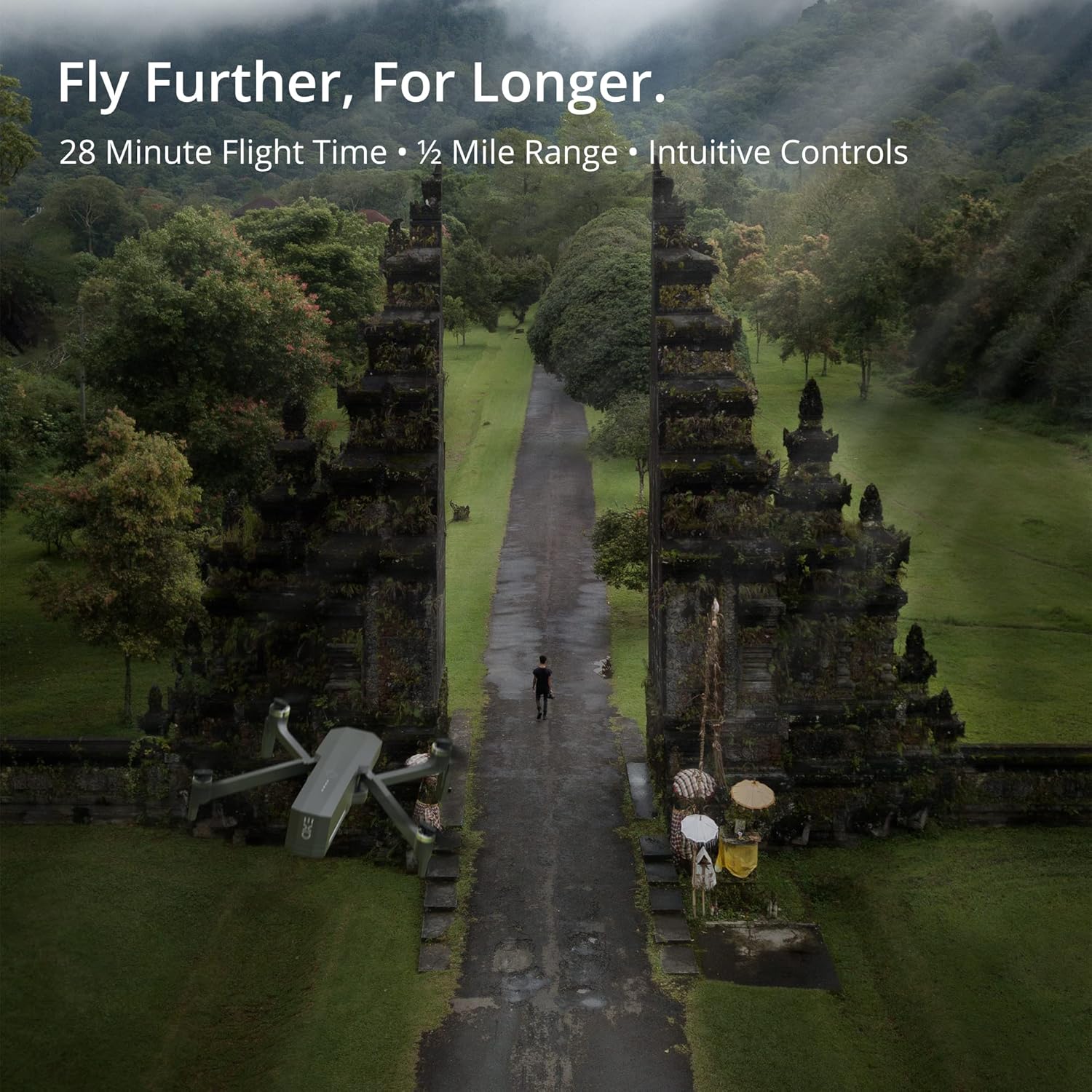
The Cinemaster 2 offers extended flight time and range for comprehensive aerial exploration.

Smart features like Auto Return Home simplify operation and enhance safety.

The drone's robust design provides stability even in windy conditions.
5.4 Resmi Ürün Videoları
Introducing Cinemaster 2: Bu videoview of the EXO Cinemaster 2 drone's features and capabilities, showcasing its camera quality and flight performance.
Drone Features Demonstration: This video demonstrates general drone features, including obstacle avoidance and high-resolution remote control, applicable to advanced drone models like the Cinemaster 2.
6. Bakım
Düzenli bakım, dronunuzun uzun ömürlü olmasını ve en iyi performansı göstermesini sağlar.
- Pil Bakım: Store batteries at approximately 50% charge if not used for extended periods. Avoid overcharging or fully discharging.
- Pervane Muayenesi: Regularly check propellers for cracks, bends, or damage. Replace damaged propellers immediately.
- Temizlik: Drone gövdesini ve kamera lensini temizlemek için yumuşak, kuru bir bez kullanın. Sert kimyasallar kullanmaktan kaçının.
- Donanım Yazılımı Güncellemeleri: Check the EXO drone app periodically for firmware updates to ensure your drone has the latest features and performance enhancements.
7. Sorun Giderme
Karşılaşabileceğiniz yaygın sorunlara yönelik çözümler şunlardır:
- Drone Not Connecting to Remote/App: Ensure both drone and remote are powered on and fully charged. Restart both devices and the app. Verify Wi-Fi connection.
- Zayıf GPS sinyali: Fly in an open area away from tall buildings or strong magnetic interference. Wait for the GPS indicator to show a strong signal.
- Kararsız Uçuş: Check propellers for damage and ensure they are correctly installed. Calibrate the drone's compass and IMU as per app instructions.
- Camera Issues (No Image/Poor Quality): Ensure the camera lens is clean. Check app settings for resolution and frame rate. Verify sufficient storage on the SD card.
- Drone Does Not Respond: Ensure batteries are charged and properly inserted. Check for any physical obstructions to propellers.
8. Özellikler
| Özellik | Şartname |
|---|---|
| Marka | EKZO |
| Model Adı | EXO Cinemaster 2 |
| Ürün Ağırlığı | 1.43 pound |
| Ürün Boyutları | 12.6 x 4.72 x 9.45 inç |
| Piller | 3 Lityum Polimer pil (dahil) |
| Özel Özellikler | Küresel Konumlama Sistemi |
| Video Yakalama Çözünürlüğü | 4K UHD (1080p for slow motion) |
| Flash Bellek Türü | SD |
| Desteklenen Ses Biçimi | AAC |
| Bağlantı Teknolojisi | Wifi |
| Kamera Tipi | Video kamera |
| İlk Mevcut Tarih | 30 Mart 2022 |
9. Garanti ve Destek
For any questions, technical assistance, or warranty claims, please contact EXO's dedicated customer service team. Our Utah-based support is available to ensure a smooth and enjoyable experience with your Cinemaster 2 drone.
Refer to the official EXO webGaranti koşulları ve iletişim bilgileri için lütfen web sitemizi veya satın alma belgelerinizi inceleyin.