
Star Micronics BSH-HR2081BT BLK
Star Micronics BSH-HR2081BT Wireless Bluetooth 1D/2D Barcode Scanner User Manual
Model: BSH-HR2081BT BLK
1. Giriş
This manual provides comprehensive instructions for the setup, operation, maintenance, and troubleshooting of your Star Micronics BSH-HR2081BT Wireless Bluetooth 1D/2D Barcode Scanner. Designed for efficiency and durability, this scanner is a reliable solution for various point-of-sale and inventory management applications.
The BSH-HR2081BT scanner is equipped with a high-power CPU, enabling it to effortlessly capture high-density, high-volume, and even distorted barcodes from both printed materials and digital screens. Its robust design, coupled with advanced wireless capabilities, ensures seamless integration into your workflow.
2. Temel Özellikler
- Yüksek Performanslı Tarama: Powerful CPU captures high-density, high-volume, and distorted 1D/2D barcodes on paper or screen.
- Uzun Pil Ömrü: Offers up to 12 hours of continuous operation (one scan every six seconds) with its 2200mAh battery.
- Çok Yönlü Bağlantı: Connects directly to the host device via Bluetooth Low Energy (BLE) or wirelessly to a Star printer using the included USB dongle.
- Reliable Wireless Range: Maintains a stable wireless connection to transmit data, with communication distances up to 50 meters (approximately 164 feet).
- Dayanıklı Yapı: Features an IP42-rated design and a drop-resistant housing, capable of withstanding drops from up to 1.2 meters (approximately 4 feet).
3. Kurulum Kılavuzu
3.1. Kutudan Çıkarma ve İlk İnceleme
Tüm bileşenleri ambalajından dikkatlice çıkarın. Aşağıdaki öğelerin mevcut olduğundan emin olun:
- Star Micronics BSH-HR2081BT Barcode Scanner
- USB Şarj Kablosu
- USB Dongle (for wireless connection to Star printers)
- Tarayıcı Sehpası

Figure 3.1: Barcode scanner and its USB dongle.
3.2. Tarayıcıyı Şarj Etme
Before first use, fully charge the scanner. Connect the USB charging cable to the scanner's charging port (located at the bottom of the handle) and plug the other end into a USB power adapter (not included) or a computer's USB port. The charging indicator light will show the charging status.

Figure 3.2: USB charging port at the base of the scanner handle.
3.3. Tarayıcının Bağlanması
The BSH-HR2081BT scanner offers two primary connection methods:
3.3.1. Bluetooth Connection (Direct to Host Device)
- Tarayıcının açık olduğundan emin olun.
- On your host device (smartphone, tablet, or computer), enable Bluetooth.
- Arama available Bluetooth devices. The scanner should appear as "Star Micronics BSH-HR2081BT" or similar.
- Select the scanner to pair. Follow any on-screen prompts to complete the pairing process.
3.3.2. Wireless Connection (via USB Dongle to Star Printer)
- Insert the provided USB dongle into an available USB port on your compatible Star printer (e.g., mC-Print, mPOP).
- Power on the scanner. The scanner and dongle should automatically establish a connection.
- Refer to your Star printer's manual for specific instructions on connecting external devices.

Figure 3.3: Barcode scanner placed in its included stand.
4. Kullanım Talimatları
4.1. Temel Tarama İşlemi
To scan a barcode, point the scanner's window at the barcode and press the trigger button. A successful scan will typically be indicated by an audible beep and/or a visual confirmation light.
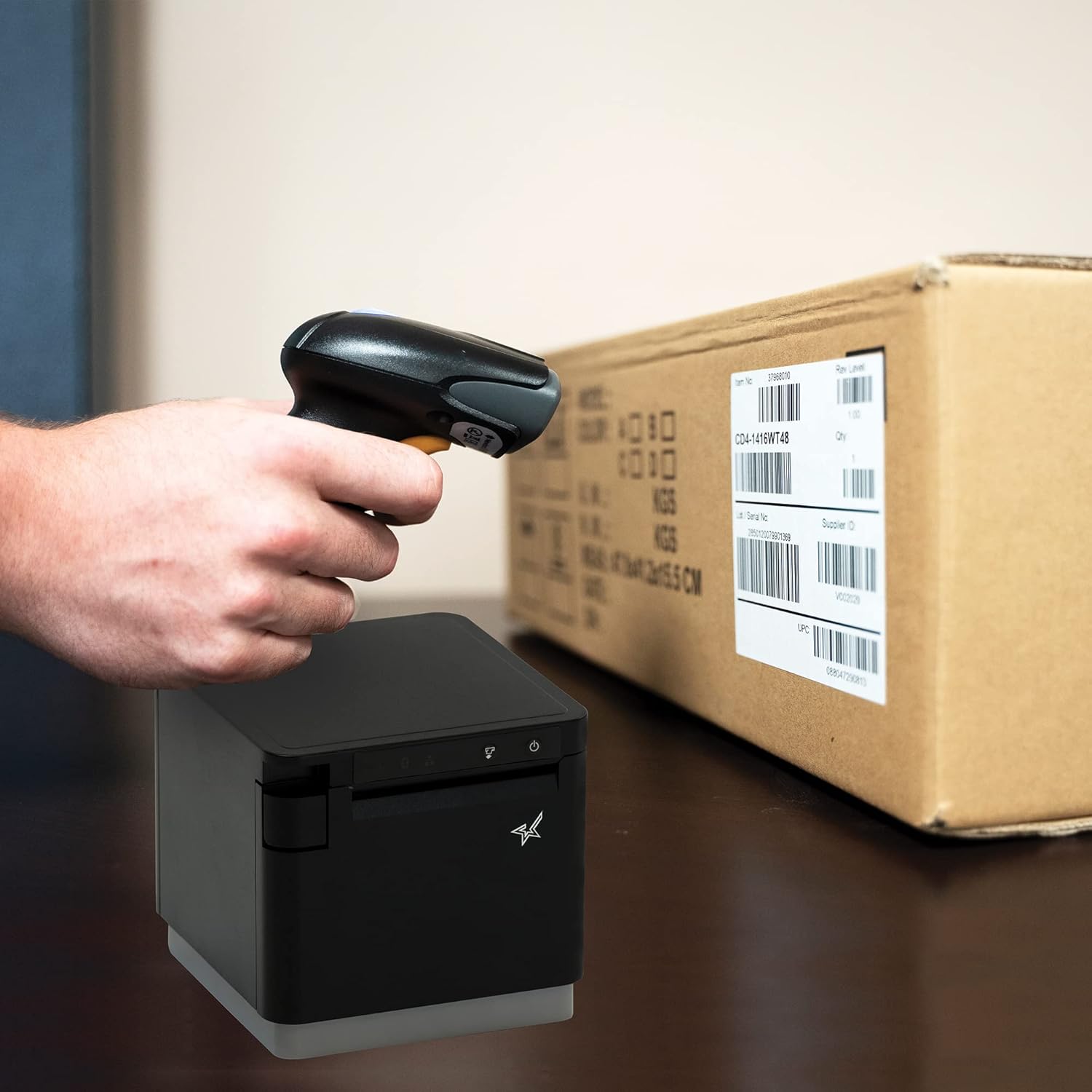
Şekil 4.1: Ör.ample of scanning a barcode on a package.
4.2. Tarama Modları
The BSH-HR2081BT scanner supports six different scanning modes to accommodate various operational needs:
- Seviye Modu: The scanner's trigger will activate the decode session.
- Tetikleme Modu: A trigger pull activates a decode session.
- Duygu Modu: The scanner activates a decode session every time it detects a barcode.
- Sürekli Mod: The scanner automatically starts one decode session after another.
- Darbe Modu: When the trigger is pulled and released, scanning is activated until a barcode is decoded or the decode session timeout expires.
- Toplu Mod: When the trigger is pulled and released, scanning is activated until the trigger is released.
Refer to the full user guide (link in Section 7) for detailed instructions on how to switch between these modes and configure specific settings.
5. Bakım
5.1. Tarayıcının Temizlenmesi
En iyi performansı korumak için tarayıcının penceresini temiz tutun. Yumuşak, tüy bırakmayan bir bez kullanarak hafifçe silin.ampened with water or a mild, non-abrasive cleaner. Do not use harsh chemicals or abrasive materials, as they may damage the scanner's surface or optical components.
5.2. Pil Bakımı
Tarayıcı bir Lityum İyon pil ile donatılmıştır. Pil ömrünü uzatmak için:
- Pilin sık sık tamamen boşaltılmasından kaçının.
- Uzun süre kullanılmayacaksa tarayıcıyı serin ve kuru bir yerde saklayın.
- Charge the battery regularly, even if the scanner is not in frequent use.
6. Sorun Giderme
6.1. Tarayıcı Bağlanmıyor
- Gücü Kontrol Edin: Ensure the scanner is fully charged and powered on.
- Bluetooth Eşleştirme: For Bluetooth connections, ensure Bluetooth is enabled on your host device and the scanner is in pairing mode. Try unpairing and re-pairing the device.
- USB Dongle: If using the USB dongle, ensure it is securely plugged into the Star printer and the printer is powered on.
- Menzil: Ensure the scanner is within the effective communication range (up to 50m) of the host device or dongle.
6.2. Tarayıcı Barkodları Okuyamıyor
- Barkod Durumu: Ensure the barcode is clear, not smudged, torn, or excessively reflective.
- Mesafe ve Açı: Adjust the distance and angle of the scanner to the barcode. Try different scanning modes if applicable.
- Aydınlatma: Yeterli aydınlatma sağlayın. Barkodun üzerine doğrudan güneş ışığı gelmesinden kaçının.
- Tarayıcı Penceresi: Clean the scanner's reading window as described in the Maintenance section.
6.3. Kısa Pil Ömrü
- Tam Şarj: Ensure the scanner is charged until the indicator shows a full charge.
- Kullanım Şekli: Continuous heavy usage will deplete the battery faster.
- Pil Yaşı: Over time, rechargeable batteries naturally lose capacity.
7. Teknik Özellikler
| Şartname | Detay |
|---|---|
| Ürün Boyutları | 5.7 x 4 x 2.7 inç |
| Ürün Ağırlığı | 1.06 pound |
| Model Numarası | BSH-HR2081BT BLK |
| Piller | 1 Lityum İyon pil gereklidir (dahil) |
| Üretici | Yıldız Mikronik |
| Uyumlu Cihazlar | Akıllı telefon, Tablet |
| Güç Kaynağı | Pil ile çalışır |
| Bağlantı Teknolojisi | Bluetooth, USB Kablosu |
| IP Derecelendirmesi | IP42 |
| Düşme Direnci | 1.2 metreye kadar |
8. Garanti ve Destek
For warranty information and technical support, please contact Star Micronics directly or visit their official webSite. Satın alma fişinizi, garanti talepleriniz için satın alma belgeniz olarak saklayın.
Ayrıntılı Kullanım Kılavuzu PDF formatında indirilmeye hazırdır:
Ask a question about this manual
Ask about setup, troubleshooting, compatibility, parts, safety, or missing instructions. Manuals+ will review the question and use this page’s manual context to help answer it.