
1. Giriş
This manual provides detailed instructions for the installation, operation, and maintenance of your Aramox Backup Camera, specifically designed as a replacement for the 3rd stop lamp on Nissan NV200 models from 2010 to 2017. Please read this manual thoroughly before installation and use to ensure proper function and safety.
2. Güvenlik Bilgileri
- Elektriksel Güvenlik: Ensure the vehicle's power is off before beginning installation to prevent electrical shock or damage to the vehicle's electrical system.
- Profesyonel Kurulum: If you are not comfortable with automotive electrical systems or vehicle modifications, it is recommended to seek professional installation.
- Suya Dayanıklılık: The camera features an IP68 protection level, indicating it is dust-tight and protected against immersion in water. However, avoid high-pressure water jets directly on the camera.
- Çalışma Sıcaklığı: The camera is designed to operate within a temperature range of -30℃ to +80℃. Extreme temperatures outside this range may affect performance.
- Görünürlük: Always check your surroundings visually in addition to using the backup camera. The camera is an aid and not a substitute for safe driving practices.
3. Paket İçeriği
Paketin içinde tüm öğelerin mevcut olduğundan emin olun:
- 1 x Arka View Camera (Integrated into 3rd stop lamp Konut)
- 2 x Connection Line (Video cable and power cable)
- 1 x Kullanım Kılavuzu
4. Ürün Bittiview
The Aramox Backup Camera integrates seamlessly into your vehicle's existing 3rd stop lamp housing, providing a discreet and functional solution for enhanced rear visibility.

Figure 4.1: Aramox Backup Camera unit.
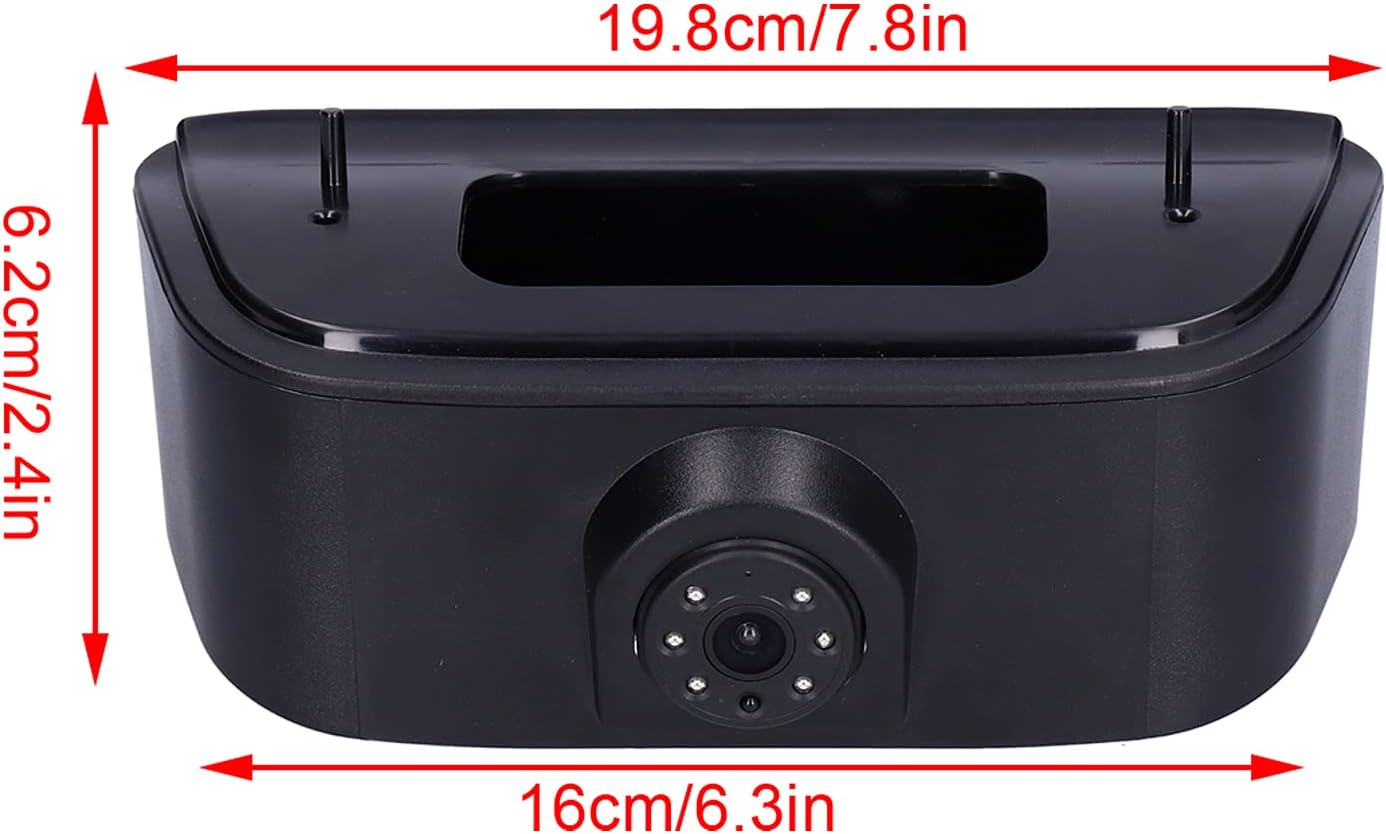
Figure 4.2: Product dimensions for fitting reference.

Figure 4.3: Close-up of the camera lens and integrated illumination.
5. Kurulum ve Kurulum
The installation process involves replacing the vehicle's original third brake light with the integrated camera unit. This is a direct replacement designed for the Nissan NV200 (2010-2017).
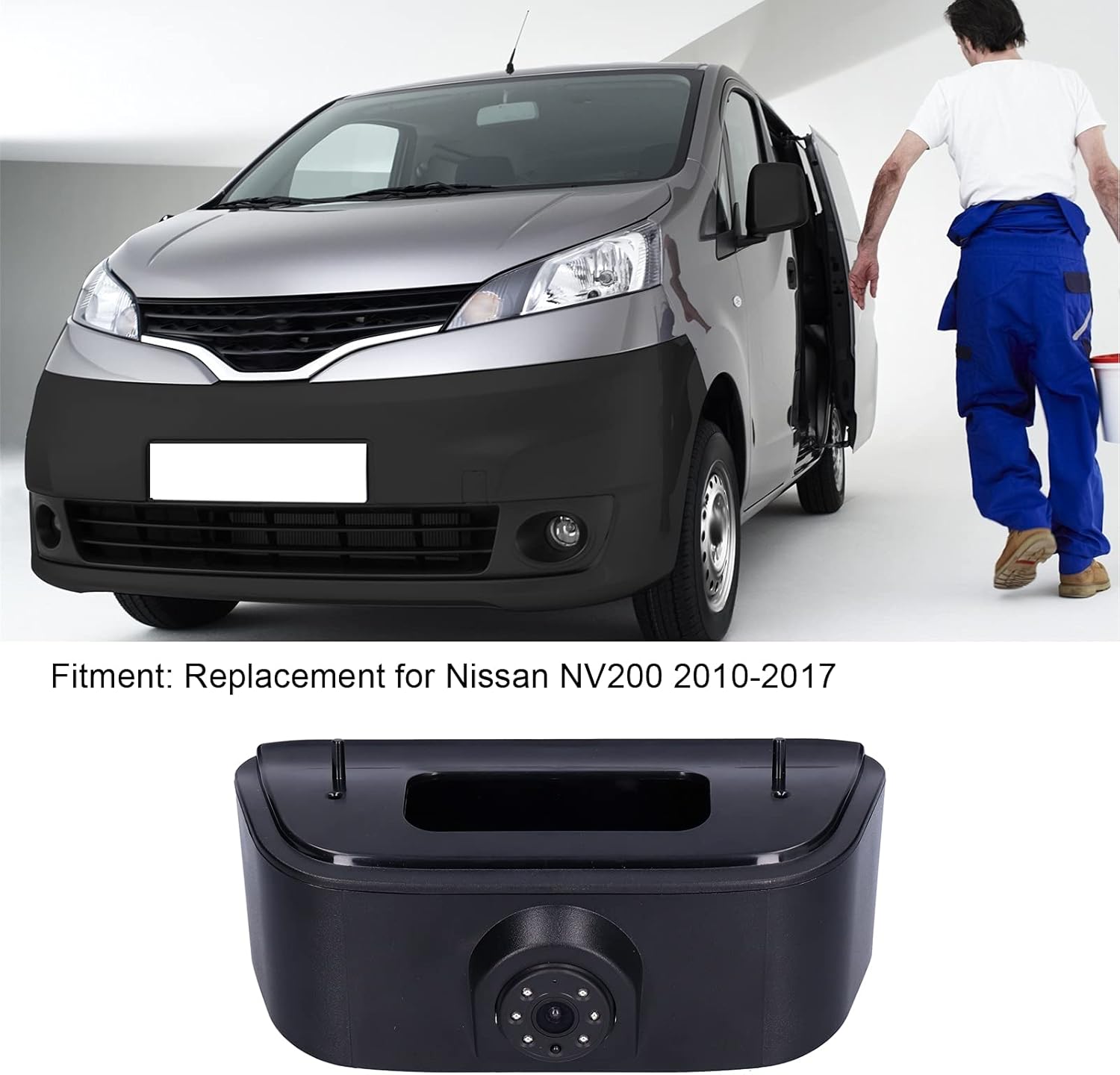
Şekil 5.1: Ör.ample of the camera installed on a compatible vehicle.
Kurulum Adımları:
- Aracı Hazırlayın: Park the vehicle on a level surface, engage the parking brake, and turn off the ignition. Disconnect the negative terminal of the vehicle's battery to prevent electrical issues.
- Remove Original 3rd Brake Light: Carefully remove the screws or clips securing the original 3rd brake light assembly on the rear of your Nissan NV200. Disconnect its electrical connector.
- Install Camera Unit: Connect the new Aramox Backup Camera's electrical connector to the vehicle's wiring harness, ensuring a secure connection. Mount the camera unit into the opening where the original brake light was, securing it with the original screws or clips.
- Rota Kabloları: Route the video cable from the camera through the vehicle's interior to the location of your display monitor (e.g., rearview mirror monitor, aftermarket head unit). Ensure cables are tucked away safely and do not interfere with moving parts or pinch points.
- Ekrana Bağlan: Connect the RCA video output from the camera to the video input of your display monitor. Connect the power cable for the camera to a 12V power source that is activated when the vehicle is in reverse (typically the reverse light circuit).
- Deneme sistemi: Reconnect the vehicle's battery. Turn on the ignition and engage reverse gear. Verify that the camera image appears on your display and that the parking assistance lines are visible.
- Son Güvenlik İşlemi: Once confirmed operational, ensure all connections are secure and all trim panels are reinstalled.

Figure 5.2: Camera unit showing video and power connections.
6. Kullanım Talimatları
The Aramox Backup Camera is designed for automatic operation when the vehicle is shifted into reverse gear.
- Otomatik Aktivasyon: When the vehicle's transmission is placed in reverse, the camera will automatically activate and display the rear view Bağlı monitörünüzde.
- Parking Assistance Lines: The display will show parking assistance lines, which help guide you when backing up. These lines indicate the projected path of your vehicle.
- Gece Görüşü: The camera is equipped with night vision capabilities, providing a clear image even in low-light conditions.
- Geniş Açı View: The 170° wide-angle lens provides an expansive view Aracınızın arkasındaki alanı görüntüleyerek kör noktaları en aza indirir.
7. Bakım
Regular maintenance ensures the longevity and optimal performance of your backup camera.
- Lensin Temizlenmesi: Kameranın lensini düzenli olarak yumuşak bir bezle temizleyin.amp tıkanıklığa neden olabilecek kir, toz veya su lekelerini çıkarmak için bir bez kullanın viewAşındırıcı temizleyicilerden kaçının.
- Kabloları İnceleyin: Occasionally check the wiring and connections for any signs of wear, damage, or loose connections.
- Çevresel Faktörler: While the camera is designed for outdoor use, extreme weather conditions (heavy snow, ice, prolonged direct sunlight) can temporarily affect performance. Ensure the lens is clear of obstructions before use.
8. Sorun Giderme
If you encounter issues with your Aramox Backup Camera, refer to the following common problems and solutions:
| Sorun | Olası Neden | Çözüm |
|---|---|---|
| Geri vitese geçildiğinde ekranda görüntü yok. | Loose power or video connection; faulty power supply; incorrect wiring; display issue. | Check all cable connections. Ensure the camera is receiving 12V power when in reverse. Verify your display monitor is functioning correctly. |
| Image is distorted, flickering, or poor quality. | Loose video connection; electrical interference; damaged video cable; dirty lens. | Secure video cable connections. Ensure video cable is not routed near high-voltage wires. Clean the camera lens. |
| Night vision not working effectively. | Lens obstruction; insufficient ambient light for IR sensors. | Clean the camera lens. Ensure no objects are blocking the camera's view. Note that night vision performance can vary based on ambient light. |
| Parking lines are not visible. | Display setting; camera malfunction. | Check your monitor's settings to ensure parking lines are enabled if applicable. If the issue persists, the camera may require inspection. |
If these troubleshooting steps do not resolve the issue, please contact customer support for further assistance.
9. Özellikler
| Özellik | Şartname |
|---|---|
| Model Numarası | Aramox34grydf2v86328 |
| Uyumluluk | Nissan NV200 (2010-2017) |
| HD Pixels | 1280x720 |
| Mercek Açısı | 170° (Wide Angle) |
| Gece Görüşü | Desteklenen |
| Renk | Siyah |
| Koruma Seviyesi | IP68 |
| Minimum Aydınlatma | 0.01 Lüks |
| Çalışma Hacmitage | Doğru Akım 12V |
| Çalışma Sıcaklığı | -30℃ ile +80℃ arası |
| Malzeme | ABS |
| Bağlayıcı Türü | RCA |
| Optik Sensör Teknolojisi | CMOS |
| Optik Sensör Boyutu | 1/3 inç |
| Video Yakalama Çözünürlüğü | 720p |
10. Garanti ve Destek
For warranty information or technical support, please refer to the documentation provided with your purchase or contact Aramox customer service through your retailer. Keep your purchase receipt for warranty claims.