
1. Giriş
This manual provides detailed instructions for the setup, operation, maintenance, and troubleshooting of your Rampage KB-R29 GRAND Series RGB LED Mechanical Gaming Keyboard. Please read this manual thoroughly before using the product to ensure proper functionality and longevity.
2. Paket İçeriği
Paketin içinde tüm öğelerin mevcut olduğundan emin olun:
- Rampage KB-R29 GRAND Series RGB LED Mechanical Gaming Keyboard
- Kullanıcı Kılavuzu
3. Ürün Bittiview
Rampage KB-R29 GRAND is a high-performance mechanical gaming keyboard featuring RGB LED backlighting and durable Blue Optical Switches. It is designed for gaming and general computer use, offering a responsive and tactile typing experience.
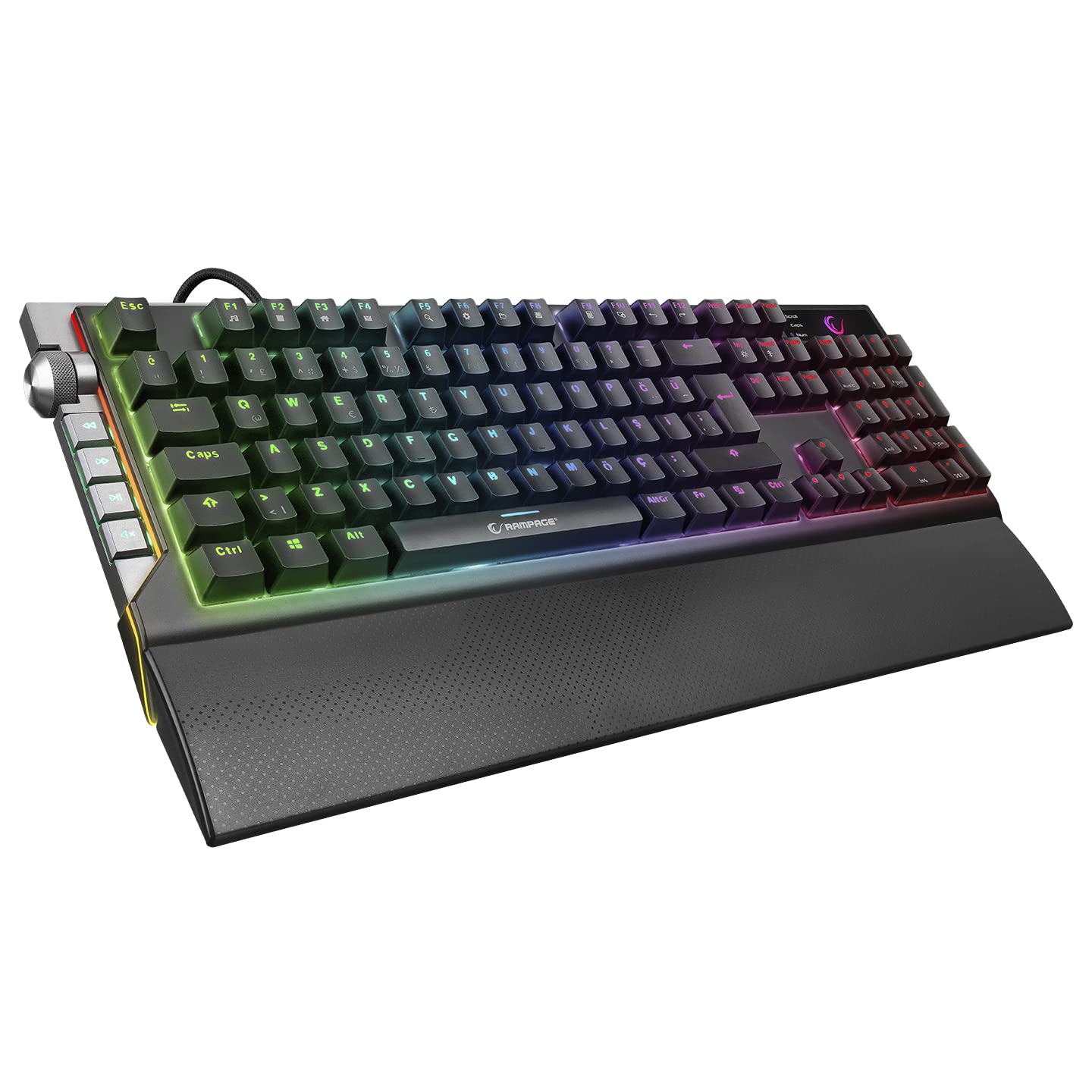
Resim: Yakın çekim view R'ninampage KB-R29 GRAND keyboard, highlighting the Blue Optical Switches beneath removed keycaps. This illustrates the mechanical switch design.
Temel Özellikler:
- Anahtar Türü: Blue Optical Switches for tactile feedback and durability.
- Düzen: Turkish-Q (87 keys).
- Arka aydınlatma: RGB LED customizable lighting.
- Bağlantı: Wired USB.
- Boyutlar: Approximately 445mm x 212.8mm x 33mm.
4. Kurulum Talimatları
- Klavyeyi Paketinden Çıkarın: Klavyeyi ambalajından dikkatlice çıkarın.
- Bilgisayara Bağlan: Klavyenin USB bağlantısını bilgisayarınızdaki boş bir USB portuna takın.
- Sürücü Kurulumu: The keyboard is typically plug-and-play. Your operating system should automatically detect and install the necessary drivers. No additional software installation is usually required for basic functionality.
- Atama: Place the keyboard on a stable, flat surface. Ensure comfortable wrist positioning.
5. Kullanım Talimatları
Temel Klavye Fonksiyonları:
- Yazma: Use the keys for standard text input.
- Fonksiyon Tuşları (Fn): The keyboard features an Fn key. Combine the Fn key with other keys (e.g., F1-F12) to access multimedia controls or other special functions. Refer to the keycap legends for specific combinations.
RGB LED Backlighting Control:
Rampage KB-R29 GRAND keyboard offers various RGB lighting effects and customization options. Specific key combinations are used to cycle through modes, adjust brightness, and change colors.
- Aydınlatma Modlarını Değiştirme: Typically, a combination of the Fn key and specific function keys (e.g., Fn + F9, Fn + F10) or dedicated lighting keys will cycle through different RGB effects.
- Parlaklığın Ayarlanması: Use Fn + Up/Down arrow keys or similar combinations to increase or decrease LED brightness.
- Hız/Yön Ayarlaması: Some lighting effects allow adjustment of speed or direction using Fn key combinations.
Not: Refer to the keycap legends on your specific keyboard for the exact key combinations for lighting control, as these can vary slightly.
6. Bakım ve Özen
- Temizlik:
- Temizlemeden önce klavyeyi bilgisayarınızdan ayırın.
- Yumuşak bir d kullanınamp cloth to wipe the surface of the keyboard. Avoid harsh chemicals or abrasive materials.
- Tuşlar arasındaki toz ve pislikleri temizlemek için basınçlı hava kullanın.
- Keycaps can be carefully removed for deeper cleaning, but exercise caution to avoid damaging the switches.
- Depolamak: Klavyeyi kuru, serin bir ortamda, doğrudan güneş ışığından ve aşırı sıcaklıklardan uzakta saklayın.
- Sıvılardan Kaçının: Do not expose the keyboard to liquids. Liquid damage can void the warranty.
- Dikkatli Kullanın: Klavyeyi düşürmekten veya sert darbelere maruz bırakmaktan kaçının.
7. Sorun Giderme
| Sorun | Olası Neden | Çözüm |
|---|---|---|
| Klavye yanıt vermiyor | Gevşek USB bağlantısı, arızalı USB portu, sürücü sorunu. |
|
| Anahtarlar kaydedilmiyor | Tuş takımının altında toz/kir var, anahtar arızalı. |
|
| RGB aydınlatma çalışmıyor | Lighting mode off, brightness set to minimum, software conflict. |
|
8. Özellikler
| Marka | Rampyaş |
| Model Numarası | KB-R29 GRAND |
| Anahtar Türü | Blue Optical Switch |
| Anahtar Sayısı | 87 |
| Düzen | Türkçe-Q |
| Bağlantı | Kablolu USB |
| Uyumlu Cihazlar | Dizüstü bilgisayar, Masaüstü bilgisayar |
| Boyutlar (UxGxY) | 445mm x 212.8mm x 33mm |
| Renk | Siyah |
9. Garanti Bilgileri
This product comes with a manufacturer's warranty. Please refer to the warranty card included with your product or contact Rampage customer support for detailed warranty terms and conditions. Keep your purchase receipt as proof of purchase for warranty claims.
10. Destek
For technical assistance, troubleshooting, or product inquiries, please contact Rampage customer support. Contact information can typically be found on the manufacturer's official websitede veya ürün ambalajında yer almamaktadır.
Çevrimiçi Kaynaklar: Visit the official Rampyaş website for updated drivers, FAQs, and additional support resources.