
Lloyd's LC-1330
Lloyd's Advanced Video Doorbell Camera
Modeli: LC-1330
giriiş
This manual provides detailed instructions for the installation, operation, and maintenance of your Lloyd's Advanced Video Doorbell Camera LC-1330. This wireless outdoor security device features Full HD 1080P video, two-way audio, night vision, and motion detection to enhance your home security.
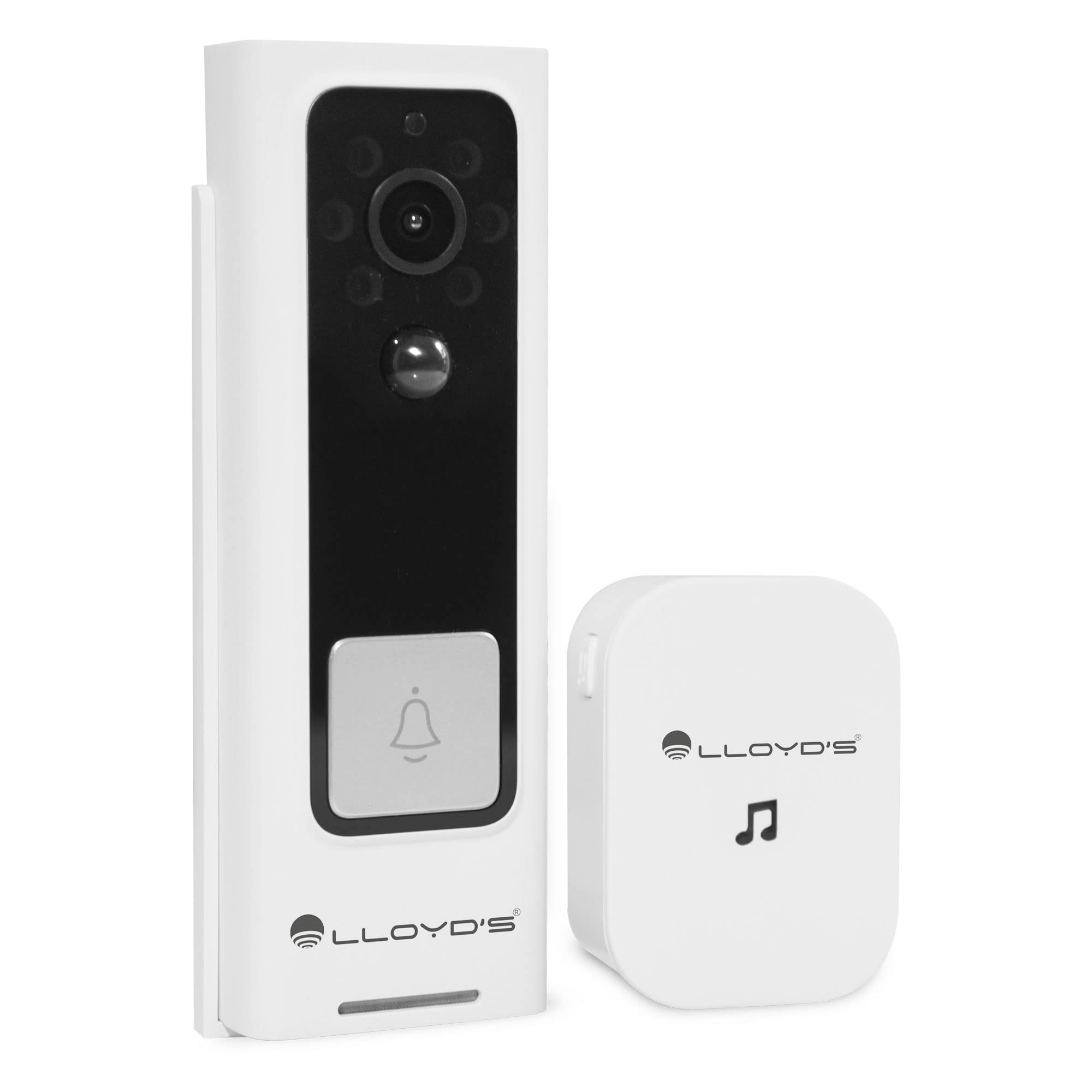
Figure 1: Lloyd's Advanced Video Doorbell Camera LC-1330 and Chime in packaging.
Paket İçeriği
Aşağıda listelenen tüm öğelerin paketinizde bulunduğunu doğrulayın:
- 1 x Lloyd's Wi-Fi Video Doorbell Camera (LC-1330)
- 1 x Kablosuz Zil
- 2 x 18650 Rechargeable Batteries (pre-installed in doorbell)
- 1 x USB Şarj Kablosu
- 1 x Montaj Braketi
- 1 x Mounting Screw Kit (screws, wall anchors)
- 1 x Reset Pin / Ejector Tool
- 1 x Kullanım Kılavuzu
Herhangi bir ürün eksik veya hasarlıysa lütfen müşteri desteğiyle iletişime geçin.
Ürün Bittiview
Familiarize yourself with the components of your video doorbell and chime:
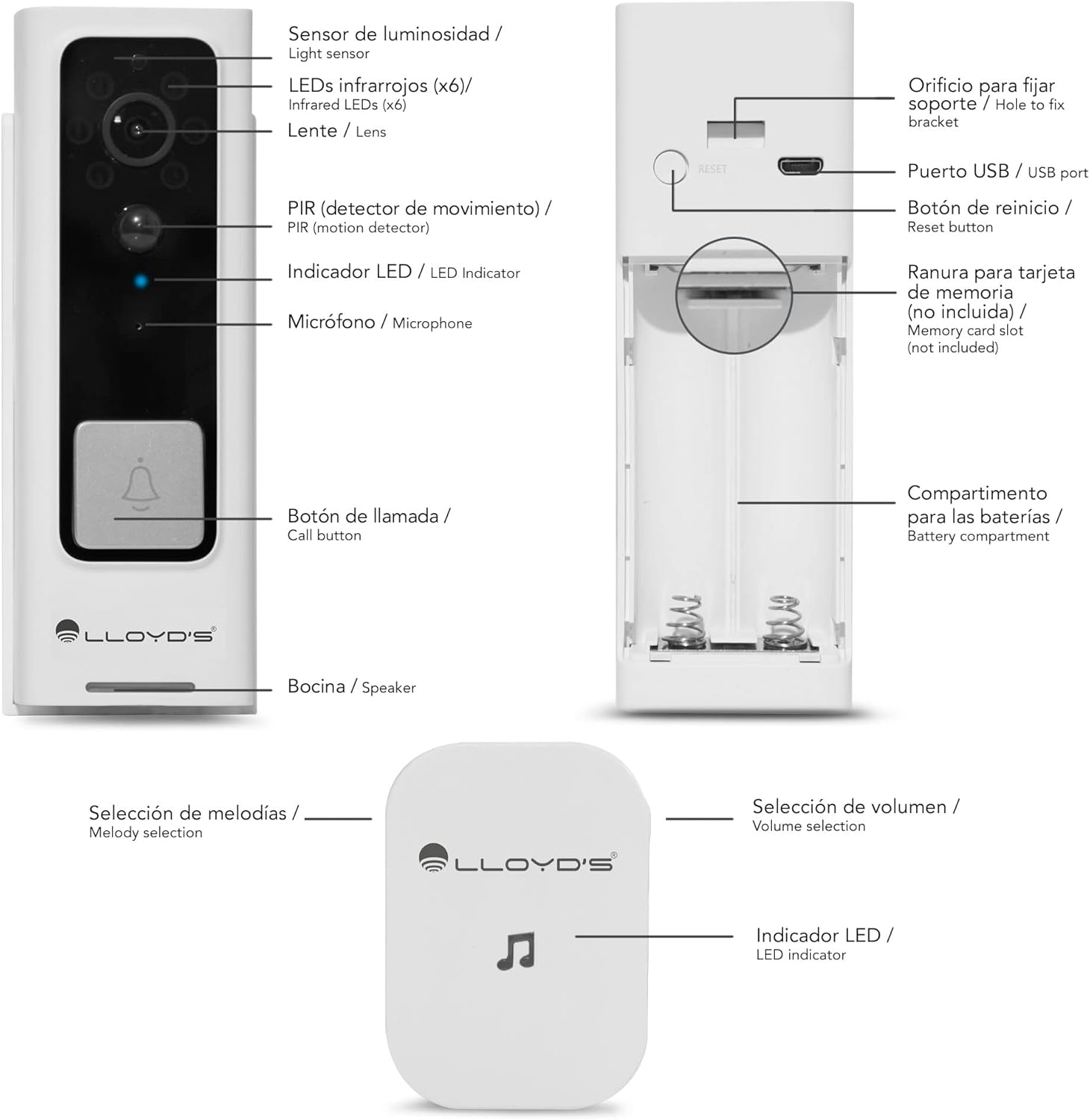
Figure 2: Doorbell Camera and Chime Components.
- Işık Sensörü: Ortam ışığını algılayarak otomatik gece görüşü aktivasyonu sağlar.
- Infrared LEDs (x6): Gece görüşü için aydınlatma sağlar.
- Mercek: Captures Full HD 1080P video with a 140° viewaçı.
- PIR (Motion Detector): Detects human motion to trigger alerts.
- LED Göstergesi: Shows device status (e.g., charging, recording, network).
- Mikrofon: İki yönlü iletişim için ses kaydı yapar.
- Arama tuşu: Pressed by visitors to alert you.
- Konuşmacı: İki yönlü iletişim için ses çıkışı sağlar.
- USB Bağlantı Noktası: For charging the doorbell's internal battery.
- Sıfırlama Düğmesi: Cihazı fabrika ayarlarına sıfırlamak için kullanılır.
- Hafıza kardı bölümü: Supports Micro SD cards up to 128GB for local storage.
- Pil Bölmesi: Houses the two 18650 rechargeable batteries.
- Melody Selection (Chime): Button to change the chime melody.
- Volume Selection (Chime): Button to adjust the chime volume (5 levels, max 100dB).
- LED Indicator (Chime): Zil durumunu gösterir.
Kurmak
1. İlk Şarj
Before first use, fully charge the doorbell camera. Open the rubber cover on the side to access the USB port. Connect the doorbell to a 5V DC power source using the provided USB cable. The LED indicator will show charging status.
2. Uygulama İndirme ve Hesap Oluşturma
Download the 'Lloyd's Smart' app from the App Store (iOS) or Google Play Store (Android). Create an account and log in.
3. Cihaz Eşleştirme
- Open the 'Lloyd's Smart' app and tap '+' to add a new device.
- Cihaz listesinden 'Görüntülü Kapı Zili'ni seçin.
- Follow the in-app instructions to connect the doorbell to your 2.4GHz Wi-Fi network. This typically involves pressing the reset/sync button on the doorbell and scanning a QR code generated by the app.
4. Zil Sesi Ayarı
The wireless chime operates on 3 AAA batteries (not included). Insert the batteries into the chime. The chime will automatically pair with the doorbell once the doorbell is successfully connected to the app. You can select melodies and adjust volume using the buttons on the chime.
5. Kurulum
The doorbell can be installed using screws or adhesive tape. For secure installation, screw mounting is recommended.
- Remove the back cover from the doorbell using the provided ejector tool.
- Position the back cover on your desired mounting surface (door frame or wall) and mark the screw holes.
- Gerekirse pilot delikler açın ve duvar dübellerini yerleştirin.
- Secure the back cover to the surface with screws.
- Attach the doorbell camera to the secured back cover. Ensure it clicks into place securely.
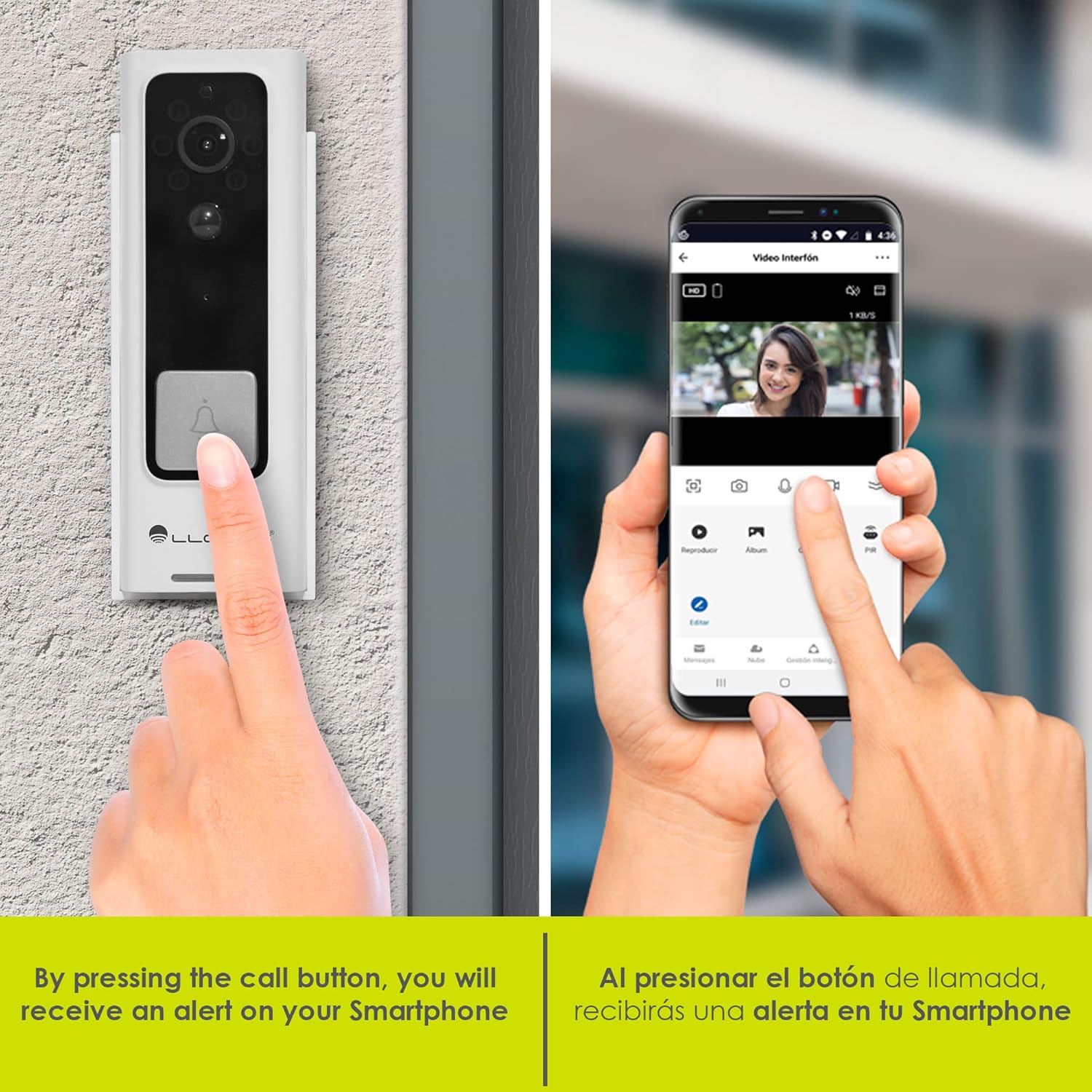
Figure 3: Doorbell mounting options.
Video 1: Installation guide for a similar doorbell model.
Kullanım Talimatları
1. Canlı View & İki Yönlü Ses
Access the 'Lloyd's Smart' app to view the live video feed from your doorbell. Use the microphone and speaker icons in the app to engage in two-way communication with visitors at your door.

Şekil 4: Uygulama üzerinden çift yönlü sesli iletişim.
2. Hareket Algılama Uyarıları
The doorbell's PIR sensor detects motion and sends instant notifications to your smartphone. You can customize motion detection sensitivity and activity zones within the app to reduce false alerts.

Figure 5: Instant alerts on your smartphone when the doorbell is pressed.
3. Gece Görüşü
The doorbell automatically switches to night vision mode in low-light conditions, providing clear black-and-white video footage.
4. Local & Cloud Storage
Recordings can be stored locally on a Micro SD card (up to 128GB, not included) inserted into the doorbell's slot, or via optional cloud storage services (subscription may be required).
5. Ses Değiştirici
Utilize the voice changer feature in the app during two-way communication to alter your voice for added privacy or security.
Özellikler
- Full HD 1080P Video: Net ve ayrıntılı video çekertage (1920*1080P).
- 140° Geniş Açı View: Geniş bir yelpazede hizmet sunmaktadır. view to monitor your entryway.
- H.264 Sıkıştırma: Efficient video compression for optimized storage and streaming.
- Şarj Edilebilir Pil: Powered by two 18650 batteries, offering up to 2 months of use on a single charge.
- Akıllı Uyarılar: Receive instant notifications for motion detection and low battery status.
- Virtual Assistant Compatibility: Compatible with Siri, Google Assistant, and Amazon Alexa for voice control and integration into smart home routines.

Figure 6: Monitor and control your doorbell from your smartphone.

Figure 7: Automate your home with Lloyd's smart products.
Video 2: A closer look at the doorbell camera and chime.
Bakım
1. Pil doldurma
The doorbell's battery can be charged while installed or by removing the doorbell from its mount. Connect the USB charging cable to the doorbell's USB port and a power source. A full charge can last up to 2 months, depending on usage.
2. Temizlik
Wipe the doorbell's lens and body with a soft, damp Toz ve kalıntıları temizlemek için bir bez kullanın. Cihaza zarar verebilecek sert kimyasallar veya aşındırıcı malzemeler kullanmaktan kaçının.
Sorun giderme
- Güç Yok: Ensure the batteries are correctly inserted and fully charged.
- Wi-Fi Bağlantısı Yok: Check your Wi-Fi router and ensure the doorbell is within range. Try resetting the doorbell using the reset button and re-pairing it with the app.
- Hareket Uyarısı Yok: Verify that motion detection is enabled in the app and sensitivity settings are appropriate. Check activity zones.
- Kötü Video Kalitesi: Ensure the lens is clean and free from obstructions. Check your Wi-Fi signal strength.
- Zil Çalmıyor: Check the chime's batteries. Ensure the chime is paired with the doorbell.
Özellikler
| Üretici | Lloyd's |
| Parça Numarası | LC-1330 |
| Ürün Boyutları | 3.48x4.98x13.39 cm |
| Ürün Ağırlığı | 450 gr |
| Renk | Beyaz/Siyah |
| Cilttage | 7.4 Volt (DC) |
| Netage | 170 miliamp_saat |
| Piller | 2 x 18650 Lithium (included) |
| Video Çözünürlüğü | Full HD 1920*1080P |
| ViewAçı | 140° FOV |
| Depolamak | Micro SD Card (up to 128GB), Cloud Storage (optional) |
| Bağlantı | Kablosuz (2.4GHz) |
| Hava Direnci | IP66 Weatherproof (from video) |
Garanti ve Destek
This product comes with a 2-year manufacturer warranty. For technical support, troubleshooting, or warranty claims, please refer to the 'Lloyd's Smart' app or visit the official Lloyd's webalan.
Ask a question about this manual
Ask about setup, troubleshooting, compatibility, parts, safety, or missing instructions. Manuals+ will review the question and use this page’s manual context to help answer it.