
VİMAR 02913
Vimar 02913 Bağlantılı 4G LTE Termostat Kullanım Kılavuzu
Model: 02913 | Marka: VIMAR
giriiş
This manual provides comprehensive instructions for the installation, operation, and maintenance of your Vimar 02913 Connected 4G LTE Thermostat. This device allows for local and remote temperature control for heating and air conditioning systems, offering both ON/OFF and PID modes. It features 4G LTE connectivity, compatibility with voice assistants like Amazon Alexa and Google Assistant, and management through the Vimar View uygulama.

Resim: Ön view of the Vimar 02913 Connected 4G LTE Thermostat, displaying a temperature of 21.5 degrees Celsius on its LED screen.
Güvenlik Bilgileri
Before proceeding with installation or operation, please read all safety warnings and instructions carefully. Improper installation or use can lead to electrical shock, fire, or damage to the product. Installation should only be performed by qualified personnel in accordance with local electrical codes.
- Termostatı kurmadan veya bakımını yapmadan önce mutlaka devre kesiciden elektriği kesin.
- Ensure all wiring connections are secure and comply with local regulations.
- Termostatı suya veya aşırı neme maruz bırakmayın.
- Keep the device away from direct sunlight or heat sources to ensure accurate temperature readings.
Kurmak
1. Fiziksel Kurulum
The Vimar 02913 thermostat is designed for surface mounting. Ensure the installation location is free from drafts, direct sunlight, or other heat sources that could affect temperature accuracy.
- Güç Bağlantısının Kesilmesi: Turn off the main power supply to your heating/cooling system at the circuit breaker before beginning installation.
- Tabanın Montajı: Secure the thermostat's mounting base to the wall using appropriate screws and anchors. Ensure the base is level.
- Kablolama: Connect the electrical wires from your heating/cooling system to the appropriate terminals on the thermostat base. Refer to the wiring diagram provided in the full product manual on the Vimar website for specific connections. The thermostat requires a 100-240 V~ 50/60 Hz power supply.
- Attaching the Thermostat: Once wiring is complete and secure, carefully attach the main thermostat unit to the mounted base.
- Güç Restorasyonu: Restore power at the circuit breaker. The thermostat display should illuminate.

Image: Diagram illustrating the surface mounting process of the thermostat base to a wall, showing screw placement and cable routing.
For flush-mount installations, ensure the appropriate electrical box is installed in the wall before mounting the thermostat base.

Image: Diagram illustrating the flush mounting process of the thermostat base into a recessed electrical box in a wall.
2. Initial Configuration (Vimar View Uygulama)
The Vimar 02913 thermostat is configured and managed primarily through the Vimar View uygulama.
- Uygulamayı indirin: Download the "Vimar View" app from your smartphone's app store (iOS or Android).
- Bir hesap oluşturun: Uygulamayı açın ve yeni bir kullanıcı hesabı oluşturmak için ekrandaki talimatları izleyin veya zaten bir kullanıcı hesabınız varsa oturum açın.
- Cihaz Ekle: In the app, select the option to add a new device. The app will guide you through the process of connecting to your thermostat using Bluetooth wireless technology for initial setup.
- Ağ bağlantısı: Configure the thermostat's 4G LTE connection within the app. This requires a compatible SIM card (not included) with an active data plan.
- Temel Ayarlar: Set your desired temperature units (Celsius/Fahrenheit), operating modes (heating/cooling), and initial schedule.

Image: Logos for the Vimar View App, IFTTT, Amazon Alexa, and Google Assistant, indicating compatibility.

Image: Three smartphone screens displaying the Vimar View app interface, showing scheduling, current temperature, and settings.
Termostatın Çalıştırılması
1. Yerel Kontrol
The thermostat features an intuitive LED display and touch controls for basic adjustments directly on the device.
- Sıcaklık Ayarı: Yukarı tuşunu kullanın (^) ve aşağı (v) arrows on the thermostat's face to manually adjust the desired temperature setpoint.
- Görüntülemek: The central LED display shows the current temperature or setpoint. Side LEDs may indicate operational status.
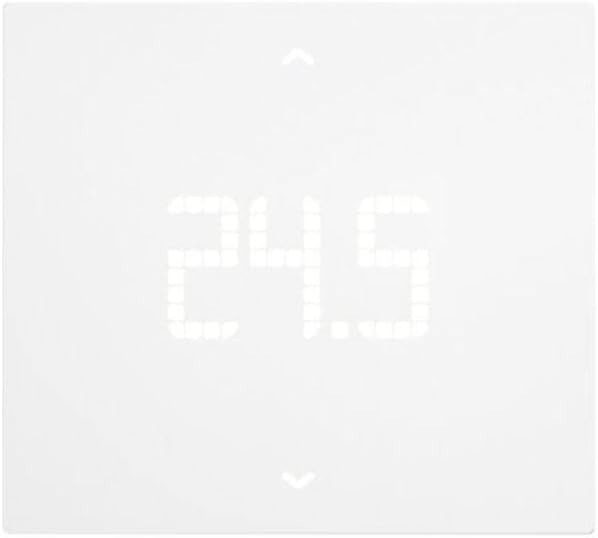
Image: Close-up of the Vimar 02913 Thermostat's LED display showing a temperature of 24.5 degrees Celsius.

Image: The thermostat display showing temperature adjustment, with an arrow indicating a decrease in temperature from 21.0 to 20.5 degrees Celsius.
2. App Control (Vimar View)
Vimar View app provides comprehensive control and monitoring capabilities for your thermostat from anywhere with an internet connection.
- Uzaktan Sıcaklık Ayarı: Change the setpoint from your smartphone.
- Planlama: Create and manage custom heating/cooling schedules for different times of the day and week.
- Çalışma Modları: Switch between ON/OFF and PID control modes, and select heating or cooling.
- Multi-zone/Multi-home Management: If you have multiple Vimar thermostats, manage them all from a single app interface.
- Energy Section: Monitor thermostat operation time to gain insights into energy consumption.
- Digital Input/Auxiliary Output: Utilize the customizable digital input for alarm signaling via push notifications and control the auxiliary output.
3. Sesli Asistan Entegrasyonu
The Vimar 02913 thermostat is compatible with Amazon Alexa and Google Assistant, allowing for voice-activated control.
- Beceri/Eylemi Etkinleştir: In the Alexa or Google Home app, enable the Vimar skill or action.
- Hesabı Bağla: Link your Vimar View account to your voice assistant account.
- Sesli Komutlar: Şu tür komutları kullanın:
- "Alexa, [Termostat Adı]'nı 22 dereceye ayarla."
- "Hey Google, [Termostat Adı]'ndaki sıcaklık kaç?"
- "Alexa, [Termostat Adı]'nı aç."
Bakım
The Vimar 02913 thermostat requires minimal maintenance.
- Temizlik: Gently wipe the thermostat's surface with a soft, dry cloth. Do not use abrasive cleaners, solvents, or spray directly onto the device.
- Yazılım Güncellemeleri: Ensure the Vimar View app is updated to the latest version to receive performance improvements and new features. Firmware updates for the thermostat may also be available through the app.
- SIM Kart: Periodically check the status of your 4G LTE SIM card and data plan to ensure continuous remote connectivity.
Sorun giderme
If you encounter issues with your Vimar 02913 thermostat, refer to the following common problems and solutions:
| Sorun | Olası Neden | Çözüm |
|---|---|---|
| Thermostat display is off. | Güç kaynağı yok. | Devre kesiciyi kontrol edin ve elektriğin geri geldiğinden emin olun. Kablo bağlantılarını doğrulayın. |
| Cannot connect to the Vimar View uygulama. | No 4G LTE signal; incorrect app settings; SIM card issue. | Ensure the SIM card is correctly inserted and has an active data plan. Check network coverage. Restart the thermostat and your smartphone. Re-pair the device in the app if necessary. |
| Sıcaklık ölçümleri yanlış görünüyor. | Termostatın konumu hava akımlarından, doğrudan güneş ışığından veya ısı kaynaklarından etkilenir. | Relocate the thermostat if possible, or shield it from external influences. Allow time for the sensor to stabilize after installation. |
| Sesli komutlar çalışmıyor. | Voice assistant skill/action not enabled or account not linked. | Verify that the Vimar skill/action is enabled in your Alexa or Google Home app and that your Vimar View account is correctly linked. Ensure your voice assistant device is connected to the internet. |
For further assistance, please consult the Vimar website veya müşteri desteği ile iletişime geçin.
Özellikler
| Özellik | Detay |
|---|---|
| Model Numarası | 02913 |
| Marka | VİMAR |
| Bağlantı | 4G LTE, Bluetooth wireless technology (for setup), Wi-Fi |
| Güç Kaynağı | 100-240 V~ 50/60Hz |
| Kontrol Modları | ON/OFF, PID (Proportional-Integral-Derivative) |
| Sıcaklık Kontrol Tipi | Isıtma, Soğutma |
| Sesli Asistan Uyumluluğu | Amazon Alexa, Google Asistan |
| Uygulama Kontrolü | Vimar View Uygulama |
| Görüntülemek | LED backlit display |
| Malzeme | Plastik |
| Renk | Beyaz |
| Boyutlar (U x G x Y) | 11.8x10.6x2.22 cm |
| Ağırlık | 170 gr |
| Yardımcı Çıkış | 1 relay output 5(2) A 240 V~ |
| Dijital Giriş | 1 customizable digital input |
| Kökeni | İtalya |

Image: Diagram showing the dimensions of the Vimar 02913 Thermostat: 118 mm width, 106 mm height, and 21.15 mm depth.
Garanti ve Destek
Garanti Bilgileri: Specific warranty details for the Vimar 02913 thermostat are typically provided at the point of purchase or can be found on the official Vimar webLütfen garanti talepleriniz için satın alma belgenizi saklayın.
Müşteri Desteği: For technical assistance, detailed manuals, or further inquiries, please visit the official Vimar website or contact their customer service department. The Vimar website is the primary resource for comprehensive instructions and support.
Çevrimiçi Kaynaklar:
- Resmi Vimar Webalan: www.vimar.com (for manuals and support)
- Vimar View App Support: Refer to the help section within the Vimar View başvuru.
Ask a question about this manual
Ask about setup, troubleshooting, compatibility, parts, safety, or missing instructions. Manuals+ will review the question and use this page’s manual context to help answer it.