
Fuegobird B09R73DF6G
Fuegobird Mini Projector User Manual
Model: B09R73DF6G
1. Giriş
This manual provides essential instructions for the safe and efficient operation of your Fuegobird Mini Projector, Model B09R73DF6G. Please read this manual thoroughly before using the product and retain it for future reference.
The Fuegobird Mini Projector is a portable LCD video projector designed for home entertainment, offering a versatile viewing experience with support for HD 1080P content.
2. Ürün Özellikleri
- Superior Home Theater Experience: Features a 2000:1 contrast ratio and supports 1080p resolution, delivering brighter images for an enhanced viewDeneyim.
- Büyük Ekran Projeksiyon: Offers a projection size from 72 inches to 240 inches, with a recommended projection distance between 6.8 feet and 22 feet. The optimal projection distance is 9.5 feet.
- Dahili Hoparlörler: Integrated speakers provide audio without the need for external sound systems.
- Çoklu Cihaz Bağlantısı: Connects easily to laptops, smartphones, tablets, and USB drives. For smartphone connection, an additional HDMI adapter is required.
- 1080P HD Supported: Enjoy home entertainment such as movies, TV shows, video games, and music with 1080P HD supported content and native 720P resolution.
- Kompakt ve Taşınabilir Tasarım: This pocket-sized projector measures approximately 21.9cm x 15.1cm x 7.6cm and weighs 0.475kg. Its portability allows for use in various settings, including home, outdoor campveya partiler.
3. Ürün Bittiview

Image 3.1: Fuegobird Mini Projector with smartphone connected.

Image 3.2: Projector demonstrating its compact and portable size.
3.1 Arayüz Ekranı

Image 3.3: Projector Interface Diagram.
- Focusing Pulley: Görüntü netliğini ayarlar.
- Kapatma düğmesi: Güç açık / kapalı.
- Menü butonu: Menü seçeneklerine erişim sağlar.
- Main interface button: Navigates to the main screen.
- Sağ ok düğmesi: Navigates right in menus.
- Giriş düğmesi: Seçimi onaylar.
- Dönüş tuşu: Önceki ekrana geri döner.
- DC 12V girişi: Güç girişi bağlantı noktası.
- DC 5V girişi: Alternative power input port.
- Gösterge ışığı: Shows power/status.
- USB arayüzü: USB depolama aygıtlarını bağlar.
- IR: Uzaktan kumanda için kızılötesi alıcı.
- Kulaklık girişi: Harici ses cihazlarını bağlar.
3.2 Uzaktan Kumanda
Resim 3.4: Uzaktan Kumanda Düzeni.
The remote control allows for convenient operation of the projector from a distance. Key functions include power on/off, volume control, menu navigation, and input selection.
4. Kurulum
4.1 Yerleştirme
Projektörü sabit, düz bir yüzeye yerleştirin. En iyi sonuçlar için. viewing, place the projector with the lens facing the wall or screen. Ensure there is adequate ventilation around the projector.

Image 4.1: Recommended Projection Distances and Screen Sizes.
Refer to the table below for recommended projection distances and screen sizes:
| Projeksiyon Mesafesi | Ekran Boyutu |
|---|---|
| 0.8m (2.6ft) | 30 inç |
| 2.5m (8.2ft) | 80 inç |
| 3.8m (12.5ft) | 110 inç |
| Optimal: 9.5ft | Optimal: 72-240 inches |
4.2 Güç Bağlantısı
- Connect the power adapter to either the DC 12V input or DC 5V input port on the projector.
- Güç adaptörünü uygun bir elektrik prizine takın.
4.3 İlk Çalıştırma ve Odak Ayarı
- Press the 'Off' button on the projector or the 'ON/OFF' button on the remote control to power on the device.
- Once the projector is on, adjust the Focusing Pulley (refer to Image 3.3) until the projected image appears clear and sharp on the screen.
5. Operasyon
5.1 Giriş Kaynağı Seçimi
To display content from an external device:
- Connect your device (e.g., USB drive, laptop via HDMI) to the appropriate port on the projector.
- Press the 'Menu' button on the projector or remote control to access the input source options.
- Use the navigation buttons (e.g., 'Right arrow' on the projector or directional buttons on the remote) to select the desired input source (e.g., USB, HDMI).
- Press the 'Enter' or 'OK' button to confirm your selection.
5.2 Media Playback (USB Input)
When using a USB drive:
- Insert the USB drive into the USB interface port.
- Giriş kaynağı olarak 'USB'yi seçin.
- Navigate through the on-screen menu to select the type of media you wish to play (e.g., Movies, Music, Picture, Text).
- İstediğinizi seçin file and press 'Enter' or 'OK' to begin playback.
5.3 Ses Kontrolü
Adjust the volume using the 'Vol+' and 'Vol-' buttons on the remote control. You can also mute the audio using the 'Mute' button on the remote.
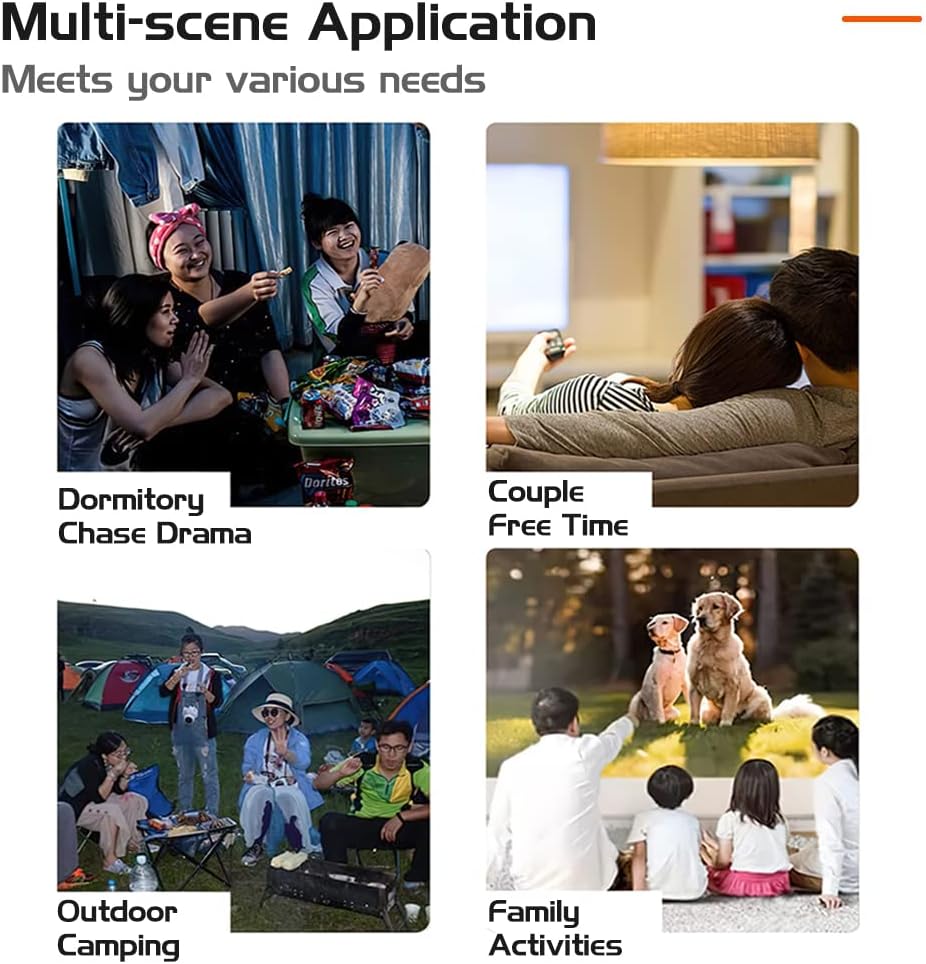
5.4 Çoklu Sahne Uygulaması

Resim 5.1: Örn.amples of projector use in various environments.
The projector is suitable for a variety of uses, including:
- Home cinema for movies and TV shows.
- Outdoor movies and campeğlence.
- Gaming with connected consoles or devices.
- Sharing photos and videos with family and friends.
6. Bağlantı
The Fuegobird Mini Projector offers multiple connectivity options:
- USB BAĞLANTI: Medya oynatmak için filedoğrudan USB depolama aygıtlarından.
- HDMI: Connects to laptops, gaming consoles, and other HDMI-enabled devices. An additional HDMI adapter is required for smartphone connection.
- Kulaklık girişi: Harici kulaklık veya hoparlör bağlamak için.
- Wireless Connectivity (via adapter/device): Supports WIFI, AIRPLAY, MIRACAST, WIRECAST, DLNA functions when connected to compatible external devices or adapters.
7. Bakım
7.1 Remote Control Battery Care
- Eski ve yeni pilleri karıştırmayın.
- Uzaktan kumanda uzun süre kullanılmayacaksa, pil sızıntısını önlemek için pilleri çıkarın.
- Pillerin doğru kutuplara yerleştirildiğinden emin olun.
7.2 Temizlik
- Projektörün dış yüzeyini temizlemek için yumuşak, kuru bir bez kullanın.
- Lensi çizilmelere karşı korumak için özel bir lens temizleme bezi ve solüsyonu kullanın.
- Aşındırıcı temizleyiciler veya çözücüler kullanmayınız.
8. Sorun Giderme
If you encounter issues with your projector, please refer to the following common solutions:
- Güç Yok: Ensure the power adapter is securely connected to both the projector and a working electrical outlet. Try a different outlet.
- Resim Yok: Check that the correct input source is selected. Verify all cables (HDMI, USB) are properly connected. Adjust the focus ring.
- Bulanık Görüntü: Adjust the Focusing Pulley until the image is clear. Ensure the projection distance is within the recommended range.
- Ses Yok: Check the volume settings on both the projector and the connected device. Ensure the projector is not muted. If using external speakers, verify their connection and power.
- Uzaktan Kumanda Çalışmıyor: Uzaktan kumandanın pillerini kontrol edin. Uzaktan kumanda ile projektörün kızılötesi alıcısı arasında herhangi bir engel olmadığından emin olun.
Daha fazla yardım için lütfen müşteri destek ekibiyle iletişime geçin.
9. Özellikler
| Özellik | Şartname |
|---|---|
| Görüntü Birimi | TFT LCD |
| Yerel Çözünürlük | 320x240 |
| Destek Çözümü | 1920x1080 (1080P HD) |
| Lamp Tip | NEDEN OLMUŞ |
| Lamp Hayat | 20000 saat |
| Güç Tüketimi | 20W (maksimum) |
| Güç Kaynağı | 12V-1.5A |
| Mercek | Kaplamalı Lens |
| Çalışma Modu | Manuel/Uzaktan |
| Projeksiyon Mesafesi | 60-400cm (6.8ft - 22ft) |
| Projeksiyon Boyutu | 16-110 inches (72-240 inches stated in features) |
| Boyutlar (UGY) | 21.9x15.1x7.6 cm |
| Net ağırlığı | 0.475 kilo |
| En Boy Oranı | 16:9/4:3 |
| Konuşmacı | 4Ω2W |
| Giriş Terminali | USB, 5V-2A power in |
| Çıkış Terminali | Kulaklık |
| Bağlantı Teknolojisi | HDMI, USB |
| Özel Özellikler | Built-in Speaker, Portable |
| Montaj Tipi | Masa Üstü Montaj |
| Cilttage | 5 Volt |
| Netage | 60 watt |
| Ekran Teknolojisi | LCD |
10. Garanti ve Destek
For warranty information, product registration, and customer support, please refer to the retailer's website where you purchased the product or contact the manufacturer directly. Keep your purchase receipt as proof of purchase.