
1. Giriş
This manual provides essential information for the safe and efficient operation of your HKS 0.75KW 1HP 220V Variable Frequency Drive (VFD). Please read this manual thoroughly before installation, operation, or maintenance to ensure proper usage and prevent potential hazards.
Temel Özellikler:
- Sezgisel Ekran ve Düğmeler: The VFD features a user-friendly display and control buttons for quick setup and operation. The control panel can be detached for remote control.
- Kapsamlı Koruma: Equipped with overload, fuse, overvoltage (DC cilttage > 400V), low voltage (DC cilttage < 200V), restart, stall, short circuit, and overheat protection.
- Düşük Gürültülü Çalışma: Advanced PMW control technology and component compatibility design ensure low noise and reduced electromagnetic interference.
- Verimli Soğutma: İle tasarlandı ampBileşenler arasında soğutma için boşluk ve c'de çok sayıda havalandırma deliğiasing for extended service life.

Figure 1: HKS 0.75KW 1HP 220V VFD Unit
2. Güvenlik Uyarıları ve Önlemleri
Adherence to these safety guidelines is crucial for preventing injury and damage to the equipment.
- Motor Seçimi: Always select a VFD model with a power rating greater than 15% of the load. Ensure your motor is a 3-phase asynchronous motor before purchasing.
- Güç Bağlantısının Kesilmesi: To protect the VFD, always press the red "Stop" button and turn off the main power supply when you finish using the unit or before performing any maintenance.
- Heat Sink Temperature: The VFD's internal heat sink can reach temperatures of up to 176°F (80°C) during operation. Exercise caution and ensure adequate ventilation.
- Dış Direnç: External resistance is not directly supported. Parameters can be adjusted to achieve similar braking functions.
- No Intermediate Switches: Do not install any switches between the VFD and the load. For switch functions, refer to the specific wiring diagram section in this manual.
- Delta Wiring: The Delta (Δ) wiring method is recommended for the load terminals.
- Single-Phase Power: For 220V single-phase power connection, refer to the specific wiring instructions provided in this manual.
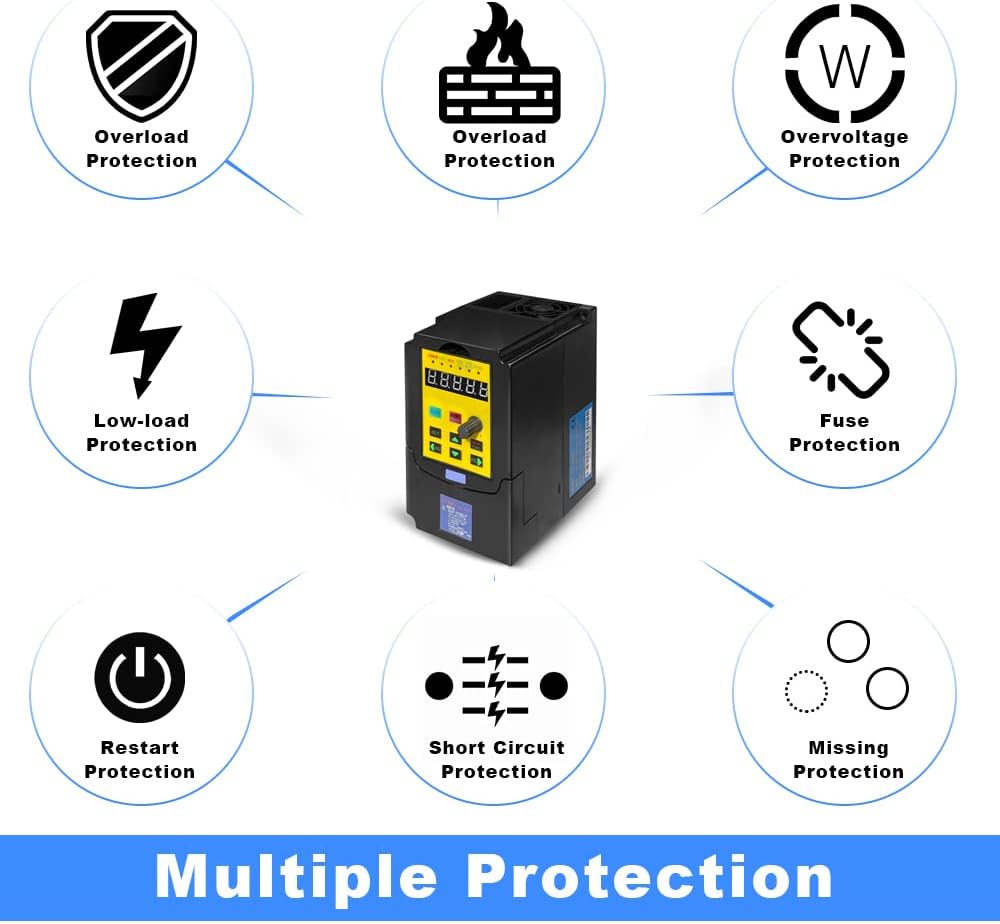
Figure 2: VFD Multiple Protection Features
3. Kurulum ve Kurulum
3.1 Ürün Boyutları
The HKS-750-3V-220 VFD has the following approximate dimensions:
- Ürün Ölçüleri: 3.3 x 4.4 x 5.5 inç
- Ürün Ağırlığı: 2.2 pound
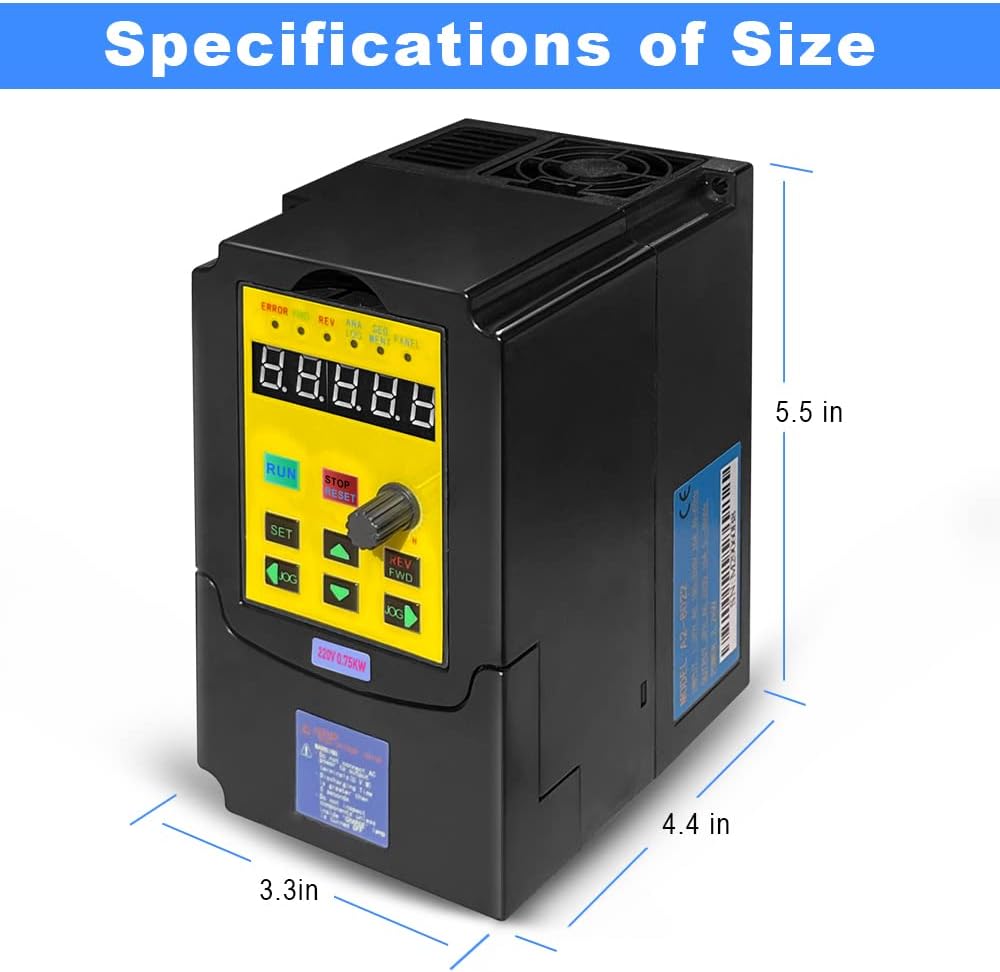
Figure 3: VFD Dimensions
3.2 Kablolama Talimatları
Proper wiring is critical for the safe and correct operation of the VFD. Refer to the diagrams below for connection details.
- Güç Girişi: Connect the 3-phase power to the R, S, T terminals. If using single-phase 220V power, connect to R and T terminals separately to ensure the voltage difference between the two lines is approximately 220V (±15%).
- Motor Çıkışı: Connect the motor to the U, V, W terminals. Ensure the motor is a 3-phase asynchronous type and use the Delta (Δ) wiring method for load terminals.
- Topraklama: Always ensure the VFD and motor are properly grounded.

Figure 4: Easy Connection Diagram

Şekil 5: Temel Bağlantı Şeması
3.3 Kontrol Paneli
The VFD features a detachable control panel for convenient operation and remote control. The panel includes a digital display, function buttons, and an adjustment knob.

Figure 6: Detachable Control Panel

Figure 7: Control Panel Button Descriptions
3.4 Power Connection Video Guide
Watch this video for a visual guide on how to connect power to your VFD unit.
Video 1: How to Connect Power to VFD (HKS A2 Series VFD)
4. Kullanım Talimatları
4.1 Temel İşlemler
The VFD can be operated directly from its control panel. Use the RUN/STOP buttons and the adjustment knob to control the motor speed.
4.2 Parametre Ayarları
The VFD allows for various parameter adjustments to suit different applications. The following video demonstrates initial parameter settings for common use cases.
Video 2: VFD Initialization Parameter Setting Guide (HKS A2 Series VFD)
For detailed parameter adjustments, including setting startup type, frequency control type, motor parameters, maximum operating frequency, and acceleration/deceleration times, refer to chapters 5 to 7 of the comprehensive manual or consult customer service.
4.3 Jog Function and Direction Control
The VFD supports a jog function for momentary operation and allows for changing the motor's rotation direction (Forward/Reverse). The control panel indicators will show the current direction (Green FWD light for forward, Red REV light for reverse).
5. Bakım
Düzenli bakım, VFD'nizin uzun ömürlü olmasını ve optimum performans göstermesini sağlar.
- Temizlik: Keep the VFD unit clean and free from dust and debris. Ensure ventilation openings are unobstructed.
- Çevresel Koşullar: Operate the VFD within specified environmental conditions (temperature, humidity) to prevent damage.
- Soğutma Sistemi: The VFD's design incorporates efficient cooling. Ensure proper airflow around the unit.

Figure 8: Low Noise Operation and Cooling

Figure 9: VFD Internal Board Components
6. Sorun Giderme
This section provides guidance on common issues. For complex problems, contact customer support.
Yaygın Sorunlar ve Çözümleri:
- Overcurrent/Overload Errors: Ensure the motor's power rating is appropriate for the VFD. Check for mechanical binding or excessive load on the motor. Adjust acceleration/deceleration parameters if necessary.
- Çıkış Yok/Motor Çalışmıyor: Verify all wiring connections (power input, motor output, control signals). Check if the VFD is receiving proper input voltage. Ensure the RUN command is active and frequency is set above zero.
- Incorrect Speed/Direction: Verify parameter settings for frequency source (PN03) and command source (PN04). Check motor wiring for correct phase sequence.
- VFD Not Powering On: Check the main power supply and fuse. Ensure all connections are secure.
The VFD's built-in protection features (overload, overvoltage, düşük hacimtage, short circuit, etc.) will trigger an error state to prevent damage. Refer to the VFD's display for specific error codes and consult the detailed manual for corresponding solutions.
7. Özellikler
| Şartname | Değer |
|---|---|
| Model Numarası | HKS-750-3V-220 |
| Güç | 0.75KW (1HP) |
| Giriş Voltage | AC 220V (180-250V) |
| Çıkış Hacmitage | 220V |
| Giriş Akımı | 3.5A |
| Çıkış Akımı | 5A |
| Giriş Frekansı | 40-60Hz |
| Çıkış Frekansı | 0-400Hz |
| Giriş Aşaması | Tek fazlı veya üç fazlı |
| Çıkış Aşaması | Üç fazlı |
| Ürün Boyutları | 3.3 x 4.4 x 5.5 inç |
| Ürün Ağırlığı | 2.2 pound |
| Dahil Bileşenler | VFD Unit |
8. Garanti ve Destek
For specific warranty information, please refer to the product packaging or contact the seller directly. HKS is committed to providing quality products and support.
Müşteri Desteği:
If you encounter any issues or have complex technical questions regarding the VFD, please contact customer service. Providing pictures of the load equipment parameters (e.g., motor nameplate) can help expedite support.