
1. Giriş
This user manual provides essential information for the installation, operation, and maintenance of your TRAMSMART 6 Inch Smart LED Recessed Lights. Please read this manual thoroughly before installation and retain it for future reference. These smart recessed lights offer advanced features including RGBCW color changing, dimmable functionality, and compatibility with smart home assistants like Alexa and Google Assistant.
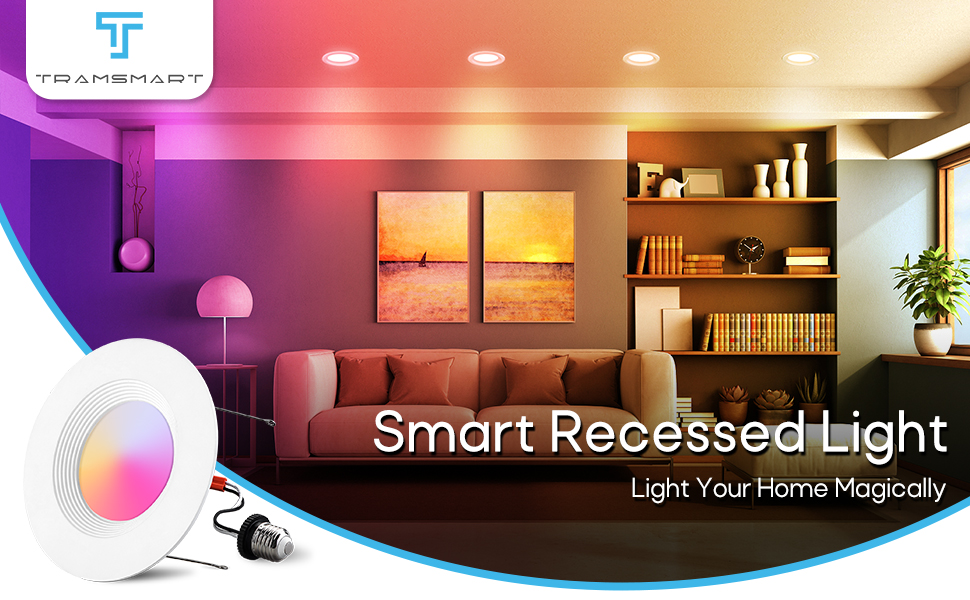
Image 1.1: TRAMSMART Smart Recessed Light in a living room setting, showcasing its illumination capabilities.
2. Güvenlik Bilgileri
UYARI: Risk of electric shock. Disconnect power at the fuse or circuit breaker before installing or servicing. Improper installation can lead to electric shock or fire.
- Ensure the power supply is turned off before installation, removal, or maintenance.
- Bu ürün yalnızca iç mekanda kullanım içindir. Suya veya neme maruz bırakmayın.
- Kurulum sürecinden emin değilseniz, kalifiye bir elektrikçiye danışın.
- Do not attempt to modify or disassemble the light fixture.
- Use only with 120V AC power supply.
3. Paket İçeriği
Verify that all components are present and undamaged upon opening the package. If any items are missing or damaged, please contact customer support.
- 8 x TRAMSMART 6 Inch Smart LED Recessed Lights
- 8 x E26 Socket Adapters
- 1 x Remote Control (as per product specifications, though primary control is via app/voice)
- 1 x Kullanım Kılavuzu (bu belge)

Resim 3.1: Üzeriview of the TRAMSMART 6 Inch Smart LED Recessed Lights 8-pack, including packaging and a glimpse of the control app.
4. Özellikler
| Özellik | Şartname |
|---|---|
| Model Numarası | RL-8P |
| Netage | 13W (Equivalent 80W) |
| Lümen Çıkışı | 1100LM |
| Renk Sıcaklığı | 2700K-6500K (RGBCW) |
| CRI | >90 |
| Işın Açısı | 95° |
| Cilttage | 120V AC |
| Malzeme | Alüminyum, Polikarbonat |
| Boyutlar (Ürün) | 2.8 x 7.7 x 7.6 inç |
| Ürün Ağırlığı | 4.89 pound (8'li paket için) |
| Bağlantı | Wi-Fi, Bluetooth |
| Uyumluluk | Alexa, Google Assistant, TUYA APP |
| Sertifikalar | ETL |

Image 4.1: Detailed dimensions and key specifications of the TRAMSMART Smart LED Recessed Light.
5. Kurulum ve Kurulum
The TRAMSMART Smart LED Recessed Lights are designed for easy retrofit installation. Please follow these steps carefully.
- Gücü Kapatın: Before starting any electrical work, ensure the power to the circuit is turned off at the breaker panel.
- Açılışı Hazırlayın: If installing in a new location, cut a hole of 2.56"-3" in diameter in the ceiling using a hole punch. For existing recessed cans, ensure the opening is compatible with a 6-inch fixture.
- Adaptörü bağlayın: Screw the E26 socket adapter into the existing recessed can socket by turning clockwise.
- Connect the Downlight: Plug the E26 adapter's male connector into the downlight's female connector.
- Spot ışığını takın: Push both ends of the flip clip till it can fit into the recessed can. The spring clips will secure the light in place.
- Gücü Geri Yükle: Lamba güvenli bir şekilde yerine takıldıktan sonra, devre kesiciden elektriği tekrar açın.

Image 5.1: Step-by-step installation guide for the TRAMSMART Smart LED Recessed Light.
Önemli Not: These lights are designed to be controlled via the app or voice commands. Do not use them with external dimmer switches, as this may cause malfunction or damage.
6. Kullanım Talimatları
6.1 Akıllı Uygulama Kontrolü
The TRAMSMART Smart LED Recessed Lights are controlled primarily through the TUYA APP. Download the TUYA APP from your smartphone's app store (iOS or Android).
- Eşleştirme: Follow the in-app instructions to pair your lights. This typically involves ensuring the lights are powered on and in pairing mode (often indicated by flashing).
- Bireysel Kontrol: Once paired, you can control individual lights to adjust brightness, color, and color temperature (2700K-6500K).
- Grup Kontrolü: Use the app's group setting feature to control multiple lights simultaneously. This allows you to manage lighting in different rooms or zones with a single command.
- Scheduled Timing: Set schedules for your lights to automatically turn on/off at specific times, enhancing energy efficiency and convenience.
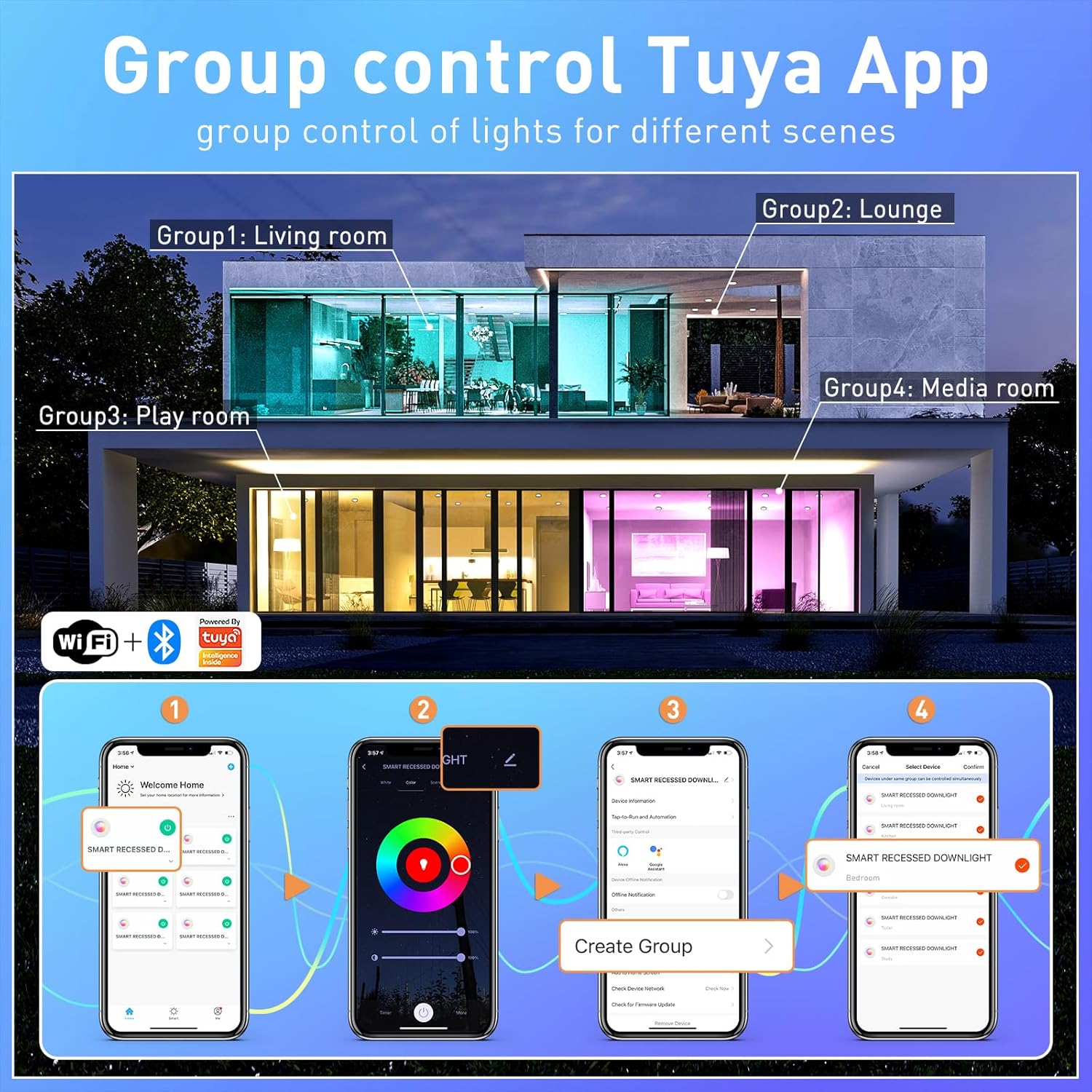
Image 6.1: Tuya App interface demonstrating group control functionality for multiple lights across different rooms.

Image 6.2: Timed adjustment feature within the app, allowing users to schedule light changes.
6.2 Ses Kontrolü
These smart recessed lights are compatible with Alexa and Google Assistant. After pairing your lights with the TUYA APP, link your TUYA account to your Alexa or Google Home app.
- Alexa Komutları: "Alexa, turn on the living room lights," "Alexa, set the kitchen lights to blue," "Alexa, dim the bedroom lights to 50%."
- Google Assistant Commands: "Hey Google, turn off the lights," "Hey Google, change the dining room lights to warm white," "Hey Google, brighten the study lights."
6.3 Color Changing and Dimmable Features
The lights offer 16 million colors and adjustable white light from 2700K (warm white) to 6500K (cool white), along with 1% to 100% dimming capability.
- Renk Seçimi: Use the color wheel in the TUYA APP to select any desired color.
- Beyaz Işık Ayarı: Slide the color temperature bar in the app to choose between warm, neutral, and cool white tones.
- Parlaklık Kontrolü: Adjust the brightness slider in the app or use voice commands to set the desired light intensity.

Image 6.3: Visual representation of the 16 million color options and dimmable functionality.

Image 6.4: Illustration of the extensive color palette and tunable white light range.
6.4 Music Sync and Scene Modes
Enhance your environment with dynamic lighting effects that respond to sound or pre-set scenes.
- Müzik Senkronizasyonu: The lights can change color and intensity in rhythm with music or other sounds detected by your smartphone's microphone. Activate this feature within the TUYA APP.
- Sahne Modları: The app provides 8 pre-set scenes and 3 light modes (e.g., Night, Read, Working, Leisure, Soft, Colorful, Dazzling, Gorgeous) to suit various moods and activities.

Image 6.5: Music sync feature in action, showing lights changing with the beat of music.
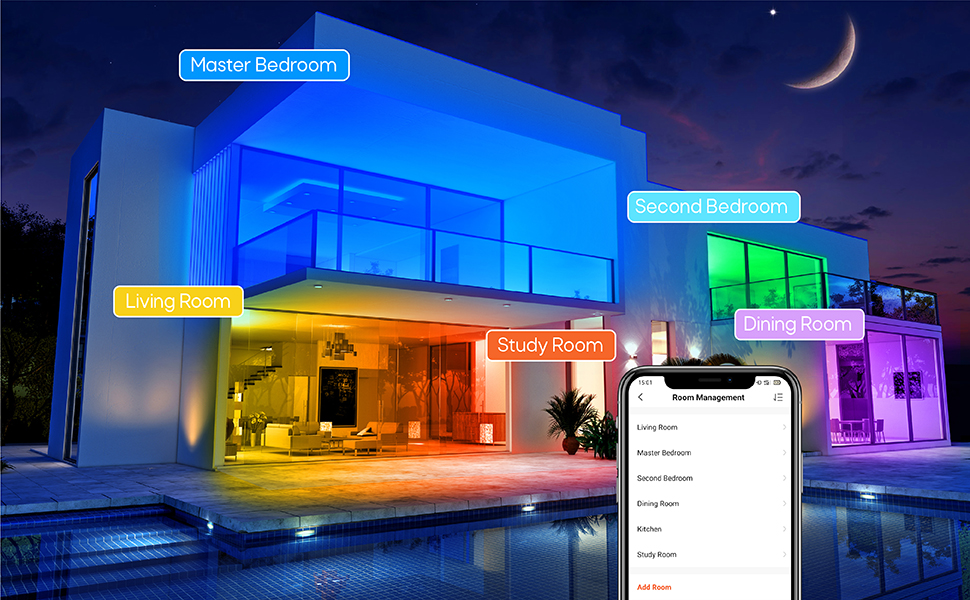
Resim 6.6: Örn.amples of colorful scenes and light modes for different moods and activities.
7. Bakım
These LED recessed lights require minimal maintenance.
- Temizlik: Ensure the power is off before cleaning. Wipe the surface of the light with a soft, dry cloth. Do not use abrasive cleaners or solvents.
- Kullanıcı Tarafından Bakımı Yapılabilecek Parça Yok: There are no user-serviceable parts inside the fixture. Do not attempt to open or repair the light.
- Uzun Ömürlülük: LED lights have a long lifespan. If a light fails prematurely, contact customer support for assistance.
8. Sorun Giderme
If you encounter issues with your TRAMSMART Smart LED Recessed Lights, refer to the following troubleshooting guide:
| Sorun | Olası Neden | Çözüm |
|---|---|---|
| Işık yanmıyor | No power, loose connection, faulty light. | Check circuit breaker. Ensure connections are secure. Test with a known working light if possible. |
| Lights are offline/unresponsive in app | Wi-Fi connectivity issue, light lost pairing. | Ensure your Wi-Fi network (2.4GHz) is stable. Power cycle the light (turn off/on at switch). Re-pair the light through the TUYA APP if necessary. |
| Lights in a group do not change color together | Individual light connectivity issue, app synchronization error. | Check individual light status in the app. Ensure all lights in the group have a strong Wi-Fi connection. Try re-creating the group in the app. |
| Cannot connect to Alexa/Google Assistant | TUYA account not linked, incorrect device name. | Ensure your TUYA account is correctly linked to your Alexa/Google Home app. Verify device names in TUYA match those used in voice commands. |
| Işıklar titriyor | Incompatible dimmer switch, unstable power. | These lights are not compatible with external dimmer switches. Ensure they are connected to a standard ON/OFF switch. Check for stable power supply. |
9. Garanti ve Destek
TRAMSMART products are designed for quality and reliability. For specific warranty details, please refer to the product packaging or contact TRAMSMART customer support. If you require technical assistance or have questions not covered in this manual, please visit the official TRAMSMART store or contact their support channels.
TRAMSMART Store: Visit TRAMSMART Store on Amazon
10. Düzenleyici Bilgiler
This product complies with relevant safety and regulatory standards. For a comprehensive user guide in PDF format, please refer to the following link:
Kullanıcı Kılavuzu (PDF): Kullanım Kılavuzunu İndirin


