
1. Giriş
This manual provides detailed instructions for the installation, operation, and maintenance of your Reobiux 1080P Wireless WiFi Light Bulb Security Camera. Please read this manual thoroughly before using the product to ensure correct usage and optimal performance. Keep this manual for future reference.
2. Ürün Bittiview
The Reobiux Light Bulb Security Camera integrates a 1080P HD camera into a standard E27 light bulb form factor, offering discreet surveillance. It features 2.4GHz WiFi connectivity, two-way audio, motion detection, and night vision capabilities for comprehensive home monitoring.
- 1080P Full HD Video: Captures clear, high-definition video footage.
- 2.4GHz Wireless WiFi: Connects to your home network for remote access.
- Pan & Tilt İşlevi: Geniş alan kapsamı için 355° yatay dönüş ve 90° dikey eğim sunar.
- İki Yönlü Ses: Dahili mikrofon ve hoparlör, gerçek zamanlı iletişim imkanı sağlar.
- Hareket Algılama ve Uyarılar: Detects movement and sends notifications to your smartphone.
- IR Night Vision & Full Color Night Vision: Provides clear video monitoring in low-light conditions, with options for infrared or color night vision.
- Yerel ve Bulut Depolama: Supports Micro SD card storage (up to 128GB, not included) and optional cloud storage.
- Kolay Kurulum: Standart E27 ampul soketine vidalanır.

Resim: Ayrıntılı view of the Reobiux Light Bulb Security Camera, highlighting its components such as the E27 light socket, enhanced WiFi module, microphone, speaker, HD lens, light sensor, 4 white LEDs, 4 array LEDs, Micro SD card slot, and reset button. Dimensions are also shown.
3. Paket İçeriği
Lütfen paketi açarken içeriğini kontrol edin. Eksik veya hasarlı bir ürün varsa, müşteri hizmetleriyle iletişime geçin.
- Reobiux Light Bulb Security Camera (1)
- E27Lamp Holder (1)
- Mounting Screws and Wall Plugs (1 set)
- Kullanıcı Kılavuzu (1)
4. Kurulum Kılavuzu
4.1. Fiziksel Kurulum
- Kapat: Ensure the power to the light socket is turned off before installation to prevent electrical shock.
- Screw In Camera: Carefully screw the Reobiux Light Bulb Security Camera into a standard E27 light bulb socket. Ensure it is securely tightened.
- Güç Açık: Restore power to the light socket. The camera will power on and initiate its self-test sequence. You should hear a prompt indicating it is ready for connection.

Resim: A person's hands are shown screwing the Reobiux Light Bulb Security Camera into an E27 light socket, illustrating the easy installation process.
4.2. Uygulama İndirme ve Hesap Kaydı
- İndir uygulaması: Arama "ICSEE" in your smartphone's app store (Google Play Store for Android or Apple App Store for iOS) and download the application.
- Hesap Kaydı: Open the ICSEE app and follow the on-screen instructions to register a new account. If you already have an account, log in.
4.3. Connecting the Camera to WiFi
Ensure your smartphone is connected to a 2.4GHz WiFi network. The camera does not support 5GHz WiFi.
- Cihaz Ekle: In the ICSEE app, tap the "+" icon to add a new device. Select "Add Camera" or "Smart Camera".
- Bağlantı Yöntemini Seçin: Choose the "WiFi Connection" or "Scan QR Code" method as prompted by the app.
- WiFi Bilgilerini Girin: Input your 2.4GHz WiFi network name (SSID) and password.
- Eşleştirme: Follow the app's instructions to complete the pairing process. This usually involves holding your phone's QR code in front of the camera lens or listening for a connection sound.
- Onay: Once connected, the camera will indicate successful pairing (e.g., a voice prompt or LED indicator change). You can then name your camera and begin live viewIng.
5. Kullanım Talimatları
5.1. Canlı View ve Oynatma
- Canlı Yayına Erişin: Open the ICSEE app and select your camera from the device list to view canlı video akışı.
- Playback Recorded Footage: Uygulamadaki oynatma bölümüne giderek tekrar oynatabilirsiniz.view videos stored on the Micro SD card or cloud storage.
5.2. Pan ve Tilt Kontrolü
Use the directional controls within the ICSEE app to remotely adjust the camera's viewaçı.
- Yatay Dönüş: The camera supports 355° pan movement.
- Dikey Eğim: The camera supports 90° tilt movement.

Resim: The Reobiux Light Bulb Security Camera is shown with arrows indicating its 355-degree horizontal pan and 90-degree vertical tilt capabilities, alongside a smartphone displaying the camera's control interface.
5.3. Çift Yönlü Ses
İki yönlü ses özelliğini kullanmak için:
- Konuşmak: Canlı yayında mikrofon simgesine dokunun view Kameranın hoparlörü aracılığıyla konuşmak için kullanılan arayüz.
- Dinlemek: The camera's built-in microphone will pick up audio from the monitored area.
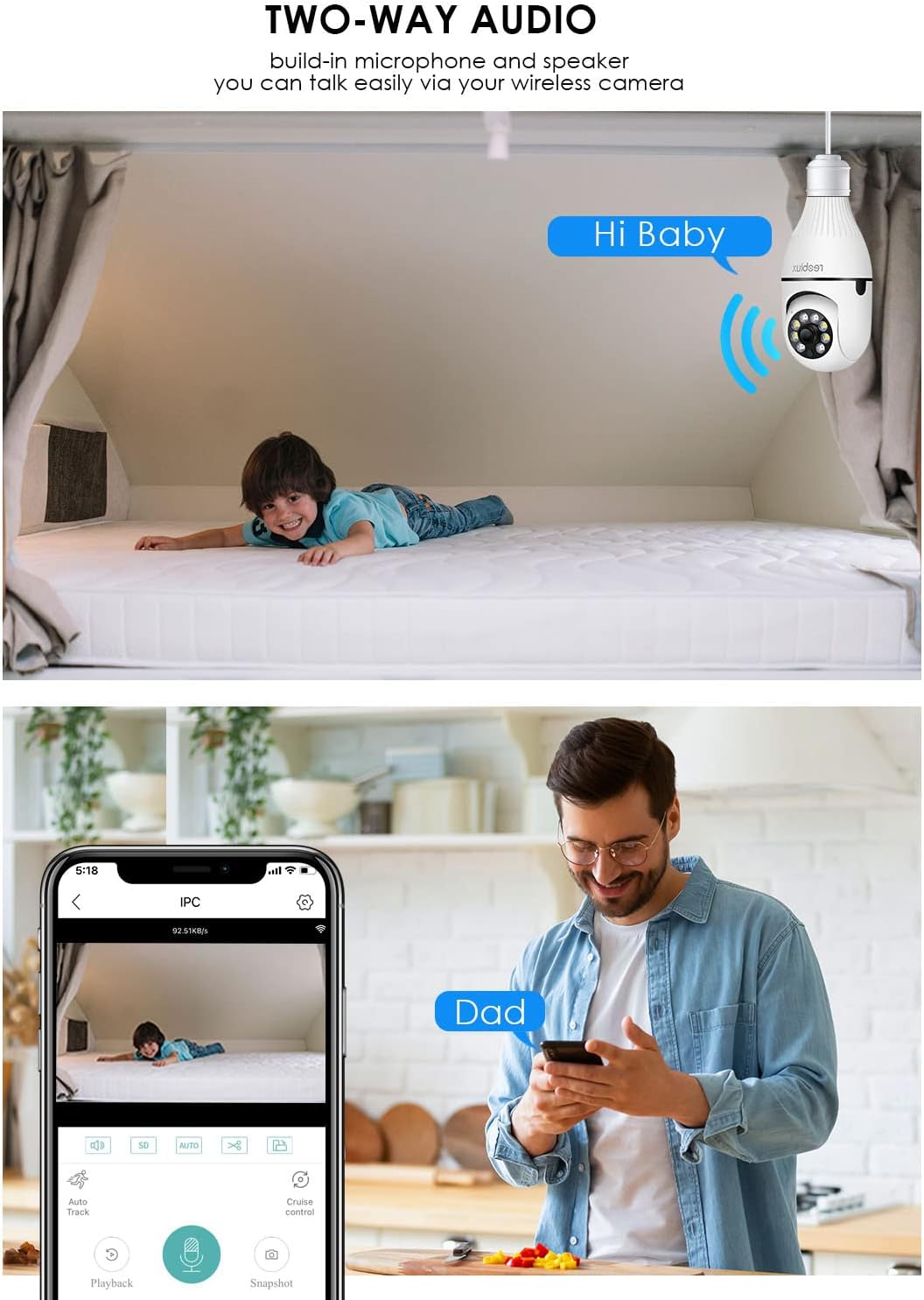
Resim: Illustrates the two-way audio function, showing a child on a bed and a person on a phone, with speech bubbles indicating communication through the camera.
5.4. Hareket Algılama ve Uyarılar
Kamera hareketi algılayabilir ve akıllı telefonunuza uyarı gönderebilir.
- Etkinleştir/Devre Dışı Bırak: Access the camera settings in the ICSEE app to enable or disable motion detection.
- Hassasiyet: Yanlış alarmları en aza indirmek için hareket algılama hassasiyetini ayarlayın.
- Uyarılar: Configure notification settings to receive push alerts on your phone when motion is detected.
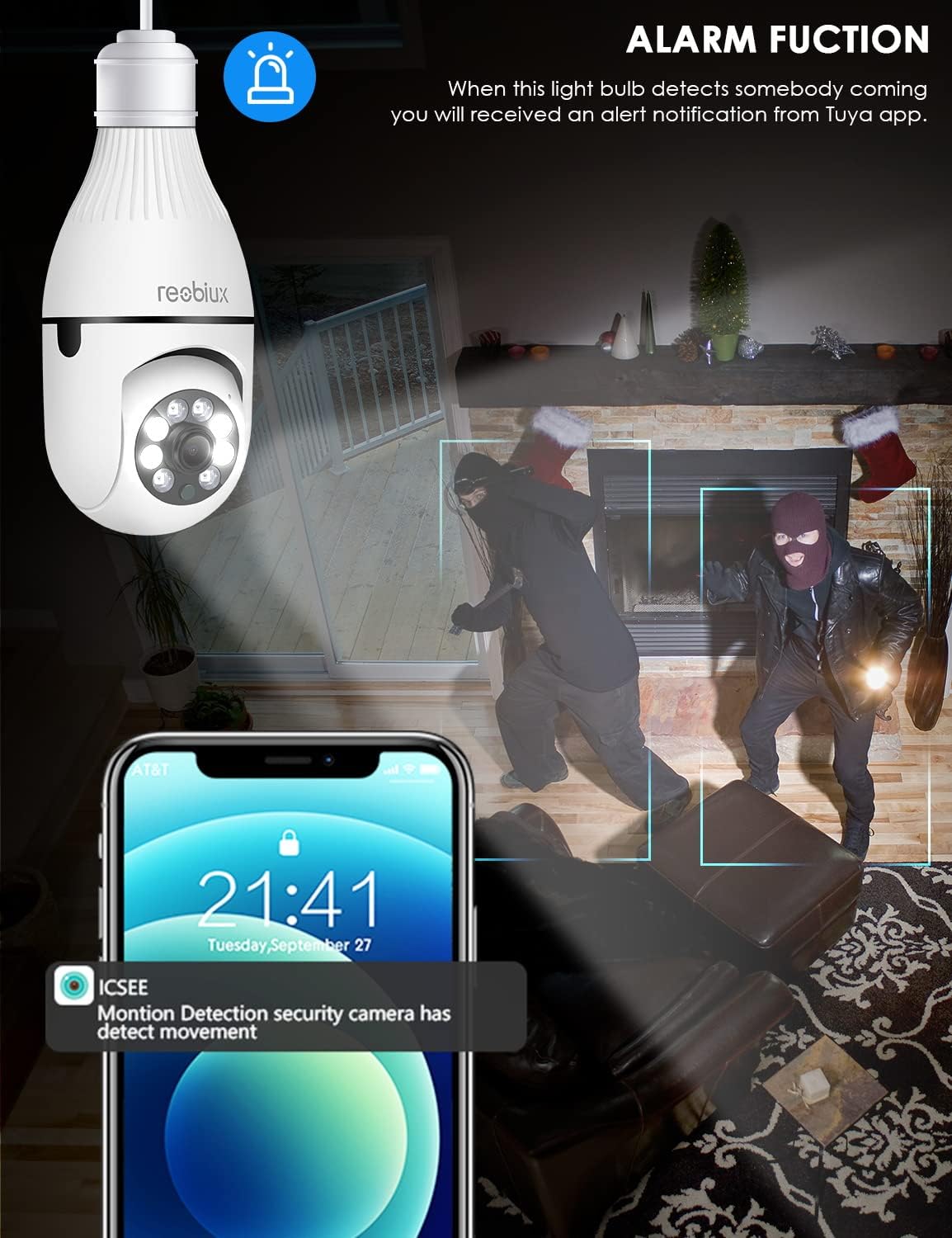
Resim: Depicts the camera's alarm function, showing an alert notification on a smartphone screen when motion is detected by the light bulb camera.
5.5. Gece Görüş Modları
The camera offers enhanced night vision capabilities.
- IR Gece Görüşü: Utilizes infrared LEDs for clear black-and-white video in complete darkness.
- Tam Renkli Gece Görüşü: Activates white supplement lights to provide color video even in low-light conditions.
- Mod Seçimi: Select your preferred night vision mode in the app settings.
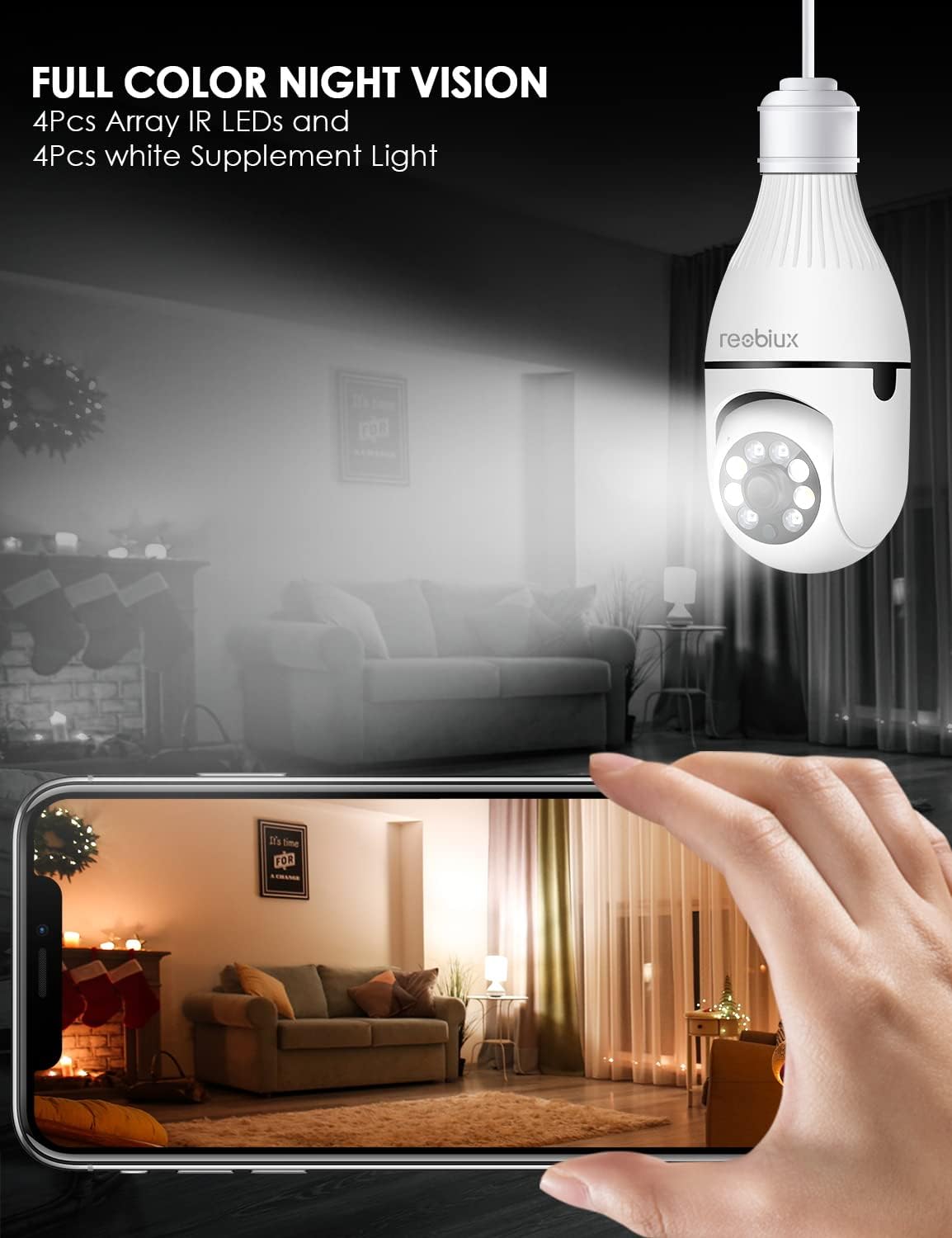
Resim: Shows the camera's full-color night vision feature, with a smartphone displaying a clear, illuminated view of a room at night, enabled by the camera's IR LEDs and white supplement lights.
5.6. Depolama Seçenekleri
- Mikro SD kart: Insert a Micro SD card (up to 128GB, Class 10 or higher recommended) into the designated slot for local video storage. The camera will automatically overwrite older footagKart dolduğunda.
- Bulut Depolama: The ICSEE app may offer optional cloud storage services for a subscription fee. Refer to the app for details.
6. Bakım
- Temizlik: Kamera lensini ve gövdesini yumuşak ve kuru bir bezle nazikçe silin. Sıvı temizleyiciler veya aşındırıcı malzemeler kullanmayın.
- Donanım Yazılımı Güncellemeleri: Periodically check the ICSEE app for available firmware updates. Keeping the firmware updated ensures optimal performance and security.
- Kamerayı Sıfırlama: If you encounter persistent issues or need to reconfigure the camera, locate the reset button (refer to Product Overview image) and press and hold it for approximately 5-10 seconds until you hear a reset confirmation.
7. Sorun Giderme
| Sorun | Olası Neden | Çözüm |
|---|---|---|
| Kamera WiFi ağına bağlanamıyor. | Yanlış WiFi şifresi, 5GHz WiFi ağı, kamera yönlendiriciden çok uzakta, zayıf sinyal. |
|
| Canlı video yayını yok. | No internet connection, camera offline, app issue. |
|
| Hareket algılama uyarıları alınmadı. | Motion detection disabled, app notifications off, incorrect sensitivity. |
|
| Kötü video kalitesi. | Weak WiFi signal, dirty lens, low light conditions. |
|
8. Özellikler
| Örnek | B09P8H6BMY |
| Video Yakalama Çözünürlüğü | 1080p |
| Kablosuz İletişim Teknolojisi | Wi-Fi (sadece 2.4 GHz) |
| Montaj Tipi | Ceiling Mount (E27 Socket) |
| Denetleyici Türü | Android, iOS (via ICSEE app) |
| Güç Kaynağı | AC/DC (via E27 socket) |
| Cilttage | 240 Volt |
| Netage | 3 watt |
| Düşük Işık Teknolojisi | Night Color, Infrared |
| Uyarı Tipi | Yalnızca Hareket |
| Malzeme | Plastik |
| Uluslararası Koruma Derecelendirmesi | IP67 (Note: The lightbulb connection itself is not typically rated for outdoor exposure without additional protection.) |
| Ürün Ağırlığı | 10.5 ons |
| Paket Boyutları | 6.46 x 4.13 x 3.62 inç |
9. Garanti Bilgileri
Reobiux products are typically covered by a limited warranty against defects in materials and workmanship. For specific warranty terms and conditions, please refer to the documentation included with your purchase or contact Reobiux customer support. Keep your proof of purchase for warranty claims.
10. Müşteri Desteği
If you have any questions, encounter issues, or require technical assistance with your Reobiux Light Bulb Security Camera, please contact our customer support team. Refer to the product packaging or the official Reobiux webEn güncel iletişim bilgileri için sitemizi ziyaret edin.
- Çevrimiçi destek: Visit the official Reobiux webSıkça sorulan sorular, sorun giderme kılavuzları ve iletişim formları için site.
- E-posta Desteği: (Specific email address not provided in data, so general statement)
- Telefon Desteği: (Specific phone number not provided in data, so general statement)