
1. Başlarken
1.1 Unboxing Your Tablet
Carefully remove all items from the packaging. Ensure all components are present before discarding the box.
Video 1: This video demonstrates the unboxing process of the Blackview Tab 6, showing the tablet and included accessories such as the charger, USB cable, and SIM eject pin.
1.2 Paket İçeriği
- Siyahview Sekme 6 Tablet
- Güç Adaptörü
- USB Şarj Kablosu
- SIM Çıkarma Pimi
- Kullanım Kılavuzu (bu belge)
1.3 SIM/SD Kartın Takılması
Locate the SIM/SD card tray on the side of your tablet. Use the provided SIM eject pin to open the tray. Insert your Nano-SIM card(s) and/or microSD card into the designated slots, ensuring correct orientation. Gently push the tray back into the tablet until it clicks into place.
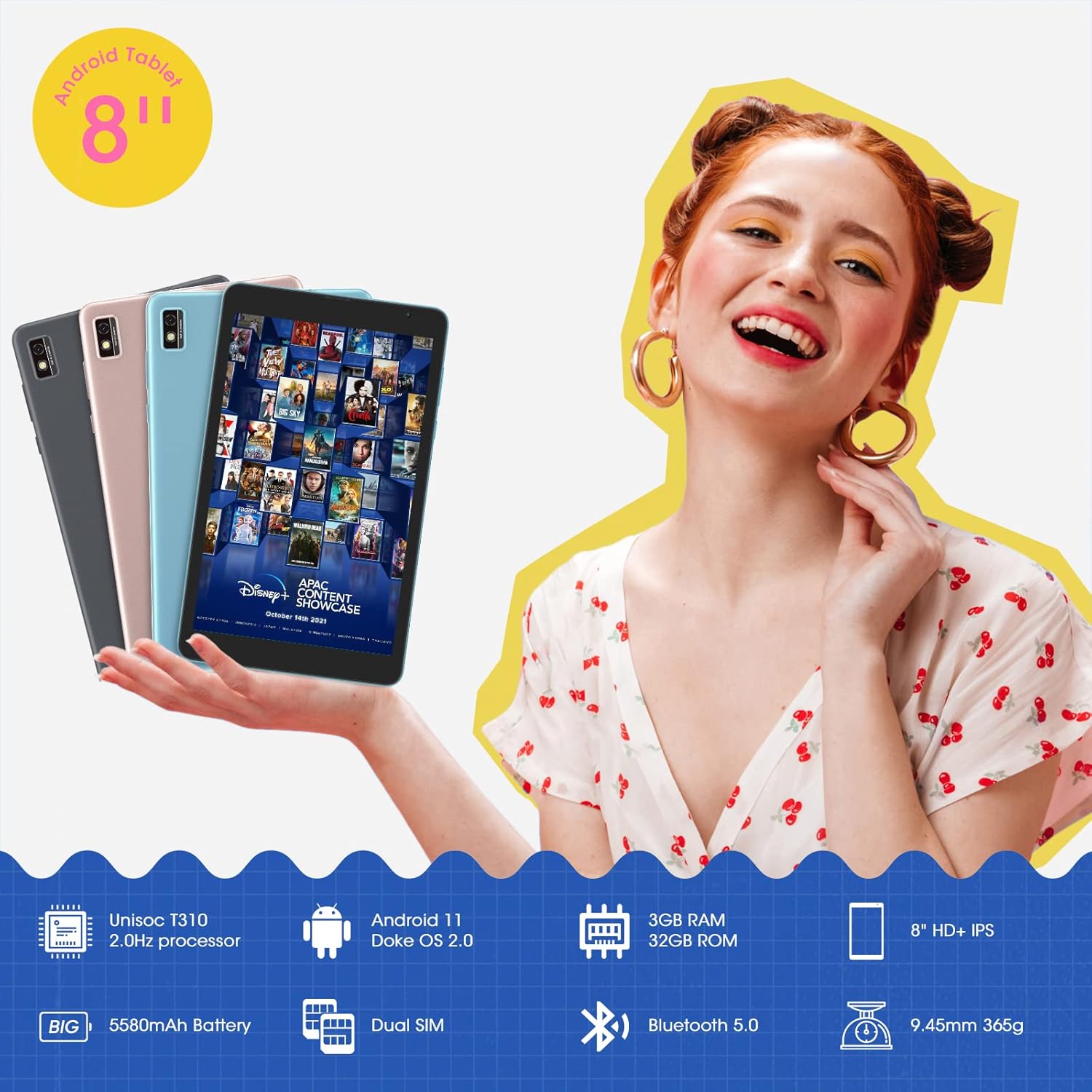
This image shows the Blackview Tab 6 with its dual SIM slots, highlighting its connectivity features and key specifications like the 5580mAh battery and 8-inch HD+ IPS display.
1.4 İlk Şarj ve Güç Açma
Before first use, fully charge your tablet using the provided power adapter and USB cable. Connect the USB cable to the tablet's charging port and the adapter to a power outlet. The battery indicator on the screen will show charging status. Once charged, press and hold the power button on the side of the tablet until the Blackview logo appears to power it on.
2. Tabletinizi Çalıştırma
2.1 Temel Gezinme
Siyahview Tab 6 runs on Android 11 with Doke OS 2.0, offering an intuitive user experience. Use touch gestures for navigation:
- Musluk: Bir öğe seçin veya bir uygulama açın.
- Tokatlamak: Scroll through screens, lists, or pages.
- Yakınlaştırmak için sıkıştırın: Fotoğrafları yakınlaştırın veya uzaklaştırın ve web sayfalar.
- Uzun basış: Bağlamsal menülere erişin veya uygulama simgelerini taşıyın.

This image illustrates the user interface of the Blackview Tab 6, showcasing the Android 11 operating system with Doke OS 2.0 features like gesture control and dark theme.
2.2 Görüntü Modları
The tablet offers various display modes to optimize your viewDeneyim:
- Ebook Mode: Adjusts the screen for comfortable reading, reducing eye strain.
- Normal Mod: Standard display settings for general use.
- Göz Konforu Modu: Filters blue light to protect your eyes, especially in low-light conditions.

This image displays the various screen modes available on the Blackview Tab 6, including Ebook Mode, Normal Mode, and Eye Comfort Mode, designed for different viewtercihler.
2.3 Bağlantı
The Tab 6 supports a range of connectivity options:
- Wifi: Supports 2.4G and 5G dual-band Wi-Fi for fast internet access.
- Bluetooth 5.0: Kulaklık ve hoparlör gibi kablosuz aksesuarları bağlamak için.
- 4G Global Network: Allows for mobile data and call functionality (where supported by your SIM card and carrier).

This image highlights the Blackview Tab 6's connectivity features, including 4G Global Network and 5G Wi-Fi support, emphasizing its versatility as a multi-functional device.
2.4 GPS Navigasyonu
The Tab 6 is equipped with a high-precision quad navigation system (GPS, GLONASS, Beidou, Galileo) for accurate location tracking and route planning. The large 8-inch screen and automatic brightness adjustment ensure clear readability of navigation information in various conditions.

This image shows the Blackview Tab 6 displaying a navigation map, illustrating its use for route guidance and location services.
Video 2: This video demonstrates various uses of the Blackview Tab 6, including gaming, note-taking, and GPS navigation, showcasing its performance and display quality.
3. Bakım
3.1 Pil Bakımı
The tablet is equipped with a 5580mAh battery, providing up to 8 hours of average use. To prolong battery life:
- Aşırı sıcaklıklardan kaçının.
- Akünün düzenli olarak tamamen bitmesine izin vermeyin.
- En iyi şarj için orijinal şarj cihazını ve kablosunu kullanın.
- Arka planda çalışan, kullanılmayan uygulamaları kapatın.

This image highlights the 5580mAh battery of the Blackview Tab 6, indicating its long standby time and estimated usage durations for talking, music, and video playback.
3.2 Depolama Yönetimi
The tablet comes with 32GB of internal storage and supports expansion up to 128GB via a microSD card. Regularly manage your storage by:
- Gereksizlerin silinmesi files ve uygulamalar.
- Büyük eşyaları taşımak files'yi bir microSD karta aktarın.
- Utilizing cloud storage services.

This image illustrates the storage capabilities of the Blackview Tab 6, showing its 3GB RAM, 32GB ROM, and support for up to 128GB storage expansion, alongside various application icons.
3.3 Tabletinizi Temizleme
Tabletin ekranını ve gövdesini temizlemek için yumuşak, tiftiksiz bir bez kullanın. Yüzeye zarar verebilecek sert kimyasallar veya aşındırıcı malzemeler kullanmaktan kaçının.
4. Sorun Giderme
4.1 Yaygın Sorunlar ve Çözümler
- Tablet açılmıyor: Pilin şarjlı olduğundan emin olun. Şarj cihazına bağlayın ve tekrar deneyin.
- Yavaş performans: Close unused apps, clear cache, or restart the tablet.
- Wi-Fi bağlantı sorunları: Restart your router and tablet. Forget and reconnect to the Wi-Fi network.
- Şarj sorunları: Ensure the charging cable and adapter are securely connected and undamaged. Try a different compatible charger if available.
4.2 Fabrika Ayarlarına Sıfırlama
Kalıcı yazılım sorunlarıyla karşılaşırsanız, fabrika ayarlarına sıfırlama işlemi bu sorunları çözebilir. Uyarı: Bu işlem tabletinizdeki tüm verileri silecektir. İşleme başlamadan önce önemli verilerinizi yedekleyin.
- Git Ayarlar.
- Seçme Sistem > Seçenekleri sıfırla.
- Seçmek Tüm verileri sil (fabrika ayarlarına sıfırla).
- Seçiminizi onaylayın ve ekrandaki talimatları izleyin.
5. Özellikler
| Özellik | Şartname |
|---|---|
| Ekran Boyutu | 8 inç |
| Ekran Çözünürlüğü | 1280 x 800 HD IPS |
| İşlemci | 2.0GHz Quad-Core (Unisoc T310) |
| Veri deposu | 3 GB |
| Dahili Depolama | 32 GB |
| Genişletilebilir Depolama | 128 GB'a kadar (microSD) |
| İşletim Sistemi | Android 11 (Doke OS 2.0) |
| Pil Kapasitesi | 5580 mAh |
| Arka Kamera | 5 MP |
| Bağlantı | 2.4G+5G Dual WiFi, Bluetooth 5.0, 4G LTE |
| Boyutlar (UxGxY) | 8 x 4.5 x 0.4 inç |
| Ürün Ağırlığı | 1.42 pound (yaklaşık 644g) |
6. Garanti Bilgileri
Senin Siyahınview Tab 6 tablet comes with a standard manufacturer's warranty. Please refer to the warranty card included in your product packaging for specific terms, conditions, and duration. Keep your proof of purchase for warranty claims.
7. Destek
For technical assistance, troubleshooting, or further inquiries, please visit the official Blackview Destek website or contact their customer service. Contact details can typically be found on the Blackview webGaranti bilgilerinde veya web sitesinde bulabilirsiniz.