
FOREVER Fitband

FOREVER Fitband
Fitness Tracker Smartband User Manual
giriiş
Welcome to the user manual for your FOREVER Fitband fitness tracker. This guide provides essential information on setting up, operating, maintaining, and troubleshooting your device to ensure optimal performance and a comprehensive understanding of its features. Please read this manual carefully before using your Fitband.
1. Kurulum
1.1 İlk Şarj
Before first use, fully charge your Fitband. Connect the charging cable to the designated port on the device and to a standard USB power source. A full charge typically takes approximately 2 hours. The battery icon on the display will indicate charging status.

Image: The Fitband displaying its charging port and key specifications like battery capacity and standby time.
1.2 Uygulama Kurulumu
To unlock the full functionality of your Fitband, download the companion application on your smartphone. The app is compatible with both Android and iOS devices.
- For Android devices, search for the 'FOREVER Fitband' app on Google Play Mağazası.
- For iOS devices, search for the 'FOREVER Fitband' app on the Apple Uygulama Mağazası.

Image: The Fitband shown alongside a smartphone screen, illustrating the mobile application interface.
1.3 Cihaz Eşleştirme
- Ensure your Fitband is charged and your smartphone's Bluetooth is enabled.
- Open the installed 'FOREVER Fitband' application on your smartphone.
- Follow the on-screen instructions within the app to search for and connect to your Fitband. The device name will typically appear as 'Fitband' or similar.
- Confirm the pairing request on both your smartphone and the Fitband, if prompted.
2. Çalıştırma
2.1 Temel Gezinme
The Fitband features a touch-sensitive display. Tap or swipe on the screen to navigate through different functions and menus. Refer to the in-app guide for specific gesture controls.
2.2 Temel Özellikler
Your FOREVER Fitband offers several features to monitor your daily activity and well-being:
- Kalp Atış Hızı Monitörü: Gün boyunca kalp atış hızınızı takip eder.
- Pedometre: Counts your steps taken.
- Kalori Sayacı: Yapılan aktiviteye göre yakılan kalori miktarını tahmin eder.
- Spor Modları: Dedicated modes for various activities such as walking, running, cycling, and hiking, providing specific metrics for each.
- Bildirimler: Eşleştirilmiş akıllı telefonunuzdan gelen aramalar, mesajlar ve uygulama bildirimleri için uyarılar alır.
- Uyku Monitörü: Analyzes your sleep patterns and duration.
- Hava durumu: Displays current weather information when connected to your smartphone.

Image: The Fitband's screen displaying various health and activity tracking icons, including heart rate, calorie count, sleep, weather, pedometer, and notifications.

Image: The Fitband's screen illustrating the selection of different sports modes, such as walking, running, cycling, and hiking.
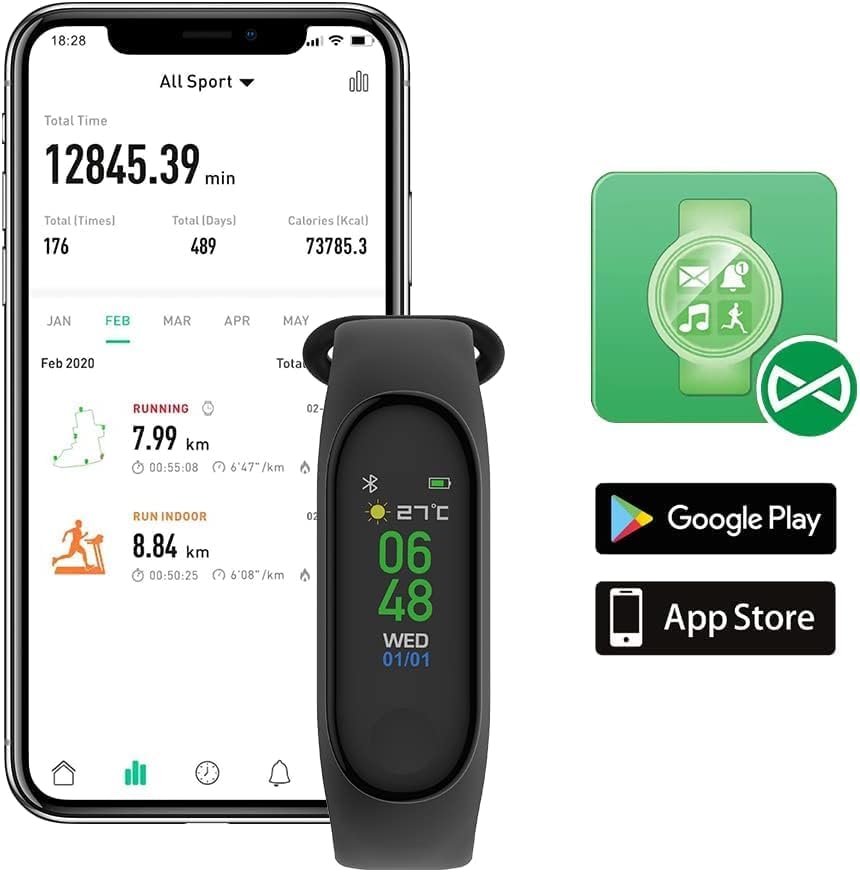
Image: A person sleeping while wearing the Fitband, demonstrating its sleep monitoring capability.
3. Bakım
3.1 Temizlik
To maintain your Fitband, regularly clean the device and strap with a soft, dry cloth. Avoid using harsh chemicals or abrasive materials, as these can damage the device. Ensure the charging contacts are clean and dry.
3.2 Suya Dayanıklılık
The Fitband has an IP65 water resistance rating. This means it is protected against dust ingress and low-pressure water jets from any direction. It is suitable for daily use, such as washing hands or light rain exposure. However, it is Olumsuz recommended for swimming, showering, or prolonged submersion in water.
3.3 Pil Bakımı
To prolong battery life, avoid fully discharging the device frequently. Charge the Fitband when the battery level is low. The device offers up to 10 days of standby time on a single charge.
4. Sorun Giderme
If you encounter issues with your Fitband, please refer to the following common solutions:
- Cihaz açılmıyor: Cihazın tamamen şarj olduğundan emin olun. Şarj cihazına bağlayın ve tekrar açmayı denemeden önce birkaç dakika bekleyin.
- Not connecting to smartphone:
- Akıllı telefonunuzda Bluetooth'un etkin olduğunu doğrulayın.
- Ensure the Fitband is within Bluetooth range (typically 10 meters).
- Restart both your Fitband and smartphone.
- Uygulama ayarları üzerinden cihazın eşleştirmesini kaldırıp yeniden eşleştirmeyi deneyin.
- Inaccurate activity tracking (steps, heart rate):
- Ensure the Fitband is worn snugly on your wrist, about one finger's width above your wrist bone.
- Calibrate the device through the companion app if a calibration option is available.
- Movement during activities like driving may sometimes be misinterpreted as steps.
- Kısa pil ömrü:
- Reduce the frequency of heart rate monitoring or screen brightness if adjustable.
- Ensure the device is not constantly searching for a Bluetooth connection.
- Check for any background app activity that might be draining the battery.
If the issue persists after attempting these steps, please consult the support section of the companion app or contact FOREVER customer support.
5. Özellikler
| Özellik | Detay |
|---|---|
| Marka | SONSUZA KADAR |
| Model Numarası | Uygun bant |
| Renk | Siyah |
| İşletim Sistemi | AsteroidOS |
| Bağlantı | Bluetooth 5.0 |
| Özel Özellikler | Notification, Activity Tracker, Heart Rate Tracker |
| Uyumlu Cihazlar | Akıllı telefon (Android, iOS) |
| Pil Bileşimi | Lityum iyon |
| Pil Kapasitesi | 90 mAh |
| Bekleme Süresi | 10 güne kadar |
| Sensör Tipi | Optik |
| Suya Dayanıklılık | IP65 |
| Kayış Uzunluğu | 245 mm |
| Ağırlık | 23 gr |
6. Garanti ve Destek
For information regarding product warranty, please refer to the documentation provided with your purchase or visit the official FOREVER website. For technical support or further assistance, please contact FOREVER customer service through their official channels.
Ask a question about this manual
Ask about setup, troubleshooting, compatibility, parts, safety, or missing instructions. Manuals+ will review the question and use this page’s manual context to help answer it.