
giriiş
Thank you for choosing the Ciciglow Wireless Bluetooth Mouse. This manual will guide you through the setup, operation, and maintenance of your new device. Please read these instructions carefully before use to ensure optimal performance and longevity of your mouse.
Paket İçeriği
- 1 x Ciciglow Wireless Bluetooth Mouse
- 1 x Kullanım Kılavuzu
Özellikler
- Professional Optical Positioning: Hassas ve doğru imleç kontrolü sağlar.
- Dayanıklı ABS Malzemesi: Constructed from high-quality, practical, and durable ABS material.
- Ayarlanabilir DPI: Three adjustable DPI levels (800/1200/1600) for varied sensitivity needs.
- Sessiz tuşu: Designed for a quiet and comfortable user experience.
- Ergonomik Tasarım: Reduces wrist pressure, allowing for comfortable long-term use.
- Smart Power-Saving Technology: Automatically enters sleep mode after 5 minutes of inactivity, reactivating with a slide.
- Geniş Uyumluluk: Compatible with Windows, iOS, and Android operating systems.
- Kablosuz bağlantı: Bluetooth 3.0 for stable connection up to 10 meters (10.9 yards).
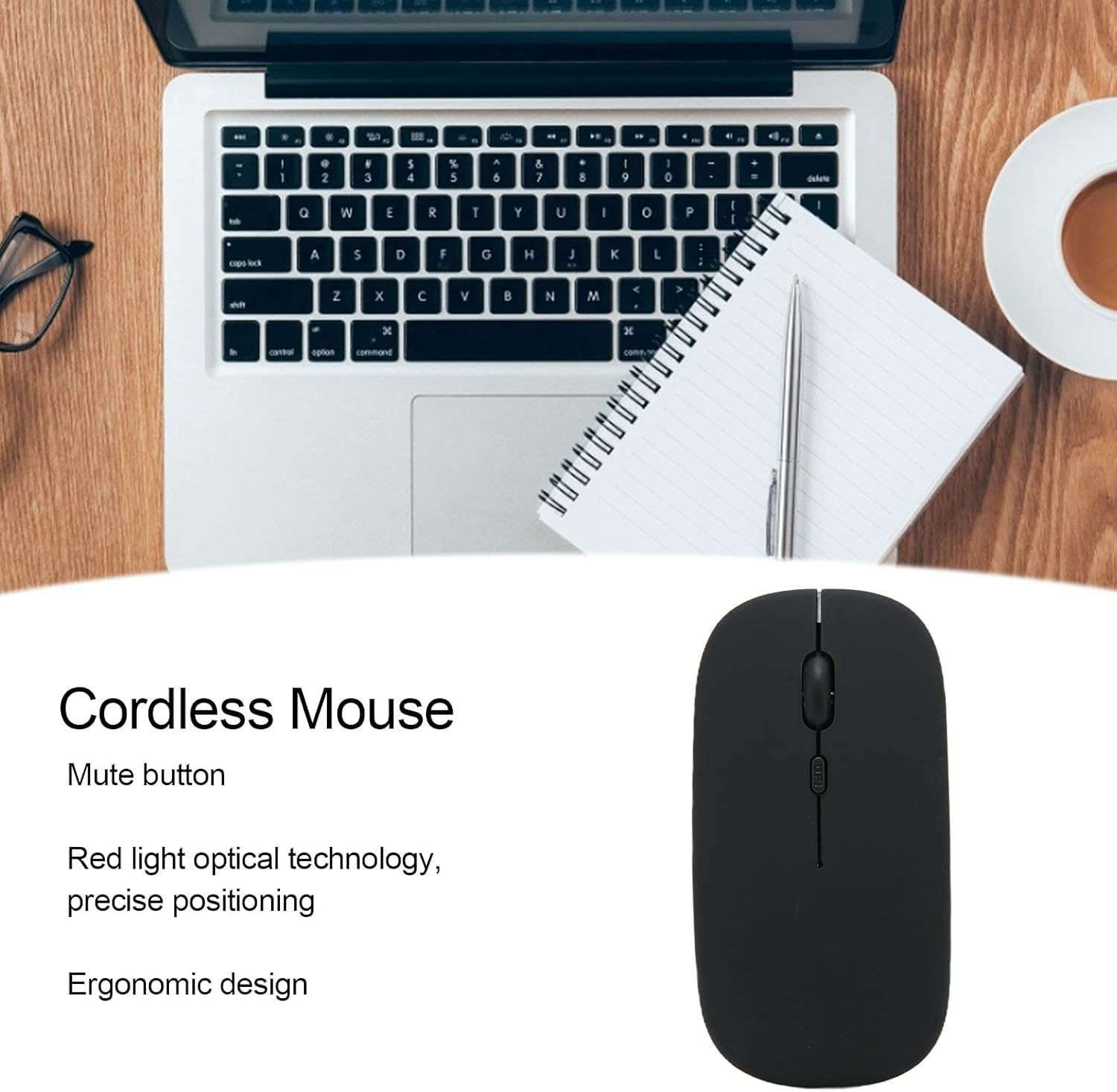
This image illustrates the key features of the Ciciglow Wireless Bluetooth Mouse, including its quiet click buttons, precise optical sensor, and comfortable shape.
Kurmak
1. Pili Takın
- Farenin alt tarafındaki pil bölmesini bulun.
- Pil kapağını yavaşça kaydırarak açın.
- Insert one AA battery (not included) into the compartment, ensuring correct polarity (+/-).
- Pil kapağını yerine oturana kadar kapatın.
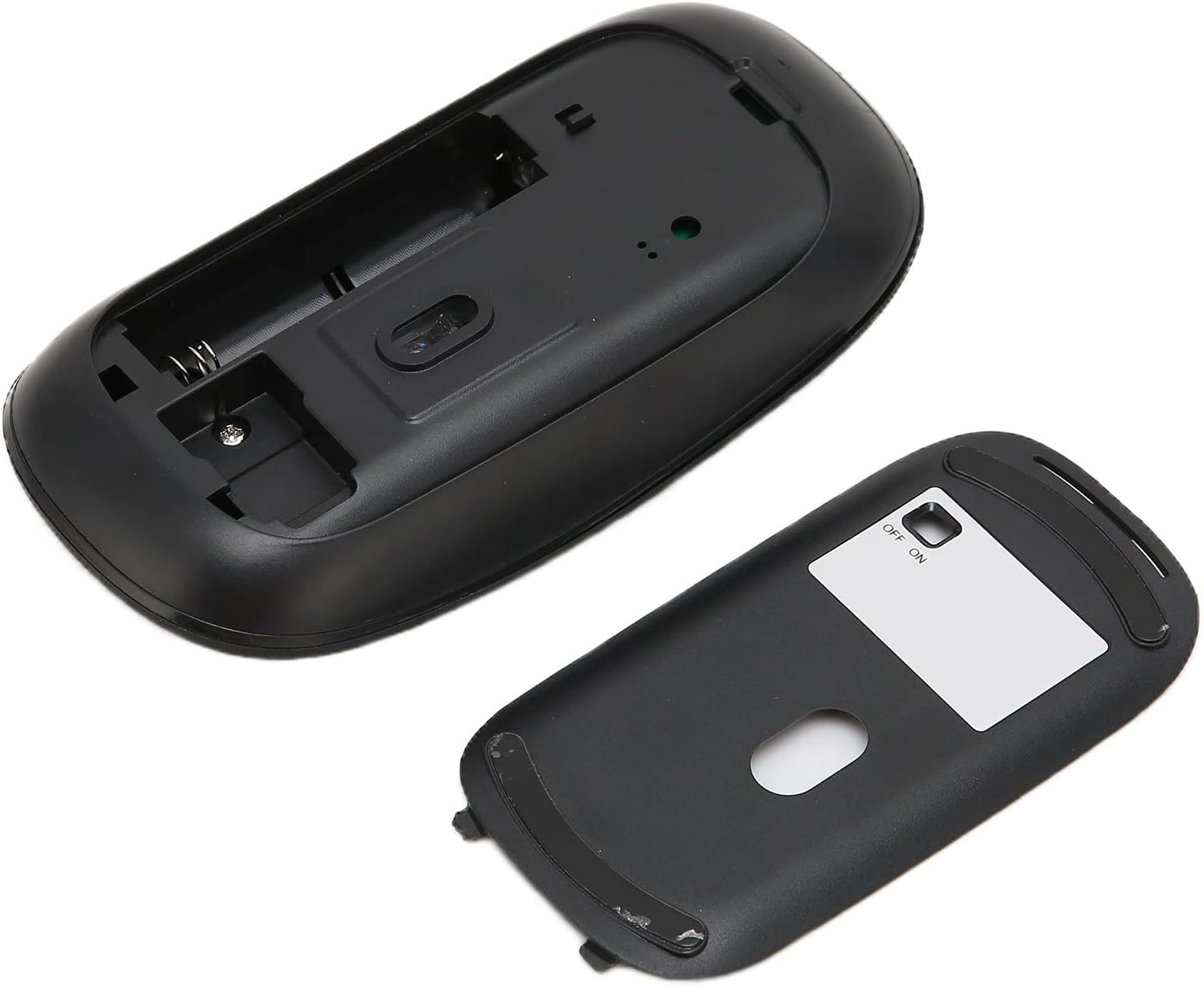
The image displays the open battery compartment of the mouse, indicating where to insert the AA battery.
2. Güç Açık
Farenin alt tarafında bulunan AÇMA/KAPATMA düğmesini bulun ve 'AÇIK' konumuna getirin.
3. Bluetooth üzerinden eşleştirme
- Ensure your device (laptop, tablet, smartphone) has Bluetooth enabled.
- Cihazınızda Bluetooth ayarlarına gidin ve yeni cihazları arayın.
- The mouse should appear as 'Bluetooth Mouse' or similar. Select it to pair.
- Eşleştirme işlemi tamamlandıktan sonra fare kullanıma hazırdır.
Kullanım Talimatları
Temel Fonksiyonlar
- Sol tık: Birincil seçilim ve aktivasyon.
- Sağ tık: Bağlamsal menülere erişim sağlar.
- Kaydırma tekerleği: Belgeler arasında gezinir ve web sayfalar.

Bu yakın çekim view highlights the scroll wheel and the DPI adjustment button on the mouse.
DPI'yı ayarlama
The mouse features a DPI button located behind the scroll wheel. Press this button to cycle through the three available DPI settings: 800, 1200, and 1600. Adjust the DPI to match your preference for cursor speed and precision.
Smart Power-Saving Mode
To conserve battery life, the mouse will automatically enter sleep mode after 5 minutes of inactivity. To wake the mouse, simply move it slightly. No button press is required.

A user operating the Ciciglow Wireless Bluetooth Mouse with a laptop, demonstrating typical usage.
Bakım
- Temizlik: Fareyi temizlemek için yumuşak, kuru bir bez kullanın. Sert kimyasallar veya aşındırıcı malzemeler kullanmaktan kaçının.
- Pil Değişimi: Farenin performansı düştüğünde veya yanıt vermeyi durdurduğunda AA pili değiştirin.
- Depolamak: Uzun süre kullanılmadığında pil ömrünü korumak için fareyi kapatın. Serin ve kuru bir yerde saklayın.
Sorun giderme
| Sorun | Çözüm |
|---|---|
| Fare yanıt vermiyor |
|
| İmleç hareketi düzensiz |
|
| Bluetooth üzerinden eşleştirilemiyor |
|
Özellikler
| Özellik | Detay |
|---|---|
| Ürün Türü | Kablosuz Fare |
| Model Numarası | ciciglow5av8h132zk2305-16 |
| Malzeme | ABS |
| Bağlantı Teknolojisi | Bluetooth 3.0 |
| Photoelectric Resolution (DPI) | 800 / 1200 / 1600 |
| İletim Mesafesi | Approx. 10 meters / 10.9 yards |
| Düğme Sayısı | 3 |
| Hareket Algılama Teknolojisi | Optik |
| El Yönelimi | İki elini de kullanabilen |
| Güç Kaynağı | 1 x AA Pil (dahil değildir) |
| Uyumlu İşletim Sistemleri | Windows, iOS, Android |
| Ürün Ağırlığı | 60 gram |

This image highlights the wireless transmission range of the mouse, approximately 10 meters.
Garanti
This product comes with a standard manufacturer's warranty. Please refer to the product packaging or contact your retailer for specific warranty terms and conditions. Keep your purchase receipt as proof of purchase.
Destek
For technical support or customer service inquiries, please contact your point of purchase or visit the official Ciciglow website for contact information. Ensure you have your product model number (ciciglow5av8h132zk2305-16) ready when seeking support.