
1. Önemli Güvenlik Bilgileri
Please read all safety and operating instructions carefully before using this television. Keep this manual for future reference. Always follow basic safety precautions to reduce the risk of fire, electric shock, and injury.
- Bu cihazı yağmura veya neme maruz bırakmayın.
- Havalandırma açıklıklarını kapatmayın. Üreticinin talimatlarına uygun şekilde kurulum yapın.
- Radyatörler, kalorifer ızgaraları, sobalar veya diğer cihazlar (dahil) gibi herhangi bir ısı kaynağının yakınına kurmayın. amp(ısı üreten)
- Güç kablosunun, özellikle fişlerde, prizlerde ve cihazdan çıktıkları yerlerde üzerine basılmasını veya sıkışmasını önleyin.
- Sadece üretici tarafından belirtilen aparatları/aksesuarları kullanın.
- Tüm servis işlemleri için kalifiye servis personeline başvurun. Cihaz herhangi bir şekilde hasar gördüğünde servis gereklidir.
2. Kutuda Neler Var?
Carefully unpack your new Sansui TV and ensure all items listed below are present.
- 1 x Sansui 4K Ultra HD Android LED TV (JSW50ASUHD)
- 2 x Masa Sehpası Tabanı
- 1 x Wall Mounting Set
- 4 x Screws for stand/mount
- 1 x Kullanım Kılavuzu
- 1 x Garanti Kartı
- 1 x Uzaktan Kumanda
- 2 x AAA Pil (uzaktan kumanda için)
- 1 x Güç Kablosu
- 1 x Mini AV Kablosu
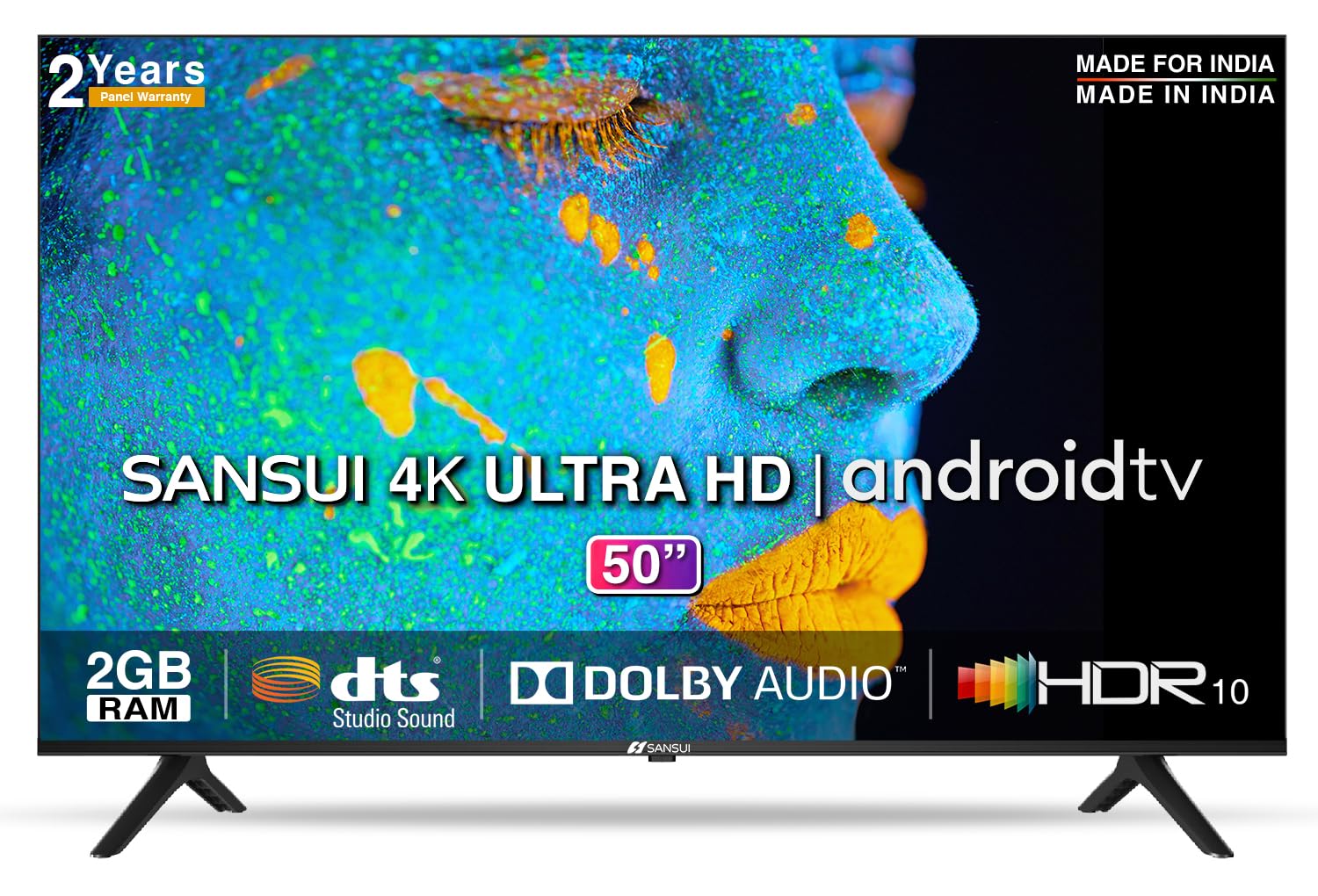
Image: Sansui 50-inch 4K Ultra HD Android LED TV with its table stand.
3. Ürün Bittiview
3.1. Temel Özellikler
- Görüntülemek: 4K Ultra HD (3840x2160) resolution, 60Hz refresh rate, Wide Viewing Angle, A+ Grade Panel, Wide Colour Gamut, HDR 10, Crystal Clear Display, High Brightness, Bezel-less Design.
- Ses: Dolby Audio, DTS Studio Sound, 20 Watts Audio Output.
- Akıllı TV Özellikleri: Android 10.0 (Certified by Google), Google Assistant, Alexa Enabled Support, Built-in Chromecast, CA53 Quad Core Processor, 2GB RAM, 8GB ROM.
- Desteklenen Uygulamalar: Prime Video, Netflix, Disney + Hotstar, YouTube, Google Play.
- Bağlantı: 3 HDMI ports, 2 USB ports, 3.5mm audio jack, Bluetooth, Wi-Fi, RJ45 (Ethernet), Antenna.

Image: Visual representation of the TV's main features and capabilities.
3.2. Boyutlar
The TV features a 50-inch screen (127 cm diagonal) with a bezel-less design for an immersive viewDeneyim.

Image: Detailed dimensions of the Sansui 50-inch TV, including width, height, and depth with and without the stand.
4. Kurulum
4.1. Masa Sehpası Montajı
- Televizyonunuzun hasar görmesini önlemek için ekranı aşağı bakacak şekilde yumuşak ve düz bir yüzeye yerleştirin.
- Masa ayaklarının tabanlarını televizyonun altındaki ilgili yuvalarla hizalayın.
- Secure the bases using the provided screws. Ensure they are tightened firmly.
4.2. Duvara Montaj (Opsiyonel)
If you choose to wall mount your TV, please use the provided wall mounting set and screws. The VESA mount standard is 800 x 400 mm. It is recommended to seek professional assistance for wall mounting to ensure proper and safe installation.
4.3. Cihazları Bağlama
The TV offers various connectivity options for your external devices.
- Güç: Güç kablosunu televizyonun güç girişine ve ardından duvar prizine bağlayın.
- HDMI: Use HDMI cables to connect devices like set-top boxes, gaming consoles, or Blu-ray players to the 3 HDMI ports.
- USB BAĞLANTI: Connect USB drives or other USB devices to the 2 USB ports for media playback.
- Ses çıkışı: Use the 3.5mm jack to connect headphones or external audio systems.
- Ethernet (RJ45): For a stable internet connection, connect an Ethernet cable from your router to the RJ45 port.
- Anten: Connect your antenna cable to the RF input for terrestrial broadcasting.
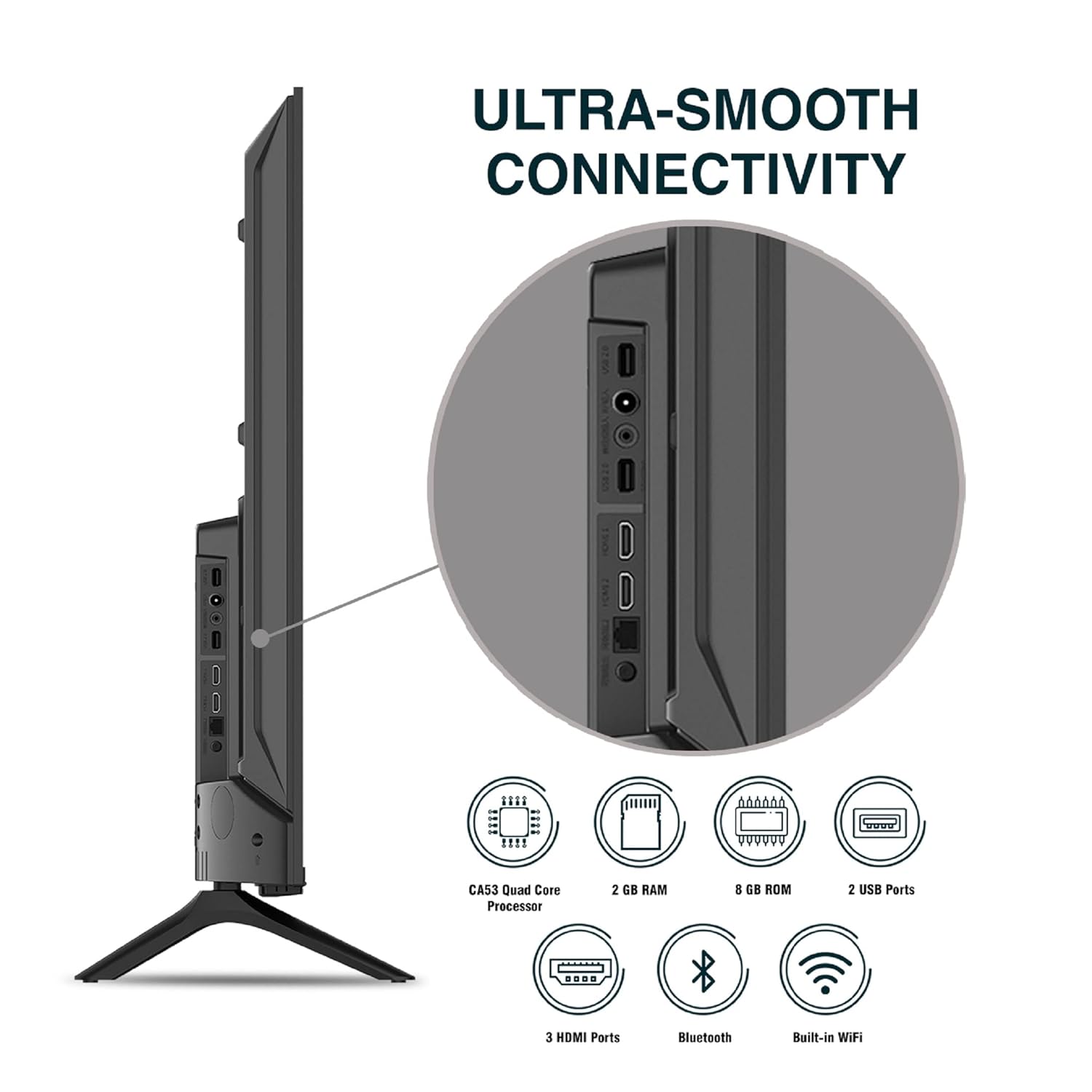
Resim: Ayrıntılı view Televizyonun bağlantı noktalarından.
5. Kullanım Talimatları
5.1. Temel İşlem
- Güç Açma/Kapatma: Press the power button on the remote control or on the TV to turn it on or off.
- İlk kurulum: Upon first power-on, follow the on-screen instructions to set up language, network connection, and Google account.
- Giriş kaynağı: Press the 'Input' button on the remote to select between HDMI, AV, TV, or other connected sources.
- Ses Kontrolü: Uzaktan kumandadaki Sesi Açma/Kapatma tuşlarını kullanın.
5.2. Akıllı Uzaktan Kumandanın Kullanımı
The included remote control features voice control and dedicated hotkeys for quick access to popular streaming services.
- Ses Kontrolü: Press the Google Assistant button (microphone icon) and speak your commands to search for content, control smart home devices, or ask questions.
- Kısayollar: Directly launch Netflix, Prime Video, YouTube, and Google Play with a single press.
- Navigasyon: Use the directional pad and 'OK' button to navigate the Android TV interface.

Image: Sansui Smart Remote Control with voice control and app hotkeys.
5.3. Android TV Interface and Smart Features
Your Sansui TV runs on Android 10.0, providing access to a wide range of apps and smart functionalities.
- Ana Ekran: The home screen displays your favorite apps, recommended content, and input sources.
- Google Play Mağazası: Download and install additional apps, games, and content from the Google Play Store.
- Dahili Chromecast: Cast content (videos, photos, music) from your smartphone, tablet, or computer directly to the TV.
- Google Assistant/Alexa: Use voice commands via the remote or a compatible Alexa device to control your TV and other smart home devices.

Image: Android TV home screen showing available applications.
6. Bakım
Uygun bakım ve onarım, televizyonunuzun ömrünü uzatacaktır.
- Ekranın Temizlenmesi: Ekranı yumuşak, tüy bırakmayan bir bezle nazikçe silin. İnatçı lekeler için, doğrudan ekrana değil, beze uygulanan, TV'ler için özel olarak tasarlanmış bir ekran temizleyici kullanın.
- Kabinin Temizlenmesi: Televizyon sehpasını silmek için yumuşak, kuru bir bez kullanın. Aşındırıcı temizleyiciler veya çözücüler kullanmayın.
- Havalandırma: Aşırı ısınmayı önlemek için havalandırma açıklıklarının toz ve kirden arındırılmış olduğundan emin olun.
- Güç Kablosu: Regularly check the power cord for any damage. If damaged, replace it with an authorized part.
7. Sorun Giderme
If you encounter any issues, refer to the following common problems and solutions.
| Sorun | Olası Neden | Çözüm |
|---|---|---|
| Güç Yok | Güç kablosu bağlantısı kesilmiş; Elektrik prizinde sorun var. | Güç kablosunun bağlantısını kontrol edin; prizi başka bir cihazla test edin. |
| Görüntü yok, sadece ses. | Incorrect input source; External device issue | Select correct input source; Check external device connection and power. |
| Ses yok, sadece görüntü. | Volume muted/low; External audio system issue | Unmute or increase volume; Check external audio system connections. |
| Uzaktan Kumanda Çalışmıyor | Piller bitmiş; kumanda ile televizyon arasında engel var. | Pilleri değiştirin; engelleri kaldırın. |
| Wi-Fi Bağlantı Sorunları | Hatalı şifre; Yönlendirici sorunları; Sinyal paraziti | Şifreyi tekrar girin; Yönlendiriciyi yeniden başlatın; TV'yi yönlendiriciye daha yakın bir yere taşıyın veya Ethernet kablosu kullanın. |
Bu çözümleri denedikten sonra sorun devam ederse lütfen müşteri desteğiyle iletişime geçin.
8. Özellikler
Detailed technical specifications for the Sansui JSW50ASUHD TV.
| Özellik | Tanım |
|---|---|
| Model Adı | SANSUI LED - JSW50ASUHD |
| Ekran Boyutu | 50 İnç (127 cm) |
| Ekran Teknolojisi | NEDEN OLMUŞ |
| Çözünürlük | 4K Ultra HD (3840x2160) |
| Yenileme Hızı | 60 Hz |
| İşletim Sistemi | Android 10.0 (Certified by Google) |
| İşlemci | CA53 Dört Çekirdekli |
| Veri deposu | 2 GB |
| ROM (Depolama) | 8 GB |
| Ses Çıkışı | 20 Watt |
| Ses Teknolojisi | Dolby Audio, DTS Stüdyo Sesi |
| HDMI Bağlantı Noktaları | 3 |
| USB Bağlantı Noktaları | 2 |
| Kablosuz Bağlantı | Wi-Fi, Bluetooth |
| Diğer Bağlantılar | Ethernet (RJ45), 3.5mm Audio Jack, Antenna |
| HDR Desteği | HDR10 |
| Montaj Tipi | Duvara Montaj ve Masa Montajı |
| VESA Montaj Standardı | 800x400 mm |
| Güç Tüketimi | 120 Watt |
| Ürün Ağırlığı | 9650 Gram |
| Renk | Mystique Black |
9. Garanti ve Destek
Your Sansui TV comes with a comprehensive warranty and dedicated customer support.
- Garanti: 1 year comprehensive warranty and 1 year additional on panel from the date of purchase.
- Garanti Desteği: For warranty-related queries, please contact Sansui Toll Free No.: 1800-419-3777.
- İthalatçı İletişim Bilgileri: Jaina India Pvt Ltd., D170, Okhla Industrial Area, Phase-1, New Delhi-110020 INDIA | Email: sansuicare@jainaindia.com.
Garanti talepleriniz için lütfen satın alma fişinizi saklayınız.