
giriiş
This manual provides detailed instructions for the safe and effective operation of your ENGiNDOT SC-L01 Self-Leveling Cross Line Laser Level. Please read this manual thoroughly before using the device and retain it for future reference. The ENGiNDOT SC-L01 is designed for various leveling and alignment tasks, offering both self-leveling and manual modes for versatility.

Image: The ENGiNDOT SC-L01 laser level projecting cross lines for alignment tasks.
Güvenlik Bilgileri
Yaralanmaları ve cihaz hasarını önlemek için her zaman aşağıdaki güvenlik önlemlerine uyun:
- Lazer radyasyonu: Lazer ışınına doğrudan bakmayın. Gözlerinizi doğrudan lazer ışınına maruz bırakmaktan kaçının.
- Çocuklar: Cihazı çocukların erişemeyeceği yerde saklayınız.
- Çevre: Use the device in a well-lit area. Avoid using it in explosive atmospheres.
- Bakım: Cihazı kendiniz sökmeye veya onarmaya çalışmayın. Yetkili servis personeline başvurun.
- Piller: Ensure batteries are inserted with correct polarity. Do not mix old and new batteries or different types of batteries. Remove batteries if the device will not be used for an extended period.
Paket İçeriği
Paketin içinde tüm öğelerin mevcut olduğundan emin olun:
- ENGiNDOT Laser Level SC-L01
- Manyetik Montaj Plakası
- Nylon Zippered Pouch
- 2 x AAA Pil
- Kullanım Kılavuzu (bu belge)
Video: Bir fazlaview of the ENGiNDOT SC-L01 Laser Level and its included accessories.
Kurmak
1. Pillerin Takılması
- Cihazın alt kısmında bulunan pil bölmesini bulun.
- Pil bölmesinin kapağını açın.
- 2 adet AAA pili, kutupların doğru olmasına dikkat ederek (+/-) takın.
- Pil bölmesi kapağını sıkıca kapatın.

Image: The laser level's battery compartment and various fixing methods, including magnetic mounting and tripod use.
2. Cihazın Montajı
The ENGiNDOT SC-L01 offers flexible mounting options:
- Manyetik Montaj: Attach the magnetic mounting plate to metal surfaces. The laser level can then be rotated 360 degrees on the plate.
- Tripod Montajı: The device features a 1/4-20 mounting thread on its base, compatible with standard camera tripods for stable positioning.
Kullanım Talimatları
1. Açma/Kapama
- To turn on the device, slide the Power/Lock switch to the unlocked position and press the Power Button.
- To turn off the device, slide the Power/Lock switch to the locked position and press the Power Button.
2. Çalışma Modları
The laser level features two operating modes:
- Otomatik Tesviye Modu:
Slide the Power/Lock switch to the unlocked position. The laser will automatically self-level within 4 degrees. If the device is outside this range, the laser beams will flash to indicate it cannot self-level. This mode is ideal for achieving perfectly horizontal and vertical lines.
- Manuel Mod:
Slide the Power/Lock switch to the locked position. The laser lines will be projected, but they will not self-level. This mode allows you to project lines at any desired angle, useful for tasks like installing handrails or decorative patterns.

Image: Illustration of the two operating modes: self-leveling for automatic horizontal/vertical lines and manual mode for angled projections.
Video: Demonstrates how to turn off the laser in self-leveling mode and switch between modes.
3. Uygulamalar
The ENGiNDOT SC-L01 is suitable for various tasks, including:
- Tiling installation
- Picture and photo hanging
- Kapı ve pencere montajı
- Furniture alignment
- General interior decoration and construction tasks

Resim: Eskiamples of the laser level in use for tasks such as floor tiling, wall decoration, and picture hanging.
Bakım
Doğru bakım, lazer seviyeleme cihazınızın uzun ömürlü olmasını ve doğruluğunu sağlar:
- Temizlik: Cihazı yumuşak bir bezle silin.amp cloth. Do not use abrasive cleaners or solvents. Keep the laser windows clean for optimal visibility.
- Depolamak: Store the device in its zippered pouch in a dry, cool place when not in use. Remove batteries for long-term storage.
- Dayanıklılık: The device features an IP54 water/debris resistant over-molded housing and TPE material wrapped rubber for enhanced durability. While robust, avoid unnecessary drops or impacts.
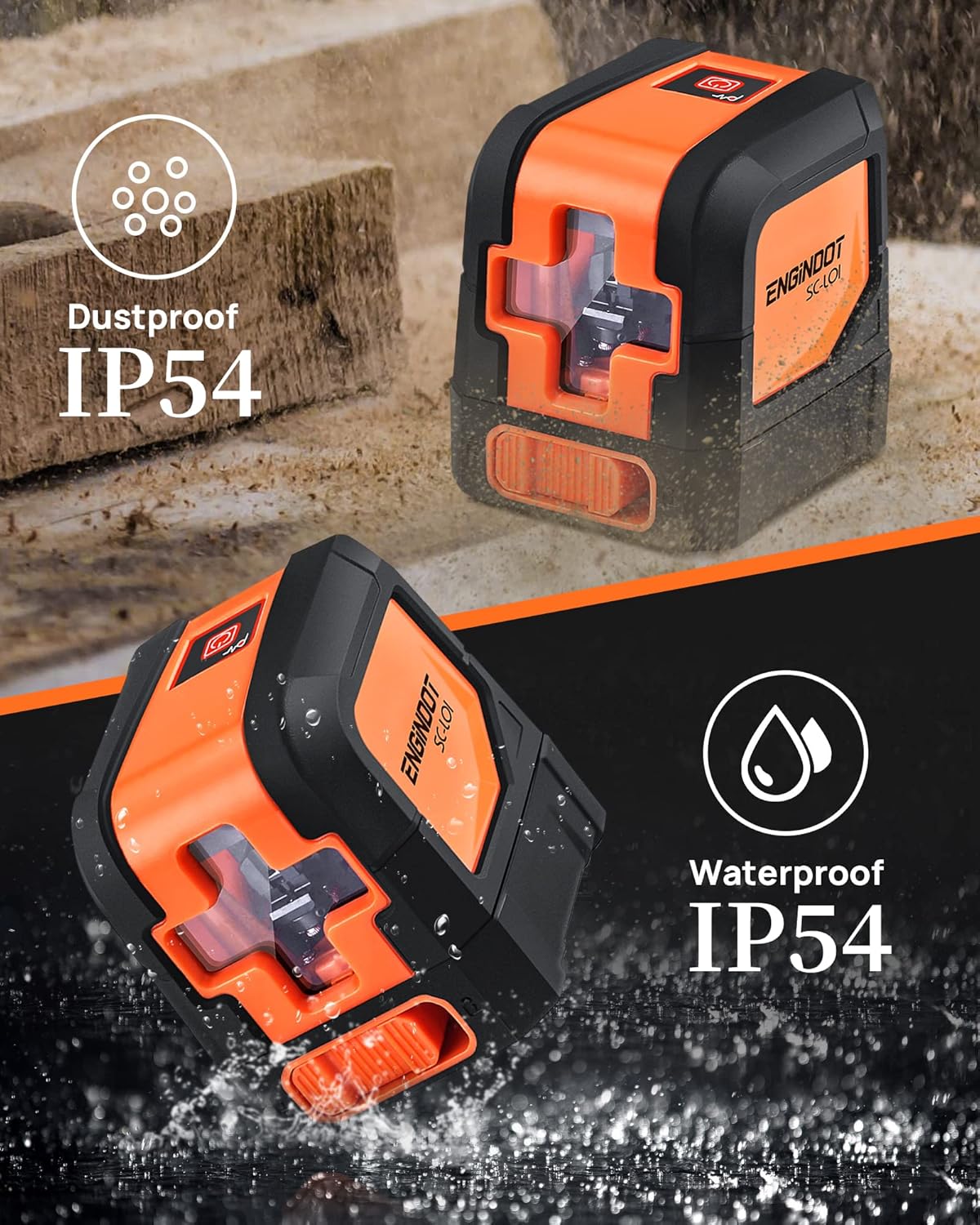
Image: The laser level highlighting its IP54 dustproof and waterproof design, indicating its suitability for various work environments.
Sorun giderme
| Sorun | Olası Neden | Çözüm |
|---|---|---|
| Lazer açılmıyor. | Piller bitmiş veya yanlış takılmış. | Pillerin kutuplarını kontrol edin ve gerekirse pilleri değiştirin. |
| Laser lines are flashing in self-leveling mode. | Device is outside its self-leveling range (over 4 degrees tilt). | Place the device on a more level surface. |
| Lazer çizgileri soluk veya görünmüyor. | Ambient light is too bright; laser windows are dirty. | Use in lower light conditions or clean laser windows. |
| Hatalı ölçümler. | Device not properly calibrated or damaged. | Ensure the device is on a stable surface. If issues persist, contact customer support. |
Özellikler
| Özellik | Detay |
|---|---|
| Marka | ENGINDOT |
| Örnek | SC-L01 |
| Malzeme | Akrilonitril Bütadien Stiren, Kauçuk |
| Renk | Turuncu, Siyah |
| Ürün Boyutları (U x G) | 2.95"U x 2.6"G |
| Ürün Ağırlığı | 0.46 Kilogram |
| Çalışma Modu | Self-leveling mode, Manual mode |
| Kendinden Tesviye Aralığı | 4° içinde |
| Kesinlik | ± 1/8 inch at 33 Ft |
| Görüş Mesafesi | 50 ft'ye kadar |
| Water/Debris Resistance | IP54 |
| Montaj Dişi | 1/4-20 |
| Pil Türü | AAA (2 adet dahil) |
Garanti ve Destek
ENGiNDOT is committed to providing quality products and customer satisfaction. For any questions, technical support, or warranty claims, please contact us. We offer 24-hour quick response and product technical support for every customer.
Please refer to your purchase documentation or the official ENGiNDOT webEn güncel garanti bilgileri ve iletişim bilgileri için siteyi ziyaret edin.