1. Giriş
This manual provides essential information for the safe and efficient operation of your ACROJOY D501 Native 1080P Mini Projector. Please read it thoroughly before using the product and retain it for future reference.
2. Güvenlik Bilgileri
- Projektör lensine doğrudan bakmayın.amp Açık durumda. Yoğun ışık gözlere zarar verebilir.
- Projeksiyon cihazının çevresinde yeterli havalandırma olduğundan emin olun. Havalandırma açıklıklarını kapatmayın.
- Projeksiyon cihazını sudan, nemden ve aşırı sıcaklıklardan uzak tutun.
- Yalnızca projektörle birlikte verilen güç adaptörünü kullanın.
- Projektörü kendiniz tamir etmeye çalışmayın. Tüm servis işlemlerini yetkili personele yaptırın.
- Çocukların erişemeyeceği yerde saklayınız.
3. Paket İçeriği
Paketinizde tüm öğelerin mevcut olduğundan emin olun:
- 1x ACROJOY D501 Projector
- 1x User Manual/Quick Start/Warranty Information
- 1x Temizlik Seti
- 1x HDMI Kablosu
- 1x Güç Kablosu
- 1x Projector Lens Cover
- 1x 120-inch Projector Screen
- 1x Uzaktan Kumanda
4. Ürün Bittiview
Familiarize yourself with the main components of your ACROJOY D501 projector.

Şekil 4.1: ACROJOY D501 Projector and included 120-inch screen. The image highlights key features such as native 1080p resolution, 5G+2.4G WiFi, 9500 lumens (as indicated in image), and 4K support.

Şekil 4.2: Taraf view of the projector illustrating its connectivity options, including ports for PS5, Nintendo Switch, TV Stick, Phone/Tablet, USB, Laptop/PC, and Audio output.
5. Kurulum
5.1 Projeksiyon Cihazının Yerleştirilmesi
Position the projector on a stable, flat surface or mount it (ceiling, tripod) according to your preference. Ensure the projector is perpendicular to the projection surface for optimal image quality.
- Projeksiyon Mesafesi: En uygun projeksiyon mesafesi 4 ila 40 feet arasında değişmektedir.
- Ekran Boyutu: The projector can produce an adjustable display size from 35 inches to 400 inches. A 120-inch screen is included for convenience.

Şekil 5.1: The ACROJOY D501 Projector in an outdoor setting, demonstrating its portability and the use of the bundled 120-inch projector screen for an enjoyable viewDeneyim.
5.2 Güç Bağlantısı
- Güç kablosunu projektörün güç giriş portuna bağlayın.
- Plug the other end of the power cord into a suitable electrical outlet (120 Volts).
- Projeksiyon cihazının güç gösterge ışığı yanacaktır.
5.3 Odak ve Trapez Düzeltme
After powering on the projector, adjust the image for clarity and shape:
- Odak Halkası: Rotate the focus ring on the projector lens until the projected image is sharp and clear.
- Keystone Düzeltmesi: Use the keystone correction dial or digital adjustment (if available) to correct trapezoidal distortion, ensuring a rectangular image. The projector supports ±15 degrees keystone correction.
6. Kullanım Talimatları
6.1 Güç Açma/Kapatma
- Güç Açık: Projektördeki veya uzaktan kumandadaki güç düğmesine basın.
- Kapat: Güç düğmesine tekrar basın. İstenirse kapatmayı onaylayın.
6.2 Giriş Kaynağı Seçimi
The projector supports multiple input sources. Use the 'Source' button on the projector or remote to select the desired input:
- HDMI: Connect devices like laptops, TV sticks, gaming consoles (PS5, Xbox) via HDMI cables. The projector has 2 HDMI ports.
- USB BAĞLANTI: Medya dosyalarını oynatmak için bir USB sürücü takın. filedoğrudan s.
- AV: Eski cihazları AV kablosu kullanarak bağlayın.
6.3 Kablosuz Bağlantı (WiFi ve Bluetooth)
6.3.1 WiFi Ekran Yansıtma
The projector features 5G+2.4G dual-band WiFi for fast and stable screen mirroring from your smartphone or tablet.
- Projeksiyon cihazınızın ve mobil cihazınızın aynı Wi-Fi ağına bağlı olduğundan emin olun.
- Projeksiyon cihazının menüsünden 'Ekran Yansıtma' veya 'Kablosuz Ekran' seçeneğini seçin.
- On your iOS device, use 'Screen Mirroring'. On Android, use 'Wireless Projection' or similar.
- Mevcut cihazlar listesinden projektörü seçin.
Not: Due to copyright restrictions, streaming services like Netflix, Amazon Prime Video, and Hulu cannot be wirelessly mirrored directly from your device. Use an HDMI-connected TV stick or similar device for these services.

Şekil 6.1: Demonstrates 5G WiFi screen mirroring for seamless video streaming from iOS, Android, or Windows devices to the projector.
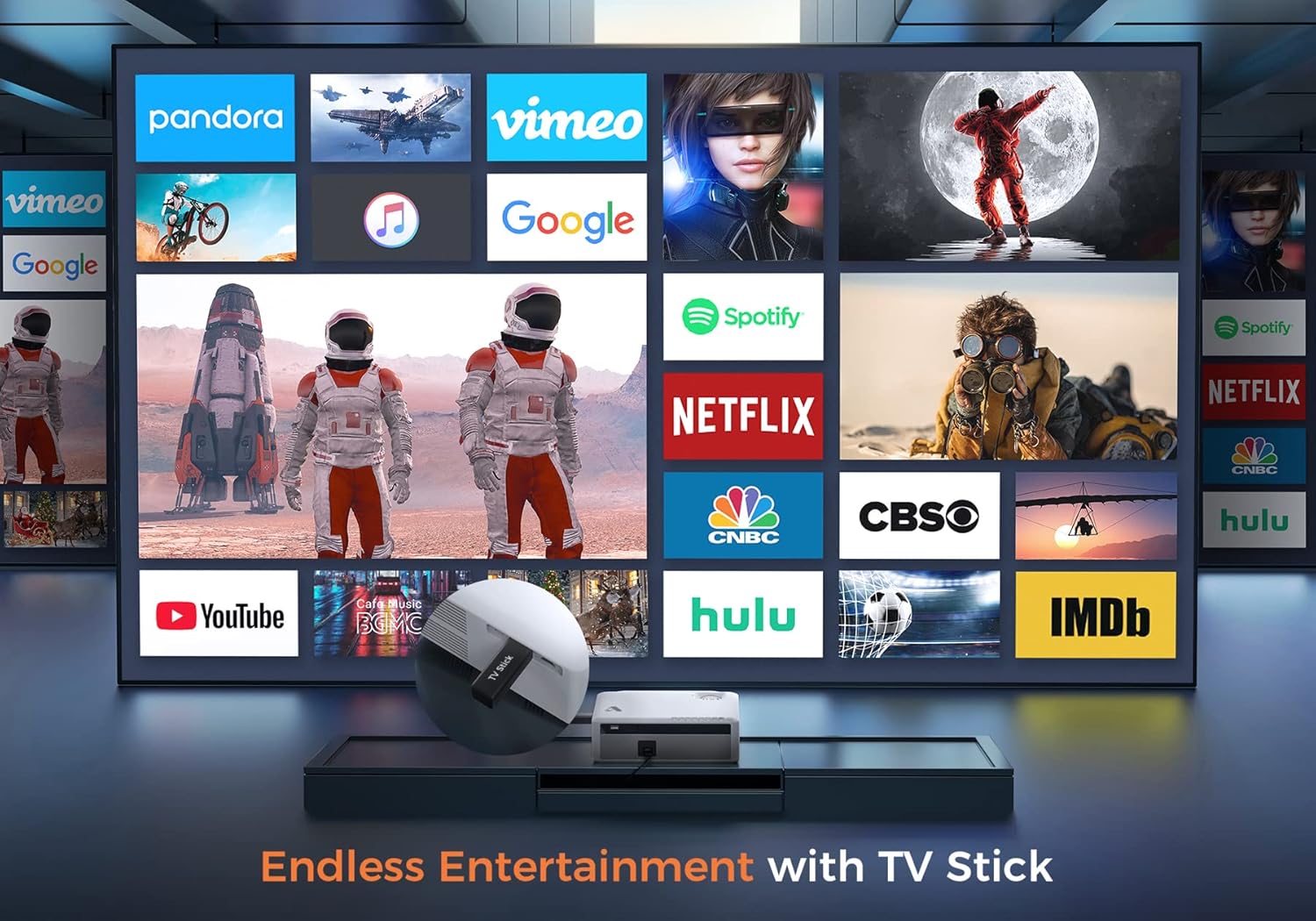
Şekil 6.2: Illustrates how to access various entertainment apps like YouTube, Netflix, and Hulu by connecting a TV stick to the projector.
6.3.2 Bluetooth Bağlantısı
Daha iyi ses deneyimi için harici Bluetooth hoparlör veya kulaklık bağlayın.
- Harici ses cihazınızda Bluetooth'u etkinleştirin ve eşleştirme moduna ayarlayın.
- On the projector's menu, navigate to 'Bluetooth Settings'.
- Eşleştirmek istediğiniz cihazı listeden seçin.
The projector also features a built-in Hi-Fi speaker for direct audio output.
6.4 Yakınlaştırma İşlevi
Adjust the image size without moving the projector using the 50%-100% zoom function, typically found in the projector's display settings menu.
7. Bakım
- Lens Temizliği: Use the provided cleaning kit or a soft, lint-free cloth specifically designed for optical lenses. Do not use abrasive cleaners.
- Toz Giderimi: Projektörün dış yüzeyini düzenli olarak yumuşak, kuru bir bezle temizleyin. Havalandırma açıklıklarındaki tozu nazikçe temizlemek için küçük bir fırça veya basınçlı hava kullanın.
- Depolamak: When not in use, store the projector in a cool, dry place, protected from dust and direct sunlight. Always replace the lens cover.
8. Sorun Giderme
- Güç Yok: Projeksiyon cihazının ve elektrik prizinin güç kablosunun sağlam bir şekilde takılı olduğundan emin olun. Farklı bir priz deneyin.
- Resim Yok: Check the input source selection. Ensure the connected device is powered on and sending a signal. Verify HDMI/USB cable connections.
- Bulanık Görüntü: Adjust the focus ring. Ensure the projection distance is within the recommended range.
- Görüntü yamuk şeklindedir: Çarpıklık düzeltmesini ayarlayın.
- Ses Yok: Check the volume settings on both the projector and the source device. If using external speakers, ensure they are properly connected or paired via Bluetooth.
- WiFi Mirroring Issues: Ensure both devices are on the same WiFi network. Some copyrighted content cannot be mirrored wirelessly.
9. Özellikler
| Marka | Akrojoy |
| Model Numarası | D501 |
| Yerel Çözünürlük | 1920x1080 (Tam HD) |
| Maksimum Desteklenen Çözünürlük | 3840x2160 (4K) |
| Parlaklık | 5500 Lümen |
| Kontrast Oranı | 12000:1 |
| Görüntü Türü | LCD |
| Bağlantı | 5G+2.4G WiFi, Bluetooth 5.1 |
| Giriş Portları | 2x HDMI, 1x USB, AV |
| Çıkış Portları | 3.5mm Ses Çıkışı |
| Projeksiyon Boyutu | 35" - 400" |
| Projeksiyon Mesafesi | 4 - 40 ft |
| En Boy Oranı | 4:3 / 16:9 |
| Anahtar Ebatı Düzeltme | ±15 derece |
| Yakınlaştırma İşlevi | %50 - %100 |
| Ürün Boyutları | 22.86x17.75x7.62 cm |
| Ürün Ağırlığı | 3.19 kilo |
| Güç Kaynağı | Kablolu Elektrikli (120 Volt, 600 Watt) |
10. Garanti ve Destek
ACROJOY provides comprehensive support for your projector:
- Garanti: A 3-year warranty covers manufacturing defects and malfunctions.
- Teknik Destek: Lifetime professional technical support is available.
- Temas etmek: For any questions or assistance, please refer to the contact information provided in your Quick Start Guide or Warranty Information document.