
giriiş
Thank you for choosing the Sengled Smart Bulb. This manual provides essential information for setting up, operating, and maintaining your new smart lighting product. The Sengled Smart Bulb offers advanced features including app and voice control, 16 million colors, tunable white light, scheduling, and remote access, all without requiring a separate hub.
Kurulum Kılavuzu
Follow these steps to set up your Sengled Smart Bulb:
- Download the Sengled Home App: Arama 'Sengled Home' in the App Store (iOS) or Google Play Store (Android) and install the application.
- Kayıt Ol/Giriş Yap: Uygulamayı açın ve yeni bir hesap oluşturmak için ekrandaki talimatları izleyin veya zaten bir hesabınız varsa giriş yapın.
- Ampulü takın: Twist the Sengled Smart LED bulb into a standard E26 medium base socket. Ensure the power is turned off before installation.
- Güç Açık: Turn on the light switch to power on the bulb. The bulb should blink to indicate it's in pairing mode.
- Uygulamaya Cihaz Ekle: In the Sengled Home app, tap the '+' icon to add a new device. Select 'Light Bulb' and follow the in-app guide to complete the setup.
- Wi-Fi'ye bağlanın: The bulb will connect to your home's 2.4GHz Wi-Fi network. No additional hub is required.
- Sesli Asistan Entegrasyonu (İsteğe bağlı): If you wish to use voice control, link your Sengled Home account with your Amazon Alexa or Google Assistant account through their respective apps.
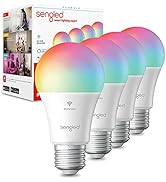
Image: Steps for setting up the Sengled Smart Bulb using the Sengled Home app.

Image: A Sengled Smart Bulb installed in a ceiling light fixture.
Kullanım Talimatları
The Sengled Smart Bulb offers versatile control options:
Uygulama Kontrolü
- Açık/Kapalı: Toggle the bulb's power directly from the app.
- Karartma: Parlaklığı %1 ile %100 arasında ayarlayın.
- Renk Seçimi: Choose from 16 million colors to match your mood or decor.
- Ayarlanabilir Beyaz: Select white light temperatures from 2000K (warm white) to 6500K (cool white).
- Planlama: Set timers and routines for automatic on/off times, dimming, or color changes.
- Grup Kontrolü: Create groups of bulbs to control multiple lights simultaneously.
- Sahne modu: Apply pre-set or custom scenes for various activities or moods.
Image: A smartphone screen displaying the Sengled Home app interface for color selection.
Ses Kontrolü
Control your smart bulbs hands-free using voice commands with Amazon Alexa or Google Assistant. ExampŞunlar:
- "Alexa, oturma odasının ışığını aç."
- "Hey Google, yatak odası ışığını maviye ayarla."
- "Alexa, dim the kitchen to 50%."
Image: A person interacting with a smart speaker to control the Sengled Smart Bulb via voice commands.
Uzaktan kumanda
Manage your lighting from anywhere using the Sengled Home app on your smartphone, ensuring your home always looks occupied, even when you're away.
Wake Up to Light Feature
Program your bulbs to slowly brighten over a set period, simulating a natural sunrise to help you wake up gently.
Video: Official Sengled video demonstrating the 100-watt smart bulb's features and Alexa compatibility.
Bakım
Sengled Smart Bulbs are designed for long-term use with a service life of 22.8 years. No specific maintenance is required beyond occasional dusting with a soft, dry cloth. Ensure the bulb is not exposed to water or excessive humidity.
Sorun giderme
If you encounter issues with your Sengled Smart Bulb, consider the following:
- Bağlantı Sorunları: Ensure your Wi-Fi network is 2.4GHz (5G networks are not supported). Try restarting your router and the bulb.
- Ampul yanıt vermiyor: Check if the bulb is securely screwed into the socket and if the power switch is on. Try turning the power off and on again to reset the bulb.
- Voice Command Problems: Verify that your Alexa or Google Assistant device is properly linked to your Sengled Home account and that the device names are correctly configured.
- Uygulama Sorunları: Ensure your Sengled Home app is updated to the latest version. Try force-closing and reopening the app.
Daha fazla yardım için lütfen destek bölümüne bakın veya müşteri hizmetleriyle iletişime geçin.
Özellikler
| Özellik | Detay |
|---|---|
| Marka | Sengled |
| Model Numarası | W12-N15 |
| Hafif Tip | NEDEN OLMUŞ |
| Netage | 100 watts equivalent (actual power consumption not specified, but typically lower for LED) |
| Parlaklık | 1500 Lümen |
| Ampul Şekli Boyutu | A19 |
| Ampul Tabanı | E26 Orta |
| Açık Renk | Multicolor (16 Million Colors) & Tunable White (2000K to 6500K) |
| Renksel Geriverim İndeksi (CRI) | >90 |
| Bağlantı Teknolojisi | Wi-Fi (sadece 2.4 GHz) |
| Denetleyici Türü | Amazon Alexa, Google Asistan, SmartThings |
| Işık Kaynağı Çalışma Ömrü | 22.8 Yıl |
| İç/Dış Mekan Kullanımı | Kapalı |
| Malzeme Türü | Sentetik Polimer (PMMA) |
Garanti ve Destek
Sengled Smart Bulbs come with a 2 yıllık garanti. For warranty claims or technical support, please visit the official Sengled website or contact their customer service. Live customer service is available in the U.S.
Daha fazla bilgi ve destek için ziyaret edin sengled.com.