
giriiş
Thank you for choosing the CHOETECH 38W Dual Port Fast Charger, Model PD5002. This charger is designed to provide efficient and rapid charging for your mobile devices, featuring both a USB Type-C port with Power Delivery (PD) and a USB Type-A port with Quick Charge (QC) technology. Please read this manual carefully to ensure proper use and optimal performance of your charger.
Güvenlik Bilgileri
- Use this charger indoors only. Avoid exposure to rain, moisture, or extreme temperatures.
- Do not disassemble, modify, or repair the product yourself. This may cause electric shock, fire, or damage to the product.
- Şarj cihazını çocuklardan ve evcil hayvanlardan uzak tutun.
- Ensure the charger is fully inserted into the power outlet. Loose connections can cause overheating.
- Unplug the charger from the power outlet when not in use or during lightning storms.
- Şarj cihazını ıslak ellerle çalıştırmayın.
- Use only compatible charging cables with your devices.
Paket İçeriği
- 1 x CHOETECH 38W Dual Port Fast Charger (Model PD5002)
Ürün Bittiview
The CHOETECH PD5002 charger features a compact and lightweight design, making it ideal for travel and everyday use. It includes two charging ports for simultaneous charging.

Resim: Ön view of the CHOETECH PD5002 38W Dual Port Fast Charger, showing the USB-C and USB-A ports and the CHOETECH logo.
Liman Düzeni:
- USB Type-C Port (PD 3.0): Delivers up to 20W of power for fast charging compatible devices.
- USB Type-A Port (QC 3.0): Delivers up to 18W of power for quick charging compatible devices.
Kurmak
Setting up your CHOETECH PD5002 charger is straightforward:
- Güç Çıkışına takın: Şarj cihazının uçlarını standart bir duvar prizine (AC 100-240V) sıkıca takın.
- Şarj Kablosunu Bağlayın: Connect one end of your device's charging cable to the appropriate port on the charger (USB-C for Power Delivery or USB-A for Quick Charge).
- Cihaza Bağlan: Connect the other end of the charging cable to your mobile phone, tablet, or other compatible device.
Kullanım Talimatları
Tek Cihaz Şarjı:
When charging a single device, the charger will deliver the maximum power supported by the port and your device. For example, a compatible device connected to the USB-C port can receive up to 20W, while a device connected to the USB-A port can receive up to 18W.
Aynı Anda İki Cihazı Şarj Etme:
The CHOETECH PD5002 allows you to charge two devices simultaneously with a combined total output of 38W. When both ports are in use, the power is intelligently distributed:
- The USB-C port can deliver up to 20W.
- The USB-A port can deliver up to 18W.
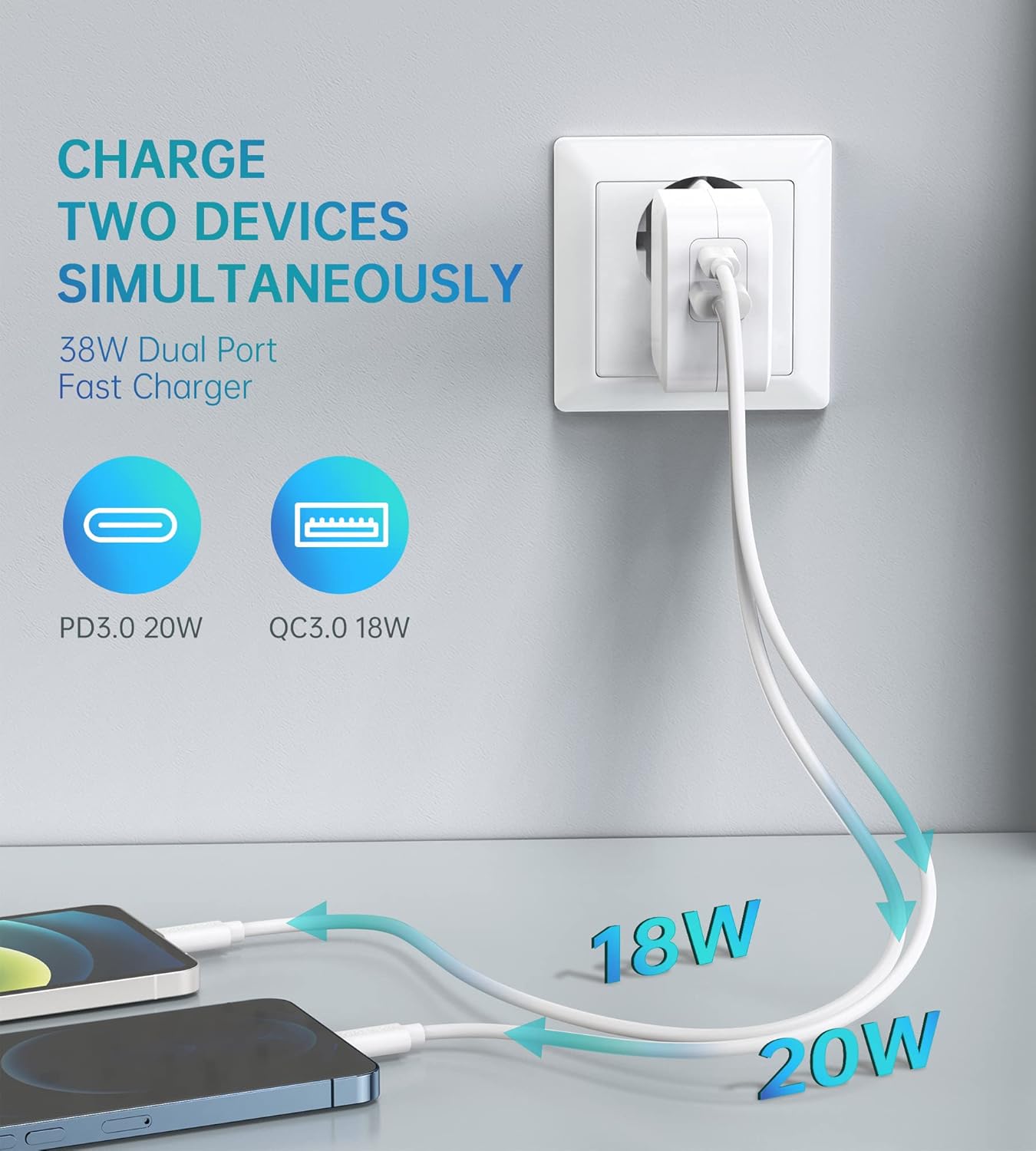
Image: Illustration showing the CHOETECH PD5002 charger plugged into a wall, with two cables extending to charge two smartphones. One cable is labeled 20W (USB-C) and the other 18W (USB-A), demonstrating simultaneous charging.
Hızlı Şarj Yetenekleri:
This charger supports Power Delivery (PD) 3.0 via the USB-C port and Quick Charge (QC) 3.0 via the USB-A port, enabling significantly faster charging speeds for compatible devices compared to standard chargers.

Image: The CHOETECH PD5002 charger plugged into a wall outlet, connected to an iPhone 12 via a USB-C to Lightning cable. Text highlights "20W Power Delivery for the new iPhone 12 series" and "4X FASTER Than Original 5W Chargers."

Image: The CHOETECH PD5002 charger plugged into a wall outlet, connected to a Samsung smartphone via a USB-A to USB-C cable. Text highlights "18W QUICK CHARGE 3.0" and "3X Faster Than Standard Chargers."
Bakım
- Temizlik: Temizlemeden önce şarj cihazını prizden çıkarın. Yüzeyi silmek için yumuşak ve kuru bir bez kullanın. Sıvı temizleyici veya aerosol kullanmayın.
- Depolamak: Şarj cihazını kullanılmadığı zamanlarda serin ve kuru bir yerde saklayın. Yüksek nemli veya aşırı sıcaklıklara sahip alanlarda saklamaktan kaçının.
- İşleme: Şarj cihazını düşürmekten veya sert darbelere maruz bırakmaktan kaçının, çünkü bu iç bileşenlere zarar verebilir.
Sorun giderme
Cihaz Şarj Olmuyor:
- Bağlantıları Kontrol Edin: Ensure the charger is securely plugged into the wall outlet and the charging cable is firmly connected to both the charger and your device.
- Farklı Bir Çıkış Deneyin: Test the charger with a different wall outlet to rule out a faulty power source.
- Kabloyu İnceleyin: Try using a different charging cable. Damaged cables can prevent charging.
- Cihaz Uyumluluğu: Confirm that your device is compatible with USB charging and that the cable matches the device's port type.
Yavaş Şarj:
- Kablo Kalitesi: Ensure you are using a high-quality charging cable that supports fast charging protocols (PD or QC). Generic or old cables may limit charging speed.
- Cihaz Desteği: Verify that your device supports Power Delivery (PD) or Quick Charge (QC) for optimal fast charging.
- Arka Plan Uygulamaları: Cihazınızda arka planda çalışan güç tüketen uygulamaları kapatın.
- Çevresel Faktörler: Extreme temperatures can affect charging efficiency. Charge in a moderate environment.
Özellikler
| Model Numarası | PD5002 |
| AC Girişi | 100-240V, 50/60Hz, 1.0A (Max) |
| USB Type-C Output (PD 3.0) | 5V-3A, 9V-2.22A, 12V-1.67A (Maks. 20W) |
| USB Type-A Output (QC 3.0) | 5V-3A, 9V-2A, 12V-1.5A (Maks. 18W) |
| Toplam Güç Çıkışı | 38W (Maksimum) |
| Bağlantı Teknolojisi | USB |
| Özel Özellikler | Lightweight design, Fast charging |
| Renk | Beyaz |
| Ürün Boyutları | 4x11x10 cm |
| Ürün Ağırlığı | 5 gram |
| Uyumlu Cihazlar | Mobile phones, tablets, and other USB-powered devices |
Garanti ve Destek
CHOETECH products are designed and manufactured to the highest quality standards. For information regarding warranty coverage or technical support, please refer to the warranty card included with your purchase or visit the official CHOETECH website. If you encounter any issues not covered in this manual, please contact CHOETECH customer service for assistance.