
1. Ürün Bittiview

Ön-üst view of the SUNMI 80mm Kitchen Cloud Receipt Printer, showcasing its compact black design with orange accents and control panel.
The SUNMI 80mm Kitchen Cloud Receipt Printer (Model C04000069) is a compact and efficient thermal printer designed for various environments, particularly suited for kitchen and point-of-sale applications. It offers reliable, high-speed printing for receipts and orders.
Temel Özellikler:
- Compact 130mm square design for space-saving installation.
- High-performance Seiko thermal print head.
- Fast printing speed of 165mm/s for 80mm receipts.
- Easy internet connectivity via LAN cable.
- Supports 80mm paper format.
2. Paket İçeriği
Lütfen aşağıdaki öğelerin kutucuğunu işaretleyin:
- SUNMI 80mm Kitchen Cloud Receipt Printer (Model C04000069)
- Güç Adaptörü
- Thermal Paper Roll (for initial setup)
- Kullanım Kılavuzu (bu belge)
3. Kurulum Kılavuzu
3.1 Güç Bağlantısı
- Yazıcının sabit ve düz bir yüzeye yerleştirildiğinden emin olun.
- Güç adaptörünü yazıcının güç giriş portuna bağlayın.
- Güç adaptörünü uygun bir elektrik prizine takın.
- Press the power button to turn on the printer. The power indicator light will illuminate.
3.2 Kağıt Rulosu Kurulumu

Açık bir view of the SUNMI printer's interior, revealing the paper roll compartment and the high-performance Seiko thermal print head, capable of 165mm/s printing speed.
- Open the printer's top cover by pressing the release latch.
- Insert the 80mm thermal paper roll into the compartment, ensuring the paper feeds from the bottom and the leading edge is straight.
- Kesicinin yanından az miktarda kağıt çekin.
- Üst kapağı yerine oturana kadar sıkıca kapatın.

Two sequential images: one showing a hand inserting a receipt into the printer's output slot, and another showing a hand replacing the thermal paper roll inside the printer's open compartment.
3.3 Ağ Bağlantısı
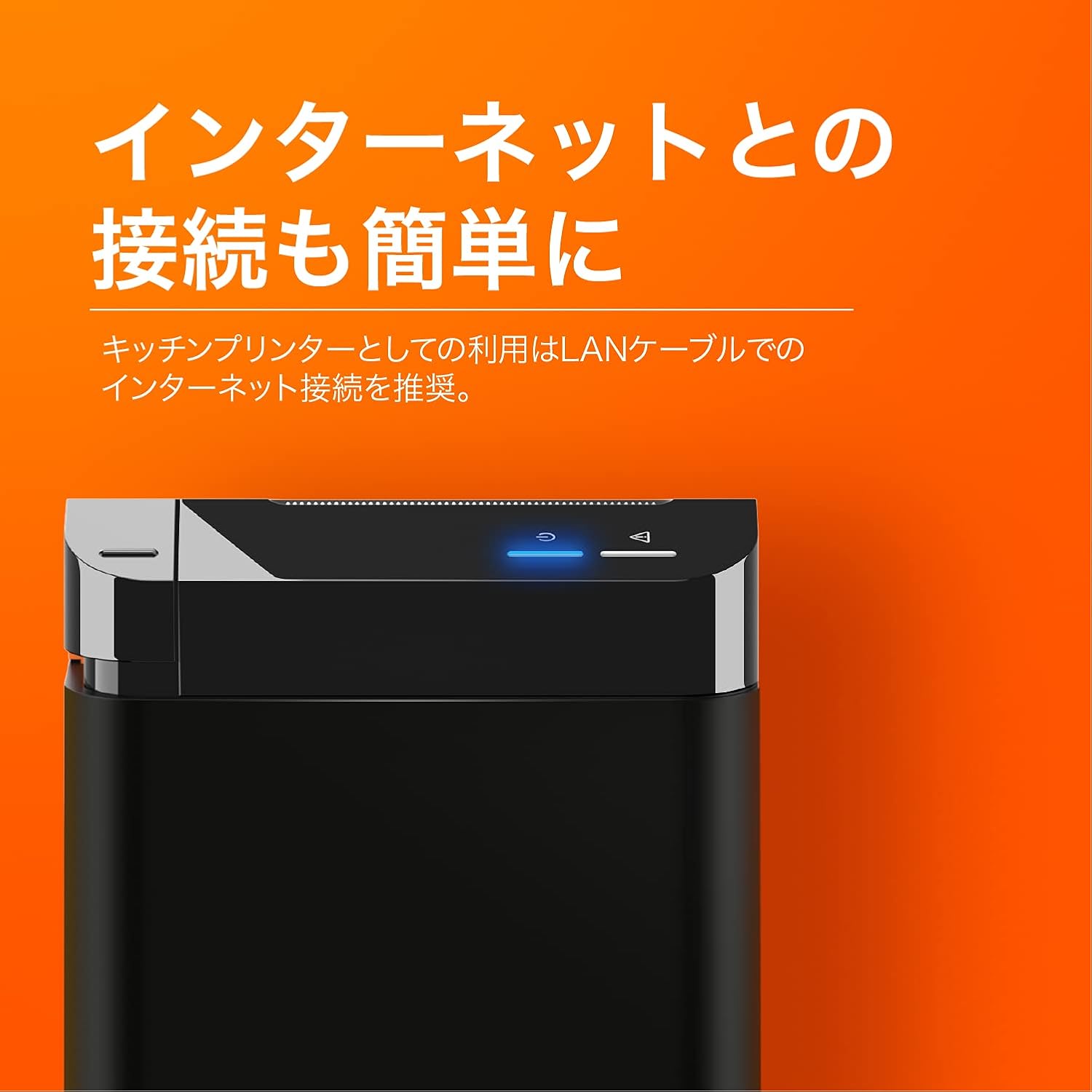
The SUNMI printer with a blue illuminated status light, highlighting its easy internet connectivity via LAN cable, recommended for kitchen printer use.
For optimal performance, especially in kitchen environments, a wired LAN connection is recommended.
- Connect one end of an Ethernet (LAN) cable to the printer's LAN port.
- Ethernet kablosunun diğer ucunu ağ yönlendiricinize veya anahtarınıza bağlayın.
- The network indicator light on the printer will show connection status (e.g., solid blue for connected).
4. Kullanım Talimatları
4.1 Temel Baskı
Once the printer is powered on and connected to your network, it is ready to receive print commands from compatible software or systems (e.g., POS software, kitchen display systems).
- Ensure your printing application is configured to use the SUNMI 80mm Kitchen Cloud Printer.
- Initiate a print job from your application.
- The printer will automatically feed and cut the receipt after printing.

A view of two SUNMI 80mm Kitchen Cloud Printers side-by-side, with one actively printing a receipt, demonstrating its operational use.
4.2 Durum Göstergeleri
The printer features indicator lights on its control panel to provide status information:
- Güç Göstergesi: Solid light indicates the printer is on.
- Hata Göstergesi: Flashing or solid light indicates an error (e.g., paper out, cover open). Refer to the Troubleshooting section.
- Ağ Göstergesi: Indicates network connectivity status.
5. Bakım
5.1 Yazıcıyı Temizleme
Düzenli temizlik, baskı kalitesini korumaya ve yazıcının ömrünü uzatmaya yardımcı olur.
- Temizlemeden önce yazıcıyı kapatın ve fişini çekin.
- Yumuşak, tiftiksiz bir bez kullanın ve hafifçe kurulayın.ampened with water or isopropyl alcohol to wipe the exterior.
- Gently clean the thermal print head with a cotton swab dipped in isopropyl alcohol. Allow it to dry completely before use.
- Remove any paper dust or debris from the paper path.
5.2 Replacing Paper Roll
When the paper roll is nearing its end, the printer may indicate a paper-low error or print faint lines. Follow the steps in Section 3.2 to replace the paper roll.
6. Sorun Giderme
If you encounter issues with your SUNMI printer, refer to the table below for common problems and solutions.
| Sorun | Olası Neden | Çözüm |
|---|---|---|
| Yazıcı açılmıyor. | Elektrik yok, adaptör arızalı. | Check power cable connection; ensure outlet is working; try a different adapter if available. |
| No printing / Error light on | Paper out, cover open, paper jammed | Replace paper roll; ensure cover is closed properly; clear any paper jams. |
| Faint or blank prints | Incorrect paper type, dirty print head, paper loaded incorrectly | Ensure thermal paper is used; clean the print head (Section 5.1); check paper orientation. |
| Ağa bağlanılamıyor | Loose LAN cable, network configuration issue | Check LAN cable connection; verify network settings on your router/system. |
7. Teknik Özellikler

The SUNMI 80mm Kitchen Cloud Printer, demonstrating its compact 130mm square footprint, ideal for space-saving installations.
| Özellik | Şartname |
|---|---|
| Model Numarası | C04000069 |
| Marka | GÜNEŞİM |
| Yazıcı Türü | Termal Makbuz Yazıcısı |
| Baskı Hızı | 165 mm/s |
| Kağıt Genişliği | 80 mm |
| Bağlantı Teknolojisi | USB, LAN (Ethernet) |
| Renk | Multicolor (primarily black with orange accents) |
| Ürün Boyutları | 13 x 13 x 13 cm (yaklaşık 5.1 x 5.1 x 5.1 inç) |
| Ürün Ağırlığı | 1.32 Kilogram (yaklaşık 2.91 lbs) |
| Maximum Sheet Input Capacity | 100 sheets (referring to paper roll length equivalent) |
| Dubleks Baskı | No (single-sided receipt printing) |
| Desteklenen Medya | Thermal Labels/Receipt Paper |
8. Garanti ve Destek
This product is covered by the standard manufacturer's warranty. For specific warranty terms and conditions, please refer to the documentation provided at the time of purchase or contact your retailer.
For technical support, troubleshooting assistance beyond this manual, or service inquiries, please contact SUNMI customer support or your authorized dealer. Keep your purchase receipt and product model number (C04000069) ready when contacting support.