
giriiş
Thank you for choosing the Bytech BYMSWR104BK 3 Button Gaming Mouse. This manual provides essential information for setting up, operating, and maintaining your new gaming mouse. Please read this manual thoroughly before use to ensure optimal performance and longevity of your device.
Özellikler
- Hassas Fare: Designed for accurate tracking and responsive control.
- Ayarlanabilir DPI: Customize sensitivity for various gaming and productivity needs.
- Three Responsive Buttons: Includes left-click, right-click, and scroll wheel/middle-click for efficient operation.
- Renkli Arka Aydınlatma: Features multi-color LED lighting with 7 distinct color modes for an enhanced aesthetic experience.
- Ergonomik Tasarım: Shaped to fit comfortably in your palm, reducing fatigue during extended use.
Özellikler
| Marka | Baytek |
| Model Numarası | BYMSWR104BK |
| Düğme Sayısı | 3 |
| Hareket Çözünürlüğü | 1,000 DPI |
| Renk Modları | 7 Colors (Multi-color Backlight) |
| Kablo Uzunluğu | 5 feet |
| Anahtar Derecelendirmesi | 1 milyon tıklama |
| Ürün Ağırlığı | 4.9 ons |
| Paket Boyutları | 7.17 x 4.06 x 2.68 inç |
| Renk | Siyah |
| Güç Kaynağı | Kablolu Elektrik (USB) |
| Donanım Platformu | PC |
Paket İçeriği
- 1 x Bytech BYMSWR104BK Wired Gaming Mouse
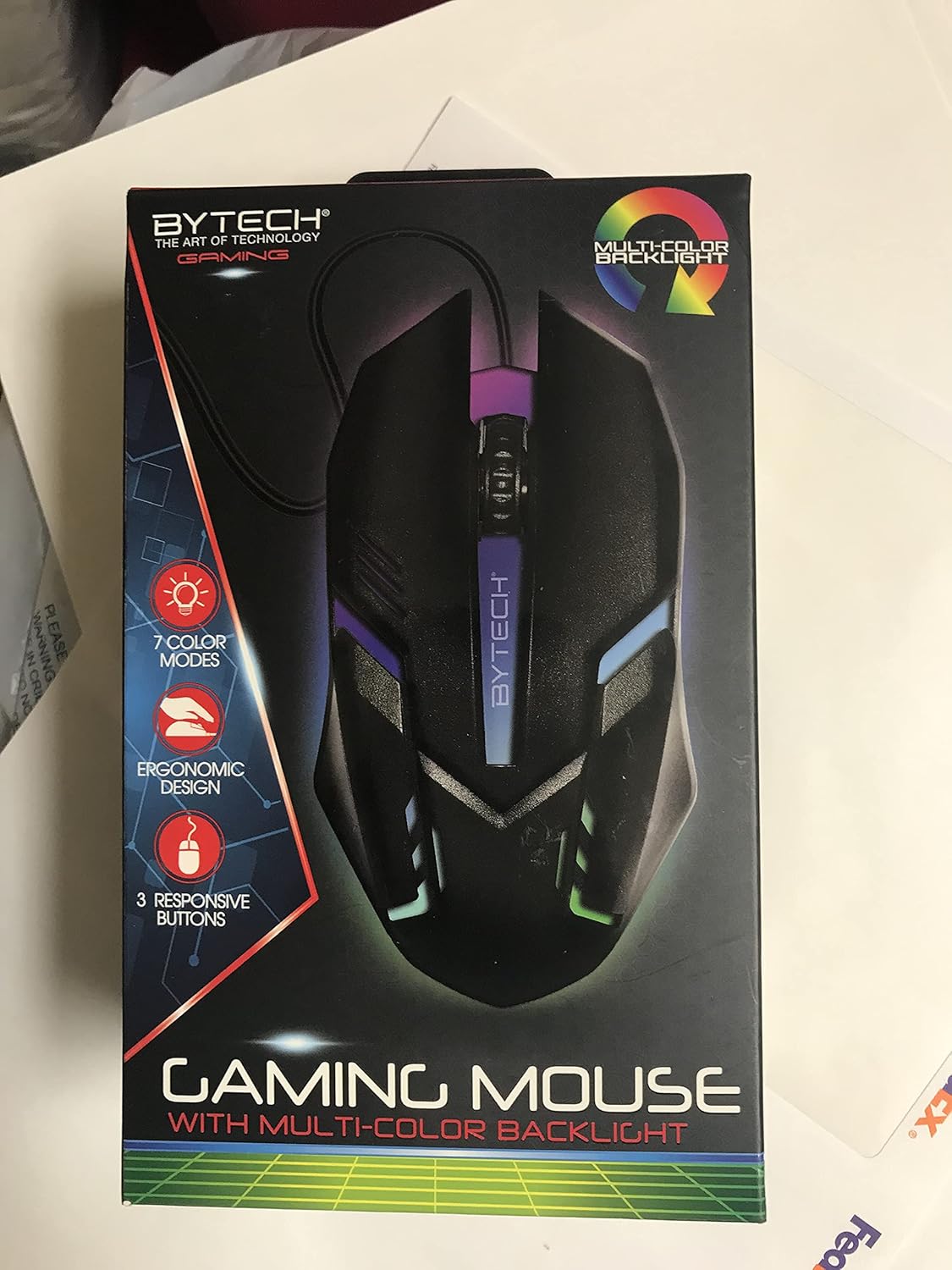
Resim: Ön view of the Bytech BYMSWR104BK Gaming Mouse in its retail packaging, highlighting its multi-color backlight and ergonomic design.
Kurmak
- Paketi aç: Carefully remove the gaming mouse from its packaging.
- Bağlamak: Locate an available USB port on your computer (PC, laptop, etc.). Insert the USB connector of the Bytech BYMSWR104BK Gaming Mouse firmly into the USB port.
- Sürücü Kurulumu: The mouse is plug-and-play. Your operating system should automatically detect and install the necessary drivers. This process may take a few moments.
- Kullanıma Hazır: Once the drivers are installed, the mouse will be ready for immediate use. The multi-color backlight will illuminate.

Resim: Arka view of the Bytech BYMSWR104BK Gaming Mouse retail packaging, detailing features, specifications, and universal compatibility.
Kullanım Talimatları
Temel İşlemler
- Sol Tuş: Primary click function, typically used for selecting items, opening files, or interacting with software.
- Sağ Buton: Secondary click function, usually opens context menus or provides additional options.
- Fare tekerleği (orta düğme): Belgeler arasında gezinmek için yukarı veya aşağı kaydırın. web pages. Pressing the scroll wheel acts as a middle-click button, often used for opening links in new tabs or auto-scrolling.
DPI Ayarlaması
The Bytech BYMSWR104BK Gaming Mouse features adjustable DPI settings. While specific buttons for DPI adjustment are not explicitly listed on the packaging, many gaming mice allow DPI changes through a dedicated button (often located near the scroll wheel) or through software. Refer to your computer's mouse settings or Bytech's official website for advanced customization options if available.
LED Arka
The mouse features a dynamic multi-color LED backlight with 7 different color modes. These lights will automatically cycle through the modes once the mouse is connected and powered on. There is no manual control for changing modes on the mouse itself.
Bakım
- Temizlik: Farenin yüzeyini silmek için yumuşak ve kuru bir bez kullanın. İnatçı kirler için hafifçe silin.ampBezi su veya hafif bir temizleme solüsyonuyla silin. Sert kimyasallar veya aşındırıcı malzemeler kullanmaktan kaçının.
- Sensör Bakımı: Doğru izlemeyi sağlamak için farenin alt kısmındaki optik sensörü temiz ve tozdan veya kalıntılardan uzak tutun.
- Kablo yönetimi: USB kablosunun hasar görmesini önlemek için keskin bükümlerden veya aşırı çekmelerden kaçının.
- Depolamak: Kullanılmadığı zaman fareyi aşırı sıcaklıklardan uzak, temiz ve kuru bir ortamda saklayın.

Resim: Yan view of the Bytech BYMSWR104BK Gaming Mouse retail packaging, showcasing the multi-color backlight effect.
Sorun giderme
| Sorun | Olası Çözüm |
|---|---|
| Fare yanıt vermiyor |
|
| İmleç düzensiz veya düzgün hareket etmiyor. |
|
| LED arka aydınlatma çalışmıyor |
|
Garanti ve Destek
Garanti: This Bytech product comes with a 12-month warranty from the date of purchase. Please retain your proof of purchase for warranty claims.
İletişim Bilgileri:
- Adres: 2585 West 13th Street, Brooklyn, NY 11223, USA
- Webalan: www.bytechintl.com
⚠ UYARI: Bu ürün, Kaliforniya Eyaleti tarafından kansere, doğum kusurlarına veya diğer üreme zararlarına neden olduğu bilinen DEHP dahil olmak üzere kimyasallara maruz kalmanıza neden olabilir. Daha fazla bilgi için şuraya gidin: www.P65Uyarılar.ca.gov.

Resim: Alt view of the Bytech BYMSWR104BK Gaming Mouse retail packaging, showing contact information, warranty details, and California Proposition 65 warning.