
1. Giriş
This manual provides detailed instructions for the setup, operation, and maintenance of your Bytech BYMCWC101BLK PC Web Camera. Please read this manual thoroughly before using the product to ensure proper functionality and longevity.
2. Paket İçeriği
Aşağıda listelenen tüm öğelerin ürün paketinizde bulunduğunu doğrulayın:
- Bytech BYMCWC101BLK PC Web Kamera
- Kullanım Kılavuzu (bu belge)
- Entegre USB Kablosu
3. Kurulum
Follow these steps to set up your Bytech BYMCWC101BLK PC Web Kamera:
- Atama: Konumlandır webcam on top of your computer monitor, laptop screen, or a flat surface. The adjustable clip allows for secure attachment.
- Bilgisayara Bağlan: Entegre USB kablosunu takın. webkameranızı bilgisayarınızdaki kullanılabilir bir USB bağlantı noktasına bağlayın.
- Sürücü Kurulumu: The webcam is typically plug-and-play. Your operating system (Windows, macOS, Linux) should automatically detect and install the necessary drivers. Wait for the installation to complete.
- Doğrulama: Open a video conferencing application (e.g., Zoom, Skype, Microsoft Teams) or your computer's camera application to confirm the webKamera tanındı ve video görüntülüyor.
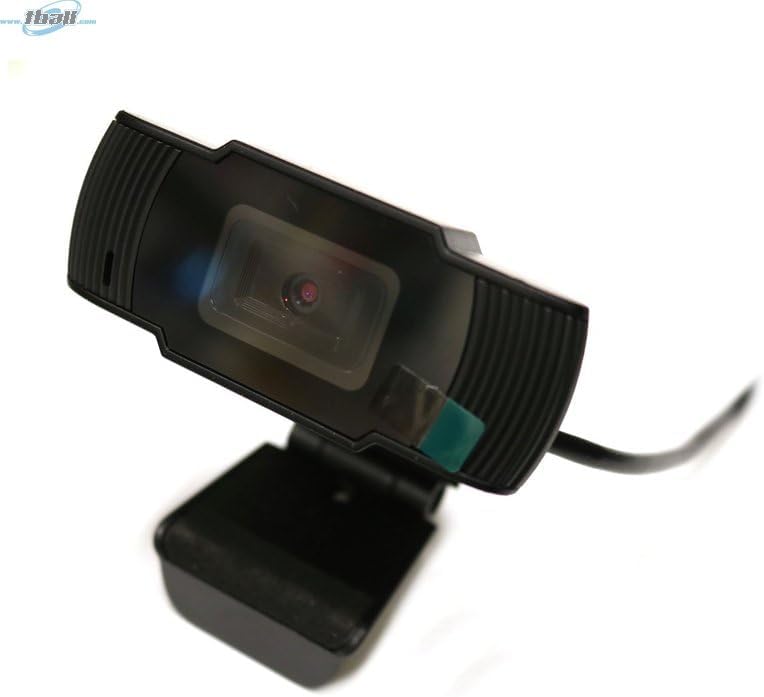
Image: The Bytech BYMCWC101BLK PC Web Camera securely mounted on top of a computer monitor, demonstrating its adjustable clip design.
4. Kullanım Talimatları
Once installed, the Bytech BYMCWC101BLK PC Web Camera can be used with various applications:
- Görüntülü Konferans: Select the Bytech webcam as your video input device within your preferred video conferencing software (e.g., Zoom, Skype, Google Meet).
- Yayın akışı: For live streaming platforms, configure the webcam as your primary video source in your streaming software (e.g., OBS Studio).
- Kayıt: Bilgisayarınızın yerleşik kamera uygulamasını veya üçüncü taraf yazılımı kullanarak video kaydı yapın.
- Düşük Işık Performansı: The webcam features BSI CMOS photo sensor technology and is designed to perform effectively in low-light conditions, providing clear video even with limited ambient lighting.
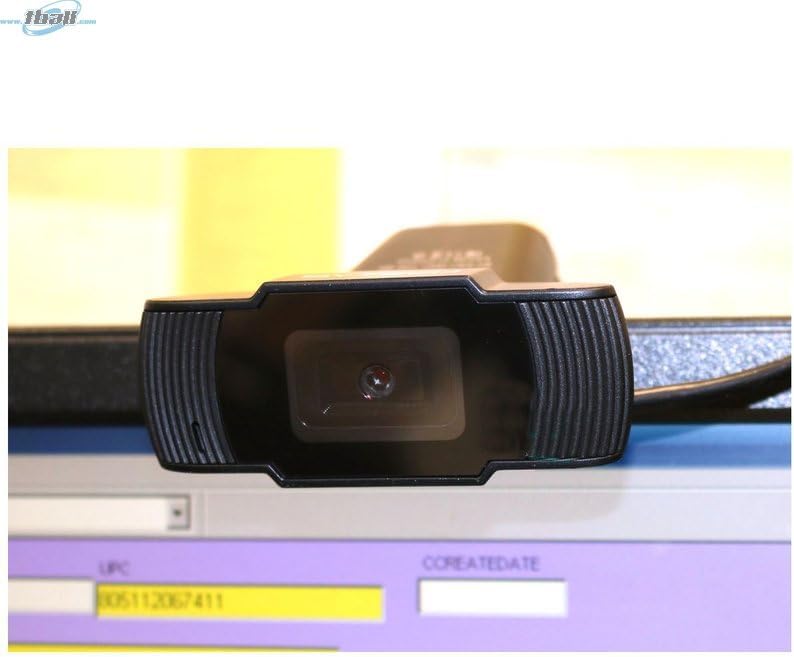
Resim: Yakın çekim view of the Bytech BYMCWC101BLK PC Web Camera's lens, highlighting its design and integrated privacy cover (if applicable, otherwise just lens).
5. Bakım
To ensure optimal performance and extend the lifespan of your webkam:
- Temizlik: Lens yüzeyini yumuşak, tüy bırakmayan bir bezle nazikçe silin. Sert kimyasallar veya aşındırıcı malzemeler kullanmaktan kaçının.
- Depolamak: Kullanılmadığı zaman, saklayın webcam in a clean, dry environment away from direct sunlight and extreme temperatures.
- Kablo Bakımı: USB kablosunu aşırı derecede bükmeyin veya sıkıştırmayın.
6. Sorun Giderme
Eğer sorunlarla karşılaşırsanız webLütfen aşağıdaki yaygın sorunlara ve çözümlerine bakın:
- Görüntü/Video Yok:
- USB kablosunun her iki tarafa da güvenli bir şekilde bağlı olduğundan emin olun. webKameranız ve bilgisayarınız.
- Fişini takmayı deneyin webfarklı bir USB bağlantı noktasına takın.
- Bilgisayarınızı yeniden başlatın.
- Check your application settings to ensure the Bytech webcam is selected as the video input device.
- Kötü Video Kalitesi:
- Ortamınızda yeterli aydınlatma olduğundan emin olun.
- Temizle webKamera objektifini yumuşak bir bezle silin.
- Check your application's video settings for resolution and frame rate.
- Microphone Not Working (if applicable):
- Şunu doğrulayın: webcam's microphone is selected as the audio input device in your computer's sound settings and within your application.
- Ensure the microphone is not muted in your system or application.
7. Özellikler
| Özellik | Detay |
|---|---|
| Model Adı | BYMCWC101BLK |
| Marka | Baytek |
| Bağlantı Teknolojisi | USB |
| Fotoğraf Sensörü Teknolojisi | BSI CMOS |
| Video Yakalama Formatı | MP4 |
| Özel Özellik | Düşük Işık |
| Renk | Siyah |
| Ürün Ağırlığı | 4.9 ons |
| Paket Boyutları | 7.76 x 4.65 x 2.44 inç |
8. Garanti ve Destek
For warranty information or technical support, please refer to the documentation included with your purchase or contact your retailer. Keep your proof of purchase for warranty claims.