
giriiş
This manual provides detailed instructions for the safe and efficient operation of your Prixton Picasso Portable Projector. Please read this manual thoroughly before using the device and retain it for future reference.
Kutuda Neler Var?
Paketi açtığınızda lütfen aşağıdaki tüm öğelerin mevcut olduğundan emin olun:
- Prixton Picasso Portable Projector
- Uzaktan kumanda
- HDMI Kablosu
- USB kablosu
- (Optional: 100" Projection Screen, if included in your package)

Image: Prixton Picasso portable projector with a projection screen.
Güvenlik Bilgileri
- Projektör lensine doğrudan bakmayın.amp Açık.
- Aşırı ısınmayı önlemek için yeterli havalandırmayı sağlayın.
- Cihazı su veya diğer sıvılardan uzak tutun.
- Yalnızca verilen güç adaptörünü kullanın.
- Projektörü kendiniz sökmeye veya onarmaya çalışmayın. Yetkili servis personeliyle iletişime geçin.
Ürün Bittiview
The Prixton Picasso is a portable Full HD projector designed for versatile use. It features a high-quality LED lamp and multiple connectivity options.
Temel Özellikler:
- Full HD 1920 x 1080 native resolution.
- 9000 lumens brightness (260 ANSI lumens).
- 3000:1 contrast ratio.
- LED lamp 50,000 saati aşkın bir ömür.
- Projection distance: 1 to 7 meters.
- Projection size: 30" to 210".
- Wireless connectivity for Android and iOS devices.
- Multiple input ports: 2x HDMI, USB 2.0, TF card, Jack, AV IN, DC IN.

Image: Prixton Picasso projector shown with its remote control.

Resim: Üst view of the projector, highlighting the lens and control buttons.
Kurmak
1. Yerleşim
Place the projector on a stable, flat surface. Ensure there is adequate space around the projector for ventilation. The optimal projection distance is between 1 and 7 meters, allowing for a screen size from 30 to 210 inches.

Image: Visual guide for projection distance and screen size.
2. Güç Bağlantısı
Güç adaptörünü projektör üzerindeki DC IN portuna bağlayın ve ardından bir elektrik prizine takın.
3. İlk Güç Açma
Cihazı açmak için projektör üzerindeki veya uzaktan kumandadaki güç düğmesine basın. Gösterge ışığı yanacaktır.

Image: Projector displaying its brightness specification.

Image: Projector powered on and projecting light.
4. Odak ve Trapez Düzeltme
Adjust the focus ring on the projector lens until the image is clear. Use the keystone correction dial (if available) to correct any trapezoidal distortion of the image.

Image: Projector emphasizing Full HD compatibility, relevant for image clarity.
Kullanım Talimatları
1. Giriş Kaynağı Seçimi
Use the "Source" button on the remote control or the projector to select your desired input: HDMI 1, HDMI 2, USB, TF Card, or AV.
2. Cihazları Bağlama
- HDMI: Connect your laptop, gaming console, or other HDMI-enabled devices using an HDMI cable.
- USB/TF Kartı: Insert a USB drive or TF card into the respective port to play media filedoğrudan s.
- AV: Use the AV input for older devices with composite video output.
3. Kablosuz Bağlantı (Ekran Yansıtma)
The projector supports wireless screen mirroring for both Android and iOS devices.
- Select the "Screen Mirroring" or "Wireless Display" option from the projector's main menu.
- For iOS devices, enable "Screen Mirroring" or "AirPlay" on your device and select the projector from the list.
- For Android devices, enable "Wireless Display," "Smart View," or "Cast" on your device and select the projector.
- Ensure both the projector and your mobile device are connected to the same Wi-Fi network for optimal performance.
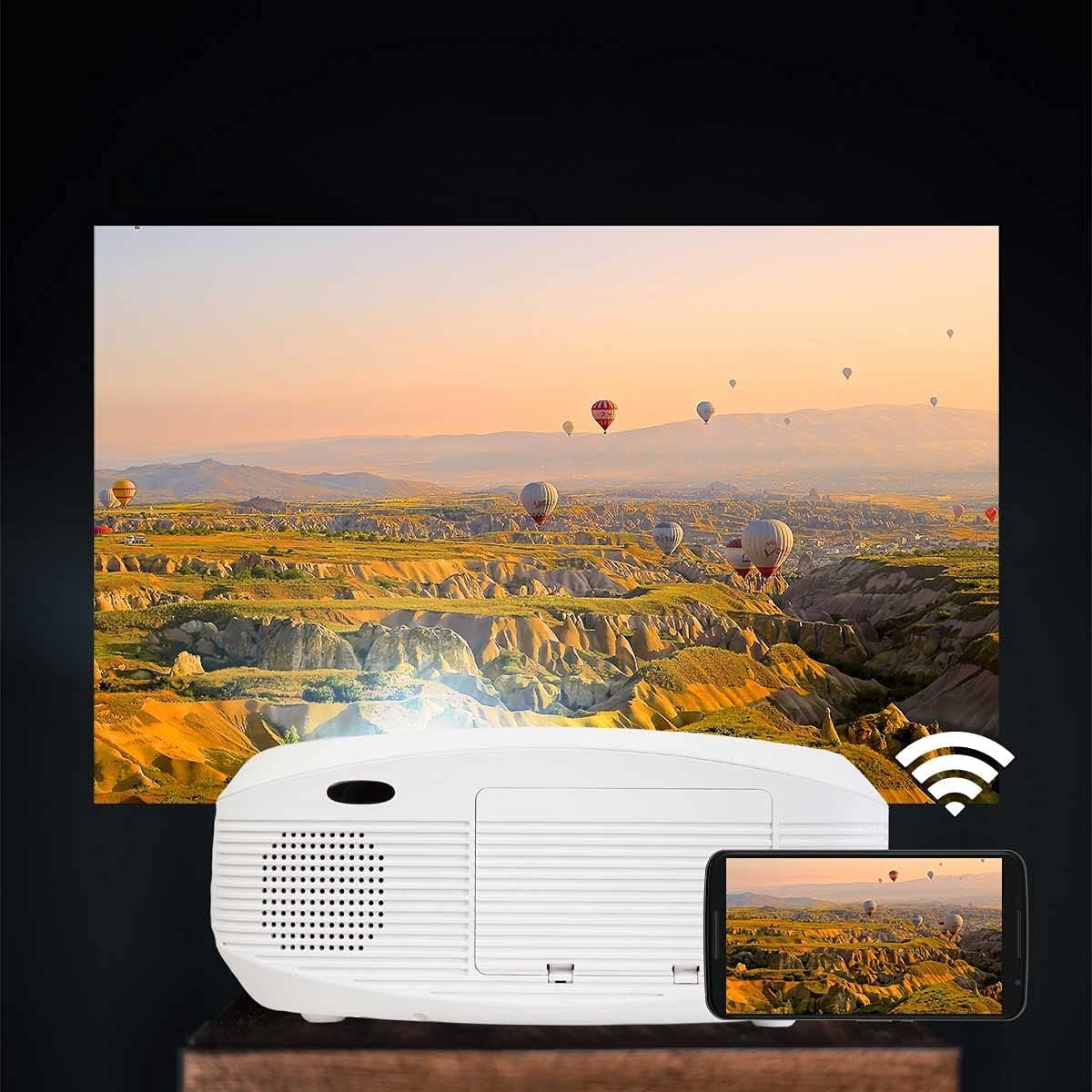
Image: Projector connected wirelessly to a smartphone.

Image: Wireless connectivity icon and smartphone mirroring.
4. Ses Çıkışı
The projector has built-in speakers. You can also connect external speakers or headphones via the 3.5mm audio jack for enhanced sound.
Bakım
- Lensin Temizlenmesi: Use a soft, lint-free cloth specifically designed for optical lenses to gently wipe the projector lens. Avoid using abrasive cleaners.
- C'yi Temizlemeasing: Projektörün dış yüzeyini yumuşak, kuru bir bezle silin. Sıvı veya aerosol temizleyiciler kullanmayın.
- Havalandırma: Regularly check that the ventilation openings are not blocked by dust or debris to ensure proper airflow and prevent overheating.
- Depolamak: Projeksiyon cihazını uzun süre kullanılmadığı zamanlarda serin, kuru ve tozdan korunmuş bir yerde saklayın.
Sorun giderme
| Sorun | Olası Neden | Çözüm |
|---|---|---|
| Resim görüntülenmiyor | Power not connected; incorrect input source; cable not connected properly. | Check power connection; select correct input source; ensure HDMI/USB/AV cables are securely connected. |
| Görüntü bulanık | Odak ayarı yapılmamış; projektör ekrana çok yakın/uzak. | Adjust the focus ring on the lens. Adjust projection distance. |
| Görüntü bozuk (yamuk şeklinde). | Projeksiyon cihazı ekrana dik açıda değil. | Adjust keystone correction dial. Reposition the projector. |
| Ses yok | Volume too low; audio cable not connected; source device muted. | Increase projector volume; check audio cable connections; unmute source device. |
| Cannot connect to Wi-Fi / Screen Mirroring issues | Incorrect Wi-Fi password; devices not on the same network; device compatibility issues. | Verify Wi-Fi password; ensure both devices are on the same 2.4GHz Wi-Fi network; restart both devices. |
| Spot on the lens / projected image | Dust or debris on the lens or inside the projector. | Gently clean the lens with a soft, lint-free cloth. If the spot is internal, contact customer support. |
Özellikler
| Özellik | Detay |
|---|---|
| Marka | Prixton |
| Model Adı | Picasso |
| Önerilen Kullanım | Ev sineması |
| Özel Özellik | Portable, Wireless Connection |
| Bağlantı Teknolojisi | HDMI, USB |
| Ekran Çözünürlüğü | 1920x1080 (Tam HD) |
| Maksimum Ekran Çözünürlüğü | 1920x1080 |
| Görüntü Türü | LCD |
| Form Faktörü | Taşınabilir |
| Montaj Tipi | Kat Dağı |
| Parlaklık | 9000 Lümen (260 ANSI Lümen) |
| Netage | 85 Watt |
| Control Device Type | Uzaktan kumanda |
| Uyumlu Cihazlar | Dizüstü Bilgisayar, Akıllı Telefon |
| Kontrast Oranı | 3000:1 |
| Maximum Projection Distance | 7 Metre |
| Işık Kaynağı Yaşam | 50,000 Saat |
| Maksimum Görüntü Boyutu | 210 inç |
| Minimum Projeksiyon Mesafesi | 1 Metre |
| Minimum Resim Boyutu | 30 inç |
| Video Kodlama | H.264 |
| Menşei ülke | Çin |
Garanti ve Destek
Your Prixton Picasso Portable Projector is covered by a standard manufacturer's warranty. Please refer to the specific warranty terms provided at the time of purchase for details on coverage duration and conditions.
For technical support, troubleshooting assistance, or warranty claims, please contact Prixton customer service. Contact information can typically be found on the official Prixton webSitede veya satın alma belgelerinizde bulabilirsiniz.
İade politikasi: This product is eligible for return or replacement within 30 days of purchase, subject to the retailer's return policy.