
giriiş
The G-MARK EW100 UHF 2-Channel Wireless Microphone System provides clear and stable audio transmission for various applications, including home karaoke, church events, weddings, parties, and public speaking. This system includes two cordless handheld microphones and a dual-channel receiver, designed for ease of use and reliable performance.
Kutuda Neler Var?
Carefully unpack your G-MARK EW100 system and ensure all components are present:
- 2 x El Tipi Mikrofon
- 1 x UHF Alıcı
- 2 x Antenler
- 1 x 6.35 mm Ses Kablosu
- 2 x Kaymaz Halka
- 1 x Kullanım Kılavuzu (bu belge)
- 1 x Güç Adaptörü

Figure 1: Package Contents. This image displays all items included in the G-MARK EW100 system: two handheld microphones, the UHF receiver, two antennas, a 6.35mm audio cable, two anti-slip rings, a user manual, and a power adapter.
Ürün Özellikleri
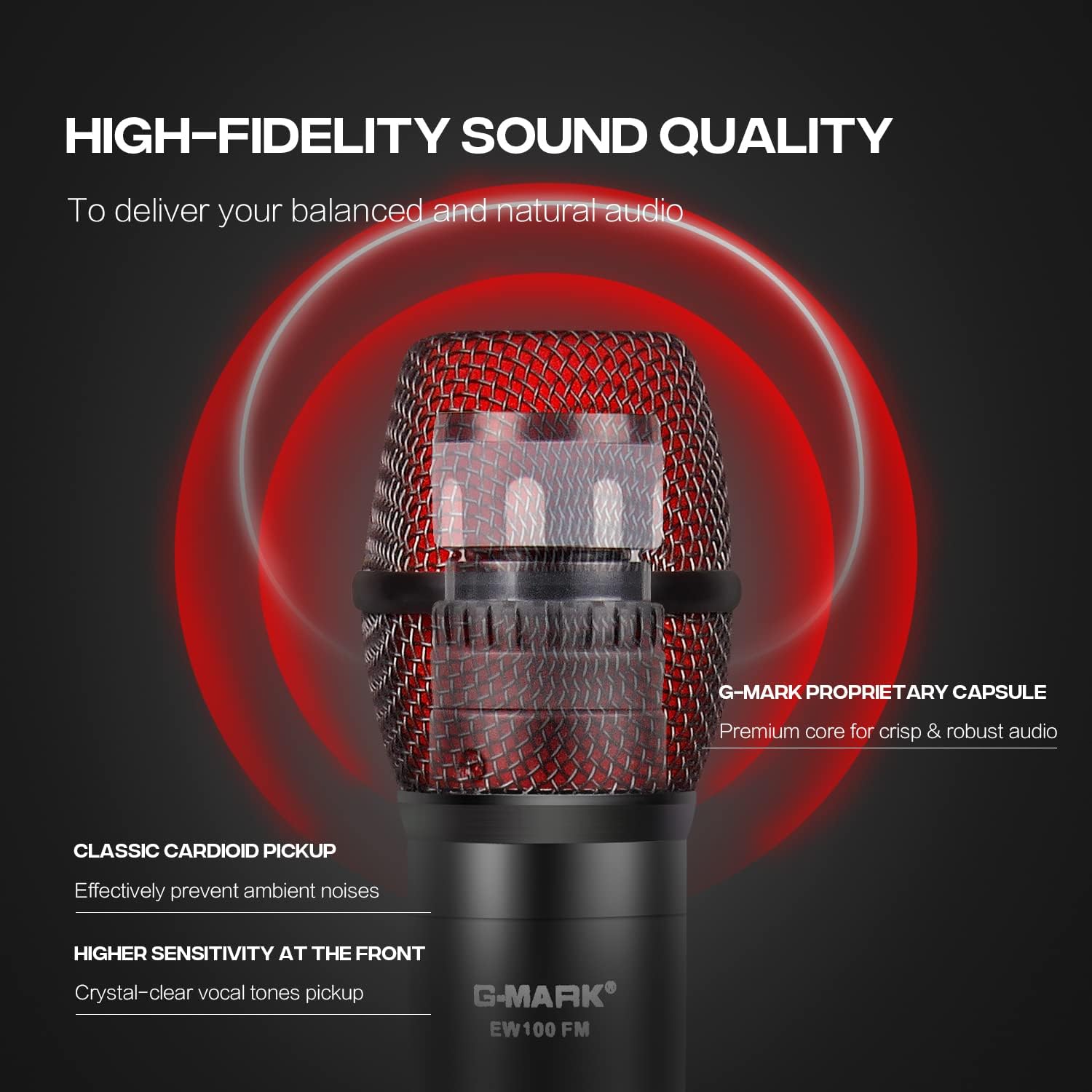
- True Vocal Sound Quality: Dynamic microphones with professional cardioid proprietary capsules deliver balanced and natural sound, picking up diverse vocal tones without being overly bright or muddy.
- Strong Anti-noise: UHF receiver frequency coverage of 520 MHz to 560 MHz with 32 fixed frequencies, limiting feedback and interference for ultra-signal stability and distortion elimination. Supports one-key frequency adjustment.
- Stable Wireless Performance: Dual-channel 2-microphone design with a large dynamic signal range, offering 100 ft to 160 ft wireless coverage, up to 200 ft in wide open spaces, while maintaining excellent audio signal quality.
- Tak ve Çalıştır: The receiver features XLR and 1/4” output interfaces (XLR cable not included), allowing connection to most professional audio mixers, amplifiers, or speakers with mic jacks, and most karaoke machines.
- Geniş Uyumluluk: The receiver automatically pairs with the microphones upon connection. Ideal for home karaoke, parties, church services, meetings, weddings, speeches, classes, opening ceremonies, DJ sets, and live performances.
Kurulum Talimatları
1. Alıcı Bağlantısı
- Connect the provided power adapter to the DC 9V-12V input on the back of the UHF receiver and plug it into a power outlet.
- Attach the two antennas to the ANT-A and ANT-B ports on the rear of the receiver. Position them vertically for optimal signal reception.
- Alıcıyı ses sisteminize (mikser, amplifier, or powered speaker) using either the 6.35mm audio cable (MIX OUT) or XLR cables (BALANCED OUT A/B, not included).

Figure 2: Receiver Connections. This image shows the rear panel of the receiver with labeled ports for power (DC9V-12V), antennas (ANT-A, ANT-B), balanced XLR outputs (BALANCED OUT A, BALANCED OUT B), and a 6.35mm mixed output (MIX OUT).
2. Mikrofon Pilinin Takılması
- Her bir el mikrofonunun alt kısmını sökerek pil bölmesini ortaya çıkarın.
- Her mikrofona iki adet AA pil takın ve kutupların doğru (+/-) olduğundan emin olun.
- Alt parçayı mikrofonun üzerine sıkıca vidalayın.
3. Gücü Açma ve Eşleştirme
- Press the power button on the receiver. The display should light up.
- Turn on each handheld microphone by pressing its power button. The microphone's display will show its frequency and battery status.
- The receiver and microphones are designed for automatic pairing. If pairing does not occur automatically, refer to the "Operating Instructions" section for manual frequency adjustment.
Şekil 3: Sistem Bittiview. This image shows the complete G-MARK EW100 system, including the receiver with antennas and two handheld microphones, ready for use.
Kullanım Talimatları
Alıcı Kontrolleri
- Güç Düğmesi: Located on the front panel, used to turn the receiver on or off.
- Volume Control Knobs: Two separate knobs for adjusting the output volume of each microphone channel (A and B).
- Frekans Ayar Düğmeleri: Buttons (usually labeled UP/DOWN or CH+/CH-) next to each channel's display allow you to change the operating frequency if interference occurs or for manual pairing.
- Ekran Görüntüsü: Shows the current operating frequency, signal strength (RF), and audio signal level (AF) for each channel.

Figure 4: Receiver Front Panel. This image highlights the receiver's front panel, showing the power button, volume control knobs, frequency adjustment buttons, and the digital display for each microphone channel.
Mikrofon Kontrolleri
- Güç Düğmesi: Press and hold to turn the microphone on or off. A short press may mute/unmute the microphone.
- Ekran Görüntüsü: Shows battery level, current frequency, and channel.
- Frequency Adjustment (One-Key FM): Some models feature a button for quick frequency adjustment or pairing. Consult the microphone's specific markings.

Figure 5: Microphone Display. This image shows a close-up of the microphone's LCD screen, indicating battery status and frequency information.

Figure 6: Microphone One-Key FM. This image shows the microphone's button for quick frequency adjustment or pairing.
Uyumluluk
The G-MARK EW100 system is compatible with audio mixers, amplifiers with microphone input, and most karaoke machines. It is uyumlu değil with laptops, iPads, or phones directly.

Figure 7: Device Compatibility. This image illustrates the types of devices the G-MARK EW100 is compatible with (audio mixer, amplifier with mic input, karaoke machines) and incompatible with (laptop, iPad, phone).
Bakım
- Temizlik: Alıcıyı ve mikrofonları temizlemek için yumuşak, kuru bir bez kullanın. Sıvı temizleyiciler veya çözücüler kullanmaktan kaçının.
- Depolamak: Sistemi kullanılmadığı zamanlarda serin, kuru ve doğrudan güneş ışığından ve aşırı sıcaklıklardan uzak bir yerde saklayın.
- Pil Değişimi: Replace microphone batteries when the low battery indicator appears on the microphone's display. Always use fresh AA batteries. Remove batteries if the microphones will not be used for an extended period to prevent leakage.
- Antenler: Antenleri dikkatlice tutun. Sağlam bir şekilde takıldıklarından emin olun, ancak aşırı sıkmayın.
Sorun giderme
| Sorun | Olası Neden | Çözüm |
|---|---|---|
| Mikrofondan ses gelmiyor. |
|
|
| Parazit veya statik gürültü. |
|
|
| Kısa kablosuz menzili. |
|
|
Özellikler
| Özellik | Şartname |
|---|---|
| Marka | G-İŞARETİ |
| Model Numarası | EW100 |
| Önerilen Kullanımlar | Karaoke |
| Bağlantı Teknolojisi | 6.35 mm Jak, XLR |
| Özel Özellik | Frequency Control, Volume Control |
| Uyumlu Cihazlar | Mixer Audio, Karaoke System, PA system etc |
| Renk | Siyah ve Kırmızı |
| Kutup Deseni | Tek yönlü |
| Ses Hassasiyet | 105 Desibel |
| Empedans | 600 Ohm |
| Mikrofon Form Faktörü | Mikrofon Sistemi |
| Güç Kaynağı | Battery Powered (Microphones) |
| Number of Batteries (Microphone) | 2 AA batteries required per microphone |
| Sinyal-Gürültü Oranı | 120 dB |
| Kanal Sayısı | 2 |
| Frekans Aralığı | 520-560MHz |
| Muhafaza Malzemesi | Metal, PVC |
| Ürün Boyutları | 15.75 x 12.99 x 2.76 inç |
Garanti Bilgileri
The G-MARK EW100 UHF 2-Channel Wireless Microphone System comes with a 3-month warranty. Please retain your proof of purchase for any warranty claims. For further details or to initiate a warranty claim, please contact G-MARK customer support.
Müşteri Desteği
For technical assistance, troubleshooting, or general inquiries regarding your G-MARK EW100 system, please refer to the official G-MARK webÜrünle ilgili bilgi almak için sitelerini ziyaret edebilir veya müşteri hizmetleri departmanıyla iletişime geçebilirsiniz. İletişim bilgileri genellikle ürün ambalajında veya markanın resmi çevrimiçi platformunda bulunabilir.