
FLAMMA FX100
FLAMMA FX100 Çoklu Efekt Pedalı Kullanım Kılavuzu
Modeli: FX100
giriiş
This manual provides comprehensive instructions for the operation and maintenance of your FLAMMA FX100 Multi Effects Pedal and the accompanying Footswitch Toppers. The FX100 is a versatile guitar multi-effects processor designed for home practice, performance, and live streaming, featuring a wide array of effects, amp models, a looper, and a drum machine. The footswitch toppers enhance the usability and comfort of your pedal's footswitches.
Güvenlik Bilgileri
Lütfen cihazı çalıştırmadan önce tüm güvenlik talimatlarını okuyun ve anlayın. Bu kılavuzu ileride başvurmak üzere saklayın.
- Güç Kaynağı: Yalnızca belirtilen güç adaptörünü kullanın. Voltajın düşük olduğundan emin olun.tage cihaz gereksinimleriyle eşleşiyor.
- Su ve Nem: Do not expose the device to water, rain, or excessive moisture. Do not operate with wet hands.
- Isı Kaynakları: Cihazı radyatör, kalorifer ızgarası, soba veya diğer cihazlar (dahil) gibi ısı kaynaklarından uzak tutun. amp(ısı üreten)
- Havalandırma: Havalandırma açıklıklarını hiçbir şekilde kapatmayın. Ünitenin etrafında yeterli hava akışı olduğundan emin olun.
- Temizlik: Sadece kuru bir bezle temizleyin. Sıvı ve sprey temizleyici kullanmayın.
- Servis: Bu ürüne kendiniz servis vermeye çalışmayın. Tüm servis işlemleri için kalifiye servis personeline başvurun.
- Atama: Cihazı kazara düşmeleri önlemek için sağlam, düz bir yüzeye yerleştirin.
Paket İçeriği
Paketinizde tüm öğelerin mevcut olduğundan emin olun:
- FLAMMA FX100 Guitar Multi-Effects Pedal
- 5 x FLAMMA Footswitch Toppers (Mixed Colors)
- Power Adapter (if included with the specific bundle)
- USB Kablosu (bilgisayar bağlantısı için)
- Kullanım Kılavuzu (bu belge)
Ürün Bittiview
The FLAMMA FX100 is a compact yet powerful multi-effects processor. The included footswitch toppers provide enhanced comfort and visibility for the pedal's controls.
FLAMMA FX100 Multi Effects Pedal

Şekil 1: Ön view of the FLAMMA FX100 Multi Effects Pedal with footswitch toppers installed.
The FX100 features a clear display, three main control knobs (MODE, VALUE, MASTER), and multiple footswitches for various functions. LED indicators show active effects blocks. An expression pedal is integrated for real-time control over parameters.

Figure 2: The FX100 offers 151 effects, 55 amp models, 200 presets, an 80-second looper, 40 drum machine patterns, 10 metronomes, and OTG functionality.
Key features include 151 built-in effects, 55 amp models, 200 user presets, an 80-second looper, 40 drum machine patterns, 10 metronomes, and support for 10 third-party IR slots. It also supports USB connectivity for PC editing and direct audio recording.

Figure 3: Visual representation of the 9 effects blocks available on the FX100, providing 151 different effects.
The FX100 organizes its effects into 9 distinct blocks: FX/COMP, DS/OD, AMP, CAB, NS, EQ, MOD, DLY, and REV, allowing for comprehensive tone shaping.
Footswitch Toppers

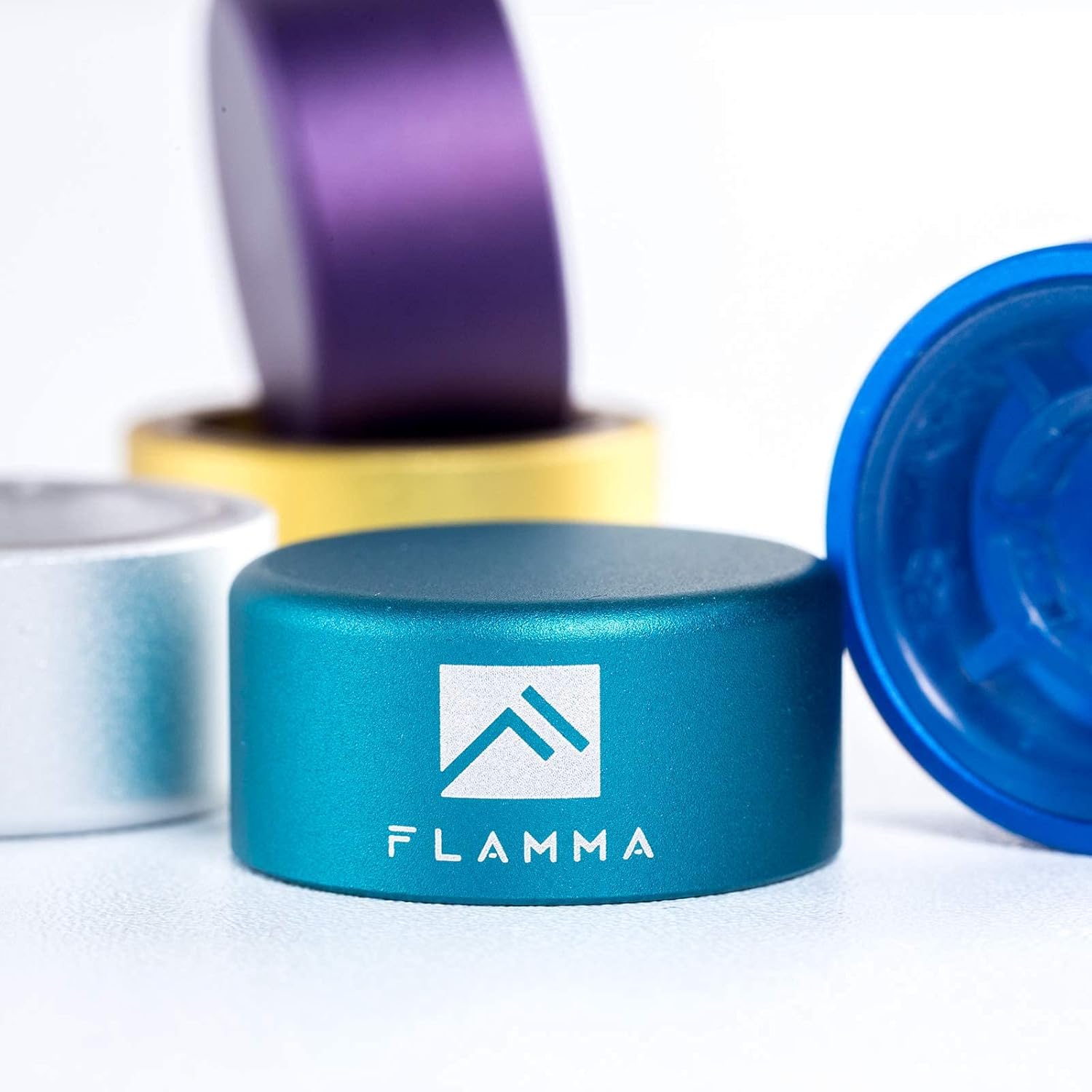
Figure 4: A single FLAMMA footswitch topper, showing its durable aluminum alloy construction and logo.
These 10mm footswitch toppers are made of quality aluminum alloy with plastic inlays. They are designed to fit standard pedal footswitches, increasing accuracy and comfort during use.

Figure 5: The set includes five footswitch toppers in mixed colors: Green, Silver, Blue, Yellow, and Purple.
Şekil 6: Ör.ample of footswitch toppers installed on different guitar effects pedals, demonstrating their fit and appearance.
Kurmak
Connecting the FX100 Pedal
- Güç Bağlantısı: Connect the provided power adapter to the DC IN jack on the FX100 and then to a suitable power outlet.
- Enstrüman Girişi: Connect your guitar or other instrument to the INPUT jack using a standard 1/4-inch instrument cable.
- Çıkış Bağlantısı: Connect the OUTPUT L/MONO jack to your amplifier, mixer, or audio interface using a standard 1/4-inch cable. If using stereo, connect the OUTPUT R jack as well.
- Kulaklıklar: For silent practice, connect headphones to the HEADPHONE jack.
- USB Bağlantısı (Opsiyonel): To connect to a computer for editing or recording, use a USB cable to connect the USB port on the FX100 to your computer.
Installing Footswitch Toppers
The footswitch toppers are designed for easy, tool-free installation.
- Align the footswitch topper over the existing footswitch button on your pedal.
- Press down firmly until the topper securely snaps onto the footswitch. No tools are required.
- To remove, gently pull the topper upwards.
Operating the FLAMMA FX100
Temel Kontroller ve Gezinme
- MOD Düğmesi: Rotates to select different modes or menus. Press to confirm selection.
- DEĞER Düğmesi: Rotates to adjust parameter values within a selected mode. Press to confirm or enter sub-menus.
- MASTER Düğmesi: Controls the overall output volume of the unit.
- Ayak pedalları: The two main footswitches (left and right) are used for preset changes, looper control, and other functions depending on the selected mode.
- İfade pedalları: Controls parameters like volume, wah, or other assignable effects in real-time.
Effects Blocks and Presets
The FX100 features 9 independent effects blocks, each with multiple effect types. You can activate or deactivate blocks and adjust their parameters.
- Ön Ayar Seçimi: Use the footswitches to cycle through presets. The display will show the current preset number (e.g., P001).
- Effect Block Activation: Press the corresponding button (FX, DS, AMP, CAB, NS, EQ, MOD, DLY, REV) to toggle the effect block on or off. The LED above the button indicates its status.
- Parametre Düzenleme: With an effect block active, use the MODE and VALUE knobs to navigate and adjust its parameters.
- Ön Ayarların Kaydedilmesi: After editing, press the KAYDETMEK button to store your changes to a user preset slot.
Lüper İşlevi
The built-in looper allows for recording and overdubbing up to 80 seconds of audio.
- Activate Looper mode via the system menu or dedicated footswitch function.
- Kaydı başlatmak için ayak pedalına bir kez basın.
- Press again to stop recording and start playback.
- Press a third time to begin overdubbing.
- Hold the footswitch to undo/redo or clear the loop, depending on the specific setting.
Drum Machine and Metronome
The FX100 includes a drum machine with 40 patterns and 10 metronome types for practice.
- Access the Rhythm section via the RİTİM düğme.
- Use the knobs to select drum patterns or metronome types and adjust tempo and volume.
Tuner İşlevi
The integrated tuner allows for accurate instrument tuning.
- Basın TUNER footswitch to activate the tuner. The output will be muted.
- Tune your instrument using the display.
- Basın TUNER footswitch again to exit tuner mode.
FX100 Studio Software

Figure 7: The FX100 can be connected via USB to a computer for editing presets and direct audio recording using the dedicated studio software.
The FX100 can be connected to a computer via USB for advanced preset editing and management using the FLAMMA FX100 Studio Software. This software also allows for direct audio recording to your computer.
- Download the latest software from the official FLAMMA webalan.
- Install the software and any necessary drivers on your computer.
- Connect the FX100 to your computer using a USB cable.
- Launch the software to begin editing presets, managing IRs, and recording audio.
Bakım
- Temizlik: Cihazın dış yüzeyini temizlemek için yumuşak, kuru bir bez kullanın. Aşındırıcı temizleyiciler, cilalar veya çözücüler kullanmayın.
- Depolamak: Uzun süre kullanılmadığı zamanlarda pedalı serin, kuru ve doğrudan güneş ışığından ve aşırı sıcaklıklardan uzak bir yerde saklayın.
- Kablo Bakımı: Avoid bending or kinking cables excessively. Disconnect cables by pulling the plug, not the cable itself.
Sorun giderme
| Sorun | Olası Neden | Çözüm |
|---|---|---|
| Güç yok | Yanlış güç adaptörü; gevşek bağlantı; elektrik prizi sorunu. | Ensure correct power adapter is used and securely connected. Test the power outlet. |
| Ses çıkışı yok | Cables not connected properly; Master volume too low; Tuner mode active; effect block bypassed. | Check all audio cable connections. Increase Master volume. Exit Tuner mode. Ensure desired effect blocks are active. |
| Bozuk ses | Input level too high; gain settings on effects too high; faulty cable. | Adjust input level on the FX100 or your instrument. Reduce gain/drive settings on distortion/overdrive effects. Try a different cable. |
| Footswitch topper loose | Not pressed down firmly enough. | Press the topper down firmly until it clicks into place. |
Özellikler
| Özellik | Detay |
|---|---|
| Etkileri | 151 (across 9 effects blocks) |
| Amp Modeller | 55 |
| Ön Ayarlar | 200 (Kullanıcı) |
| Döngü Zamanı | 80 saniye |
| Davul Makinesi | 40 desen |
| Metronom | 10 tip |
| IR Slots | 10 (3rd party) |
| Donanım Arayüzü | 1/4-inch Audio, USB |
| Sinyal Biçimi | Analog |
| Güç Kaynağı | Kablolu Elektrik |
| Kontrol Tipi | Knob, Footswitch, Expression Pedal |
| Footswitch Topper Size | 10mm çap |
| Footswitch Topper Material | Aluminum alloy with plastic inlays |
Garanti ve Destek
FLAMMA products are designed and manufactured to high quality standards. For warranty information, technical support, or service inquiries, please contact FLAMMA customer support through their official webLütfen destek ekibiyle iletişime geçerken ürün modelinizi ve satın alma tarihini hazır bulundurun.
Daha fazla bilgi için resmi web sitesini ziyaret edin FLAMMA Mağazası Amazon'da.
Ask a question about this manual
Ask about setup, troubleshooting, compatibility, parts, safety, or missing instructions. Manuals+ will review the question and use this page’s manual context to help answer it.