
giriiş
This manual provides detailed instructions for the setup, operation, and maintenance of your Arducam 5MP Wide Angle USB Camera, Model UB0233. Please read this manual thoroughly before using the product to ensure proper functionality and longevity.
Ürün Bittiview
The Arducam 5MP Wide Angle USB Camera (Model UB0233) is a compact, UVC-compliant camera featuring a 5MP OV5648 CMOS sensor and a 95-degree horizontal view angle M12 lens with an IR-cut filter. It is designed for various applications including video surveillance, live streaming, videoconferencing, and dashcams.

Image: The Arducam 5MP Wide Angle USB Camera, showing its compact design and lens.
Kutuda Neler Var?
- Arducam 5MP Wide Angle USB Camera (Model UB0233)
- USB Cable (3.3ft/1m)
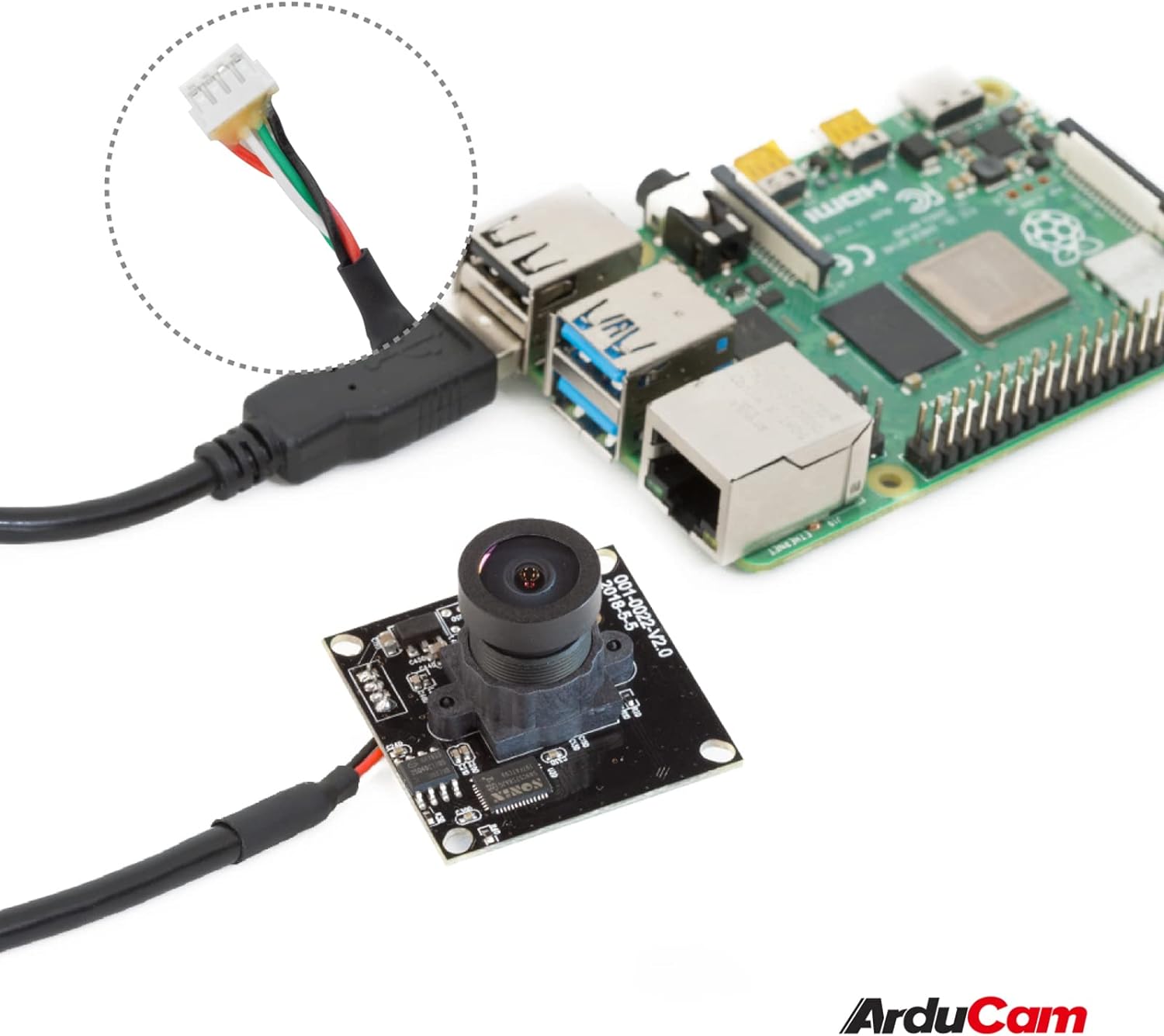
Image: The Arducam USB camera with its included USB cable, shown connected to a Raspberry Pi for illustration.
Kurulum Talimatları
- Kamerayı bağlayın: Insert the USB cable into the camera's USB port and then connect the other end to a compatible device (PC, laptop, Android device, or Raspberry Pi).
- Sürücü Kurulumu: The camera is UVC-compliant, meaning it is plug-and-play. No additional drivers are required for Windows, Linux, or Mac operating systems. The system should automatically detect and install the necessary drivers.
- Bağlantıyı Doğrulayın: After connecting, check your device's system settings or camera application to ensure the camera is recognized and functioning.
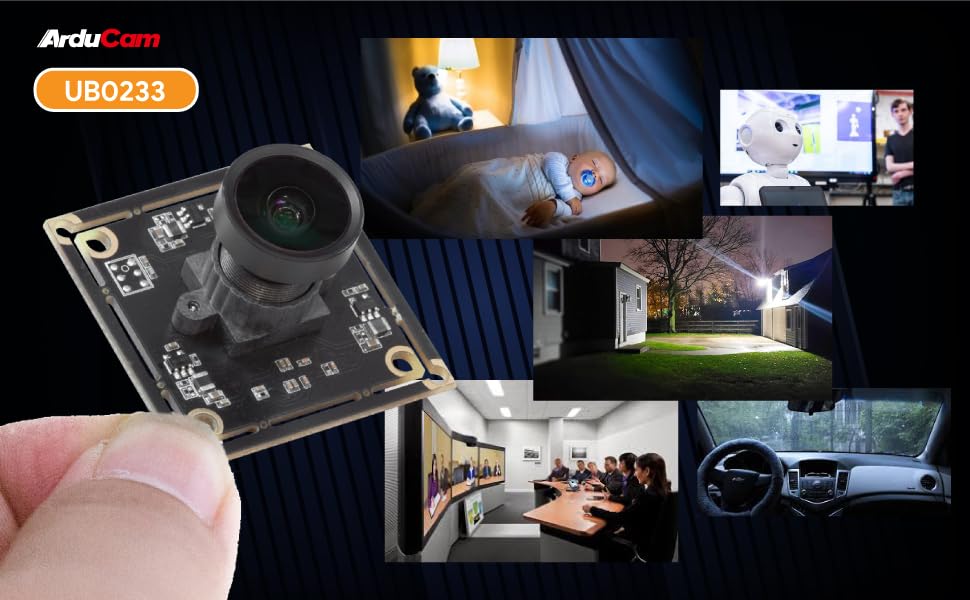
Image: Diagram illustrating the Arducam USB camera's compatibility with various operating systems including Windows, Mac, and Linux, and devices like PCs, laptops, and Raspberry Pi.
Kullanım Talimatları
Temel İşlemler
Once connected and recognized by your device, the Arducam 5MP USB Camera can be used with any standard camera application or software that supports UVC devices. This includes common video conferencing software, surveillance applications, and custom vision projects.
Odak Ayarlaması
The camera features a manual focus lens. To adjust the focus, gently rotate the lens barrel until the image appears clear and sharp. This allows for precise focus depending on your application's distance requirements.
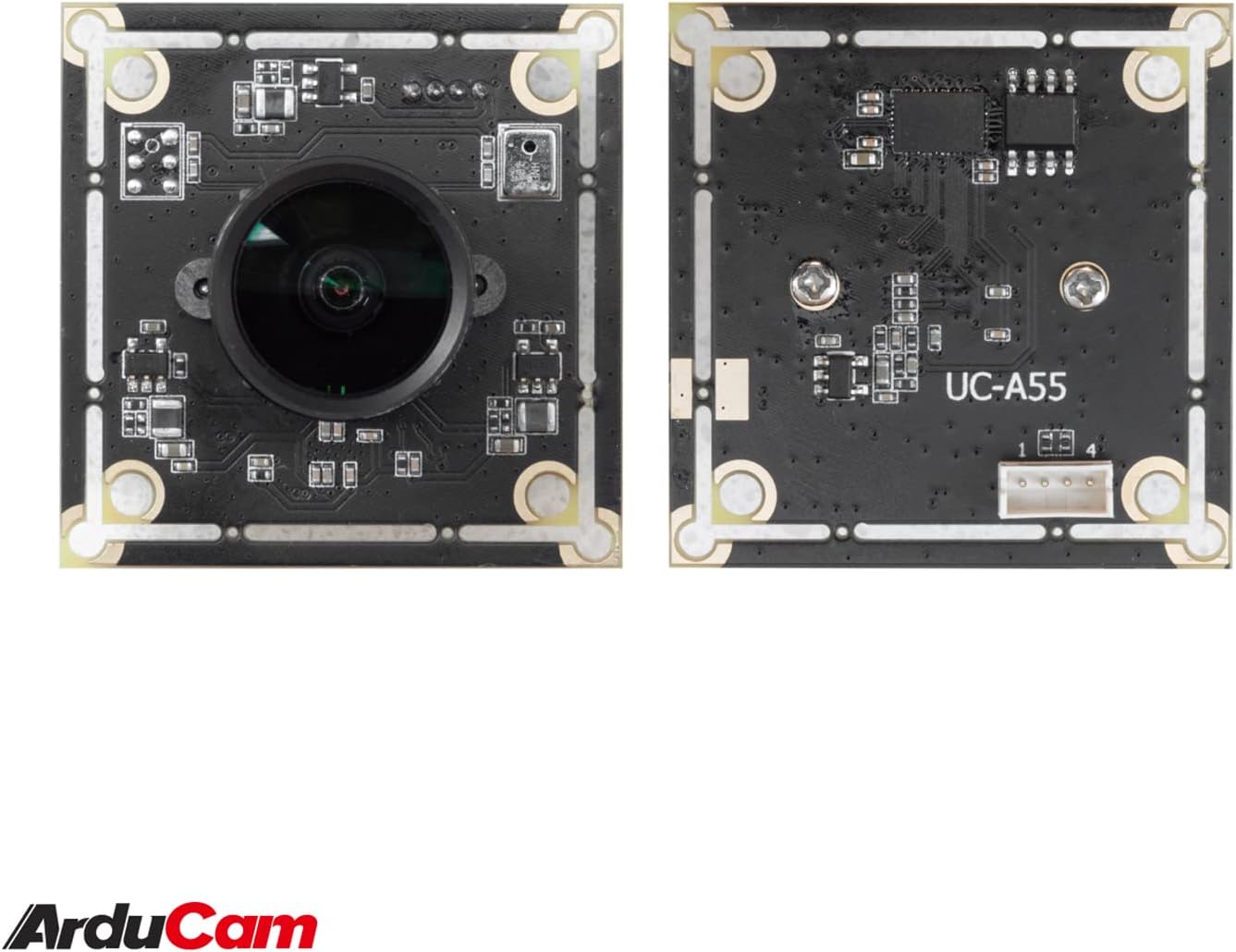
Image: The compact Arducam 5MP USB Camera being held, demonstrating its small form factor suitable for various integrations.
Frame Rates and Resolutions
The camera supports various frame rates and resolutions:
- MJPG:
- 15fps@2592*1944 / 2048*1536 / 1600*1200
- 30fps@1920*1080 / 1280*960 / 1280*720 / 1024*768 / 800*600 / 640*360 / 640*480
- YUY2:
- 2fps@2592*1944 / 2048*1536
- 5fps@1920*1080
- 7.5fps@1600*1200 / 1280*960
- 10fps@1280*720 / 1024*768
- 20fps@800*600
- 30fps@640*360 / 640*480
Uygulamalar
This camera is suitable for a variety of applications, including:
- Video surveillance systems
- Canlı yayın
- Görüntülü konferans
- Dashcam functionality
- Other vision applications requiring a wide field of view and high resolution
Video: An official video demonstrating the Arducam 5MP Wide Angle USB Camera's various applications, including live streaming, home surveillance, and meetings.
Bakım
- Temizlik: Kamera lensini ve gövdesini temizlemek için yumuşak ve kuru bir bez kullanın. Sert kimyasallar veya aşındırıcı malzemeler kullanmaktan kaçının.
- Depolamak: Kullanılmadığı zamanlarda fotoğraf makinesini serin, kuru ve doğrudan güneş ışığından ve aşırı sıcaklıklardan uzak bir yerde saklayın.
- İşleme: Handle the camera with care to prevent damage to the lens or circuit board.
Sorun giderme
- Camera not detected by the device:
- Ensure the USB cable is securely connected to both the camera and the device.
- Try connecting the camera to a different USB port on your device.
- Test the camera on another computer or compatible device to rule out a device-specific issue.
- Bilgisayarınızı veya cihazınızı yeniden başlatın.
- Görüntü bulanık veya net değil:
- Gently rotate the lens barrel to adjust the manual focus until the image is clear.
- Merceğin temiz ve toz veya lekelerden arınmış olduğundan emin olun.
- Low frame rate or video lag:
- Ensure your device meets the minimum system requirements for the desired resolution and frame rate.
- Sistem kaynaklarını tüketebilecek diğer uygulamaları kapatın.
- Try a different USB port, preferably a USB 2.0 port for optimal compatibility.
Özellikler
| Özellik | Detay |
|---|---|
| Marka | Arducam |
| Model Numarası | UB0233 |
| Fotoğraf Sensörü Teknolojisi | CMOS |
| Etkili Hareketsiz Çözünürlük | 5 MP |
| Video Yakalama Çözünürlüğü | Up to 1944p (MJPG) |
| Lens Türü | Geniş Açı |
| ViewAçı | 95 derece |
| Odak Türü | Manuel Odaklama |
| Bağlantı Teknolojisi | USB 2.0 |
| İşletim Sistemi Uyumluluğu | Windows 7/8/10, Linux, Mac |
| Özel Özellik | Düşük ışık performansı |
| Ürün Ağırlığı | 0.06 kilo |
| Ürün Boyutları (D x G x Y) | 1.26"D x 1.26"G x 1.26"Y |
| Dahili Medya | USB kablosu |
| Maksimum Odak Uzaklığı | 32 milimetre |
| Minimum Odak Uzaklığı | 6 milimetre |
| Maksimum Diyafram | 4 f_stop |
| minimum diyafram açıklığı | 4 milimetre |
| Görüntü En Boy Oranı | 1.33:1 |
| Beyaz Dengesi Ayarları | Otomatik |
| Pozlama Kontrol Türü | Manuel |

Resim: Ayrıntılı view of the Arducam 5MP USB Camera with its physical dimensions (32mm x 28mm) indicated.
Garanti Bilgileri
The Arducam 5MP Wide Angle USB Camera (Model UB0233) comes with a 6 ay garanti from the date of purchase. This warranty covers manufacturing defects and malfunctions under normal use. Please retain your proof of purchase for warranty claims. For detailed warranty terms and conditions, please refer to the official Arducam website veya müşteri desteği ile iletişime geçin.
Müşteri Desteği
For technical assistance, troubleshooting, or further inquiries regarding your Arducam 5MP Wide Angle USB Camera, please visit the official Arducam websitesine gidin veya müşteri destek ekibiyle iletişime geçin.
- Çevrimiçi Kaynaklar: www.arducam.com
- Marka Mağazası: Arducam Amazon Store