
giriiş
This manual provides essential information for the setup, operation, and maintenance of your LucidSound LS15P Wireless Gaming Headset. Designed for immersive gaming experiences, the LS15P offers wireless connectivity and clear audio performance. Please read this manual thoroughly to ensure proper use and longevity of your device.
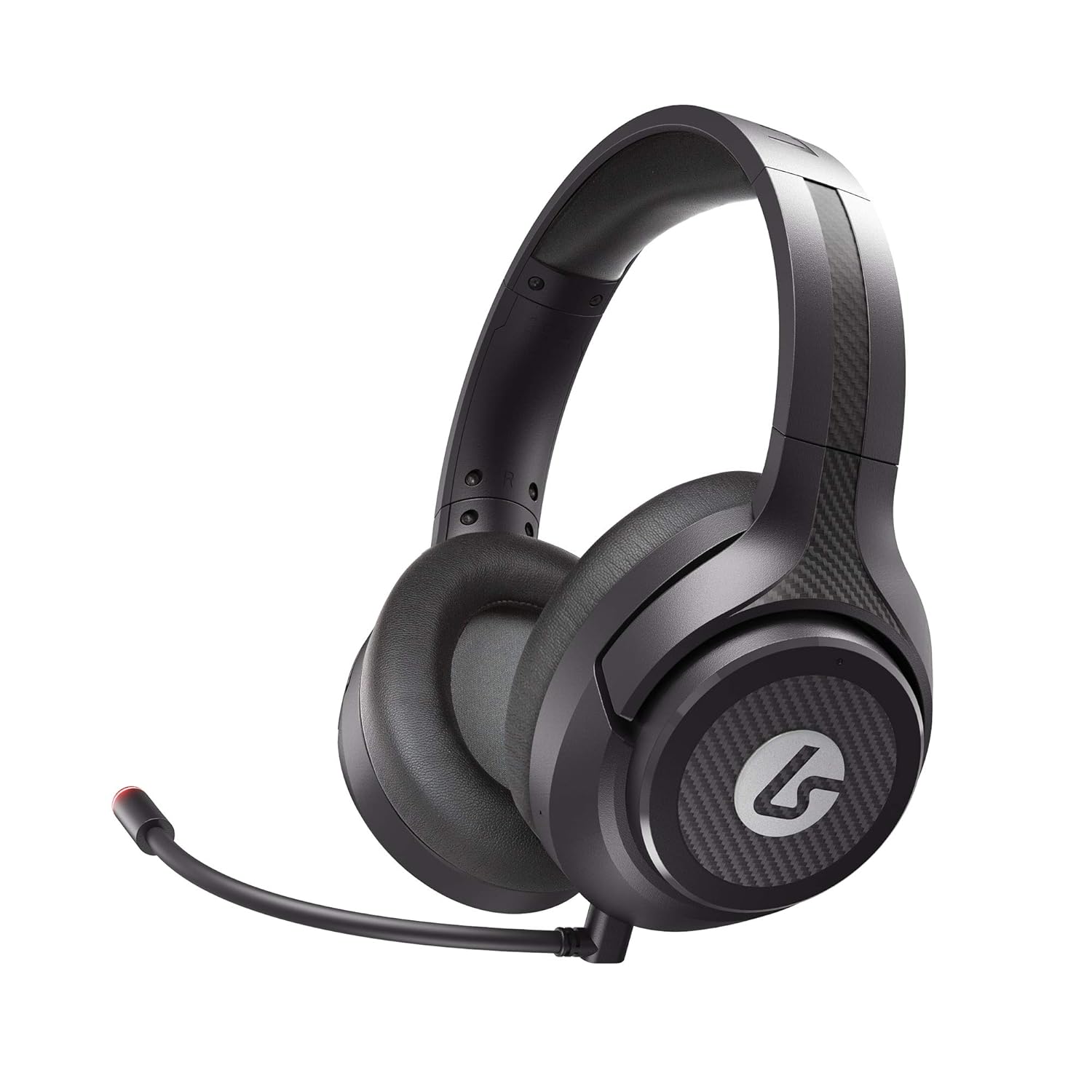
Image: The LucidSound LS15P Wireless Gaming Headset, featuring its over-ear design and a flexible boom microphone.
Paket İçeriği
Before proceeding with setup, please ensure all components are present in the package:
- LucidSound LS15P Kablosuz Oyun Kulaklığı
- Mikro-USB Şarj Kablosu
- USB Kablosuz Verici
- Removable Boom Microphone (pre-attached or separate)

Image: Retail packaging for the LucidSound LS15P headset, highlighting key features and included accessories.
Kurmak
1. Kulaklığı Şarj Etme
Before first use, fully charge the headset. Connect the Micro-USB Charging Cable to the headset's charging port and the other end to a USB power source (e.g., computer USB port, USB wall adapter). The LED indicator on the headset will show charging status and turn off or change color when fully charged.
2. Connecting to Xbox Series X|S, Xbox One, or PC (Wireless)
- Insert the USB Wireless Transmitter into an available USB port on your Xbox console or PC.
- Power on the LS15P headset by pressing and holding the Power button until the LED indicator illuminates.
- Kulaklık ve verici otomatik olarak eşleşmelidir. Her iki cihazdaki sürekli yanan LED, bağlantının başarılı olduğunu gösterir.
- Adjust audio settings on your console or PC to ensure the LS15P is selected as the default audio output and input device.
3. Connecting to Mobile (Wired)
The LS15P can be used with mobile devices via a wired connection. Connect a 3.5mm audio cable (not included) from the headset's 3.5mm port to your mobile device's audio jack. Note that wireless features and some controls may not function in wired mode.
Kullanım Talimatları
Güç Açık/Kapalı
- To Power On: Press and hold the Power button for approximately 3 seconds.
- To Power Off: Press and hold the Power button for approximately 5 seconds until the LED indicator turns off.
Ses Kontrolü
The LS15P features intuitive on-earcup controls. Rotate the outer ring of the left earcup to adjust game volume. Rotate the outer ring of the right earcup to adjust chat volume or game/chat balance, depending on the platform.

Resim: Yukarıdan aşağıya view of the LS15P headset, illustrating the design of the earcups and adjustable headband.

Resim: Ayrıntılı view of the LucidSound LS15P headset's headband, featuring the embossed LucidSound logo.
Mikrofon Kullanımı
- The headset comes with a removable boom microphone. Insert it into the designated port on the left earcup.
- To Mute/Unmute: Press the center button on the left earcup. The LED on the microphone tip will indicate mute status (e.g., red for muted).
- The headset also features an integrated microphone for basic communication when the boom mic is detached.

Resim: Yan profile of the LS15P headset, showing the adjustable boom microphone in position.
Pil Ömrü
The LS15P provides up to 15 hours of battery life on a full charge. Battery status can often be monitored via the headset's LED indicator or through your connected device's interface.
Bakım
Temizlik
- Use a soft, dry cloth to wipe down the headset's surfaces.
- Kulaklıkların iç kısımlarını hafifçe nemli bir bezle silin.amp Kullanmadan önce bir bezle silin ve tamamen kurumasını bekleyin.
- Sert kimyasallar, çözücüler veya aşındırıcı temizleyiciler kullanmayın.
Depolamak
Kulaklığı serin, kuru ve doğrudan güneş ışığından ve aşırı sıcaklıklardan uzak bir yerde saklayın. Hasar görmesini önlemek için kulaklığın üzerine ağır nesneler koymaktan kaçının.
Pil Bakımı
To prolong battery life, avoid fully discharging the headset frequently. If storing for an extended period, charge the headset to approximately 50% before storage.
Sorun giderme
| Sorun | Olası Neden | Çözüm |
|---|---|---|
| Kulaklıktan ses gelmiyor | Headset not powered on; Not paired; Volume too low; Incorrect audio output selected. | Ensure headset is powered on and charged. Verify successful pairing with USB transmitter. Increase headset volume. Check console/PC audio settings to ensure LS15P is selected. |
| Mikrofon çalışmıyor | Microphone muted; Boom mic not fully inserted; Incorrect input device selected. | Press the mute button on the earcup to unmute. Ensure boom mic is securely inserted. Check console/PC audio input settings. |
| Kulaklık eşleşmiyor | Transmitter not connected; Out of range; Interference. | Ensure USB transmitter is firmly connected. Move closer to the transmitter. Try connecting to a different USB port. Restart both headset and console/PC. |
| Kısa pil ömrü | Pil ömrünün kısalması; Tam olarak şarj edilmemiş. | Ensure headset is fully charged before use. Battery life may decrease over time with usage. |
Özellikler
| Özellik | Detay |
|---|---|
| Örnek | LS15P |
| Bağlantı Teknolojisi | Kablosuz |
| Kablosuz İletişim | Bluetooth (Note: Primary wireless is via USB transmitter for gaming) |
| Uyumlu Cihazlar | Xbox Series X|S, Xbox One, Xbox, Mobile (wired) |
| Dahil Bileşenler | Micro-USB Charging Cable, USB Wireless Transmitter |
| Kontrol Türü | Volume Control, Touch (on-earcup) |
| Pil Ömrü | 15 Saate Kadar |
| Ses Sürücüsü Türü | Dinamik Sürücü |
| Kulaklık Şekli | Over-ear (circumaural) |
| Üretici | LucidSes |
| İlk Mevcut Tarih | 1 Haziran 2021 |
Garanti ve Destek
Specific warranty details are not provided within this manual. For information regarding product warranty, technical support, or service, please refer to the official LucidSound webSiteyi ziyaret edin veya doğrudan müşteri hizmetleriyle iletişime geçin. Satın alma belgenizi herhangi bir garanti talebi için saklayın.
You can visit the LucidSound Store on Amazon for more information: LucidSound Store