
giriiş
Satın aldığınız için teşekkür ederizasing the 4DRC M5 Remote Control Helicopter. This manual provides essential information for the safe operation, setup, and maintenance of your new helicopter. Please read this manual thoroughly before use and retain it for future reference.
The 4DRC M5 is a 2.4 GHz remote-controlled helicopter designed for children, featuring gyroscopic stability control, altitude hold, two speed modes, and an LED light for enhanced visibility. It is constructed from lightweight and durable plastic materials, offering a control range of approximately 50 meters.
Paket İçeriği
Before operating, please ensure all items listed below are present in your package:
- 1 x 4DRC M5 Remote Control Helicopter
- 1 x Uzaktan Kumanda
- 2 x Modular Batteries (Lithium-ion)
- 1 x USB Şarj Kablosu
- Yedek Pervane Kanatları
- Kullanım Kılavuzu (Bu belge)
Güvenlik Önlemleri
Güvenli çalışmayı sağlamak ve hasarı önlemek için lütfen aşağıdaki önlemlere uyun:
- Yaş Önerisi: The manufacturer recommends this product for ages 24 months to 3 years. Due to the nature of remote-controlled aircraft, adult supervision is highly recommended for all users.
- Yetişkin Denetimi: Always operate under adult supervision, especially for younger users.
- Çevre: Fly in open, clear areas, away from people, animals, obstacles, and water. Avoid flying in strong winds.
- Pil Güvenliği:
- Pilleri aşırı şarj etmeyin veya aşırı deşarj etmeyin.
- Yalnızca birlikte verilen şarj kablosunu kullanın.
- Pilleri aşırı sıcaklıklara veya doğrudan güneş ışığına maruz bırakmayın.
- If batteries swell or leak, discontinue use immediately.
- Pervaneler: Parmaklarınızı, saçınızı ve bol giysilerinizi dönen pervanelerden uzak tutun.
- Darbe: Avoid crashes. Repeated impacts can damage the helicopter.
Kurmak
1. Helikopter Bataryasının Şarj Edilmesi
The helicopter uses Lithium-ion modular batteries. Ensure they are fully charged before first use.
- Remove the battery from the helicopter (if pre-installed).
- Pili USB şarj kablosuna bağlayın.
- USB şarj kablosunu uygun bir USB güç kaynağına takın (örneğin, bilgisayarın USB portuna, USB duvar adaptörüne).
- The indicator light on the charging cable will show the charging status (e.g., red for charging, off/green for fully charged).
- Tamamen şarj olduktan sonra pili şarj cihazından ayırın.
Not: Pilleri gözetimsiz şarjda bırakmayın.
2. Installing Helicopter Battery
Carefully insert the charged modular battery into the battery compartment of the helicopter. Ensure it is securely connected and the compartment cover is closed (if applicable).
3. Uzaktan Kumanda Pillerinin Takılması
The remote controller requires 2 C batteries.
- Uzaktan kumandanın arkasındaki pil bölmesini açın.
- Insert 2 C batteries, observing the correct polarity (+/-).
- Pil bölmesinin kapağını kapatın.
 Image: The 4DRC M5 helicopter and its remote controller.
4. Pairing the Helicopter and Remote Controller
Follow these steps to establish a connection between the helicopter and the remote controller:
- Helikopteri düz ve yatay bir zemine yerleştirin.
- Helikopterin güç düğmesini açın. Helikopterdeki LED ışıklar yanıp sönecektir.
- Uzaktan kumandanın güç düğmesini açın.
- Sol kumanda kolunu (gaz kolunu) sonuna kadar yukarı, sonra da sonuna kadar aşağı itin.
- Helikopterin LED ışıkları yanıp sönmeyi bırakıp sabit yanmaya başlayacak ve eşleştirmenin başarılı olduğunu gösterecektir.
Kullanım Talimatları
Temel Kontroller
- Sol Joystick (Gaz Kolu):
- Şınav: Yüksekliği artırın.
- Push down: Decrease altitude.
- Sağ Joystick (Yönlü):
- Push up/down: Fly forward/backward.
- Push left/right: Fly left/right.
Tek Tuşla Kalkış/İniş
The 4DRC M5 features a one-key takeoff and landing function for ease of use, especially for beginners.
- After pairing, press the One-Key Takeoff button (refer to controller diagram if available, otherwise assume a labeled button). The helicopter will automatically ascend to a stable hovering altitude.
- To land, press the One-Key Landing button. The helicopter will slowly descend and land automatically.
 Image: Illustration of one-key takeoff and landing.
İrtifa Tutma Fonksiyonu
The advanced barometric pressure technology allows the helicopter to automatically hover at a certain altitude after takeoff, providing stable flight and easier control.
 Image: The helicopter maintaining a stable hover.
Hız Modları
The helicopter offers two speed modes (high and low) to suit different skill levels and flying environments.
- Press the Speed button on the remote controller to switch between low and high speed.
- Low speed is recommended for beginners and indoor flying.
- High speed provides more agile flight for experienced users and outdoor conditions.
 Image: Visual representation of the helicopter operating in two different speed modes.
LED Işık
The helicopter is equipped with an LED light that provides directional indication and enhances visibility during flight, especially in low-light conditions.
 Image: The 4DRC M5 helicopter flying with its LED light active.
Uçuş Süresi
With two powerful modular batteries included, the helicopter offers an extended flight time of up to 25 minutes.
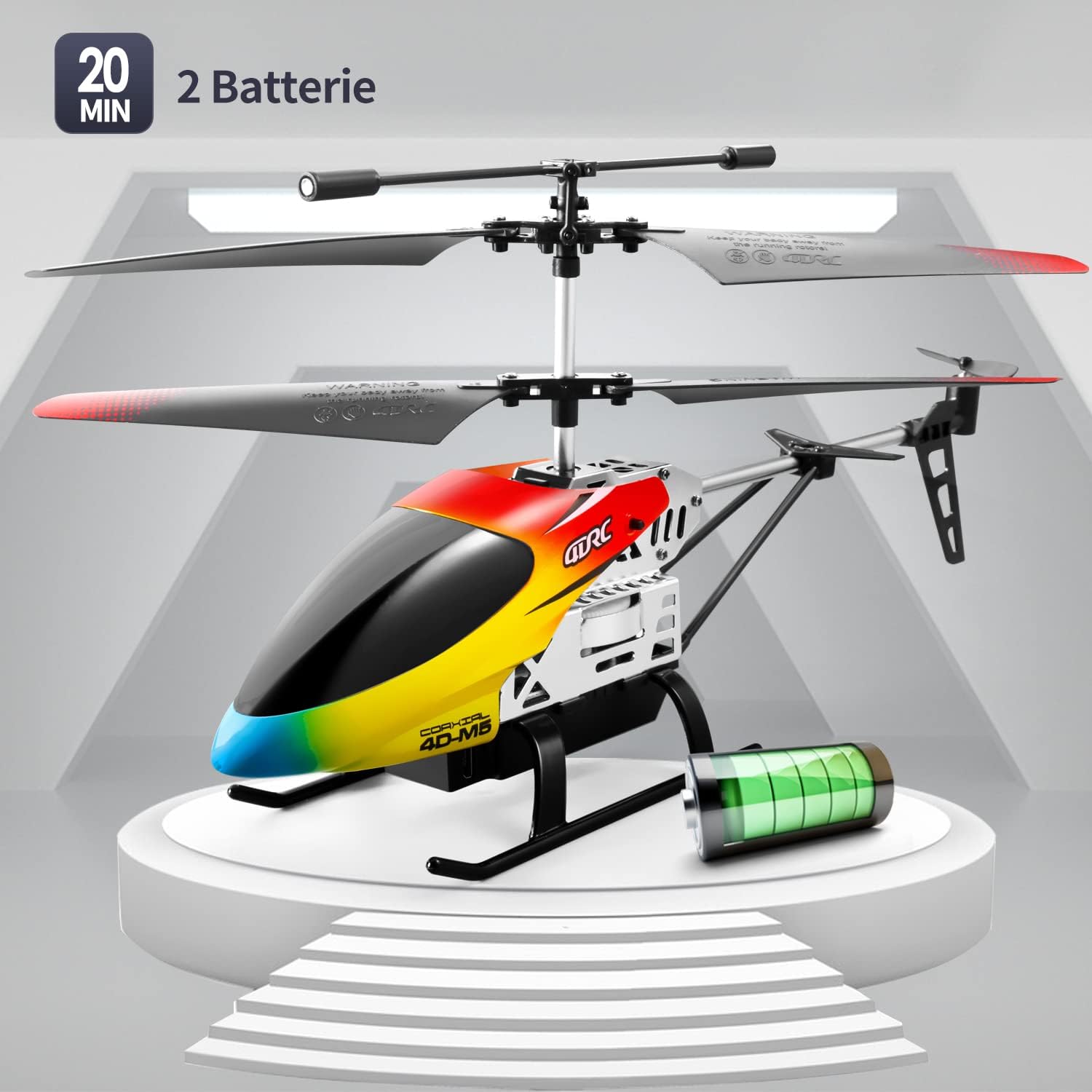 Image: The 4DRC M5 helicopter highlighting its two batteries and extended flight duration.
Video Gösterimi
Watch this video for a demonstration of the 4DRC M5 helicopter in flight.
Başka bir video gösterimiasing the helicopter's features.
Bakım
Temizlik
Wipe the helicopter with a clean, dry cloth after each use. Do not use water or chemical cleaners.
Pervane Değişimi
In case of damage, propellers can be replaced. Ensure the helicopter is powered off before attempting replacement.
 Resim: Ayrıntılı view of propeller and landing gear components, indicating ease of maintenance.
Depolamak
Store the helicopter and remote controller in a cool, dry place, away from direct sunlight. Remove batteries from the remote controller if storing for extended periods.
Sorun giderme
| Sorun | Olası Neden | Çözüm |
|---|---|---|
| Helikopter uzaktan kumandaya yanıt vermiyor. |
|
|
| Helicopter cannot take off or flies unstably. |
|
|
| Kısa uçuş süresi. |
|
|
Özellikler
| Özellik | Detay |
|---|---|
| Model Numarası | M5 |
| Marka | 4DRC |
| Ürün Boyutları | 25x5x12 cm |
| Ürün Ağırlığı | 310 gram |
| Önerilen Yaş | 24 months - 3 years (Adult supervision recommended) |
| Batteries (Helicopter) | Lityum-iyon (2 adet dahil) |
| Piller (Uzaktan Kumanda) | 2 C pil (dahil) |
| Malzeme Türü | Plastik |
| Kontrol Frekansı | 2.4 GHz |
| Kontrol Aralığı | yaklaşık 50 metre |
| Kanallar | 3 |
| Özel Özellikler | Gyroscopic Stability, Altitude Hold, 2 Speed Modes, LED Light, One-Key Takeoff/Landing |
Garanti ve Destek
Specific warranty information is not provided in the product details. For warranty claims or technical support, please contact the retailer where the product was purchased or visit the official 4DRC webMüşteri hizmetleri iletişim bilgileri için site.
Üretici: 4DRC
İlk Kullanılabilirlik Tarihi: 3 Ağustos 2021