
1. Ürün Bittiview
The DBPOWER L22 projector is designed for home entertainment, offering a high-quality viewing experience with its advanced features. This manual will guide you through its functions and ensure optimal performance.
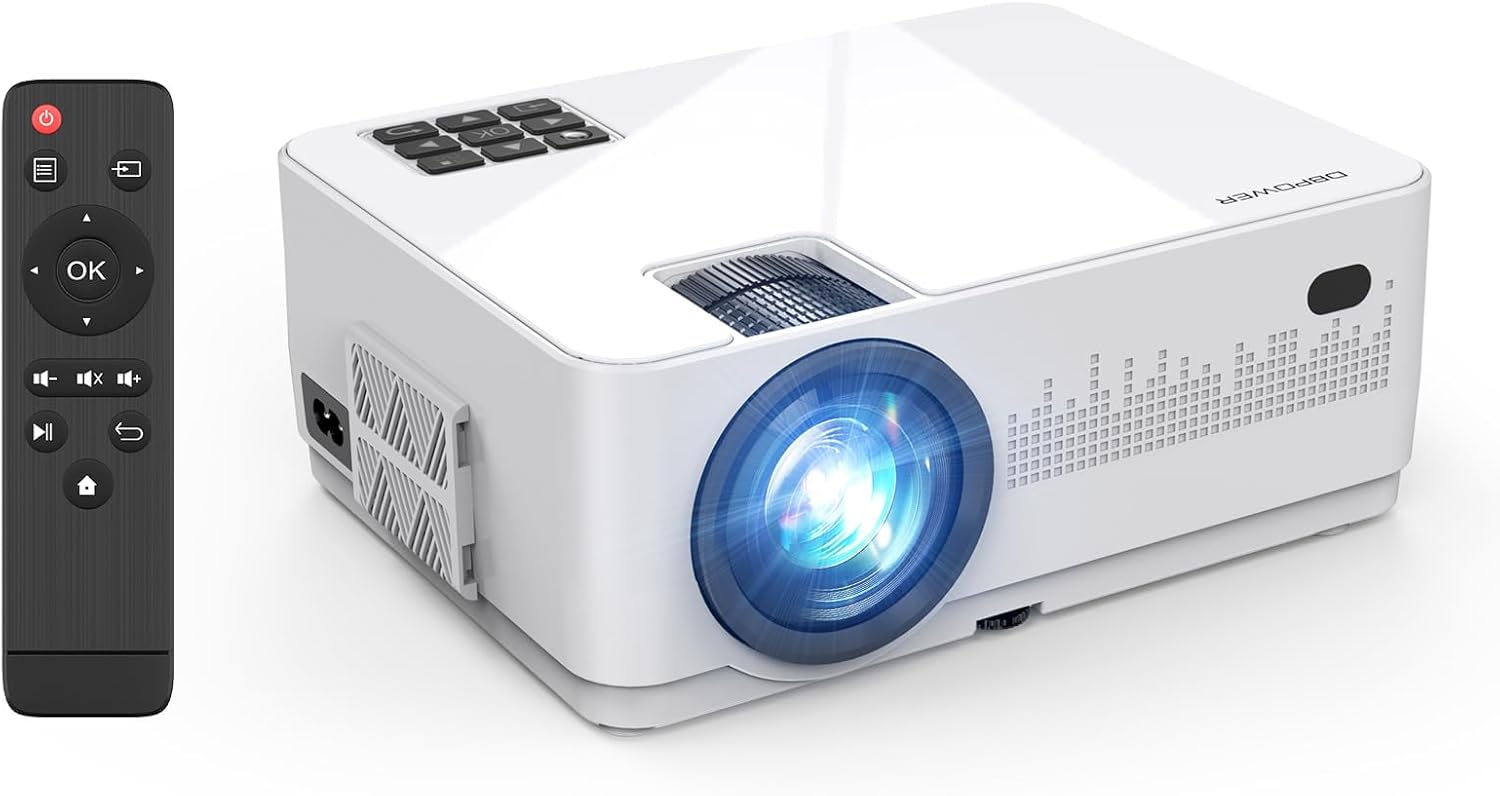
Image 1.1: The DBPOWER L22 projector and its remote control.
Temel Özellikler:
- WiFi & Wired Connectivity: Supports both wireless screen mirroring for iOS and Android devices, and wired connections via USB cable.
- High Brightness & Native 720P: Delivers clear images with 8000 lumens brightness and a native 720P resolution, supporting 1080P Full HD input.
- Included 100-inch Screen: Comes with a dedicated 100-inch screen for immediate use, ideal for outdoor campseyahat etmek veya seyahat etmek.
- Dual Built-in Speakers & Efficient Cooling: Features two internal speakers for immersive sound and an optimized cooling system to extend product lifespan.
- Geniş Uyumluluk: Equipped with AV, USB, VGA, and HDMI ports, compatible with smartphones, tablets, PCs, DVD players, game consoles, and TV sticks.
- Keystone Correction & Focus Function: Manual ±15° vertical keystone correction and focus adjustment for clear image projection.

Resim 1.2: Üzeriview of DBPOWER L22 projector's main features.
2. Kurulum Talimatları
2.1 İlk Kurulum
- Before starting the projector, remove the lens protection cover.
- Ensure the remote control has two new AAA batteries installed.
- Projeksiyon cihazının güç kablosunu elektrik prizine bağlayın.
- Projektörü açmak için projektör üzerindeki veya uzaktan kumandadaki güç düğmesine basın.
2.2 Odak ve Trapez Düzeltme
Net ve dikdörtgen bir görüntü elde etmek için odak ve trapezoid düzeltme ayarlarını yapın:
- Odak: Görüntü netleşene kadar projektör merceğindeki odak halkasını çevirin.
- Keystone Düzeltmesi: Use the keystone correction dial (±15° vertical) to adjust the image shape if it appears trapezoidal.

Image 2.1: Focus and keystone correction mechanisms.
3. Kullanım Talimatları
3.1 Cihazları Bağlama
The DBPOWER L22 projector offers various connectivity options:
- HDMI: Connect PCs, laptops, DVD players, PS4, Xbox, or TV sticks using an HDMI cable.
- USB BAĞLANTI: Connect USB drives for media playback or use a USB cable for wired screen mirroring with smartphones.
- AV: DVD oynatıcı gibi eski cihazları AV kablosu kullanarak bağlayın.
- VGA: Eski bilgisayarları veya dizüstü bilgisayarları VGA kablosu kullanarak bağlayın.

Image 3.1: Wide compatibility with various devices and input types.
3.2 Wireless Screen Mirroring (WiFi)
The projector supports WiFi connectivity for screen mirroring from iOS and Android devices.
- Select the 'Screen Mirroring' input source on the projector.
- Connect your smartphone to the projector's WiFi network (e.g., 'DBPOWER-XXXXXX').
- For iOS: Swipe down/up to open Control Center, tap 'Screen Mirroring', and select 'DBPOWER-XXXXXX'.
- For Android: Swipe down to open the quick settings panel, tap 'Wireless Projection' or 'Smart View', and select 'DBPOWER-XXXXXX'.

Image 3.2: Step-by-step guide for WiFi screen mirroring with iOS and Android.
3.3 Wired Screen Mirroring (USB)
For a direct connection without WiFi, use a USB cable:
- Connect your smartphone to the projector using its original USB charging cable.
- No additional adapters or apps are required.
3.4 Giriş Kaynağı Seçimi
After connecting a device, ensure you select the corresponding input source on the projector. If the wrong source is selected, the content may not display.
4. Bakım
4.1 Soğutma Sistemi
The projector features an improved cooling system to prevent overheating and extend its operational life. The internal fan will operate during use; faster fan speed indicates more efficient cooling.
4.2 LED Solamp Hayat
LED lamp has a long lifespan of up to 100,000 hours, ensuring extended use without frequent lamp yenisiyle değiştirme.
5. Sorun Giderme
5.1 Screen Mirroring Issues
- Ensure you are on the correct screen mirroring page for your device (iOS or Android).
- For wireless connections, ensure the projector and your device are within 1 meter for stable WiFi.
- Telif Hakkıyla Korunan İçerik: Due to copyright protection, streaming apps like Amazon Prime Video, Hulu, and Netflix do not support screen mirroring. For these services, use a PC or a TV Stick (e.g., Fire TV Stick) connected via HDMI.
5.2 Ses Çıkışı Yok
- If connecting a Toshiba REGZA series recorder and experiencing no sound, try connecting via AV (RCA) cable directly.
- Ensure the correct audio mode is selected if using wired connections (e.g., video mode for videos, photo mode for photos).
5.3 Uzaktan Kumanda Çalışmıyor
- Ensure two new AAA batteries are correctly installed in the remote control.
5.4 Görüntü Kalitesi Sorunları
- Perform manual focus adjustment before use to ensure a clear projected image.
- Görüntü bozulmuşsa, trapezoid düzeltmesini ayarlayın.
5.5 Genel Bağlantı Notları
- When connecting multiple external devices, the projector can only read one signal source at a time. If one HDMI port is used for input, another HDMI port might only function as a power supply.
- For HDMI connection with iOS devices, use an authentic Apple Lightning to Digital AV adapter. For Android, use an authentic Type-C conversion cable.
6. Özellikler

Image 6.1: Detailed product specifications and package contents.
| Özellik | Şartname |
|---|---|
| Marka | DBPOWER |
| Model Numarası | L22 |
| Ürün Boyutları | 22.1x17.4x8.7 cm |
| Ürün Ağırlığı | 1.3 kilo |
| Yerel Çözünürlük | 1280x720 |
| Desteklenen Çözünürlük | 1920 x 1080 MP (1080P Full HD) |
| Bağlantı Teknolojisi | Wi-Fi, HDMI |
| HDMI Bağlantı Noktaları | 2 |
| Netage | 75 B |
| Önerilen Kullanım | Ev Sineması |
7. Garanti ve Destek
DBPOWER provides a reliable warranty and customer support for your product.
- Kalite Garantisi: 12-month quality guarantee.
- Dönüş süresi: 30-day valid return period.
- Müşteri Desteği: Dedicated customer support is available.
- Ürün Güvenliği: This product is PSE and GITEKI certified, meeting safety standards for electrical products.
If the product box is damaged or if there are performance issues, please contact the seller via Amazon message for a new product exchange.

Image 7.1: DBPOWER customer support details and LINE QR code.
For direct support, scan the QR code or visit: https://lin.ee/QdlW3a0