
1. Giriş
The COMPUTHERM T-32 room thermostat is designed for controlling most boilers and air conditioners available in the EU. It can be easily connected to any gas boiler with a two-wire thermostatic connection point, and to all air conditioning systems or electrical appliances, whether they have a 24V or 230V control circuit.
This digital thermostat allows for more precise temperature measurement and adjustment compared to traditional thermostats. It helps reduce energy costs while maintaining comfort by regulating the connected appliance (e.g., a gas boiler or pump) based on the measured and set temperatures.
Temel Özellikler:
- Hassas Sıcaklık Kontrolü: Easily set desired temperature between 5°C and 30°C in 0.5°C increments.
- Constant Indoor Temperature: Switching sensitivity of ±0.2°C or 0.1°C ensures a uniform and stable room temperature.
- Çok Yönlü Uyumluluk: Suitable for boilers with a two-wire connection and various HVAC systems (24V or 230V).
- Isıtma ve Soğutma Modları: Supports both heating and cooling functions.
- Dijital gösterge: Provides clear and accurate temperature readings.
2. Kurulum ve Kurulum
Önemli: Cihaz yetkili bir kişi tarafından kurulmalıdır.
2.1 Paket İçeriği
Tüm bileşenlerin mevcut olduğunu doğrulayın:
- 1x COMPUTHERM T-32 Digital Room Thermostat
- 2x AAA Pil
- Montaj donanımı (vidalar ve dübeller)

Figure 1: Package contents including the thermostat, batteries, and mounting hardware.
2.2 Pil Kurulumu
- Carefully remove the back cover of the thermostat.
- Insert the two AAA batteries into the battery compartment, ensuring correct polarity (+/-).
- Arka kapağı değiştirin.
2.3 Montaj ve Kablolama
The thermostat is designed for wall mounting in a room. Choose a location away from direct sunlight, drafts, or heat sources that could affect temperature readings.
- Separate the front panel from the back plate.
- Mark the desired mounting position on the wall.
- Delikler açın ve dübelleri yerleştirin.
- Sağlanan vidaları kullanarak arka plakayı duvara sabitleyin.
- Connect the two-wire control circuit from your boiler or HVAC system to the terminals on the back plate. Refer to the wiring diagram on the back of the thermostat for correct connections.
- Carefully reattach the front panel to the back plate.

Şekil 2: Arka view of the thermostat with wiring terminals and battery compartment details.
3. Operasyon
3.1 Ekran Üstüview
The digital display shows the current room temperature and the set desired temperature. The thermostat features three control buttons below the display.

Şekil 3: Ön view of the COMPUTHERM T-32 thermostat with its digital display and three control buttons.
3.2 Setting the Desired Temperature
Use the temperature control buttons (typically marked with up and down arrows or similar symbols) to adjust the desired temperature. Each press changes the temperature by 0.5°C within a range of 5°C to 30°C.
- Basın Yukarı Ok button to increase the desired temperature.
- Basın Aşağı Ok button to decrease the desired temperature.
The thermostat will automatically regulate the connected heating or cooling appliance to maintain the set temperature within its switching sensitivity of ±0.2°C.
3.3 Heating Mode Operation
In heating mode, if the measured room temperature falls below the set temperature minus the switching sensitivity (e.g., 22°C - 0.2°C = 21.8°C), the thermostat will activate the heating appliance. It will deactivate the heating when the room temperature rises above the set temperature plus the switching sensitivity (e.g., 22°C + 0.2°C = 22.2°C).
3.4 Cooling Mode Operation
In cooling mode, the operation is reversed. If the measured room temperature rises above the set temperature plus the switching sensitivity, the thermostat will activate the cooling appliance. It will deactivate cooling when the room temperature falls below the set temperature minus the switching sensitivity.
Note: After a temperature change using the thermostat's adjustment buttons, the switching sensitivity is temporarily not considered, allowing the thermostat to react to a difference of ±0.1°C for immediate response.
4. Bakım
- Temizlik: Termostatı yumuşak, kuru bir bezle silin. Aşındırıcı temizleyiciler veya çözücüler kullanmayın.
- Pil Değişimi: Replace batteries when the low battery indicator appears on the display. Always use new AAA alkaline batteries.
- Engellerden Kaçının: Ensure no objects block the thermostat's ventilation slots or sensor, as this can affect temperature accuracy.
5. Sorun Giderme
| Sorun | Olası Neden | Çözüm |
|---|---|---|
| Termostat ekranı boş. | Piller bitmiş veya yanlış takılmış. | Pilleri doğru kutuplara yerleştirerek değiştirin. |
| Isıtma/soğutma sistemi yanıt vermiyor. | Incorrect wiring; system power off; thermostat in wrong mode. | Check wiring connections (consult a professional); ensure system power is on; verify thermostat is set to appropriate mode (heating/cooling). |
| Sıcaklık ölçümü yanlış. | Termostat ısı kaynağı/hava akımı yakınında bulunuyor; sensör engellenmiş durumda. | Relocate thermostat if possible; ensure no obstructions around the sensor. |
| Temperature fluctuates too much. | High switching sensitivity setting (not applicable for T-32 as it's fixed). | The T-32 has a fixed sensitivity of ±0.2°C. Ensure proper placement and insulation of the room. |
6. Özellikler
- Modeli: T32
- Güç Kaynağı: 2x AAA 1.5V Alkaline Batteries (included)
- Kontrol Hacmitage: 24V AC veya 230V AC
- Yük Kapasitesi: 8 Amporada
- Sıcaklık Ölçüm Aralığı: 5°C ila 30°C
- Sıcaklık Ayar Aralığı: 5°C ila 30°C
- Temperature Setting Increment: 0.5°C
- Anahtarlama Hassasiyeti: ±0.2°C (or ±0.1°C after manual adjustment)
- Boyutlar (U x G x Y): 8.5x8.5x2.8 cm
- Ağırlık: 160 gram
- Bağlantı: Kablolu
- Renk: Beyaz


Figure 4: Dimensions of the COMPUTHERM T-32 thermostat.
7. Garanti
The COMPUTHERM T-32 Digital Room Thermostat comes with a 5 yıllık üretici garantisiLütfen garanti talepleriniz için satın alma belgenizi saklayın. Garanti, normal kullanım koşullarında malzeme ve işçilik kusurlarını kapsar.
8. Destek
For further assistance or if you encounter issues not covered in this manual, please refer to the official COMPUTHERM website or contact your retailer. Always ensure that any electrical work is performed by a qualified professional.
For more information, you may visit the manufacturer's webalan: www.calorsol.de
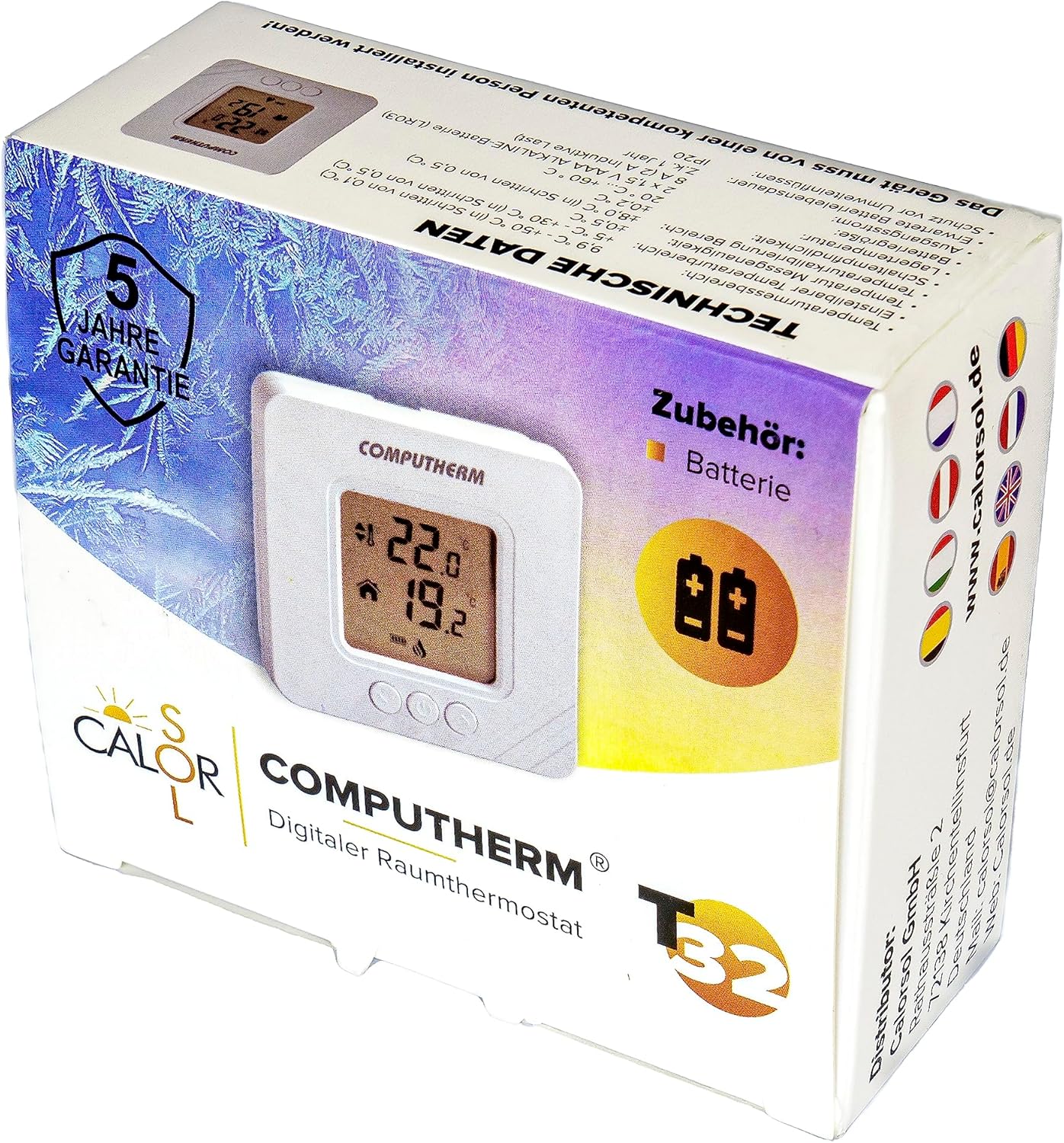
Figure 5: Product packaging displaying warranty information and technical data.