
kidoo kidoo
kidoo Unicorn LED Night Light User Manual
Model: kidoo
1. Giriş
Thank you for choosing the kidoo Unicorn LED Night Light. This charming, wireless, and rechargeable night light is designed to provide a soft, comforting glow for children's rooms, making bedtime a fun and soothing experience. Made from soft, BPA-free silicone, it is safe and durable for all ages.
Temel özellikler şunlardır:
- Wireless and USB rechargeable for convenience.
- Adjustable brightness and 9 color options.
- Easy control via touch or remote.
- Durable, drop-resistant, and made from soft, BPA-free silicone.
- Integrated timer function (15/30/60 minutes).
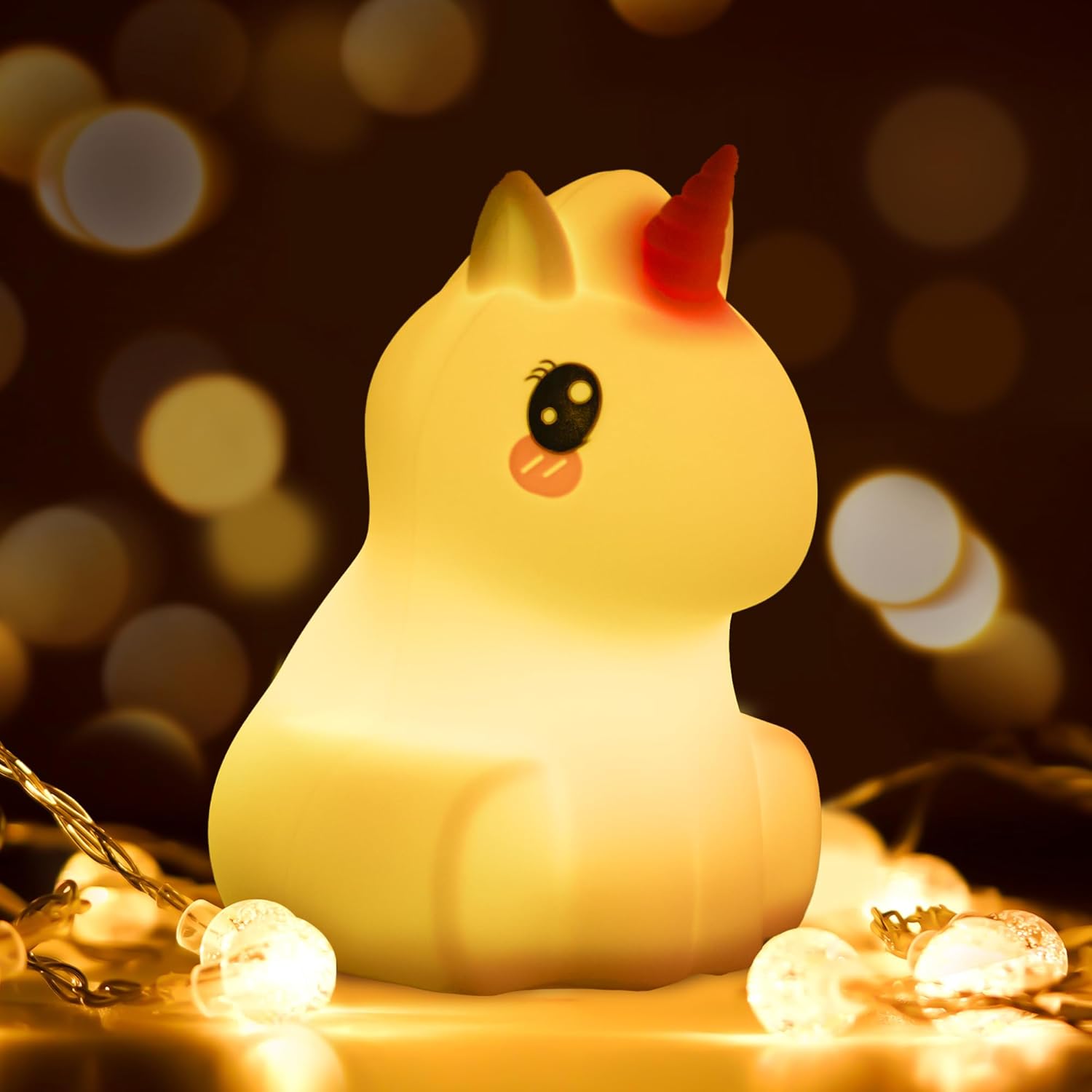
Image: The kidoo Unicorn LED Night Light emitting a warm, soft glow, surrounded by small fairy lights, highlighting its comforting presence.

Image: An infographic illustrating the key features of the kidoo night light, including soft silicone material, BPA-free certification, a powerful battery with 10 hours of runtime, remote control functionality, touch control, high drop resistance, a timer function, and USB charging capability.
2. Güvenlik Bilgileri
Ürünü kullanmadan önce lütfen tüm güvenlik talimatlarını okuyun. Bu kılavuzu ileride başvurmak üzere saklayın.
- The kidoo night light is made from soft, BPA-free silicone, ensuring it is safe for children of all ages.
- The LED light produces low heat, making it safe to touch and handle.
- Do not disassemble or attempt to repair the device yourself. This may void the warranty and pose a safety risk.
- Keep the USB charging port dry and clean. Avoid contact with water or other liquids.
- Şarj etmek için yalnızca birlikte verilen USB kablosunu kullanın.
3. Kurulum
3.1. Kutudan Çıkarma ve İlk Şarj
Upon unboxing, you will find the kidoo Unicorn LED Night Light and a USB charging cable. Before first use, fully charge the device.
- Connect the small end of the USB cable to the charging port located at the bottom of the night light.
- USB kablosunun daha kalın ucunu standart bir USB güç adaptörüne (dahil değildir) veya bilgisayarın USB portuna bağlayın.
- The light will indicate charging status (e.g., a red light will turn off when fully charged). A full charge provides approximately 10 hours of runtime.
3.2. İlk Kez Çalıştırma
To turn on the night light for the first time, press the power button located at the bottom of the unit. Alternatively, you can tap the silicone surface twice.

Image: A visual guide demonstrating how to operate the kidoo night light: double-tap to turn on, single-tap to change light color, use the remote for timer settings, and turn off using the button on the light or the remote.
4. Kullanım Talimatları
4.1. Basic Operation (Touch Control)
- Açma/Kapatma: Press the power button on the bottom or tap the silicone surface twice.
- Renk/Mod Değiştir: Once the light is on, tap the silicone surface once to cycle through different colors and modes (e.g., solid colors, breathing mode).
- Parlaklığı Ayarla: The light offers different brightness intensities. Continue tapping to find your desired brightness level within a color mode.

Image: The kidoo Unicorn LED Night Light demonstrating its adjustable brightness feature, with multiple smaller images showing varying light intensities around a central, brighter image.
4.2. Uzaktan Kumanda İşlemi
Ürünle birlikte gelen uzaktan kumanda, tüm fonksiyonlara kolay erişim sağlar.
- Güç Düğmesi: Işığı açar veya kapatır.
- Renk Seçimi: Use the color buttons (e.g., Red, Green, Blue, White) to select a specific color.
- Parlaklık Ayarı: Use the brightness up/down buttons to increase or decrease the light intensity.
- Mod Seçimi: Buttons for different light modes (e.g., Flash, Strobe, Fade, Smooth).
- Zamanlayıcı Fonksiyonu: Set the light to turn off automatically after 15, 30, or 60 minutes using the dedicated timer buttons.

Image: The kidoo Unicorn LED Night Light displayed in its central white form, surrounded by eight smaller images showcasing the nine different color settings available, emphasizing its versatility.
5. Bakım
5.1. Temizlik
To clean the kidoo night light, simply wipe the silicone surface with a soft, damp Bez kullanın. Sert kimyasallar veya aşındırıcı temizleyiciler kullanmayın. Şarj etmeden önce şarj portunun kuru olduğundan emin olun.
5.2. Pil Bakımı
The night light contains a built-in rechargeable battery. To prolong battery life:
- Pilin sık sık tamamen boşaltılmasından kaçının.
- Cihazınızı sürekli kullanmasanız bile düzenli olarak şarj edin.
- Uzun süre kullanılmayacaksa cihazı serin ve kuru bir yerde saklayın.
5.3. Geri Dönüşüm ve İmha
This product contains electronic components and a rechargeable battery. Do not dispose of it with household waste. Please follow local regulations for the recycling of electronic products and batteries. For information on disposing of broken or damaged lamps, consult your local waste management authority or recycling center.
For more information on recycling lamps, you can refer to general guidelines provided by environmental agencies.
6. Sorun Giderme
| Sorun | Olası Neden | Çözüm |
|---|---|---|
| Işık açılmıyor. | Pil bitmiş. Güç düğmesine doğru basılmamış. | Gece lambasını tamamen şarj edin. Ensure the power button on the bottom is pressed firmly, or double-tap the silicone surface. |
| Işık şarj olmuyor. | USB kablosu arızalı veya düzgün bağlanmamış. Şarj portu kirli veya hasarlı. | Farklı bir USB kablosu veya güç adaptörü deneyin. Kablonun güvenli bir şekilde bağlı olduğundan emin olun. Check the charging port for debris and clean gently if necessary. If damaged, contact support. |
| Uzaktan kumanda çalışmıyor. | Uzaktan kumandanın pili bitmiş. Uzaktan kumanda ile ışık arasındaki engel. Light needs to be manually turned on first for remote to function. | Replace the remote control battery (if applicable, usually a button cell). Görüş hattınızın net olduğundan emin olun. Turn on the light manually using the button on the bottom or by tapping, then try the remote. |
| Light changes color unexpectedly or is unresponsive to touch. | Parazitlenme veya sensör sorunu. | Turn the light off and then on again. Ensure hands are clean and dry when touching. |
7. Özellikler
| Özellik | Detay |
|---|---|
| Marka | kidoo |
| Örnek | kidoo (Unicorn) |
| Ürün Boyutları | 10 x 10 x 14 cm (yaklaşık 3.9 x 3.9 x 5.5 inç) |
| Ürün Ağırlığı | 190 gram (yaklaşık 0.42 lbs) |
| Malzeme | Silikon |
| Işık Kaynağı Türü | NEDEN OLMUŞ |
| Güç Kaynağı | Pil ile çalışır (USB ile şarj edilebilir) |
| Cilttage | 1.5E+3 Volt (DC) |
| Pil Çalışma Süresi | Yaklaşık 10 saate kadar. |
| Özel Özellikler | Energy Efficient, Multi-color, Dimmable, Touch Control, Remote Control, Timer |
| Dahil Bileşenler | Night Light, USB Cable |

Image: A diagram showing the precise dimensions of the kidoo Unicorn LED Night Light (10 x 10 x 14 cm) and its accompanying remote control (85.5 x 39.5 mm).
8. Garanti ve Destek
kidoo products are manufactured with high quality standards. While specific warranty details are not provided in this manual, please retain your proof of purchase for any warranty claims.
For technical support, product inquiries, or warranty information, please contact kidoo customer service through the retailer where you purchased the product or visit the official kidoo websitesi (varsa).
Ask a question about this manual
Ask about setup, troubleshooting, compatibility, parts, safety, or missing instructions. Manuals+ will review the question and use this page’s manual context to help answer it.