
giriiş
This manual provides detailed instructions for the installation, operation, and maintenance of your Kolink INSPIRE K9 Midi-Tower Gaming Case. Please read this manual thoroughly before beginning assembly or use to ensure proper functionality and safety. The Kolink INSPIRE K9 is designed for gaming enthusiasts, offering ample space for high-performance components, efficient cooling options, and customizable RGB lighting.
Ürün Özellikleri
- ATX Tower Compatibility: The interior accommodates motherboards from Mini-ITX to ATX formats, along with high-performance graphics cards up to 300 mm in length. CPU coolers can be installed with a maximum height of 155 mm.
- Soğutma Sistemi: Features a pre-installed 120 mm fan at the rear with digitally addressable RGB lighting. Supports up to six 120 mm fans in total. Radiators up to 240 mm can be installed at the front, and up to 120 mm at the rear for water cooling setups.
- Depolama Seçenekleri: The case provides space for up to 2 x 3.5/2.5 inch drive bays and 2 x 2.5 inch drive bays.
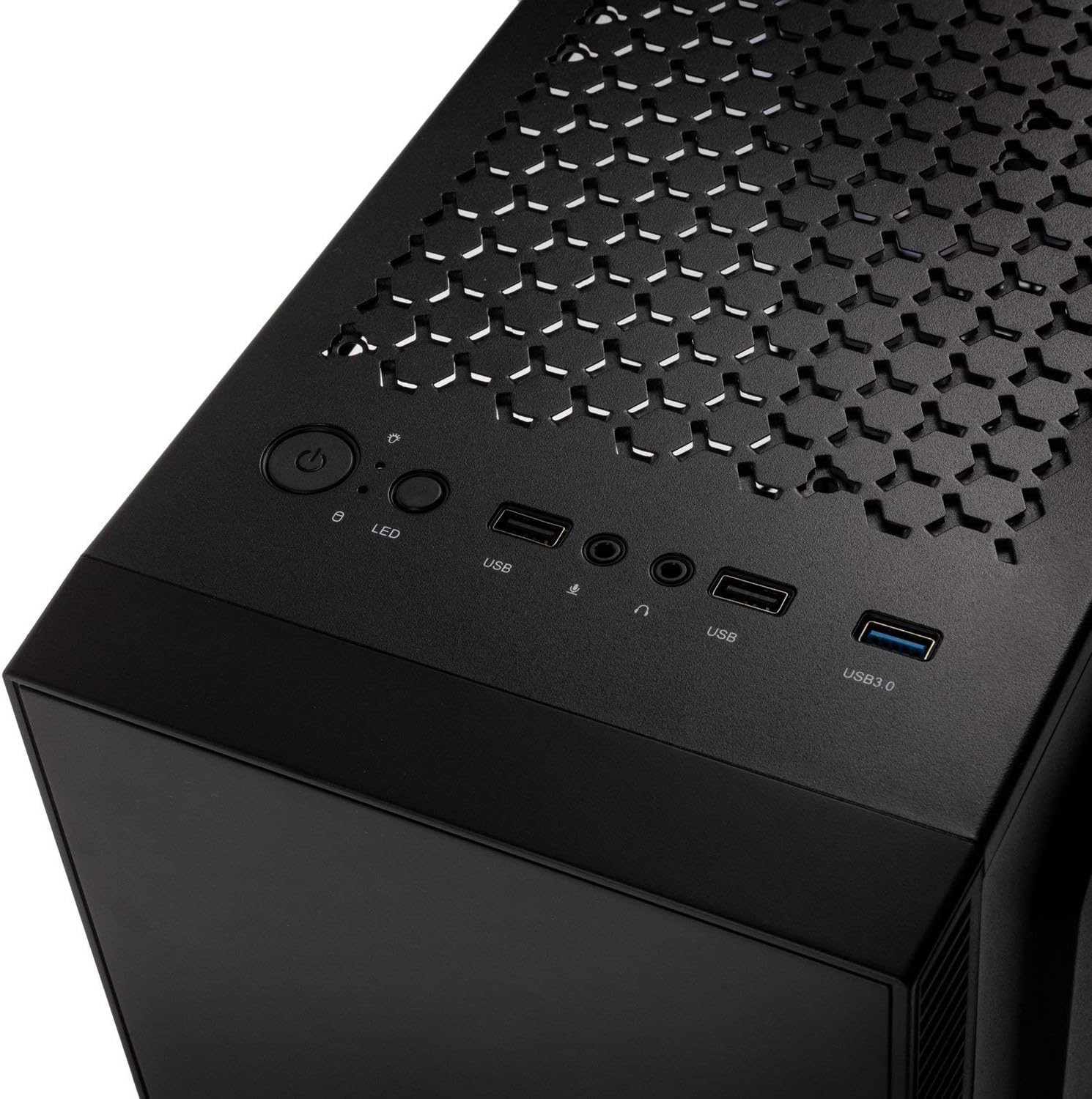
- G/Ç Paneli: Equipped with 1x USB 3.0 port, 2x USB 2.0 ports, and an RGB LED control button for easy access and customization.
- RGB Design with Tempered Glass: A side panel made of lightly tinted tempered glass complements the elegant design of the midi tower, allowing for a clear view iç bileşenler ve RGB aydınlatma.
Özellikler
| Marka | TOPLAMAK |
| Model Adı | Inspire K9 |
| Dava Türü | Midi-Kule |
| Anakart Uyumluluğu | Mini-ITX, ATX |
| Malzeme | Temperli Cam |
| Renk | Siyah |
| Soğutma Yöntemi | Hava, Su |
| Önceden yüklenmiş Fanlar | 1 x 120mm (rear, RGB) |
| Maksimum Fan Desteği | 6x120mm |
| Radyatör Desteği | Front: up to 240mm, Rear: up to 120mm |
| Sürücü bölmeleri | 2 x 3.5/2.5 inch, 2 x 2.5 inch |
| Genişleme Yuvaları | 7 |
| G/Ç Paneli | 1x USB 3.0, 2x USB 2.0, RGB LED Control |
| Maksimum GPU Uzunluğu | 300 mm |
| Maksimum CPU Soğutucu Yüksekliği | 155 mm |
| Ürün Boyutları (D x G x Y) | 48D x 44B x 23H cm |
| Ürün Ağırlığı | 4 Kilogram |
Kurulum ve Yükleme
Follow these steps for proper assembly and installation of components within your Kolink INSPIRE K9 case.
1. Davayı Hazırlama
- Unpack the case and place it on a stable, flat surface.
- Remove the tempered glass side panel by unscrewing the thumb screws, then carefully slide it off and set it aside on a soft, non-abrasive surface to prevent scratches.
- Remove the solid metal side panel by unscrewing the thumb screws at the rear and sliding it backward.
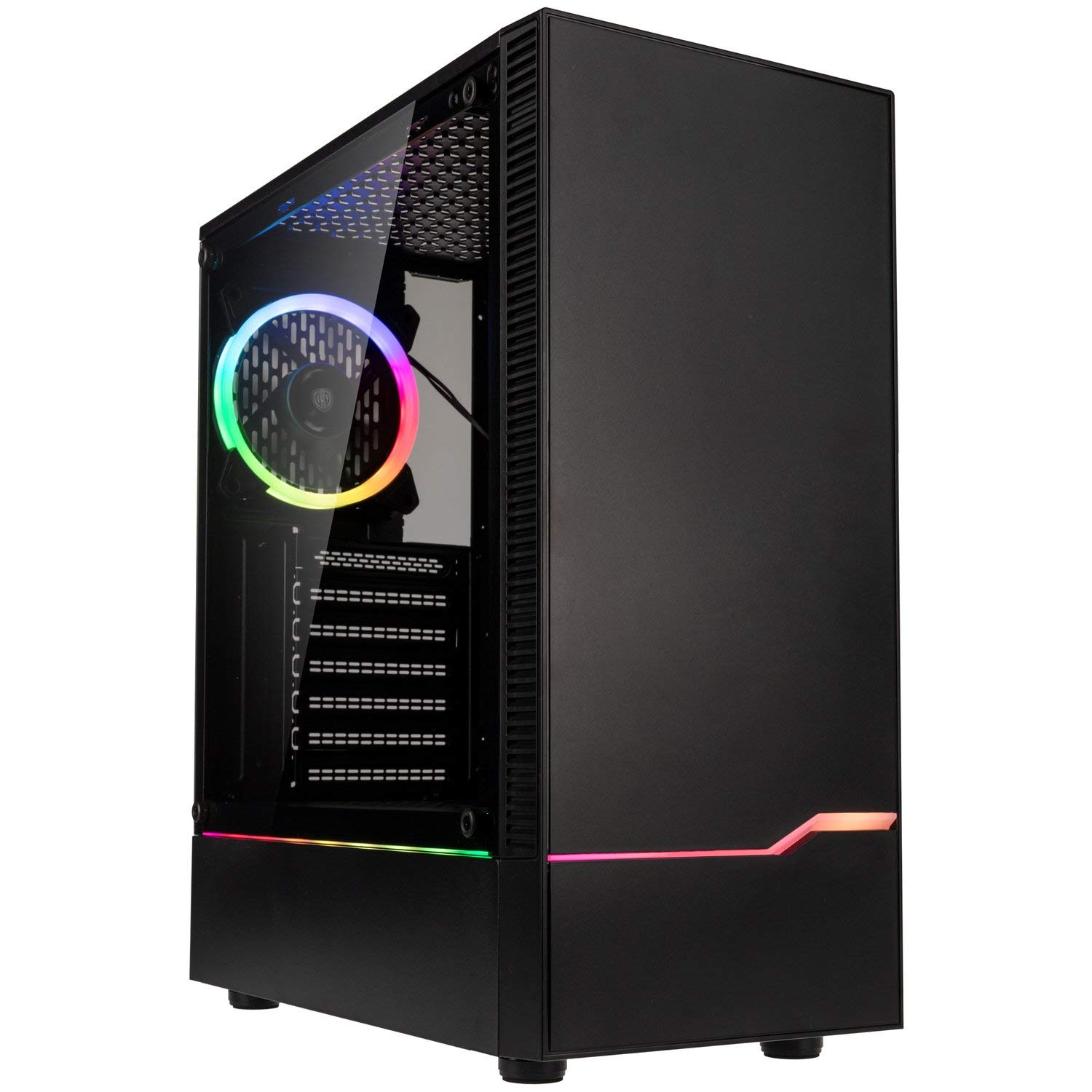
Resim: Ön-sol view of the Kolink INSPIRE K9 case, showcasing the tempered glass side panel and front RGB strip.

Image: Right side panel of the Kolink INSPIRE K9 case, showing the solid metal panel.
2. Anakart Kurulumu
- Install the I/O shield that came with your motherboard into the designated slot at the rear of the case.
- Align your ATX or Mini-ITX motherboard with the standoffs inside the case. Ensure all standoffs match the screw holes on your motherboard.
- Anakartı, verilen vidaları kullanarak sabitleyin. Aşırı sıkmayın.
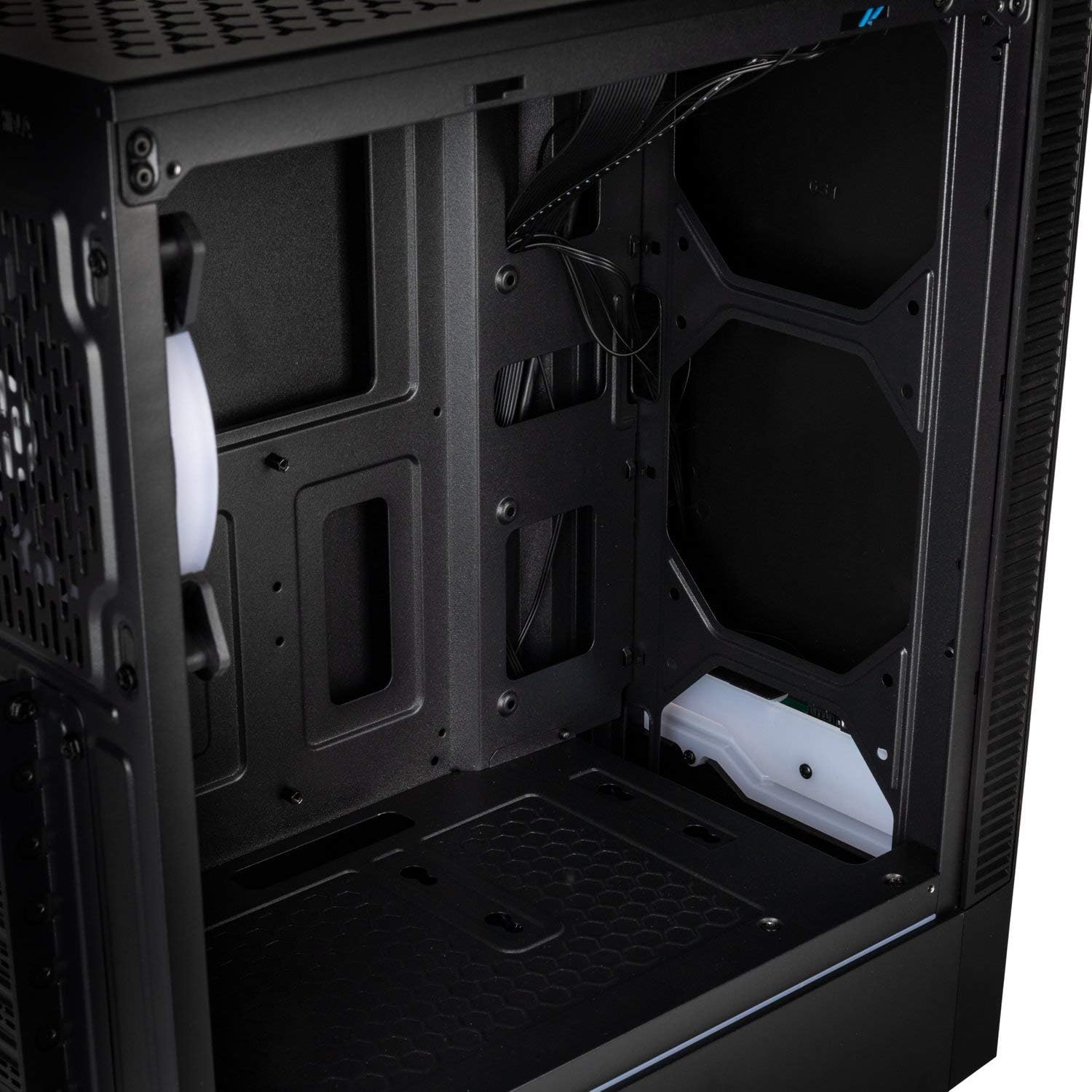
Resim: İç mekan view of the Kolink INSPIRE K9 case, showing the motherboard tray and cable routing options.
3. CPU and CPU Cooler Installation
- Install your CPU onto the motherboard socket according to your motherboard's instructions.
- Apply thermal paste to the CPU. Refer to the video below for proper thermal paste application techniques.
- Install your CPU cooler (air or liquid) ensuring it fits within the 155 mm height limit. For liquid coolers, install radiators at the front (up to 240mm) or rear (up to 120mm) of the case.
Video: Guide on how to apply thermal paste correctly to a CPU. This is crucial for efficient CPU cooling.
4. Grafik Kartı (GPU) Kurulumu
- Remove the necessary expansion slot covers at the rear of the case. The case has 7 expansion slots.
- Insert your graphics card into the primary PCIe slot on your motherboard. Ensure it clicks into place.
- Secure the graphics card with screws. The case supports GPUs up to 300 mm in length.
5. Depolama Sürücüsü Kurulumu
- Install 3.5-inch or 2.5-inch drives into the designated drive bays. The case supports 2 x 3.5/2.5 inch and 2 x 2.5 inch drives.
- Sürücüleri vidalarla sabitleyin.
6. Güç Kaynağı Ünitesi (PSU) Kurulumu
- Install your PSU into the bottom mounting area of the case.
- PSU'yu kasanın arkasından vidalarla sabitleyin.
7. Kablo Yönetimi
- Route all power and data cables through the cutouts in the motherboard tray to the rear of the case.
- Use cable ties (not included) to neatly bundle and secure cables behind the motherboard tray. This improves airflow and aesthetics.

Resim: Arka view of the Kolink INSPIRE K9 case, showing the I/O shield cutout, expansion slots, and rear fan.

Resim: İç mekan view of the Kolink INSPIRE K9 case from the right side, showing cable routing space and drive bays.
8. Ön Panel Giriş/Çıkış Bağlantıları
- Connect the front panel cables (USB 3.0, USB 2.0, HD Audio, Power Switch, Reset Switch, Power LED, HDD LED, RGB LED Control) to the corresponding headers on your motherboard. Refer to your motherboard manual for header locations.

Image: Close-up of the top I/O panel of the Kolink INSPIRE K9 case, featuring USB ports, audio jacks, power button, and RGB LED control.
Kullanım Talimatları
- Güç Açma/Kapatma: Sistemi açmak veya kapatmak için üst giriş/çıkış panelindeki güç düğmesine basın.
- RGB Kontrolü: Use the dedicated RGB LED control button on the top I/O panel to cycle through various lighting modes and colors for the pre-installed RGB fan and front RGB strip.
- USB Bağlantı Noktaları: Utilize the USB 3.0 and USB 2.0 ports for connecting peripherals and external devices.
- Ses Jakları: Connect your headphones and microphone to the audio jacks on the top I/O panel.
Resim: Yakın çekim view of the pre-installed 120mm RGB fan at the rear of the Kolink INSPIRE K9 case.
Bakım
Düzenli bakım, PC bileşenlerinizin optimum performans ve uzun ömürlü olmasını sağlamaya yardımcı olur.
- Toz Temizleme: Periodically clean dust from the interior of the case, especially from fans and dust filters. Use compressed air or a soft brush.
- Dış Temizlik: Temperli cam panel dahil olmak üzere dış yüzeyleri yumuşak bir bezle silin.amp bez. Aşındırıcı temizleyicilerden kaçının.
- Kablo Yönetimi Kontrolü: Ara sıra kablo düzenini kontrol ederek hiçbir kablonun hava akışını veya fan çalışmasını engellemediğinden emin olun.
Sorun giderme
If you encounter issues with your PC build, consider the following common troubleshooting steps related to the case:
- Sistem Açılmıyor:
- Ensure the power supply is properly connected to the wall outlet and the PSU switch is in the ON position.
- Ön panel güç anahtarı kablosunun anakart başlığına doğru şekilde bağlı olduğundan emin olun.
- PSU'dan anakarta ve bileşenlere giden tüm güç bağlantılarını kontrol edin.
- Fanlar dönmüyor / RGB ışıkları çalışmıyor:
- Confirm that the fan power cables are securely connected to the motherboard or fan controller.
- Check that the RGB cables are properly connected to the motherboard's RGB header or the case's RGB controller.
- Press the RGB LED control button on the I/O panel to cycle through modes.
- USB bağlantı noktaları çalışmıyor:
- Ensure the USB 3.0 and USB 2.0 front panel cables are correctly plugged into their respective headers on the motherboard.
- Aşırı Isınma Sorunları:
- Verify that all case fans are spinning correctly and are oriented for optimal airflow (intake/exhaust).
- Fanlarda ve filtrelerde biriken tozu temizleyin.
- Ensure the CPU cooler is properly seated and thermal paste is correctly applied.
Garanti ve Destek
Garanti bilgileri ve teknik destek için lütfen resmi KOLINK web sitesine başvurun. webSiteyi ziyaret edin veya perakendecinizle iletişime geçin. Satın alma belgenizi garanti talepleriniz için saklayın.
Üretici: TOPLAMAK
Model Numarası: INSPIREK9
Küresel Ticari Ürün Numarası (GTIN): 05999094004030