
giriiş
Thank you for choosing the Konix FFF Wired Controller. This controller is designed to enhance your gaming experience on Nintendo Switch, Switch 2, and PC, offering an ergonomic design, vibration feedback, and a convenient screenshot button. Please read this manual carefully before use to ensure proper setup and operation.

Figure 1: Konix FFF Wired Controller (White)
Temel Özellikler
- Ergonomik Tutuş: Crafted with quality materials and anti-slip grips for comfortable extended gaming sessions, reducing hand fatigue.
- Kablolu Bağlantı: Features a 3-meter cable, providing ample length for flexible gameplay without battery concerns.
- Titreşim Fonksiyonu: Enhances immersion during gameplay with responsive vibration feedback.
- Ekran Görüntüsü Düğmesi: Capture and share your in-game moments with a dedicated screenshot button, similar to official Nintendo Switch controllers.
- Çoklu Platform Uyumluluğu: Fully compatible with Nintendo Switch, Switch 2, and PC.

Figure 2: Controller features overview
Kurulum Talimatları
Connecting to Nintendo Switch / Switch 2
- Enable Pro Controller Wired Communication:
Before connecting the controller for the first time, you must enable the "Pro Controller Wired Communication" option on your Nintendo Switch console.
- HOME Menüsünden, seçin "Sistem Ayarları".
- Sol taraftaki menüyü aşağı kaydırın ve seçin "Kontrolörler ve Sensörler".
- Seçme "Pro Kontrol Cihazı Kablolu İletişim" to enable this feature. (Select it again to disable if needed).
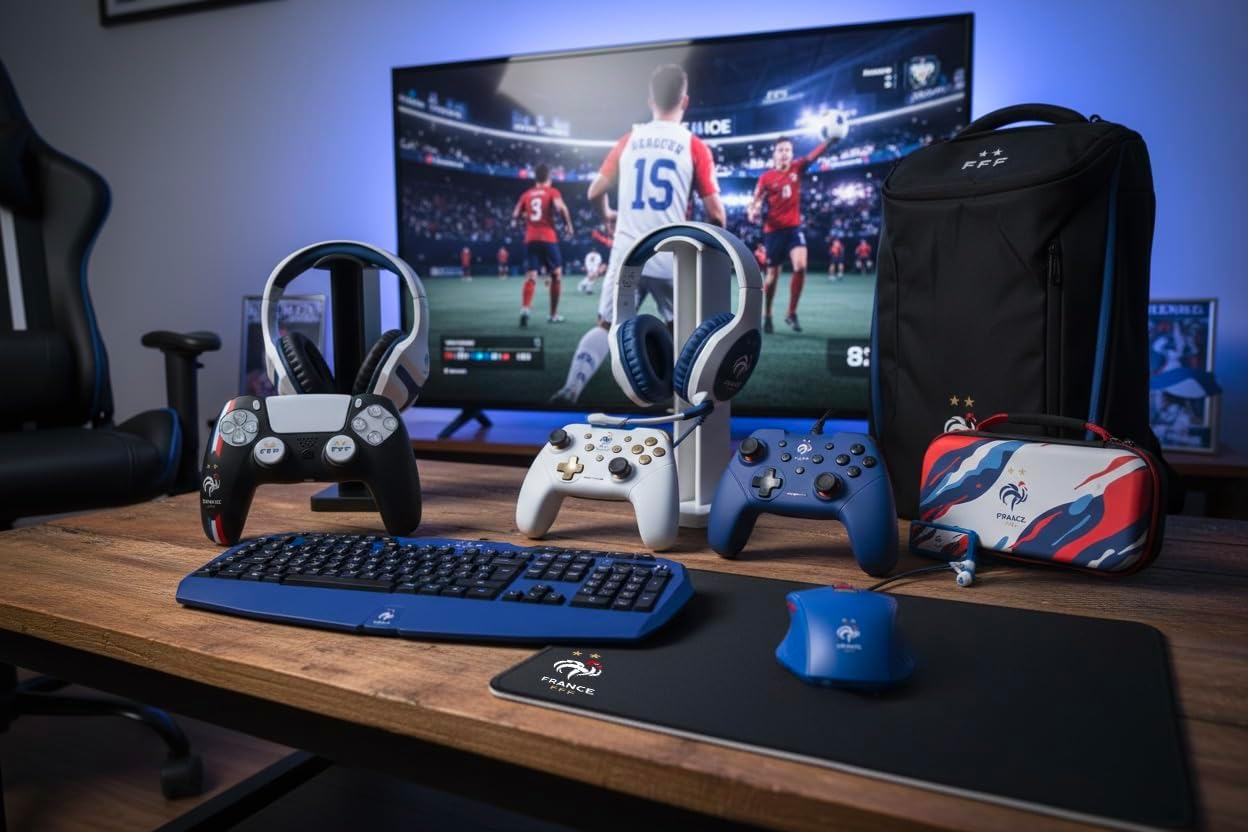
Figure 3: Enabling Pro Controller Wired Communication on Nintendo Switch
- Denetleyiciyi bağlayın:
Plug the USB-A end of the controller's cable into an available USB port on your Nintendo Switch dock. The controller will automatically connect and be ready for use.

Figure 4: USB cable connection point
Bilgisayara bağlanma
- Tak ve Çalıştır:
Connect the USB-A end of the controller's cable to an available USB port on your PC. The operating system should automatically detect and install the necessary drivers. The controller will then be ready for use with compatible PC games.
Kullanım Talimatları
The Konix FFF Wired Controller functions similarly to standard gamepads. Refer to your game's specific control scheme for button assignments.
Düğme Düzeni
The controller features standard buttons including A/B/X/Y, directional pad, left and right analog sticks, L/R shoulder buttons, ZL/ZR triggers, Home button, Plus (+), Minus (-), and a dedicated Screenshot button.
Figure 5: Controller button layout (front view)
Using the Screenshot Button
- Basın Ekran görüntüsü düğmesi (located below the directional pad) during gameplay to capture an image of your screen.
- On Nintendo Switch, captured images can be accessed and managed from the Album on the HOME Menu.
Titreşim İşlevi
- The controller's vibration function provides tactile feedback during compatible games.
- Vibration intensity may be adjustable within individual game settings or console system settings.
Bakım
- Temizlik: Kumanda ünitesini temizlemek için yumuşak, kuru bir bez kullanın. Aşındırıcı temizleyiciler veya çözücüler kullanmayın.
- Depolamak: Kontrol cihazını serin, kuru ve doğrudan güneş ışığından ve aşırı sıcaklıklardan uzak bir yerde saklayın.
- Kablo Bakımı: Kabloya zarar gelmemesi için keskin kıvrımlardan veya aşırı çekme kuvvetinden kaçının.
Sorun giderme
| Sorun | Olası Neden / Çözüm |
|---|---|
| Controller not recognized by Nintendo Switch. |
|
| Kumanda bilgisayar tarafından tanınmıyor. |
|
| Titreşim fonksiyonu çalışmıyor. |
|
| Düğmeler yanıt vermiyor veya takılı kalıyor. |
|
Özellikler
- Model Numarası: 3328170282925
- Uyumluluk: Nintendo Switch, Nintendo Switch 2, PC
- Bağlantı Türü: Kablolu USB
- Kablo Uzunluğu: 3 metre
- Özellikler: Vibration function, Screenshot button, Ergonomic design
- Boyutlar (U x G x Y): 7x21.5x17.5 cm
- Ağırlık: 390 gram
- Önerilen Yaş: 3 yaş ve üzeri
Garanti Bilgileri
Konix products are covered by a limited warranty against defects in materials and workmanship. For specific warranty terms and conditions, please refer to the documentation included with your purchase or visit the official Konix webSite. Satın alma belgenizi garanti talepleriniz için saklayın.
Müşteri Desteği
If you encounter any issues or have questions regarding your Konix FFF Wired Controller, please contact Konix customer support through their official webÜrün ambalajınızda bulunan site veya iletişim bilgileri.
Daha fazla bilgi için şu adresi ziyaret edin: Konix Store on Amazon.