
1. Giriş
Thank you for choosing the ANJANK Wooden Digital Alarm Clock. This versatile device combines an alarm clock, FM radio, and a wireless charging station, designed to simplify your bedside or desk setup. This manual will guide you through the features and functions of your new device, ensuring optimal performance and user experience.
2. Paket İçeriği
- ANJANK Wooden Digital Alarm Clock
- Güç Adaptörü
- FM Anten Kablosu
- Kullanıcı Kılavuzu
3. Ürün Bittiview

Şekil 1: Ön view of the ANJANK Wooden Digital Alarm Clock with a smartphone charging wirelessly.

Figure 2: Top panel controls including wireless charging pad, time, alarm, radio, and volume buttons.

Figure 3: Rear panel with FM/BT Volume, DC 9V input, USB port, Night Light Dimmer, Alarm Set, Time Set, and Display Dimmer controls.
3.1 Ön Ekran
- LED Time Display: Large, easy-to-read digits for current time.
- AM/PM Göstergesi: Indicates morning or afternoon hours.
- Alarm Simgesi: Appears when an alarm is active.
- Şarj Göstergesi: Displays when a device is wirelessly charging.
3.2 Üst Panel Kontrolleri
- Kablosuz Şarj Pedi: For Qi-compatible devices.
- Snooze/Dimmer Button: Snoozes active alarm or adjusts display brightness.
- Zaman Ayar Düğmeleri: Adjusts hour and minute during time setting.
- Alarm Ayar Düğmeleri: Configures alarm time and sound.
- FM Radio/Bluetooth Buttons: Controls radio functions and Bluetooth pairing.
3.3 Rear Panel Ports and Controls
- DC 9V Girişi: Güç adaptörüne bağlanır.
- USB Şarj Noktası: For charging additional devices (5V/2A).
- FM Antenna Jack: Connects the included FM antenna.
- Night Light Dimmer: Adjusts the brightness of the ambient night light.
- Ekran Karartıcı: Adjusts the brightness of the LED time display.
- 12/24 Saat Düğmesi: 12 saatlik ve 24 saatlik zaman formatları arasında geçiş yapar.
4. Kurulum
4.1 Güç Bağlantısı
- Verilen güç adaptörünü bağlayın. DC 9V Giriş port on the rear of the alarm clock.
- Güç adaptörünü standart bir duvar prizine takın. Ekran yanacaktır.
4.2 Pil Yedekleme
The device requires 2 AAA batteries (not included) for battery backup. This feature preserves time and alarm settings during a power outage, but the display will not be active and alarms will not sound.
- Cihazın altındaki pil bölmesi kapağını açın.
- 2 adet AAA pili, doğru kutuplara (+/-) dikkat ederek takın.
- Pil bölmesi kapağını yerine takın.
4.3 Başlangıç Zaman Ayarı
- Basılı tutun Zaman Ayarı button on the top panel until the hour digits begin to flash.
- Kullanın Saat Ve Dakika adjustment buttons (usually labeled with arrows or +/-) to set the correct hour and minute.
- Basın Zaman Ayarı Zaman ayarı modundan çıkmak ve onaylamak için tekrar düğmeye basın.
- 12 saatlik ve 24 saatlik format arasında geçiş yapmak için tuşuna basın. 12/24H arka paneldeki düğmeye basın.
5. Kullanım Talimatları
5.1 Alarm Ayarı
The alarm clock supports multiple alarms and offers 9 different wake-up sounds, including a classic buzzer and FM radio.

Figure 4: The alarm clock offers 9 different wake-up sounds, including radio and beep, with a snooze function.
- Basılı tutun Alarm kuruldu button (often depicted as a bell icon) until the alarm hour digits flash.
- Kullanın Saat Ve Dakika adjustment buttons to set your desired alarm time.
- Basmak Alarm kuruldu again to confirm the time. The alarm sound selection will now flash.
- Kullanın Saat Ve Dakika adjustment buttons to cycle through the 9 available alarm sounds (e.g., buzzer, bird chirping, ocean waves, FM radio).
- Basmak Alarm kuruldu one more time to confirm your sound selection. The alarm icon will appear on the display, indicating the alarm is active.
- Alarmı etkinleştirmek/devre dışı bırakmak için kısa süre basın. Alarm Açık/Kapalı düğme.
- Aktif bir alarmı ertelemek için büyük düğmeye basın. Erteleme/Dimmer button on the top. The alarm will pause for 9 minutes and then sound again.
5.2 FM Radyo Çalışması
Connect the included FM antenna wire to the FM Antenna Jack on the rear panel for optimal reception.
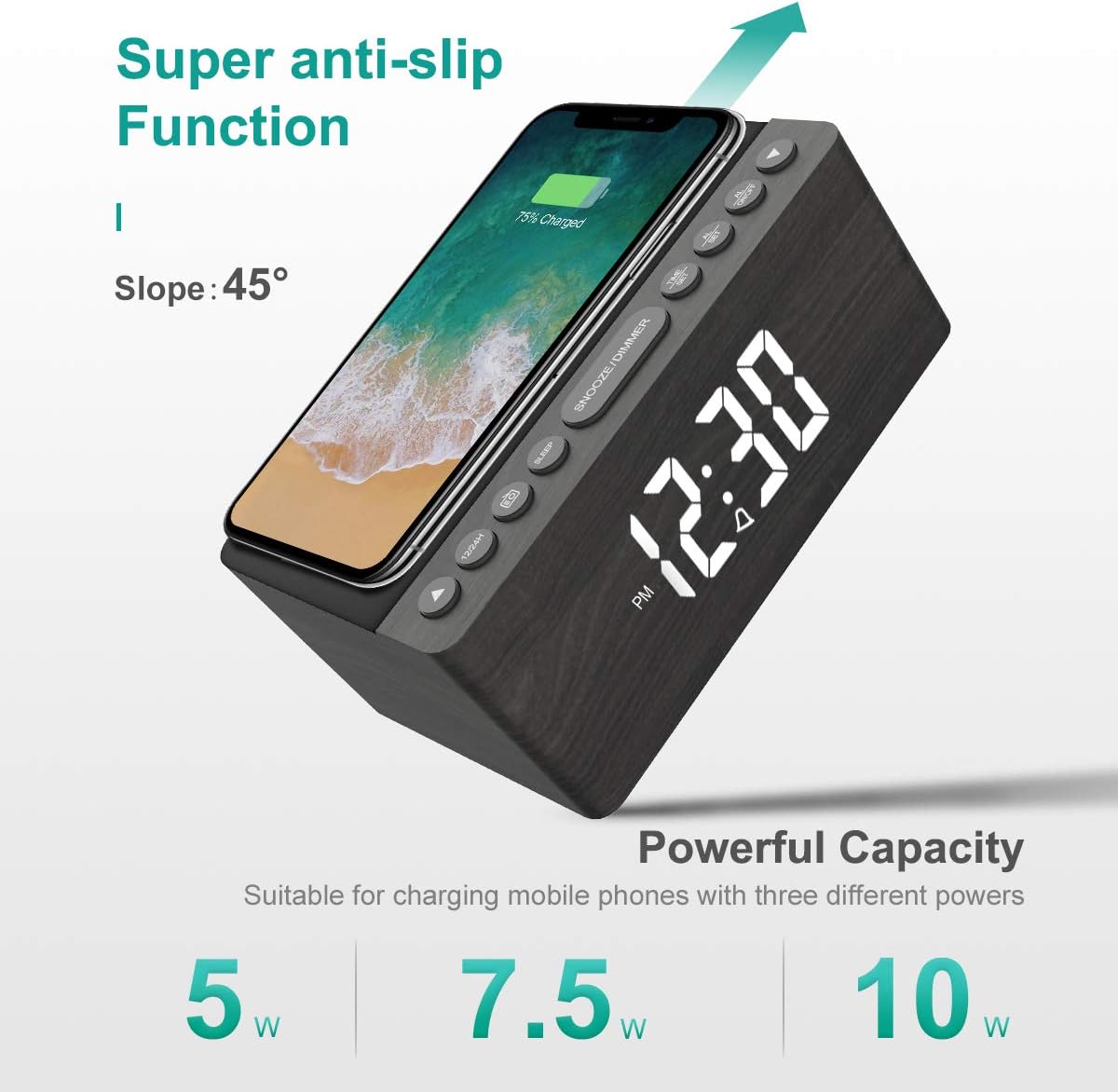
Figure 5: The alarm clock features an anti-slip surface for stable wireless charging and supports various charging powers.
Video 1: Demonstrates the FM Radio and Magnetic Wireless Charging features of a similar product.
- Basın FM Radyo button (often labeled with a radio icon) to turn on the FM radio. The current frequency will be displayed.
- Otomatik Tarama: Basılı tutun FM Radyo Mevcut FM istasyonlarını otomatik olarak tarayıp kaydetmek için düğme.
- Manuel Ayar: Kullanın Saat Ve Dakika adjustment buttons to manually tune to a specific frequency.
- Ses Ayarı: Kullanın FM/BT Volume slider on the rear panel to adjust the radio volume.
- Uyku Zamanlayıcısı: Basın Uyku Zamanlayıcısı button (often labeled with a crescent moon or 'SLEEP') to set a sleep timer (10-120 minutes). The radio will play for the set duration and then automatically turn off.
5.3 Wireless and USB Charging
The ANJANK alarm clock features Qi-certified wireless charging and an additional USB port for wired charging.

Figure 6: The alarm clock provides both wireless charging for smartphones and a USB port for other electronic devices.
Video 2: Shows the wireless charging function of an alarm clock.
- Kablosuz Şarj: Place your Qi-compatible smartphone on the wireless charging pad on the top of the unit. Ensure the phone is centered for optimal charging. The charging indicator on the display will activate. The device supports 5W, 7.5W, and 10W adaptive charging.
- USB Şarj: Connect your device (e.g., second phone, power bank, smartwatch) to the USB Şarj Portu on the rear panel using a compatible USB cable.
5.4 Ekran Parlaklığı Ayarı
The LED display offers 5 levels of brightness, allowing you to customize it for comfort.

Figure 7: Visual representation of the five adjustable brightness levels for the LED display.
- Kullanın Dimmer Ekranı slider on the rear panel to adjust the brightness of the time display from low to high.
- The device also features an auto-dimmable function to adjust brightness based on ambient light.
5.5 Night Light Adjustment
The ambient night light can be adjusted to provide subtle illumination.
- Kullanın Gece Lambası Dimmer button on the rear panel to cycle through different brightness levels or turn the night light off.
6. Bakım
- To clean the device, use a soft, dry cloth. Do not use liquid cleaners or abrasive materials.
- Cihazı sudan ve yüksek nemden uzak tutun.
- Cihazı doğrudan güneş ışığına veya ısı kaynaklarının yakınına yerleştirmekten kaçının.
7. Sorun Giderme
- Güç Yok/Ekran Kapalı: Ensure the power adapter is securely connected to both the device and a working power outlet. Check if batteries are inserted correctly for backup.
- Kablosuz Şarj Çalışmıyor: Ensure your device is Qi-compatible and properly centered on the charging pad. Remove any thick phone cases that might interfere with charging.
- Zayıf FM Radyo Alımı: Fully extend the FM antenna wire. Try repositioning the antenna or the alarm clock for better signal.
- Alarm Çalmıyor: Verify that the alarm is activated (alarm icon visible) and the volume is set to an audible level. Check if the correct alarm sound is selected.
- Ekran Çok Parlak/Loş: Ayarla Dimmer Ekranı slider on the rear panel.
8. Özellikler
| Özellik | Detay |
|---|---|
| Marka | ANJANK |
| Örnek | Radyo |
| Renk | Gri |
| Görüntü Türü | Dijital LED |
| Güç Kaynağı | Kablolu Elektrik |
| Kablosuz Şarj | 10W Qi Certified (5W, 7.5W, 10W adaptive) |
| USB Şarj Portu | Yes (5V/2A) |
| FM Radyo Frekansı | 87.5-108MHz |
| Alarm Sesleri | 9 (including radio and buzzer) |
| Dimmer Ekranı | 5 Levels, Auto Dimmable |
| Uyku Zamanlayıcısı | 10-120 dakika |
| Pil Yedekleme | 2 adet AAA pil gereklidir (dahil değildir) |
| Ürün Boyutları | 3.9"W x 2.9"H (approx. 6.4" L x 4" W x 2.9" H from image) |
| Ürün Ağırlığı | 1.48 pound (0.67 Kilogram) |
9. Garanti ve Destek
ANJANK offers a worry-free 18-month warranty for this product. Additionally, a 45-day return policy is available. For any questions or support, please contact ANJANK customer service. Responses are typically provided within 24 hours.