
1. Giriş ve Üzeriview
The JASHEN P10 Robot Vacuum Cleaner is designed to provide efficient and convenient floor cleaning. This manual provides essential information for the safe and effective use of your device.
Temel Özellikler:
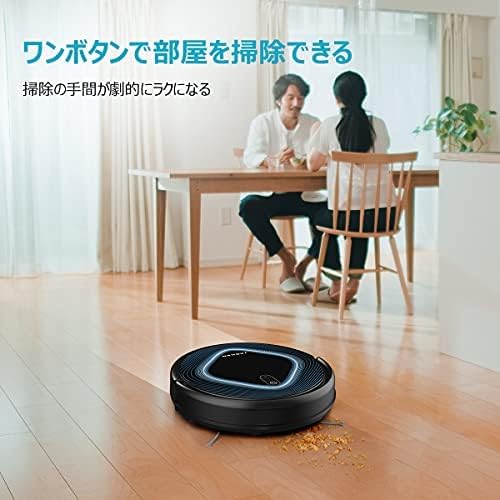
- Easy Operation & Maintenance: Features one-touch operation for user-friendliness. The large-capacity dust box allows for easy disposal of collected debris. Both the net filter and the dust box are fully washable. The V-shaped main brush is also easily removable for cleaning.
- Güçlü Emiş: The advanced JASHEN P10 delivers efficient suction, capturing even microscopic dust particles. Its strong suction power effectively cleans pet hair and dust from various surfaces.
- Uzaktan kumanda: The included remote control allows for convenient starting, stopping, and mode selection. Choose from Auto, Edge, and Spot cleaning modes to suit different cleaning needs and ensure thorough cleaning of all room corners.
- Çoklu Sensörler: Equipped with multiple sensors to navigate the indoor environment efficiently. It detects drops and automatically avoids falls. The automatic charging function ensures the robot returns to its charging dock when the battery is low, eliminating battery concerns.
- High Dust Collection: Two side brushes and a V-shaped main brush work together to gather debris to the center for thorough suction. It effectively cleans pet hair and food spills from hardwood floors to carpets. With a slim height of 81mm, it can clean under furniture like beds and sofas.
2. Kurulum
2.1 Paketin açılması
Carefully remove all components from the packaging. Ensure all accessories are present: robot vacuum, charging dock, power adapter, remote control, side brushes, cleaning tool, and user manual.
2.2 Şarj İstasyonunun Yerleştirilmesi
Place the charging dock against a wall in an open area, ensuring there are no obstacles within 1 meter (3 feet) to the front and 0.5 meters (1.5 feet) to the sides. Connect the power adapter to the charging dock and plug it into a power outlet.
2.3 İlk Ücretlendirme
Place the robot vacuum onto the charging dock. Ensure the charging contacts on the robot align with those on the dock. The indicator light will show charging status. For first-time use, fully charge the robot for approximately 4-5 hours.

2.4 Yan Fırçaların Takılması
Yan fırçaları, robotun altındaki kare direklere yerine oturana kadar bastırarak takın.
3. Kullanım Talimatları
3.1 Güç Açma/Kapatma
To power on, press and hold the power button on the robot or the remote control. To power off, press and hold the power button again.
3.2 Temizliğe Başlama
Press the 'Clean' button on the robot or the remote control to start cleaning in Auto mode.
3.3 Temizleme Modu
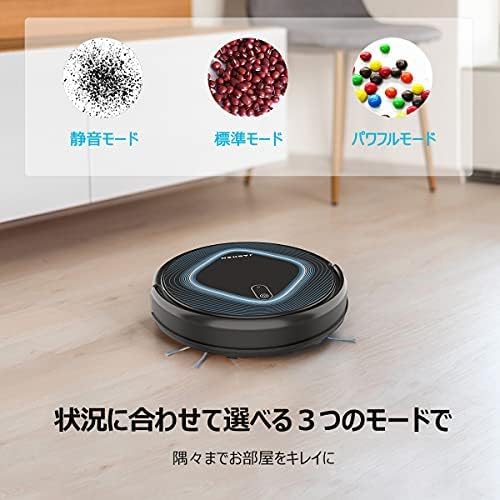
The JASHEN P10 offers three cleaning modes:
- Otomatik mod: Robot, çevre koşullarına göre rotasını ayarlayarak otomatik olarak temizlik yapar.
- Kenar Modu: Robot duvar kenarlarını ve mobilya kenarlarını temizliyor.
- Nokta Modu: Robot, özellikle yoğunlaşmış kirler için ideal olan, belirli bir alanı spiral şeklinde temizler.
Uzaktan kumandayı kullanarak istediğiniz modu seçin.
3.4 Uzaktan Kumanda İşlevleri
The remote control allows for:
- Starting and stopping cleaning.
- Temizleme modlarının seçilmesi.
- Manual direction control.
- Scheduling cleaning times.

3.5 Temizlik Planlaması
Use the remote control to set a scheduled cleaning time. The robot will automatically start cleaning at the programmed time.
3.6 Obstacle Avoidance and Drop Detection
The robot is equipped with multiple sensors to detect obstacles and avoid collisions with walls and furniture. It also features drop detection sensors to prevent falls from stairs or ledges.

4. Bakım
Regular maintenance ensures optimal performance of your JASHEN P10 robot vacuum.
4.1 Toz Haznesi ve Filtrenin Temizlenmesi
After each cleaning cycle, empty the dust box. The dust box and net filter can be rinsed with water. Ensure they are completely dry before re-installing.

4.2 Ana Fırçanın Temizlenmesi
The V-shaped main brush can be easily removed for cleaning. Use the provided cleaning tool to cut and remove tangled hair or debris.

4.3 Yan Fırçaların ve Sensörlerin Temizlenmesi
Periodically check the side brushes for tangled hair or debris and clean them. Wipe the charging contacts and all sensors with a dry cloth to ensure proper function.
4.4 Pil Değişimi
If the battery performance degrades, it may need replacement. Follow these steps:
- Remove the cover on the bottom of the robot.
- Disconnect the old battery's connector.
- Insert the new battery and connect its connector.
- Kapağı değiştirin.

5. Sorun Giderme
If you encounter issues with your JASHEN P10, refer to the following common problems and solutions:
| Sorun | Olası Neden | Çözüm |
|---|---|---|
| Robot başlamıyor veya yanıt vermiyor. | Low battery; main power switch off; remote control battery depleted. | Charge the robot; ensure the main power switch (often on the side) is ON; replace remote control batteries. |
| Robot sık sık takılıyor. | Obstacles like cables, rugs with long fringes, or tight spaces. | Clear the cleaning area of loose cables and small objects. Ensure rugs are secured. |
| Robot şarj istasyonuna geri dönmüyor. | Charging dock is obstructed or not powered; robot is too far from the dock. | Ensure the charging dock is powered and clear of obstacles. Manually place the robot on the dock if it's too far. |
| Zayıf temizleme performansı. | Full dust box; clogged filter; tangled brushes. | Empty the dust box and clean the filter. Clean the main brush and side brushes. |
| Çalışma sırasında olağandışı gürültü. | Fırçalara veya tekerleklere sıkışan döküntüler. | Inspect and clean all brushes and wheels for any trapped debris. |
6. Özellikler
| Özellik | Detay |
|---|---|
| Marka | YAŞEN |
| Örnek | P10 |
| Ürün Boyutları (U x G x Y) | 31 cm x 31 cm x 8 cm |
| Kontrol Yöntemi | Uzaktan kumanda |
| Özel Özellikler | Scheduled Timer, Collision Prevention |
| Önerilen Yüzey | Hardwood, Carpet (low pile) |
7. Garanti Bilgileri
Your JASHEN P10 Robot Vacuum Cleaner comes with a standard manufacturer's warranty. Please refer to the warranty card included in your product packaging for specific terms, conditions, and duration. Keep your purchase receipt as proof of purchase for warranty claims.
8. Destek
For further assistance, technical support, or to purchase replacement parts, please contact JASHEN customer service. Contact information can typically be found on the official JASHEN websitede veya ürün ambalajında yer almamaktadır.
When contacting support, please have your product model (P10) and purchase date available.