
giriiş
Thank you for choosing the PALOVUE iSound True Wireless Earbuds. These earbuds are designed to provide a superior audio experience with advanced features such as Qualcomm CSR Bluetooth 5.0, aptX HD sound quality, CVC 8.0 noise cancellation, and intuitive touch controls. This manual will guide you through the setup, operation, and maintenance of your new earbuds to ensure optimal performance.
Kutuda Neler Var?
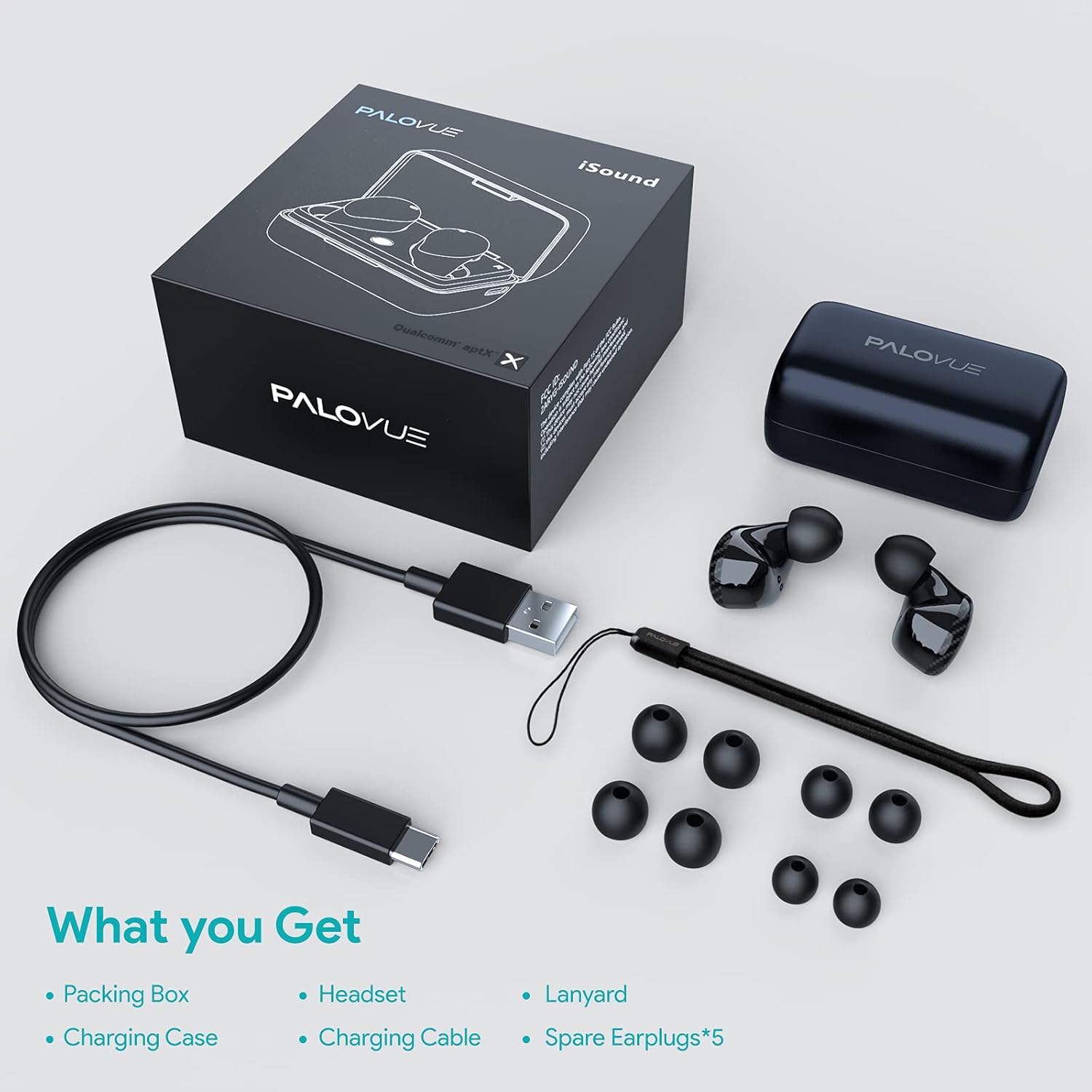
Upon unboxing your PALOVUE iSound True Wireless Earbuds, please verify that all components are present:
- PALOVUE iSound Earbuds (Left and Right)
- Şarj Kutusu
- USB-C Şarj Kablosu
- Kordon
- 5 Pairs of Silicone Ear Tips (XS, S, M, L, XL)
- Kullanım Kılavuzu (bu belge)
Ürün Bittiview
Familiarize yourself with the key components of your PALOVUE iSound Earbuds.


Kurmak
1. Kulaklıkları ve Kutuyu Şarj Etme
Before first use, fully charge the earbuds and the charging case. Place the earbuds into the charging case. Connect the USB-C charging cable to the case and a power source. The indicator lights on the case will show the charging status.
- A full charge provides up to 24 hours of playback with the charging case.
2. Cihazınızla Eşleştirme
- Cihazınızın Bluetooth özelliğinin açık olduğundan emin olun.
- Open the charging case. The earbuds will automatically enter pairing mode (if it's the first time or if they are not connected to a previously paired device).
- On your device, search for Bluetooth devices and select "PALOVUE iSound" from the list.
- Bağlantı kurulduktan sonra bir onay sesi duyacaksınız.
Otomatik Yeniden Bağlantı: After the initial pairing, simply open the charging case, and the earbuds will automatically connect to your last paired device.
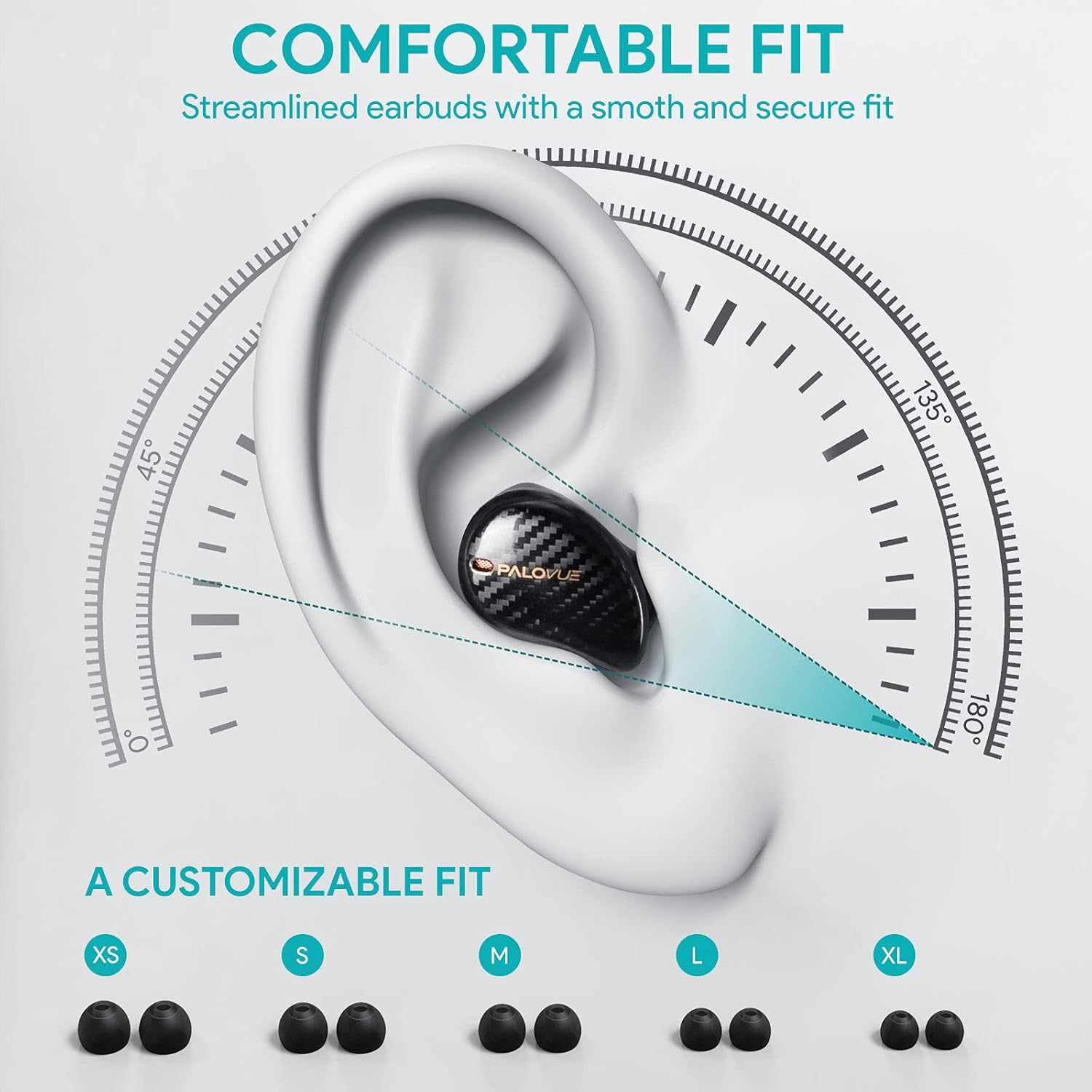
3. Kulaklıkların Takılması
For optimal sound quality and comfort, select the correct ear tip size and ensure a secure fit.
- Choose from the 5 provided ear tip sizes (XS, S, M, L, XL) to find the best fit for your ears.
- Gently insert the earbuds into your ear canal and rotate them slightly until they feel secure and comfortable.
Kullanım Talimatları
Dokunmatik Kontroller
The PALOVUE iSound earbuds feature multi-function touch panels on each earbud for easy control of audio playback and calls. Specific touch functions can be customized via the PALOVUE iSound app.
- Oynat/Duraklat: Her iki kulaklığa da bir kez dokunun.
- Sonraki Parça: Sağ kulaklığa iki kez dokunun.
- Önceki parça: Sol kulaklığa iki kez dokunun.
- Çağrıyı Cevapla/Sonlandır: Her iki kulaklığa da bir kez dokunun.
- Çağrıyı Reddet: Kulaklıklardan birini 2 saniye basılı tutun.
- Voice Assistant'ı etkinleştirin: Her iki kulaklığa da üç kez dokunun.
- Ses Kontrolü: Customizable via the PALOVUE iSound app (e.g., tap and hold left for volume down, right for volume up).

Call Management and Noise Cancellation
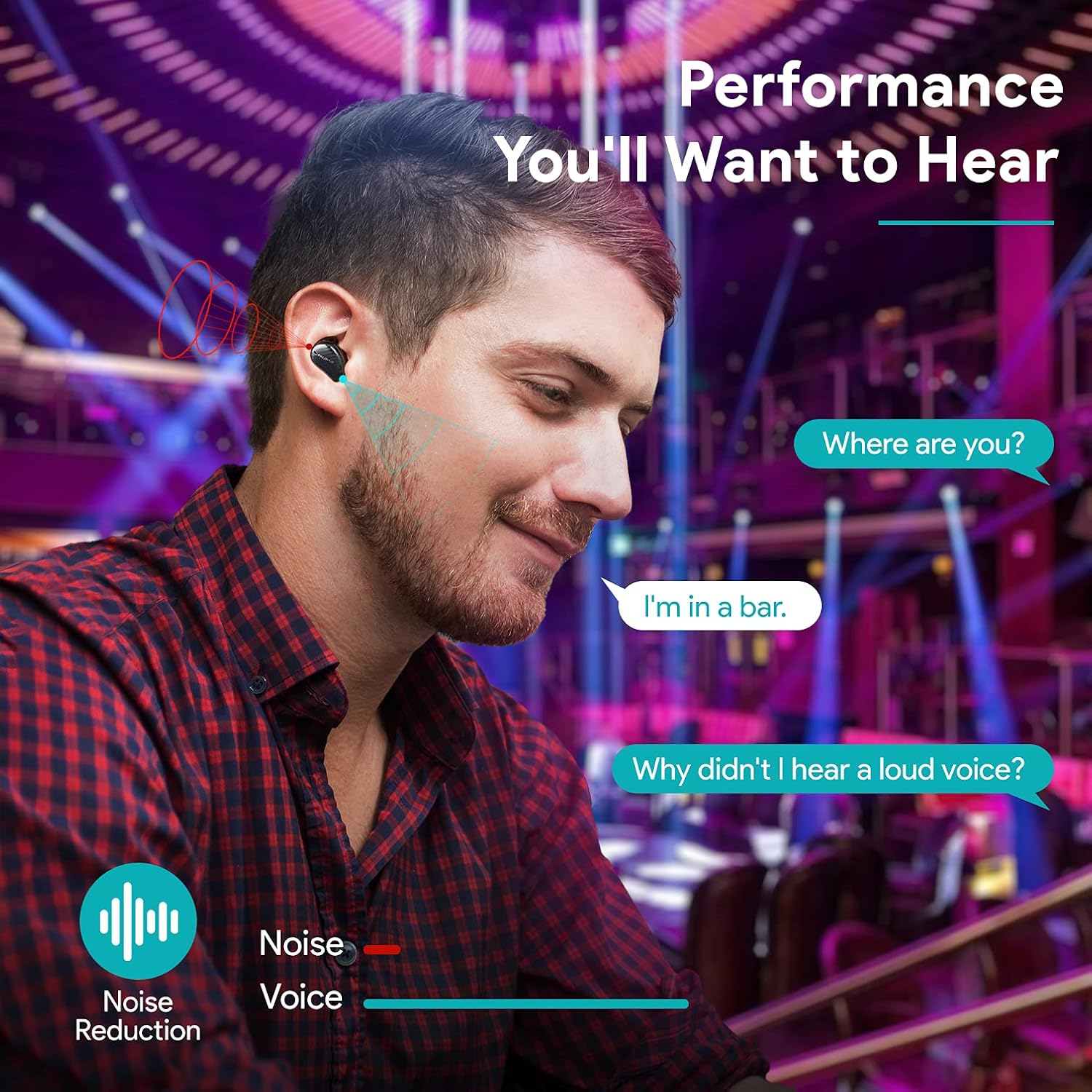
The earbuds are equipped with 4 microphones and CVC 8.0 noise cancellation technology to ensure clear calls even in noisy environments.
PALOVUE iSound App
Download the PALOVUE iSound app to customize touch controls, check battery status, and access additional features for your earbuds.
Bakım
Doğru bakım, kulaklığınızın uzun ömürlü olmasını ve optimum performans göstermesini sağlar.
- Temizlik: Kulaklıklarınızı ve şarj kutusunu düzenli olarak yumuşak, kuru ve tiftiksiz bir bezle temizleyin. Sert kimyasallar veya aşındırıcı malzemeler kullanmayın.
- Kulak İpuçları: Remove and clean the silicone ear tips with mild soap and water. Ensure they are completely dry before reattaching.
- Depolamak: Kullanmadığınız zamanlarda kulaklıklarınızı toz ve hasardan korumak için şarj kutusunda saklayın.
- Sudan Kaçının: While the earbuds may have some water resistance, avoid submerging them in water or exposing them to excessive moisture.
Sorun giderme
If you encounter issues with your PALOVUE iSound earbuds, refer to the following common solutions:
- Kulaklıklar eşleşmiyor:
- Her iki kulaklığın da şarjlı olduğundan emin olun.
- Kulaklıklarınızı tekrar kutuya yerleştirin, kutuyu kapatın, ardından eşleştirme moduna yeniden girmek için kutuyu tekrar açın.
- Forget "PALOVUE iSound" from your device's Bluetooth settings and try pairing again.
- Sadece bir kulaklık çalışıyor:
- Her iki kulaklığın da şarjlı olduğundan emin olun.
- Kulaklıkları sıfırlamayı deneyin (uygulama veya üretici talimatlarına bakın). web(Belirli sıfırlama talimatları için siteye bakın).
- Place both earbuds in the charging case, close the lid, wait a few seconds, then open it again.
- Kötü ses kalitesi:
- Ensure the ear tips provide a secure seal in your ear canal. Try different sizes.
- Kulaklık başlıklarındaki kalıntıları temizleyin.
- Cihazınızın Bluetooth menzili içinde (en fazla 10 metre) olduğundan emin olun.
- Kulaklıklar şarj olmuyor:
- Şarj kablosunun hem kasaya hem de güç kaynağına güvenli bir şekilde bağlandığından emin olun.
- Kulaklıkların ve kutunun içindeki şarj bağlantı noktalarının temiz ve kalıntılardan arınmış olduğundan emin olun.
- Farklı bir USB-C kablosu ve güç adaptörü deneyin.
For further assistance, please contact PALOVUE customer support.
Özellikler
| Marka | PALOVA |
| Model Numarası | 012000125 |
| Kulaklık Tipi | Kulak içi |
| Bağlantı Teknolojisi | Kablosuz (Bluetooth 5.0) |
| Kablosuz İletişim Teknolojisi | Bluetooth |
| Özel Özellikler | Noise Reduction (CVC 8.0), Wireless |
| Yonga seti | Qualcomm CSR QCC3020 |
| Ses Kodlayıcısı | aptX HD |
| Pil Bileşimi | Lityum Polimer |
| Şarj edilebilir pil | Evet |
| Oynatma Süresi | Şarj kutusuyla birlikte 24 saate kadar kullanım süresi. |
| Malzeme | Plastik |
Garanti ve Destek
PALOVUE products are designed for reliability and performance. For warranty information, please refer to the warranty card included in your product packaging or visit the official PALOVUE webalan.
If you require technical support or have questions regarding your PALOVUE iSound True Wireless Earbuds, please contact PALOVUE customer service through their official website veya ürün dokümantasyonunuzda sağlanan iletişim bilgileri.
Destek ile iletişime geçtiğinizde lütfen model numaranızı (012000125) ve satın alma bilgilerinizi hazır bulundurun.