
giriiş
This manual provides instructions for the safe and efficient use of your Car and Driver Dual-Port Car Charger, Model CAD-3175BK. This device is designed to provide fast charging for various electronic devices, including smartphones, tablets, and laptops, via your vehicle's cigarette lighter socket.
Ürün Özellikleri
- Çift Şarj Bağlantı Noktası: Equipped with one USB-A port and one USB-C (Power Delivery) port for versatile device compatibility.
- Hızlı Şarj Özelliği: The USB-C Power Delivery port can charge compatible phones at up to three times the standard speed. The USB-A port also provides fast charging.
- Yüksek Güç Çıkışı: Offers a maximum total output of 48W. The USB-C port provides up to 30W, suitable for charging compatible laptops, while the USB-A port provides up to 18W.
- LED Göstergesi: Features an LED light to indicate charging status (fully charged, active quick charging, or connection issues).
- Geniş Uyumluluk: Supports a wide range of devices including iPhone models (16 and older), Samsung Galaxy S20/S10, Pixel phones, tablets, and laptops.
Kurulum ve Yükleme
Follow these steps to install and begin using your car charger:
- Locate Vehicle Power Socket: Identify the 12V cigarette lighter socket in your vehicle. Ensure the vehicle's engine is off before installation.
- Şarj Cihazını Takın: Firmly insert the Car and Driver Dual-Port Car Charger into the 12V power socket. Push until it is securely seated.
- Gücü Doğrulayın: Once inserted, start your vehicle's engine. The LED indicator on the charger should illuminate, confirming it is receiving power.
- Cihazı Bağla: Use a compatible USB charging cable to connect your device to either the USB-A or USB-C port on the charger.

Image: The Car and Driver Dual-Port Car Charger installed in a car's console, actively charging a smartphone.
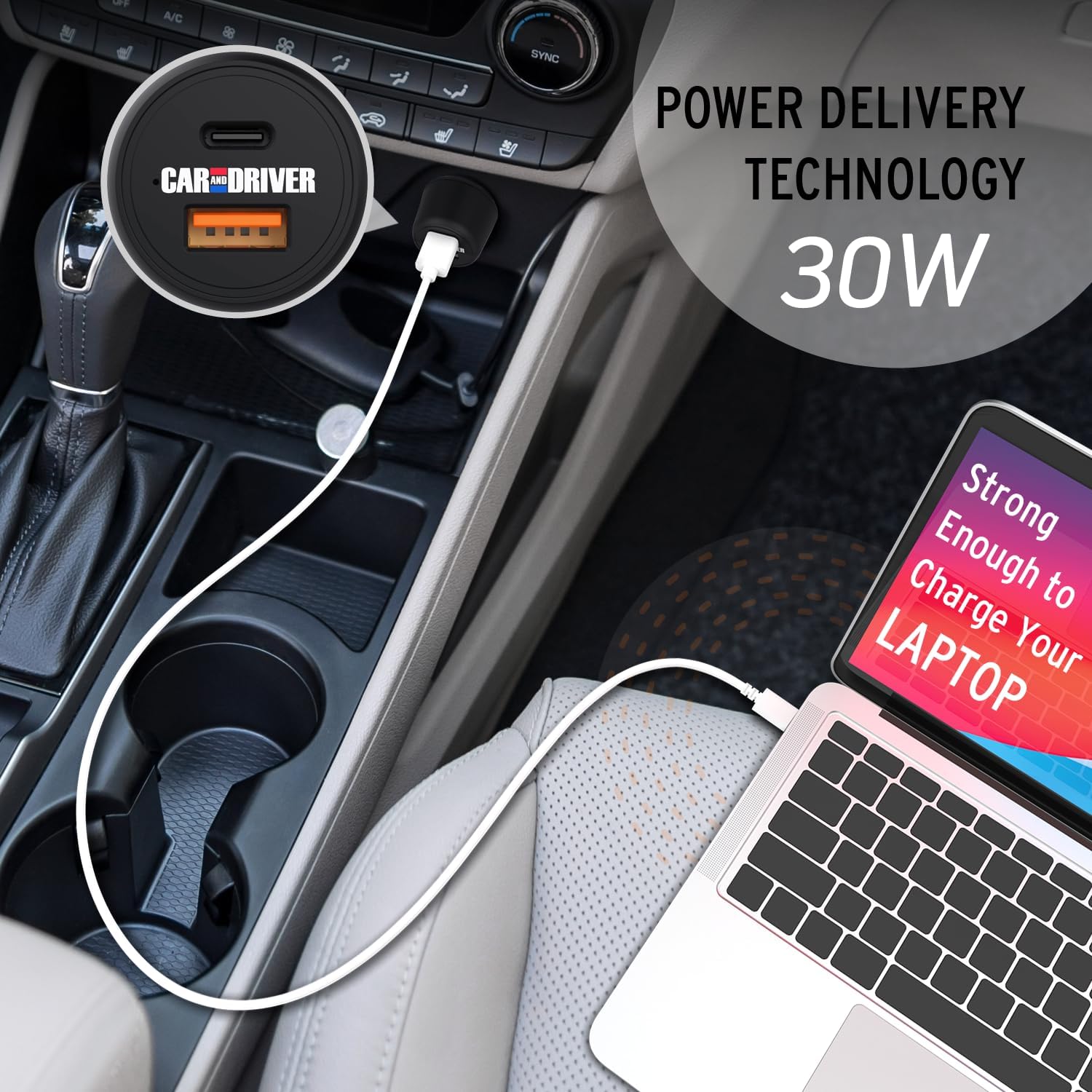
Image: A laptop being charged by the Car and Driver Dual-Port Car Charger through its USB-C port, demonstrating its capability to power larger devices.
Kullanım Talimatları
The Car and Driver Dual-Port Car Charger is designed for simple operation:
- Tek Cihaz Şarjı: Connect your device to either the USB-A or USB-C port using a compatible cable. The charger will automatically detect your device and begin charging.
- Çift Cihaz Şarjı: You can charge two devices simultaneously by connecting one to the USB-A port and another to the USB-C port. The charger will distribute power efficiently between both devices.
- LED Gösterge Durumu:
- Sabit Mavi Işık: Indicates the charger is powered on and ready to charge, or actively charging.
- Işık Yok: The charger is not receiving power, or there is an issue with the connection.
- Optimum Şarj: For best results and fastest charging, use high-quality charging cables that are compatible with your devices and the charger's output capabilities (e.g., USB-C Power Delivery compatible cables for the USB-C port).
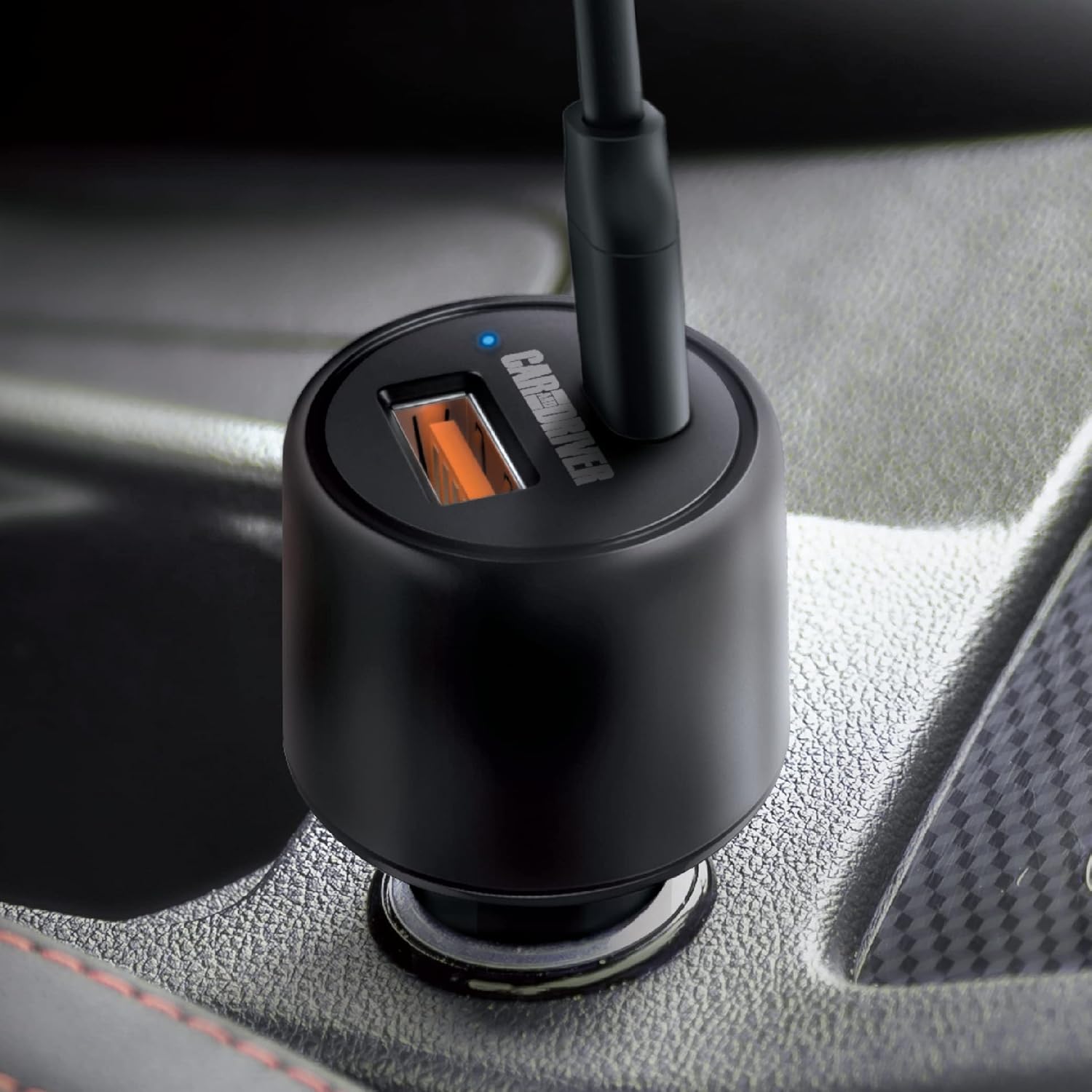
Resim: Yakın çekim view of the charger's ports and the illuminated blue LED indicator, signifying active operation.

Image: A graphic detailing the power output of each port: 30W for the USB-C Power Delivery port and 18W for the USB-A port.
Bakım
To ensure the longevity and optimal performance of your Car and Driver Dual-Port Car Charger, follow these simple maintenance guidelines:
- Temizlik: Use a soft, dry cloth to wipe the exterior of the charger. Do not use liquid cleaners or solvents, as they may damage the device.
- Depolamak: Uzun süre kullanılmayacaksa şarj cihazını serin, kuru ve doğrudan güneş ışığından ve aşırı sıcaklıklardan uzak bir yerde saklayın.
- İşleme: Avoid dropping the charger or subjecting it to strong impacts, which can damage internal components.
- Kablo Bakımı: Always unplug cables by gripping the connector, not the cable itself, to prevent damage to the cable and charger ports.
Sorun giderme
If you encounter issues with your Car and Driver Dual-Port Car Charger, refer to the following common problems and solutions:
| Sorun | Olası Neden | Çözüm |
|---|---|---|
| Şarj cihazının LED'i yanmıyor. |
|
|
| Cihaz şarj olmuyor veya çok yavaş şarj oluyor. |
|
|
| Şarj cihazı kullanım sırasında ısınıyor. | Ağır yük altında normal çalışma. | This is normal. If it becomes excessively hot or emits smoke/odor, disconnect immediately and cease use. |
Özellikler
| Özellik | Detay |
|---|---|
| Model Numarası | CAD-3175BK |
| Giriş Voltage | 12-24 Volts DC (from vehicle cigarette lighter) |
| USB-C Çıkışı (Güç Dağıtımı) | 30W'a kadar |
| USB-A Çıkışı | 18W'a kadar |
| Toplam Maksimum Çıkış | 48W |
| Boyutlar | 1.38 x 1.38 x 2.69 inç |
| Ağırlık | 2.4 ons |
| Renk | SİYAH |
| Bağlantı | USB Tip C, USB Tip A |
| Uyumlu Cihazlar | Cellular Phones, Laptops, Tablets |
Resmi Ürün Videosu
Video: This video demonstrates the installation and usage of the Car and Driver Dual-Port Car Charger, highlighting its fast-charging capabilities for various devices in a vehicle.
Garanti ve Destek
For warranty information and customer support, please refer to the contact details provided with your product packaging or visit the official Car and Driver webalan. Garanti talepleri için satın alma makbuzunuzu saklayın.
Manufacturer: Summit Electronics LLC