
LucidSound LS15X
LucidSound LS15X Kablosuz Oyun Kulaklığı Kullanım Kılavuzu
Model: LS15X | Brand: LucidSound
giriiş
The LucidSound LS15X Wireless Gaming Headset is officially licensed for use on Xbox, offering an immersive audio experience for gamers. Designed for comfort and performance, this headset features intuitive on-earcup controls, low-latency wireless connectivity, and a versatile dual-mic system. Enjoy crystal-clear communication and rich audio across Xbox One, Xbox Series X|S, Nintendo Switch, PC, and mobile devices.
Kutuda Neler Var?
- Kablosuz Kulaklık
- Çıkarılabilir Boom Mikrofon
- Mikro-USB Şarj Kablosu
- USB Kablosuz Verici
- Hızlı Başlangıç Kılavuzu
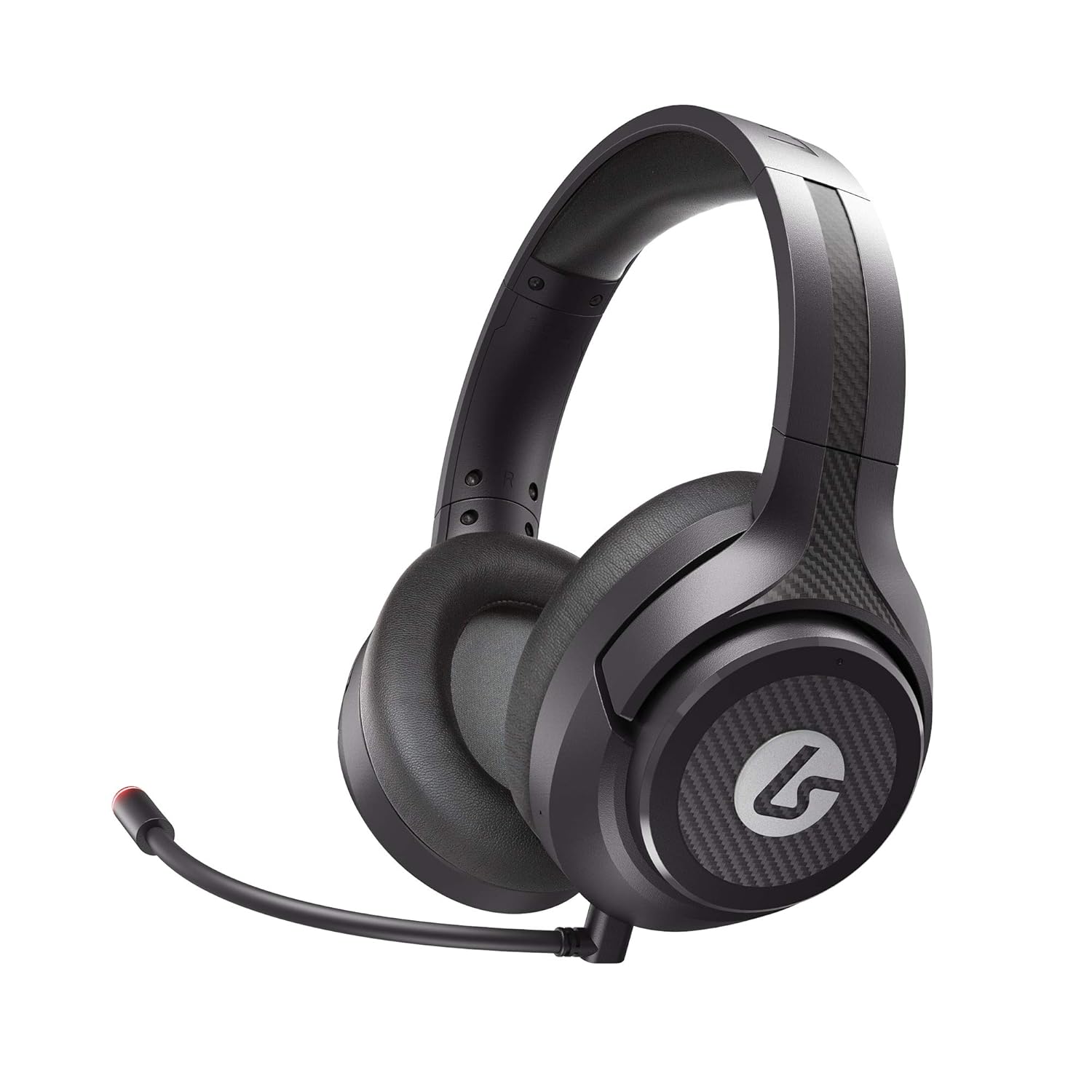
Image: LucidSound LS15X Wireless Gaming Headset, showing the main product.
Ürün Özellikleri
- Quick Access Audio Controls: Easily adjust headset volume, game/chat balance, mic mute, game audio mute, and mic monitoring via on-earcup controls.
- Kusursuz Kablosuz Bağlantı: Low latency, interference-free wireless provides a strong connection even in crowded Wi-Fi environments. Quick and easy to set up.
- Konfor İçin Tasarlandı: Ultra-lightweight frame and memory foam earpads allow for hours of comfortable gaming.
- Premium Ses: Custom-tuned 50mm drivers and 3 EQ modes (Signature, Bass Boost, Neutral) enhance positional awareness. Supports spatial sound with Windows Sonic.
- Dual-Mic System: Features a flexible boom mic with an LED mute indicator for precision chat. Detach the boom mic to activate the built-in backup mic.
- Mikrofon İzleme: Hear your own voice in the headset to manage your output. Can be disabled by holding the button on the right earcup for 3 seconds.
- Şarj Edilebilir Pil: Provides up to 15 hours of use on a single charge. Check battery level by holding the button on the left earcup for 3 seconds.
Kurulum Kılavuzu
1. İlk Ücret
Before first use, fully charge your LS15X headset using the provided Micro-USB charging cable. Connect the cable to the headset's charging port and a USB power source. The LED indicator will show charging status.
2. Xbox'a Bağlanma
- Insert the USB Wireless Transmitter into an available USB port on your Xbox console.
- Power on the headset by holding the power button on the left earcup.
- The headset will automatically pair with the transmitter. A solid LED on both the headset and transmitter indicates a successful connection.
3. Connecting to PC/Nintendo Switch/Mobile
For PC, Nintendo Switch (docked mode), or other compatible devices, insert the USB Wireless Transmitter into an available USB port. The headset will connect automatically. For mobile devices, the headset can be used via a 3.5mm audio cable (not included) if wireless is not preferred or supported.
Video: Official LucidSound LS15X Surround Sound overview, demonstrating key features and setup.
Kullanım Talimatları
Kulaklık Kontrolleri
- Sol Kulaklık:
- Rotate the outer ring to adjust headset volume.
- Ortadaki düğmeye basın mute game audio.
- Hold the center button for 3 seconds to check pil seviyesi.
- Sağ Kulaklık:
- Rotate the outer ring to adjust game/chat balance.
- Ortadaki düğmeye basın mikrofonun sesini kapat. The boom mic LED will illuminate red when muted.
- Hold the center button for 3 seconds to toggle mic monitoring Açık/Kapalı.
- EQ Modları: The headset features 3 EQ modes. Press the dedicated EQ button (location varies slightly by model, typically near the power button) to cycle through Signature, Bass Boost, and Neutral modes.

Image: LucidSound LS15X Headset with the removable boom microphone attached.

Image: Close-up of the LucidSound LS15X earcup, highlighting the intuitive control layout.
Bakım
- Temizlik: Kulaklığı temizlemek için yumuşak, kuru bir bez kullanın. Sert kimyasallar veya aşındırıcı malzemeler kullanmayın.
- Depolamak: Kulaklığınızı serin, kuru ve doğrudan güneş ışığından ve aşırı sıcaklıklardan uzak bir yerde saklayın.
- Pil Bakım: Pil ömrünü uzatmak için pili sık sık tamamen boşaltmaktan kaçının. Kulaklığı uzun süre kullanılmasa bile düzenli olarak şarj edin.
Sorun giderme
Ses Yok / Bağlantı Kesildi
- Kulaklığın açık ve tam şarjlı olduğundan emin olun.
- Verify the USB Wireless Transmitter is securely plugged into the console/PC.
- Re-pair the headset by powering both off and on again.
- Check console/PC audio settings to ensure the headset is selected as the output device.
Mikrofon Sorunları
- Ensure the boom mic is securely attached.
- Check if the microphone is muted (red LED on boom mic indicates mute). Press the mic mute button on the right earcup to unmute.
- Verify mic monitoring is enabled if you wish to hear your own voice.
- Check console/PC audio settings for microphone input levels.
Özellikler
| Özellik | Detay |
|---|---|
| Model Numarası | LS15X |
| Bağlantı Teknolojisi | Kablosuz (Wi-Fi) |
| Kulaklık Girişi | 3.5 mm Jak |
| Malzeme | Hafızalı Köpük |
| Ürün Ağırlığı | 12.5 ons (0.78 Pound) |
| Ürün Boyutları | 3.94 x 7.87 x 7.87 inç |
| Pil | 1 Lityum Polimer pil (dahil) |
| Üretici | powerã |
Garanti ve Destek
For warranty information and technical support, please refer to the official LucidSound webSiteyi ziyaret edin veya doğrudan müşteri hizmetleriyle iletişime geçin. Satın alma belgenizi herhangi bir garanti talebi için saklayın.
Ask a question about this manual
Ask about setup, troubleshooting, compatibility, parts, safety, or missing instructions. Manuals+ will review the question and use this page’s manual context to help answer it.