
1. Giriş
This manual provides detailed instructions for the setup, operation, maintenance, and troubleshooting of your HISTTON Fanless Industrial Mini PC. Please read this manual thoroughly before using the device to ensure proper functionality and longevity.
2. Paket İçeriği
Aşağıda listelenen tüm öğelerin ürün paketinizde bulunduğunu doğrulayın:
- 1 x HISTTON Mini PC
- 1 x Güç Adaptörü
- 1 x Kullanım Kılavuzu
- 1 x HDMI Kablosu
- 1 x DVD for drivers (if applicable)
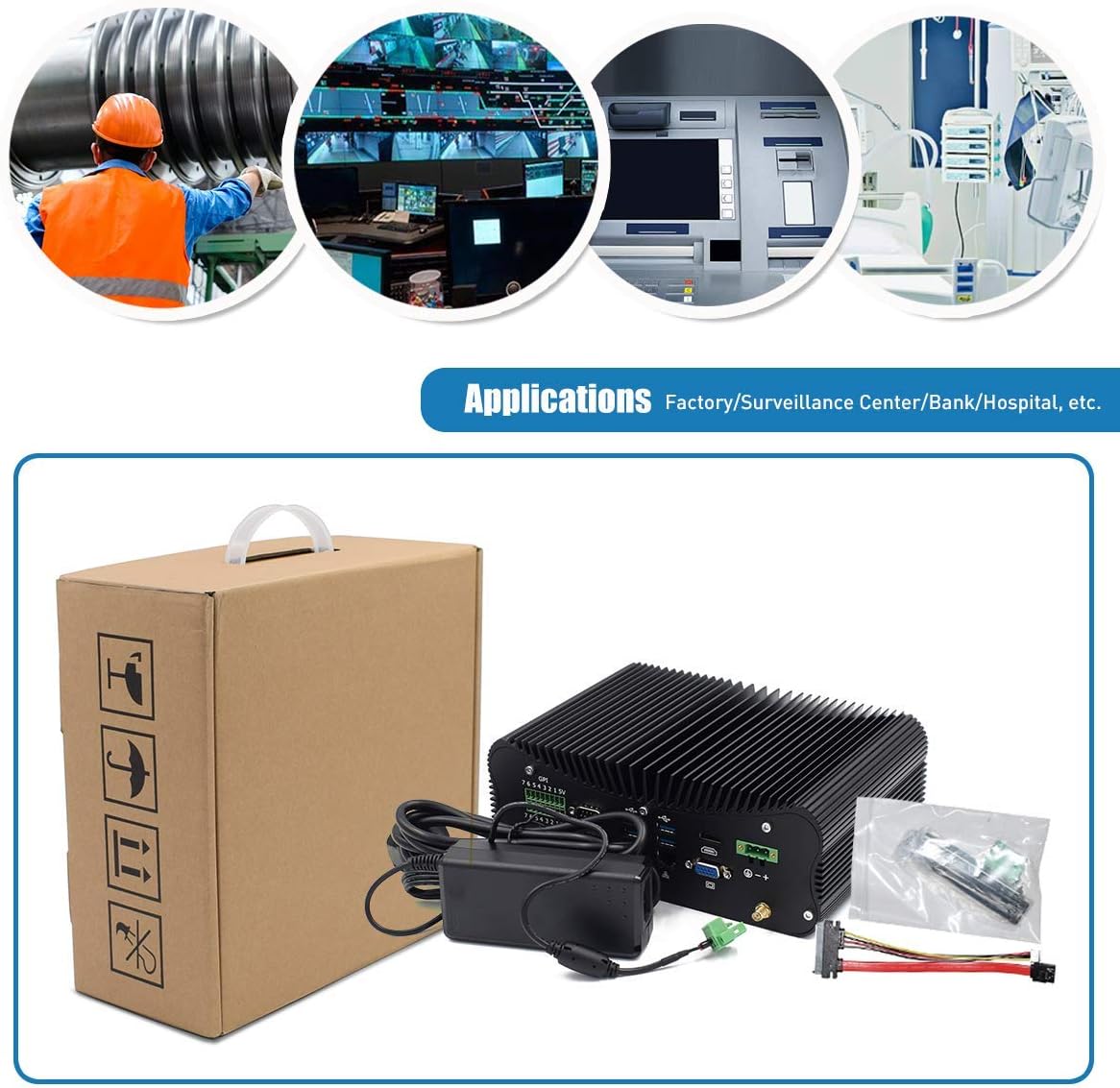
Figure 2.1: Included accessories and the Mini PC.
3. Ürün Bittiview
Familiarize yourself with the various ports and features of your HISTTON Mini PC.
3.1 Arka Panel Bağlantı Noktaları

Şekil 3.1: Arka panel bağlantı seçenekleri.
- GPIO (General Purpose Input/Output): 7 input and 7 output ports for industrial control.
- COM Ports (RS232/422/485): 4 ports for serial communication.
- USB 3.0 Bağlantı Noktaları: 4 ports for high-speed peripheral connections.
- LAN Ports (RJ45 Gigabit Ethernet): 2 ports for wired network connectivity.
- HDMI Bağlantı Noktası: For digital video and audio output.
- VGA Bağlantı Noktası: For analog video output.
- DC Girişi: 3-pin Phoenix terminal for DC 9-36V power input.
- WiFi Anten Bağlantı Noktaları: For external WiFi antennas.
3.2 Yan Panel Bağlantı Noktaları

Figure 3.2: Side panel connectivity and controls.
- Güç Açma/Kapama Anahtarı: Ana güç kontrolü.
- USB 2.0 Bağlantı Noktaları: 2 ports for peripheral connections.
- Ses Jakları: 1 x SPK Out (speaker), 1 x MIC In (microphone).
- PS/2 Bağlantı Noktası: Eski tip klavye ve fare bağlantıları için.
- ATX/AT Switch: For power mode selection.
- CMOS Button Hole: For resetting CMOS settings.
3.3 Dahili Bileşenler

Figure 3.3: Internal layout for storage and memory expansion.
- M.2 SSD Yuvası: For M.2 solid-state drives.
- mSATA SSD Slot: For mSATA solid-state drives.
- 2.5 inch HDD Slot: For 2.5-inch SATA SSD/HDD.
- DDR4 RAM Yuvaları: Two 260-pin SO-DIMM slots supporting up to 64GB DDR4 memory.
- WiFi Modülü Yuvası: M.2 slot for dual-band 802.11AC WiFi with Bluetooth 4.0.
4. Kurulum Talimatları
Follow these steps to set up your Mini PC for first use.
- Çevre Birimlerini Bağlayın: Connect your monitor(s) to the HDMI and/or VGA ports. Connect a USB keyboard and mouse to the available USB ports.
- Ağ bağlantısı: For wired internet, connect an Ethernet cable to one of the RJ45 LAN ports. For wireless internet, attach the provided WiFi antennas to the connectors on the rear panel.
- Güç Bağlantısı: Connect the power adapter to the DC In port on the rear panel, then plug the adapter into a power outlet.
- Güç Açık: Press the power button on the side panel to turn on the Mini PC. The power indicator light will illuminate.
Video 4.1: Demonstration of connecting peripherals and powering on the Mini PC.
5. Operating System and Basic Use
Your Mini PC comes with Windows 10 Pro 64bit pre-installed and activated, ready for immediate use.
5.1 Çift Ekran Kurulumu
The Mini PC supports dual display output via HDMI and VGA ports, allowing for extended desktop or mirrored display configurations. Connect two monitors to the respective ports and configure display settings within the Windows operating system.

Figure 5.1: Dual monitor setup for enhanced productivity.
5.2 Genel İşlem
The Intel Core i7-10510U processor and Intel UHD Graphics provide stable and efficient performance for various tasks, including office applications, web browsing, multimedia playback, and light gaming. The integrated M.2 Dual Band 802.11AC WiFi with Bluetooth 4.0 ensures reliable wireless connectivity.
6. Bakım
The HISTTON Mini PC features a fanless cooling design, which contributes to its durability and silent operation. This design minimizes dust accumulation and reduces the need for frequent internal cleaning.

Figure 6.1: Fanless cooling system for silent and reliable operation.
Optimum performansı korumak için:
- Keep the exterior of the device clean by wiping it with a soft, dry cloth.
- Ensure adequate airflow around the device, especially around the heat sink fins, to facilitate heat dissipation.
- Avoid placing the Mini PC in direct sunlight or near heat sources.
- Do not obstruct the heat sink fins.
7. Sorun Giderme
Mini PC'nizle ilgili sorunlarla karşılaşırsanız, aşağıdaki yaygın sorun giderme adımlarına bakın:
- Güç Yok: Ensure the power adapter is securely connected to both the Mini PC and a working power outlet. Check if the power indicator light is on.
- Görüntü yok: Verify that the monitor cable(s) are securely connected to both the Mini PC and the monitor(s). Ensure the monitor is powered on and set to the correct input source (HDMI/VGA).
- İnternet bağlantısı yok: For wired connections, check the Ethernet cable and router status. For wireless connections, ensure WiFi antennas are attached, WiFi is enabled in the operating system, and you are connected to the correct network.
- Çalışmayan Çevre Birimleri: Ensure USB devices (keyboard, mouse) are properly connected. Try connecting them to different USB ports.
- Sistem Yanıt Vermiyor: Press and hold the power button for 5-10 seconds to force a shutdown, then restart the device. If issues persist, consider resetting the CMOS using the button hole on the side panel (refer to Section 3.2).
8. Özellikler
Detailed technical specifications for the HISTTON Fanless Industrial Mini PC:
| Özellik | Şartname |
|---|---|
| İşlemci (CPU) | Intel Core i7-10510U, 1.80 GHz (up to 4.90 GHz), 8M Cache |
| Grafikler | 10. Nesil Intel İşlemciler için Intel UHD Grafikler |
| Bellek (RAM) | 64GB DDR4 (2 x 32GB SO-DIMM slots, max 64GB) |
| Depolamak | 1TB SSD (Supports M.2 SSD + mSATA SSD + 2.5 inch SATA SSD/HDD) |
| İşletim Sistemi | Windows 10 Pro (64bit, activated) |
| Kablosuz Bağlantı | M.2 Dual Band 802.11AC WiFi with Bluetooth 4.0 |
| Yerel Ağ | 2 x Intel L211/210 RJ45 Gigabit Ethernet |
| USB Bağlantı Noktaları | 4 x USB 3.0, 2 x USB 2.0 |
| Video Çıkışı | 1 x HDMI, 1 x VGA Port (Supports 4K UHD dual display) |
| Seri Portlar | 4 x RS232/422/485 COM, 2 x RS232 COM |
| GPIO | 7 x Ports Input, 7 x Ports Output |
| Ses | 1 x SPK Out, 1 x MIC In |
| Güç Kaynağı | 12V DC In (3-pin Phoenix terminal DC 9-36V Input) |
| Güç Tüketimi | Max 15W (real use), TDP Down 10W |
| Kasa Malzemesi | Alüminyum Alaşımı |
| Boyutlar (UxGxY) | 9.45 x 6.30 x 3.39 inç |
| Ağırlık | 5.07 lb (Net weight) |
| Çalışma Sıcaklığı | 0 ℃ - 70 ℃ |
| Çalışma Nemi | %10 - %85 |
9. Garanti ve Destek
For warranty information and technical assistance, please use the following contact methods:

Figure 9.1: Support contact details.
- Amazon Desteği: Log in to your Amazon account, navigate to 'Your Account' > 'Your Orders', and select 'Ask Product Question' for assistance.
- Satış Sonrası Destek: For direct technical support, you may send an email to the After-Sales Team at minipc_service@yeah.net. This service is available 24/7.
Uyarı: Please connect the power supply correctly. Keep away from damp and high-temperature environments, as well as sources of fire and water. Parents should strictly control kids' device time and content access.