
1. Giriş
This manual provides essential instructions for setting up, operating, maintaining, and troubleshooting your DUODUOGO Hi5 Smartwatch. Please read it carefully to ensure proper use and to maximize the device's features.
The DUODUOGO Hi5 is a versatile smartwatch designed for daily activity tracking and health monitoring. It features a 0.96-inch TFT LCD color display, Bluetooth 4.0 connectivity, and is compatible with both Android and iOS smartphones.
2. Paket İçeriği
- 1 x DUODUOGO Hi5 Smartwatch
- 1 x USB Şarj Kablosu
- 1 x Kullanım Kılavuzu (bu belge)
3. Kurulum
3.1 İlk Şarj
Before first use, fully charge your smartwatch. Connect the provided USB charging cable to the charging port on the watch and to a standard USB power adapter (not included) or a computer USB port.
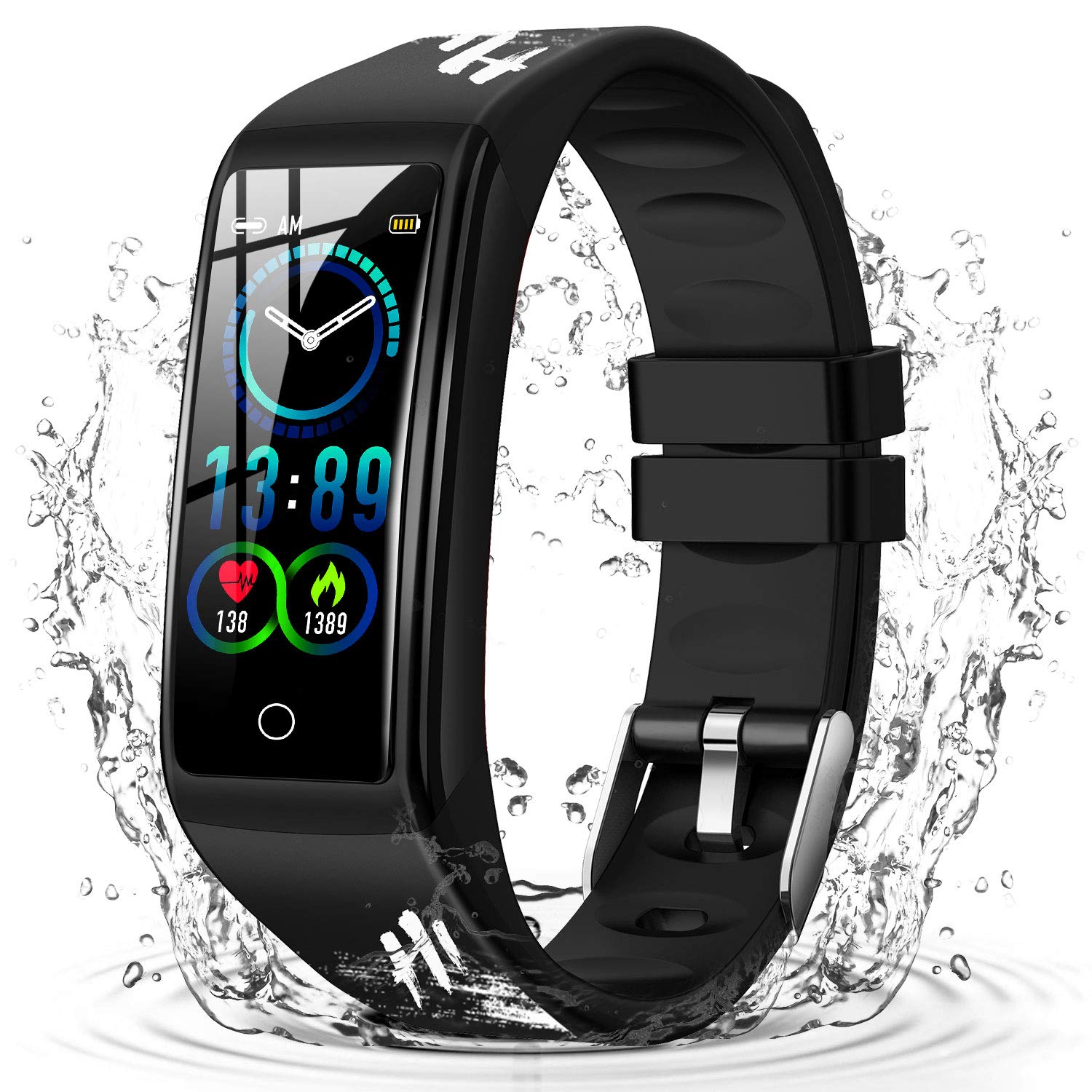
Image: The DUODUOGO Hi5 Smartwatch, ready for initial charging.
3.2 Uygulama Kurulumu
To unlock all features and synchronize data, you need to install the "H Band" application on your smartphone.
- Scan the QR code provided in the physical manual (if available) or search for "H Band" in the Google Play Store (for Android) or Apple App Store (for iOS).
- Download and install the "H Band" app.
3.3 Cihaz Eşleştirme
- Akıllı telefonunuzda Bluetooth'un etkinleştirildiğinden emin olun.
- Open the "H Band" application.
- Follow the in-app instructions to search for and connect to your DUODUOGO Hi5 Smartwatch. The watch will automatically connect once found.
- Activate necessary permissions and functions within the app to enable features like call notifications, message alerts, and health monitoring.
4. Kullanım Talimatları
4.1 Arayüzde Gezinme
The DUODUOGO Hi5 Smartwatch features a single-touch screen interface. Tap the touch area at the bottom of the screen to cycle through different functions and screens.
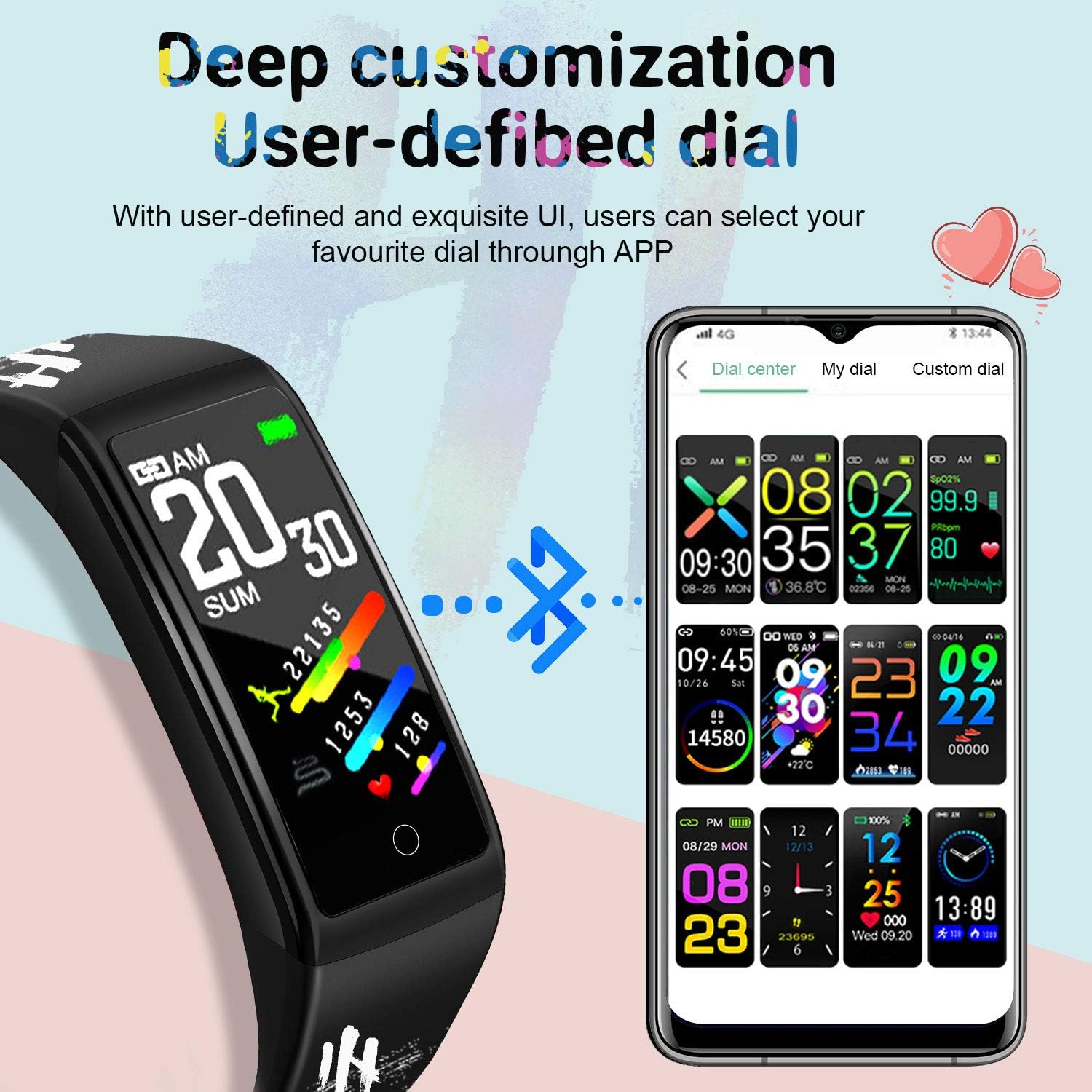
Image: The smartwatch displaying various customizable watch faces, demonstrating the user interface options.
4.2 Temel Özellikler
- Etkinlik Takibi: Gün boyunca atılan adımları, kat edilen mesafeyi ve yakılan kalorileri takip eder.
- Kalp Atış Hızı Monitörü: Gerçek zamanlı kalp atış hızı verisi sağlar.
- Tansiyon Aleti: Kan basıncını ölçer.
- Uyku Monitörü: Uyku düzenini ve kalitesini takip eder.
- Çoklu Spor Modu: Supports various activities like running, cycling, basketball, and mountain climbing.
- Mesaj Bildirimleri: Receives alerts for incoming calls, SMS, and social media apps (WhatsApp, Facebook, Twitter, etc.) when connected to your smartphone.
- Hareketsizliğe Dikkat: Uzun süre hareketsiz kaldıktan sonra hareket etmeniz konusunda sizi uyarır.
- Kadın Fizyolojik Döngü Takibi: Tracks and predicts menstrual cycles.
- Kronometre ve Geri Sayım: Temel zamanlama fonksiyonları.
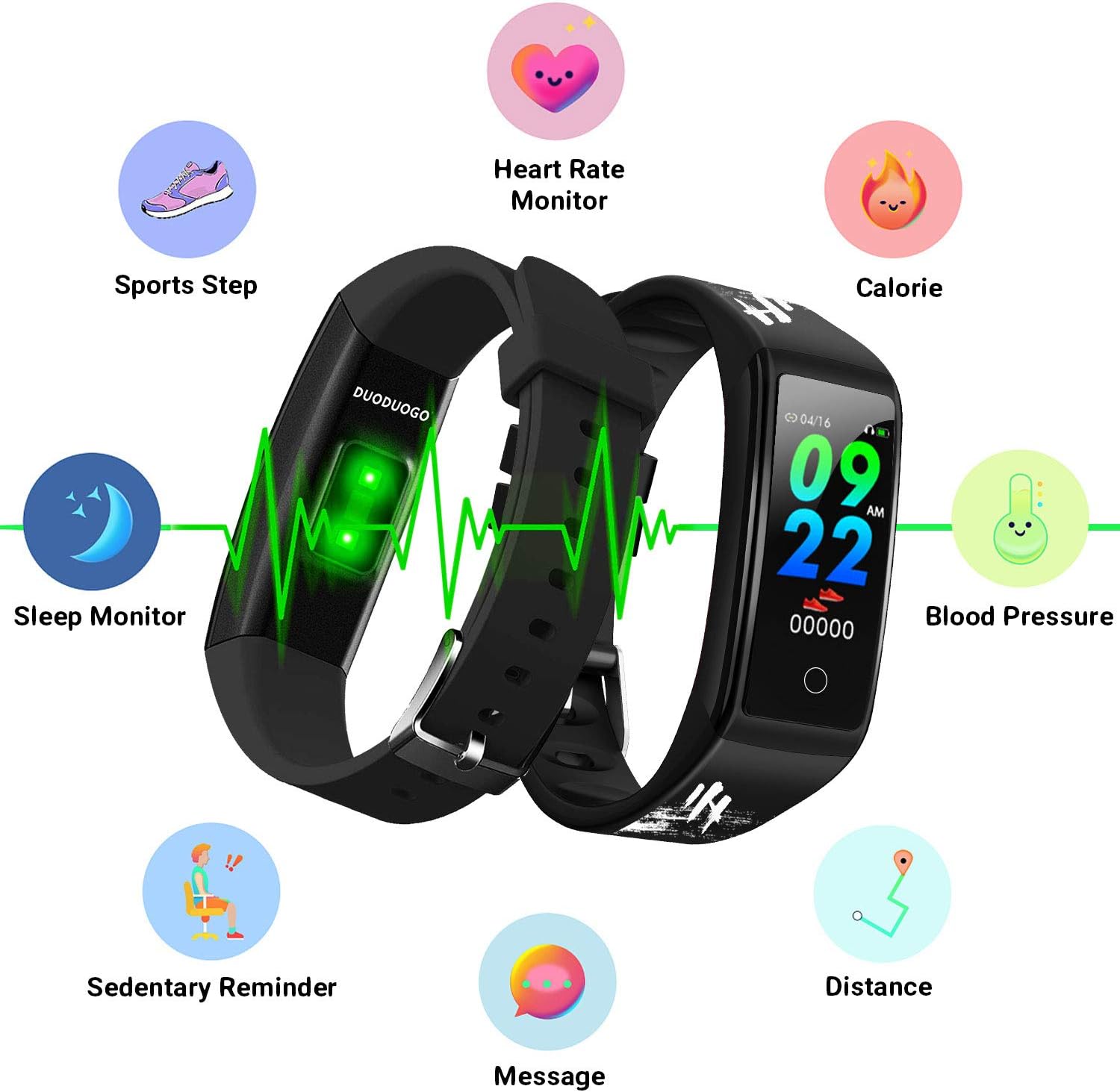
Image: An illustration of the DUODUOGO Hi5 Smartwatch highlighting its core features: Heart Rate Monitor, Calorie tracking, Blood Pressure, Sedentary Reminder, Distance, Message notifications, Sleep Monitor, and Sports Step tracking.

Image: The smartwatch interface displaying icons for various sports modes, including running, cycling, basketball, and mountain climbing, with accompanying lifestyle photos.

Image: The smartwatch displaying health metrics such as heart rate (BPM) and sleep duration, alongside illustrations of ECG monitoring, blood oxygen monitoring, and sleep monitoring.

Image: The smartwatch displaying an incoming call notification and a smartphone screen showing various app notification settings, illustrating the message reminder feature.
4.3 GPS İşlevselliği
The DUODUOGO Hi5 Smartwatch utilizes your smartphone's GPS for tracking outdoor activities. Ensure your phone is with you and its GPS is active during sports modes for accurate route and distance recording.
5. Bakım
5.1 Suya Dayanıklılık
The DUODUOGO Hi5 Smartwatch is IP68 waterproof, meaning it is resistant to dust and can withstand immersion in water up to 1.5 meters for up to 30 minutes. It is suitable for daily use, hand washing, and showering. However, it is not recommended for hot water baths, saunas, or deep diving.

Image: The DUODUOGO Hi5 Smartwatch submerged in water, demonstrating its waterproof capability, with icons indicating suitability for rain, handwashing, and showering.
5.2 Temizlik
Saati ve kayışı düzenli olarak yumuşak bir bezle silin.amp Bez. Cihaza zarar verebilecek sert kimyasallar veya aşındırıcı malzemeler kullanmaktan kaçının.
5.3 Pil Bakımı
Pil ömrünü uzatmak için saati sık sık tamamen boşaltmaktan kaçının. Pil seviyesi düşük olduğunda şarj edin. Uzun süre kullanılmadığı zamanlarda saati serin ve kuru bir yerde saklayın.
6. Sorun Giderme
6.1 Cihaz Açılmıyor
- Saatinizin tam şarjlı olduğundan emin olun. Saatinizi en az 30 dakika şarj cihazına takın.
- Press and hold the touch area for a few seconds to power on.
6.2 Cannot Connect to "H Band" App
- Akıllı telefonunuzda Bluetooth özelliğinin etkin olduğundan emin olun.
- Saatin telefonunuzun Bluetooth menzili içinde olduğundan emin olun.
- Hem akıllı telefonunuzu hem de akıllı saatinizi yeniden başlatın.
- Try unpairing and re-pairing the device through the "H Band" app.
- Check if the "H Band" app has all necessary permissions enabled in your phone's settings.
6.3 Hatalı Sağlık Verileri
- Saatin bileğinize sıkıca oturduğundan, bilek kemiğinizden yaklaşık bir parmak genişliğinde uzaklıkta olduğundan emin olun.
- Ölçüm sırasında aşırı hareketlerden kaçınınız.
- Saatin arkasındaki sensörü temizleyin.
- Akıllı saatlerin tıbbi cihaz olmadığını ve ölçümlerin yalnızca referans amaçlı olduğunu unutmayın.
6.4 Bildirimler Görünmüyor
- Verify that the watch is successfully connected to the "H Band" app.
- Check notification settings within the "H Band" app to ensure desired apps are enabled.
- Ensure your phone's notification settings allow the "H Band" app to display alerts.
- Keep the "H Band" app running in the background on your phone.
7. Özellikler
| Marka | DUODUOGO |
| Örnek | Merhaba5 |
| Görüntülemek | 0.96 inç TFT LCD Renkli Ekran |
| Bluetooth Sürümü | BT 4.0 |
| Pil Kapasitesi | 90 mAh |
| Bekleme Süresi | 20-30 gün |
| Sistem Uyumluluğu | Android 4.4 veya üzeri, iOS 9.0 veya üzeri |
| Suya Dayanıklılık | IP68 |
| Ağırlık | 32.2 gr |
| Bağlantı | Bluetooth, USB (şarj için) |
8. Garanti ve Destek
For warranty information, please refer to the purchase documentation or contact your retailer. If you encounter any issues not covered in this manual, please contact DUODUOGO customer support through their official website or the "H Band" app for assistance.
Regular software updates for the "H Band" app may introduce new features or improvements. Ensure your app is always up to date for the best experience.