
1. Giriş
Thank you for choosing the Eono Congo500BTNC Over-Ear Active Noise-Cancelling Bluetooth Headphones. These headphones are designed to provide a superior audio experience with advanced noise-cancelling technology, comfortable over-ear design, and convenient wireless connectivity. This manual will guide you through the setup, operation, and maintenance of your new headphones.
2. Paket İçeriği
Lütfen paketi aşağıdaki öğeler açısından kontrol edin:
- Eono Congo500BTNC Over-Ear Active Noise-Cancelling Bluetooth Headphones
- USB-C Şarj Kablosu
- 3.5mm Audio Cable (detachable)
- Kullanıcı Kılavuzu
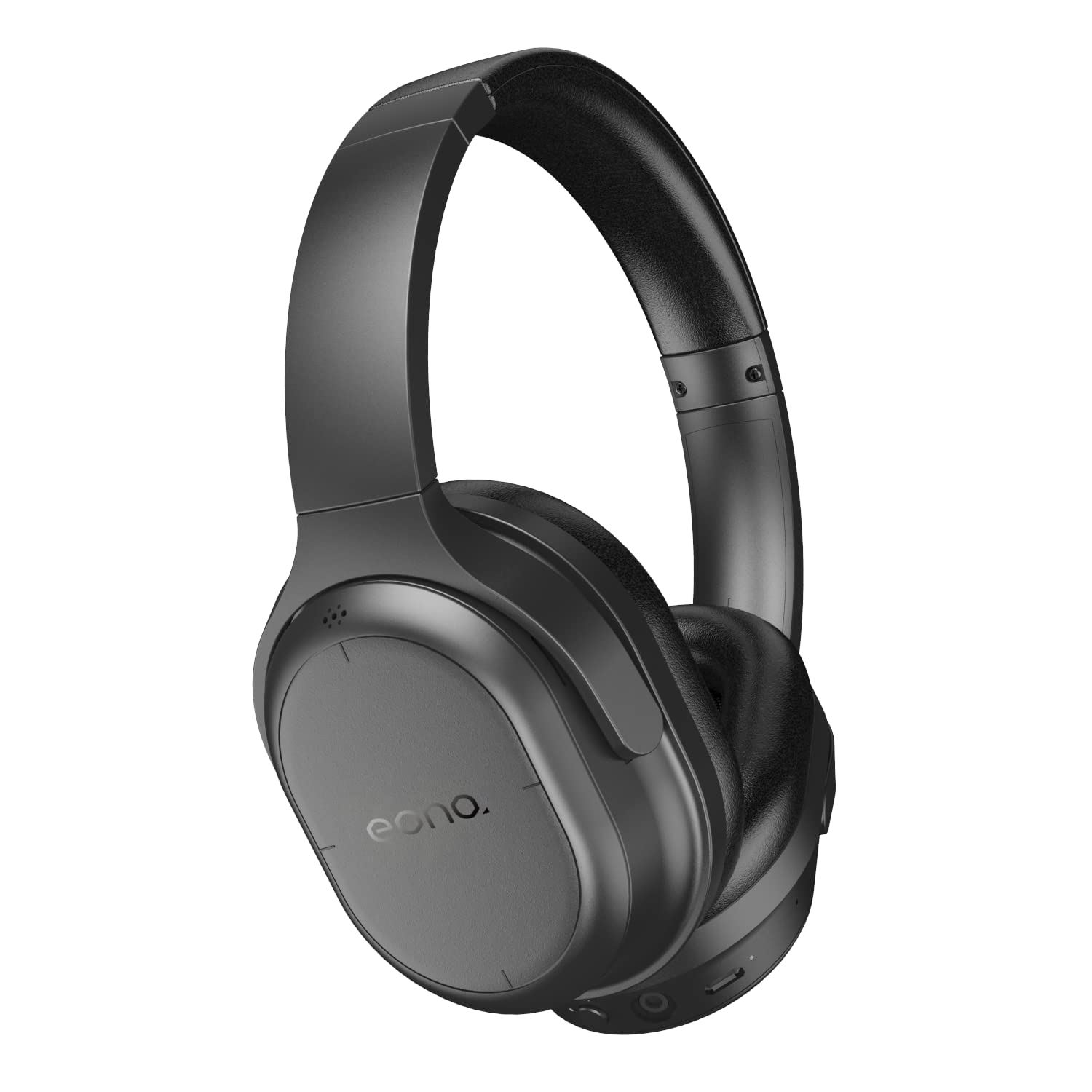
Image: Eono Congo500BTNC headphones, main view.
3. Ürün Bittiview
Kulaklık Bileşenleri
Familiarize yourself with the various parts and controls of your headphones.

Resim: Yan view of the headphones, illustrating the location of buttons and ports.
- Güç/Bluetooth Düğmesi: Cihazı açıp kapatmak ve Bluetooth eşleştirmesini başlatmak için kullanılır.
- ANC Düğmesi: Aktif Gürültü Engelleme özelliğini etkinleştirir veya devre dışı bırakır.
- Volume Up/Next Track (Touch Control): Swipe up/tap for volume, swipe forward for next track.
- Volume Down/Previous Track (Touch Control): Swipe down/tap for volume, swipe backward for previous track.
- Play/Pause/Call Answer (Touch Control): Tap to play/pause music or answer/end calls.
- USB-C Şarj Portu: Kulaklıkları şarj etmek için.
- 3.5 mm Ses Jakı: Kablolu bağlantı için.
- Mikrofon: Eller serbest görüşmeler için.
- LED Göstergesi: Güç, eşleştirme ve şarj durumunu gösterir.
Katlanabilir Tasarım
The headphones feature a foldable design for convenient storage and portability.

Image: The headphones in their folded configuration, demonstrating portability.
4. Kurulum
4.1 Kulaklıkların Şarj Edilmesi
- USB-C şarj kablosunu kulaklığın şarj portuna bağlayın.
- Kablonun diğer ucunu bir USB güç kaynağına (örneğin duvar adaptörü, bilgisayar USB portu) bağlayın.
- Şarj esnasında LED göstergesi yanacak ve tam şarj olduğunda sönecektir.
- Tam şarj yaklaşık 3 saat sürüyor.
4.2 Bluetooth Eşleştirme
- Kulaklıkların kapalı olduğundan emin olun.
- Basılı tutun Güç/Bluetooth Düğmesi for approximately 5-7 seconds until the LED indicator flashes blue and red alternately, indicating pairing mode.
- Bluetooth özelliği olan cihazınızda (akıllı telefon, tablet, dizüstü bilgisayar) Bluetooth ayarlarına gidin.
- Arama available devices and select "Eono Congo500BTNC".
- Bağlandıktan sonra LED göstergesi yavaşça mavi renkte yanıp sönecektir.
Note: The headphones support multi-point connection, allowing simultaneous connection to two Bluetooth devices. To connect a second device, repeat the pairing process. The headphones will intelligently switch between devices for calls and audio.
5. Kullanım Talimatları
5.1 Güç Açma/Kapatma
- Güç Açık: Basılı tutun Güç/Bluetooth Düğmesi for 2-3 seconds. The LED indicator will flash blue.
- Kapat: Basılı tutun Güç/Bluetooth Düğmesi for 3-4 seconds. The LED indicator will turn off.
5.2 Aktif Gürültü Önleme (ANC)
- Basın ANC Düğmesi once to activate Active Noise Cancellation. The ANC indicator light will turn on.
- Basın ANC Düğmesi again to deactivate Active Noise Cancellation. The ANC indicator light will turn off.
5.3 Müzik Çalma (Dokunmatik Kontroller)
- Oynat/Duraklat: Tap the right earcup surface once.
- Sesi aç: Swipe up on the right earcup surface.
- Sesi kıs: Swipe down on the right earcup surface.
- Sonraki Parça: Swipe forward (right) on the right earcup surface.
- Önceki parça: Swipe backward (left) on the right earcup surface.
5.4 Hands-Free Calling (Touch Controls)
- Çağrıyı Cevapla/Sonlandır: Tap the right earcup surface once.
- Çağrıyı Reddet: Press and hold the right earcup surface for 2 seconds.
5.5 Kablolu Bağlantı
Kulaklıkları kablolu bağlantı ile kullanmak için:
- 3.5 mm ses kablosunun bir ucunu kulaklığın ses girişine takın.
- Plug the other end into your audio source's 3.5mm output.
- Note: Bluetooth and ANC functions may operate differently or be unavailable when using a wired connection, depending on the headphone's power status.
6. Bakım
- Kulaklığınızı düzenli olarak yumuşak ve kuru bir bezle temizleyin. Aşındırıcı temizleyiciler veya çözücüler kullanmayın.
- Kulaklıklarınızı aşırı sıcaklıklara, neme veya doğrudan güneş ışığına maruz bırakmaktan kaçının.
- Store the headphones in a cool, dry place when not in use, preferably in their folded state to save space.
- Kulaklıkları sökmeye veya üzerinde değişiklik yapmaya çalışmayın, aksi takdirde garanti geçersiz olur.
7. Sorun Giderme
| Sorun | Olası Çözüm |
|---|---|
| Kulaklıklar açılmıyor | Kulaklıkların tamamen şarj olduğundan emin olun. Bir güç kaynağına bağlayın ve tekrar deneyin. |
| Bluetooth cihazıyla eşleştirilemiyor | Ensure headphones are in pairing mode (LED flashing blue/red). Turn off and on Bluetooth on your device. Clear previous pairings on your device. Move closer to the device. |
| Ses yok veya düşük ses seviyesi | Check headphone and device volume levels. Ensure headphones are properly paired. If wired, check cable connection. |
| ANC etkili bir şekilde çalışmıyor | Ensure ANC is activated (ANC indicator light on). Ensure earcups form a good seal around your ears. |
| Aralıklı bağlantı | Move closer to your Bluetooth device. Avoid obstacles between headphones and device. Reduce interference from other wireless devices. |
8. Özellikler

Image: Diagram showing the dimensions of the headphones.
| Özellik | Detay |
|---|---|
| Model Adı | Congo500BTNC |
| Marka | Eono |
| Bağlantı Teknolojisi | Bluetooth, Wired (3.5mm) |
| Kablosuz İletişim | Bluetooth |
| Gürültü Kontrolü | Aktif Gürültü Önleme |
| Ses Sürücüsü Türü | 40mm Dinamik Sürücü |
| Pil Ömrü (ANC açıkken) | 35 saate kadar |
| Pil Ömrü (ANC kapalı) | 45 saate kadar |
| Şarj Süresi | Yaklaşık 3 saat |
| Şarj Portu | USB-C |
| Kontrol Türü | Dokunmatik, Ses Kontrolü |
| Özel Özellikler | Foldable, Lightweight, Multi-point Connection |
| Ürün Ağırlığı | 204 g (0.2 Kilogram) |
| Ürün Boyutları (UxGxY) | 18.01x15.01x7.01 cm |
| UPC | 840095866002, 840095885348 |
9. Garanti ve Destek
Eono products are designed for reliability and performance. For warranty information or technical support, please refer to the documentation included with your purchase or visit the official Eono support webSite. Satın alma belgenizi garanti talepleriniz için saklayın.