
giriiş
The Saphe Drive Pro is a speed camera detector designed to alert drivers to upcoming speed cameras and hazards across Europe. It features a color display and is compatible with Apple CarPlay and Android Auto, enhancing your driving experience by providing timely traffic information.
Kutuda Neler Var:
- 1 x Saphe Drive Pro speed camera detector
- 2 x Saphe Drive Pro mounts
- Saphe Drive Pro adhesive pads
- Şarj kablosu (USB-C)

Kurmak
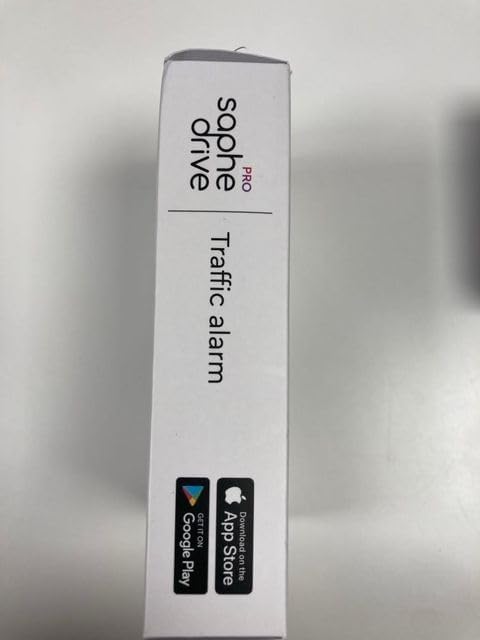
1. Kutudan Çıkarma ve İlk İnceleme
Carefully unpack all components and ensure that all items listed in the 'What's in the Box' section are present and undamaged.


2. Cihazın Şarj Edilmesi
Before first use, fully charge your Saphe Drive Pro using the provided USB-C cable. Connect the cable to the device and a suitable USB power source (e.g., car charger, computer USB port). The device's display will indicate charging status.
3. Cihazın Montajı
Use the included mounts and adhesive pads to securely attach the Saphe Drive Pro to your dashboard or windshield. Choose a location that does not obstruct your view of the road and allows for easy access to the device buttons.
4. Uygulama Kurulumu ve Eşleştirme
The Saphe Drive Pro requires the Saphe Link App to function. Download the app from the Apple App Store or Google Play Store on your smartphone. Once installed, open the app and follow the on-screen instructions to pair your device via Bluetooth. Ensure your phone's Bluetooth is enabled.

Kullanım Talimatları
1. Automatic Start and Connectivity
Once paired with your smartphone and within Bluetooth range, the Saphe Drive Pro will automatically turn on and connect when you start your vehicle. It relies on your phone's internet connection for real-time traffic data.

2. Bilgileri Görüntüle
The 1.54-inch color display provides clear visual alerts. When approaching a speed camera or hazard, the display will show:
- Alarm türü: Indicated by an icon (e.g., speed camera, danger triangle).
- Distance to incident: Shows how far away the alert is.
- Geçerli hız: Displays your vehicle's current speed.
- Hız Limiti: Where available, the current speed limit will be shown.

3. Olayların Bildirilmesi
You can contribute to the community data by reporting incidents directly from your device:
- To report a speed camera, press the button on the right side of the device.
- To report an accident or hazard, press the button on the left side of the device.

4. Subscription Requirement
The Saphe Drive Pro requires a paid Saphe Premium subscription for full functionality, including access to the extensive traffic community data and future software updates. The subscription is sold separately.
Bakım
1. Temizlik
To clean your Saphe Drive Pro, gently wipe the device with a soft, dry, or slightly damp cloth. Avoid using harsh chemicals or abrasive materials, as these can damage the display and casing.
2. Pil Bakımı
The device contains a Lithium Ion battery. For optimal battery life, avoid exposing the device to extreme temperatures. Recharge the device when the battery indicator shows low power. Do not attempt to replace the battery yourself.
3. Yazılım Güncellemeleri
Ensure your Saphe Premium subscription is active to receive automatic software updates, which provide new features, improvements, and database updates for speed cameras and hazards.
Sorun giderme
1. Cihaz Bağlanmıyor
- Akıllı telefonunuzun Bluetooth özelliğinin etkin olduğundan emin olun.
- Verify that the Saphe Link App is running in the background or foreground.
- Check your phone's internet connection, as the device relies on it for data.
- Restart both your phone and the Saphe Drive Pro device.
2. Inaccurate or Missing Alerts
- Confirm your Saphe Premium subscription is active.
- Telefonunuzun istikrarlı bir internet bağlantısına sahip olduğundan emin olun.
- The device relies on community data; newly installed cameras or temporary hazards may not be immediately in the database. You can report them using the device buttons.
3. Battery Life Issues
- Kullanmadan önce cihazın tamamen şarj olduğundan emin olun.
- Battery life can vary based on usage and environmental conditions.
- Pil ömründe belirgin bir azalma olursa, müşteri desteğiyle iletişime geçin.
Özellikler
- Piller: 1 Lityum İyon pil (dahil)
- Dil: İngilizce
- Ürün Ölçüleri: 6.92x4.22x2.03 cm
- Ağırlık: 100 gr
- Üretici: Saphe
- ASIN: B08J48BCB4
- Ürün Model Numarası: 5714901010130
- Uyumlu Cihazlar: Cars, trucks, motorcycles
Garanti ve Destek
Garanti Bilgileri
Your Saphe Drive Pro device is covered by a manufacturer's warranty. Please refer to the warranty documentation included with your purchase or visit the official Saphe webAyrıntılı şartlar ve koşullar için site.
Müşteri Desteği
For technical assistance, troubleshooting, or further inquiries, please visit the official Saphe websitede saphe.com/drive. You may find FAQs, support articles, and contact information there.