
giriiş
The Hyper Drive GEN2 12-in-1 USB-C Docking Station is designed to expand the connectivity of your USB-C enabled laptop or tablet. This docking station provides a comprehensive solution for connecting multiple peripherals, external displays, and power delivery through a single USB-C port. It supports high-speed data transfer, multiple 4K video outputs, and efficient power charging for enhanced productivity.
Ürün Özellikleri
The Hyper Drive GEN2 12-in-1 USB-C Docking Station offers a wide array of ports and capabilities:
- Dual HDMI 4K60Hz HDR: Connect up to two external displays with stunning 4K resolution at 60Hz, supporting High Dynamic Range (HDR) for vibrant visuals.
- DisplayPort 4K60Hz: Connect an additional external display via DisplayPort, also supporting 4K resolution at 60Hz.
- USB-C Power Delivery (PD) 100W: Charge your host laptop or tablet with up to 100W of power through the dedicated USB-C PD port.
- 2x USB-A 10Gbps (USB 3.1 Gen 2): Experience ultra-fast data transfer speeds for compatible USB-A devices.
- 2 adet USB-A 2.0: Connect standard USB peripherals such as keyboards, mice, or printers.
- Gigabit-Ethernet: Enjoy stable and high-speed wired network connectivity.
- MicroSD UHS-II (300MB/s): Fast data transfer for MicroSD cards, ideal for photographers and videographers.
- SD UHS-II (300MB/s): Fast data transfer for standard SD cards.
- 3.5 mm Ses Jakı: Connect headphones or speakers for audio output.

Şekil 1: Ön view of the Hyper Drive GEN2 12-in-1 USB-C Hub, highlighting MicroSD, SD, 3.5mm Audio, and two USB-A 10Gbps ports.
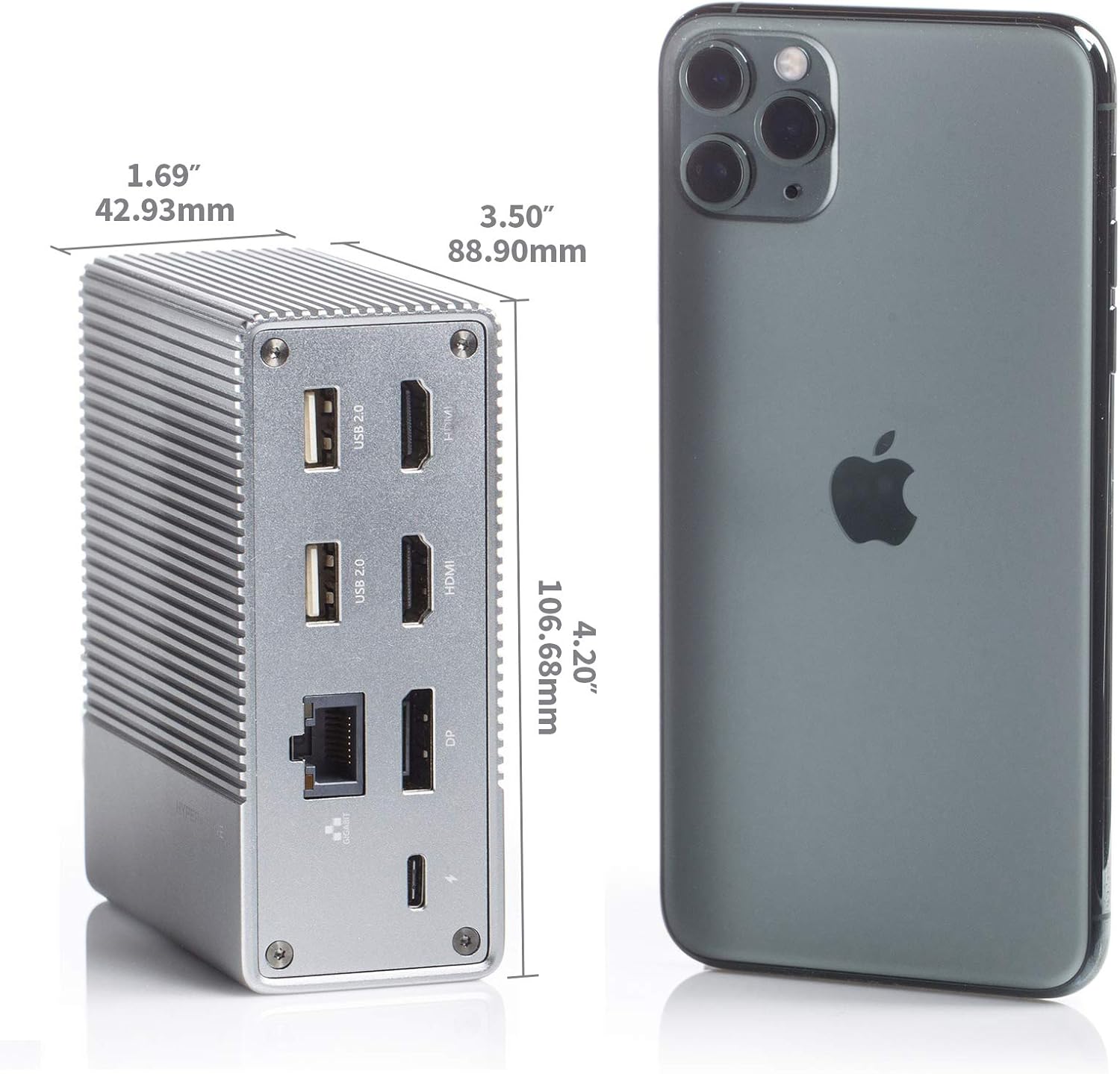
Şekil 2: Arka view of the Hyper Drive GEN2 12-in-1 USB-C Hub, highlighting USB-C Power Delivery, Gigabit Ethernet, DisplayPort, two HDMI, and two USB-A 2.0 ports.
Kurulum Kılavuzu
- Ana Bilgisayara Bağlan: Plug the integrated USB-C cable from the docking station into an available USB-C port on your laptop or tablet. Ensure the USB-C port on your host device supports DisplayPort Alternate Mode (Alt Mode) and Power Delivery for full functionality.
- Güç Bağlantısı (İsteğe bağlı ancak önerilir): For optimal performance and to charge your host device, connect your laptop's USB-C power adapter to the USB-C PD port on the docking station. The docking station supports up to 100W power delivery.
- Harici Ekranları Bağlayın:
- HDMI monitörlerinizi yerleştirme istasyonundaki HDMI portlarına bağlayın.
- Connect your DisplayPort monitor to the DisplayPort on the docking station.
Not: For macOS, only one extended display is supported with the same image on all external displays at 4K60Hz. Windows/Chrome OS supports Multi-Stream Transport (MST) for up to three extended displays.
- Çevre Birimlerini Bağlayın: Plug your USB devices (keyboard, mouse, external drives), Ethernet cable, and audio devices into the corresponding ports on the docking station.
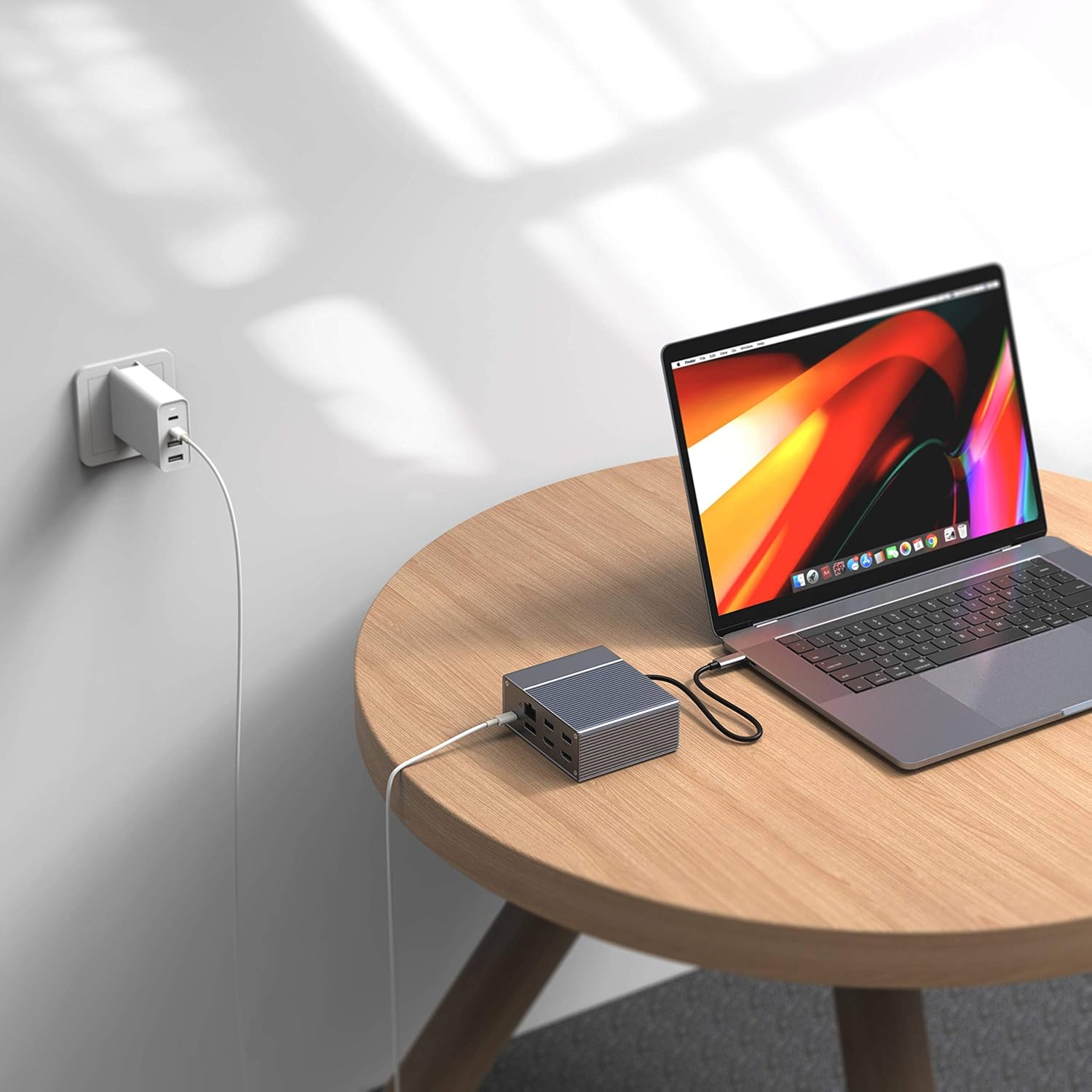
Figure 3: Laptop connected to the docking station and a power adapter for charging.
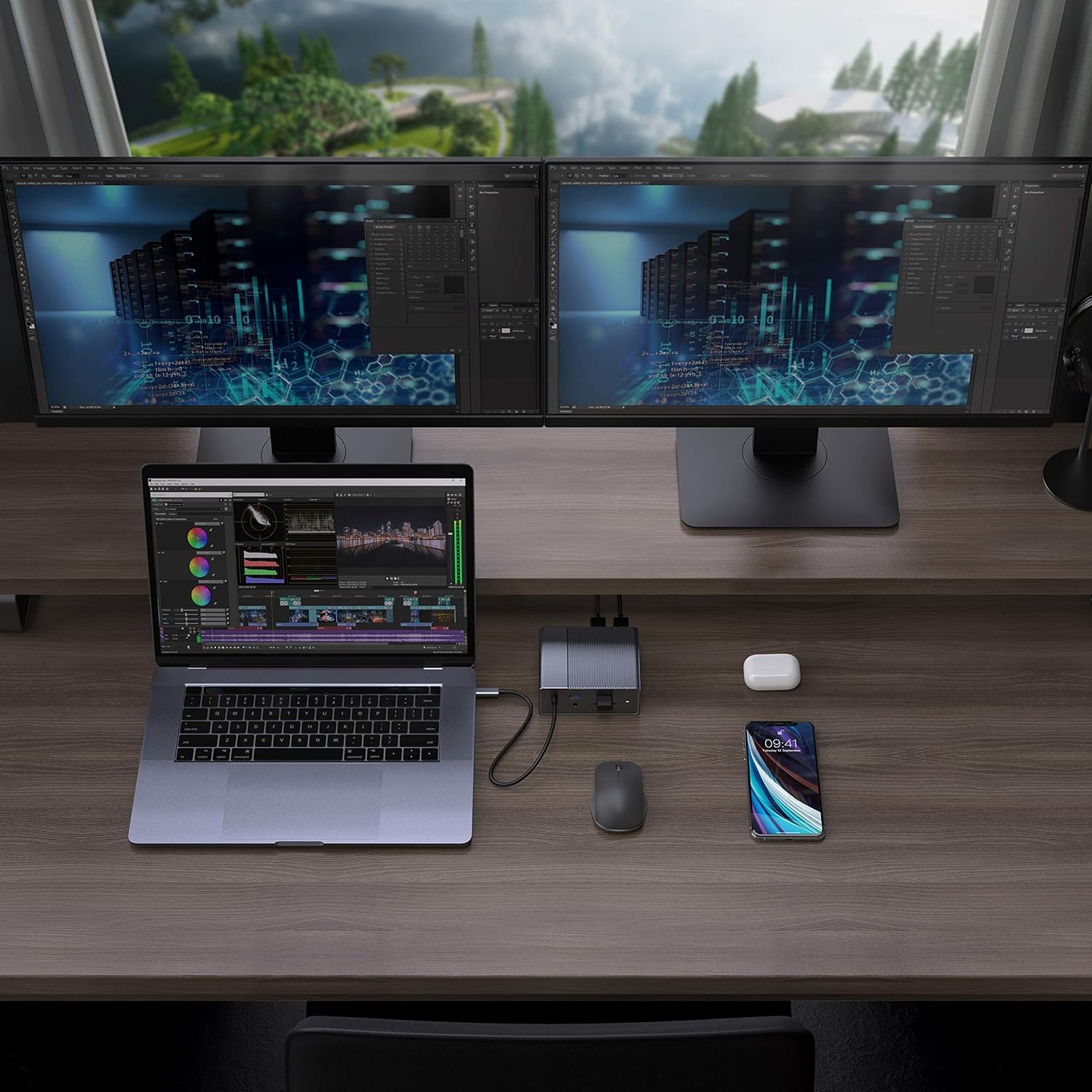
Figure 4: A typical setup showing a laptop connected to the docking station with multiple peripherals and external displays.
Kullanım Talimatları
Görüntüleme Modları
The docking station supports various display configurations depending on your operating system:
- MacOS: Supports one extended display with the same image mirrored across all external displays at 4K60Hz. macOS does not support Multi-Stream Transport (MST) for independent extended displays.
- Windows/Chrome OS: Supports Multi-Stream Transport (MST), allowing for up to three extended displays with independent content at 4K60Hz.

Figure 5: Illustration of display modes for macOS (mirror mode) and Windows (mirror and extended modes) using the docking station.
Data Transfer and Power Delivery
- USB-A 10Gbps Ports: Use these ports for high-speed data transfer with compatible external hard drives, SSDs, or other USB 3.1 Gen 2 devices.
- USB-A 2.0 Bağlantı Noktaları: Ideal for connecting standard peripherals like keyboards, mice, or USB flash drives where high-speed data transfer is not critical.
- SD/MicroSD Card Slots: Insert your memory cards for quick access and transfer of photos and videos at up to 300MB/s (UHS-II speeds).
- USB-CPD Bağlantı Noktası: Connect your laptop's power adapter to this port to charge your laptop while using the docking station. This port also supports data transfer.
Video 1: Resmi olarak bittiview of the HyperDrive GEN2 USB-C Hub, demonstrating its speed, power, and various port functionalities.
Bakım
- Keep the docking station in a clean, dry environment.
- Cihazı aşırı sıcaklıklara veya doğrudan güneş ışığına maruz bırakmaktan kaçının.
- Dış yüzeyini yumuşak ve kuru bir bezle temizleyin. Sıvı temizleyici veya aerosol kullanmayın.
- Aşırı ısınmayı önlemek için cihazın çevresinde uygun havalandırma olduğundan emin olun.
Sorun giderme
- Görüntü çıkışı yok veya ekran titriyor:
- Ana cihazınızın USB-C bağlantı noktasının DisplayPort Alt Modunu desteklediğinden emin olun.
- Check all cable connections (USB-C to host, HDMI/DP to monitors).
- Try a different HDMI or DisplayPort cable.
- Verify your monitor input settings are correct.
- For macOS, remember that only one extended display is supported, with other external displays mirroring the extended one.
- USB aygıtları tanınmıyor:
- Reconnect the USB device to the docking station.
- Yerleştirme istasyonunda farklı bir USB portu deneyin.
- Ensure the docking station is properly connected to your host device.
- If using high-power USB devices, ensure the docking station is connected to a power source via its USB-C PD port.
- Dizüstü bilgisayar şarj olmuyor:
- Ensure your laptop's original USB-C power adapter is connected to the USB-C PD port on the docking station.
- Verify that your laptop supports USB-C Power Delivery.
- Güç adaptöründe ve kabloda herhangi bir hasar olup olmadığını kontrol edin.
Özellikler
| Özellik | Şartname |
|---|---|
| Örnek | GEN2 12-in-1 USB-C Hub |
| Marka | Hiper |
| HDMI Bağlantı Noktaları | 2x HDMI 4K60Hz HDR |
| Ekran Bağlantı Noktası | 1x DisplayPort 4K60Hz |
| USB-C PD Bağlantı Noktası | 1x USB-C Güç Dağıtımı 100W |
| USB-A Veri Bağlantı Noktaları | 2x USB-A 10Gbps (USB 3.1 Gen 2), 2x USB-A 2.0 |
| Ethernet | 1x Gigabit Ethernet |
| Kart Okuyucular | 1x MicroSD UHS-II (300MB/s), 1x SD UHS-II (300MB/s) |
| Ses Jakı | 1x 3.5 mm Ses Jakı |
| Uyumlu işletim sistemi | macOS, Windows, Chrome OS |
| Ürün Ağırlığı | 480.8 Gram |
| UPC | 817110014519 |
Garanti ve Destek
For warranty information and technical support, please refer to the official Hyper webSite üzerinden satın alabilir veya müşteri hizmetleriyle iletişime geçebilirsiniz. Garanti talepleriniz için satın alma fişinizi saklayın.
Çevrimiçi destek: www.hyper.com/support