
1. Ürün Bittiview
The VENTION HDMI Extension Cable is designed to extend the reach of your existing HDMI cables, providing seamless 4K video and audio transmission. This male-to-female extender supports resolutions up to 4K at 60Hz and a data transfer rate of 18Gbps, ensuring crystal-clear signals without degradation. Its durable construction and broad compatibility make it suitable for various home and professional setups.

Image: The VENTION HDMI Extension Cable, showcasinErkek ve dişi bağlantı noktaları.
Temel Özellikler:
- 4K Video Transmission: Supports resolutions up to 4K 60Hz with an 18Gbps data transfer rate for high-quality video and audio.
- Geniş Uyumluluk: Works with standard HDMI devices such as TV sticks, Blu-ray players, game consoles (PS5/PS4, Xbox), projectors, and laptops.
- Durable and Flexible: Features a robust and flexible PVC jacket, gold-plated connectors, and is designed to withstand over 10,000 bends and insertions for stable, loose-free connections.
- Kullanışlı ve Çok Yönlü: Protects original HDMI ports from wear and tear due to frequent plugging/unplugging. Ideal for home theaters, conference rooms, and gaming setups.
- Sertifikalı Kalite: CE, FCC, and RoHS certified for safety and environmental compliance.
2. Kurulum Talimatları
Follow these steps to properly set up your VENTION HDMI Extension Cable:
- Bağlayıcıları Tanımlayın: The VENTION HDMI Extension Cable has one male HDMI connector and one female HDMI connector. The male end plugs into an existing female HDMI port, and the female end receives another male HDMI cable.
- Kaynak cihaza bağlan: Plug the male end of your existing HDMI cable into the female port of the VENTION HDMI Extension Cable.
- Connect to Display Device: Plug the male end of the VENTION HDMI Extension Cable into the HDMI input port of your display device (e.g., TV, monitor, projector).
- Güvenli Bağlantı: Ensure both connections are firm and secure to prevent signal loss or flickering.
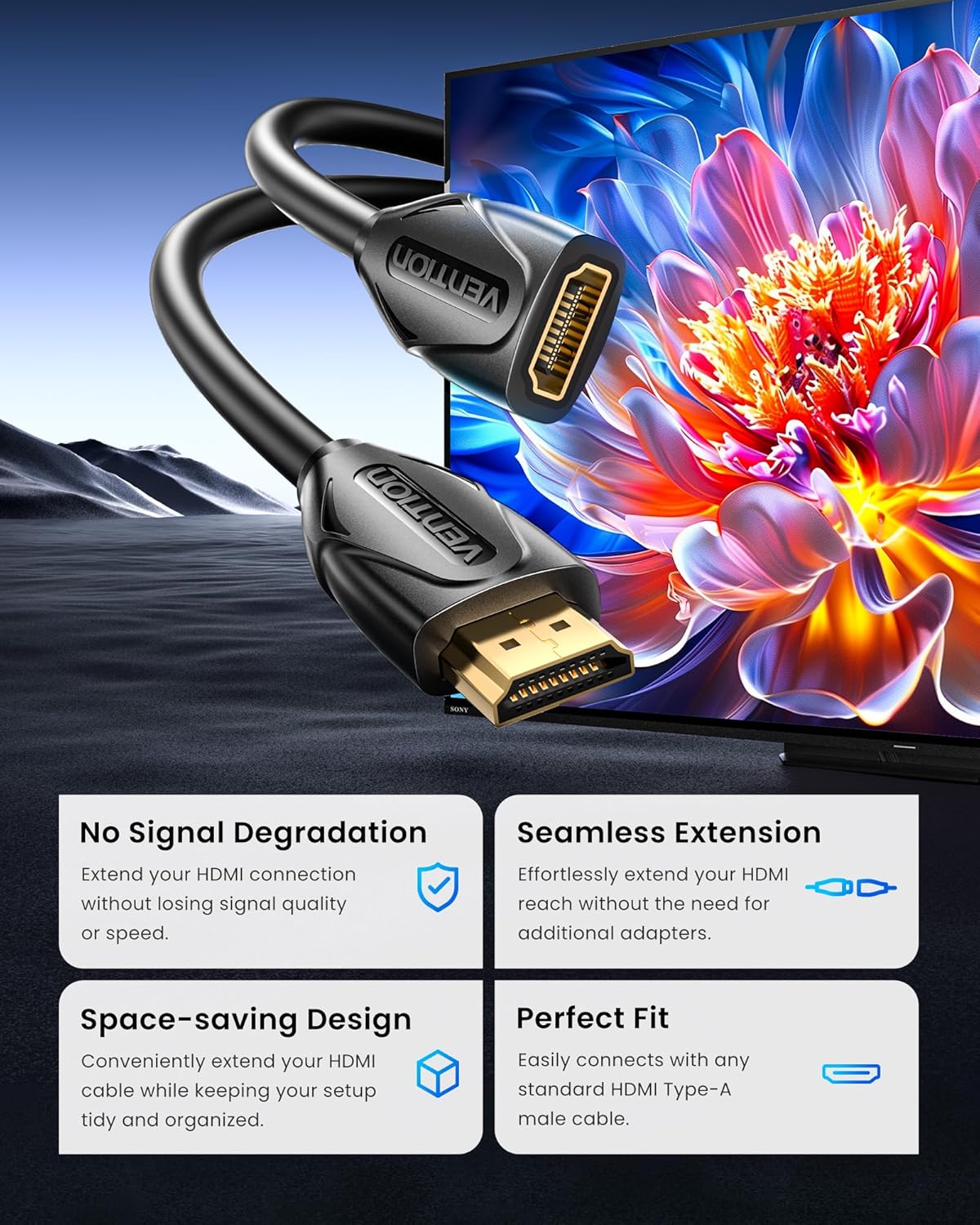
Image: A visual representation of the HDMI extension cable connecting two devices, highlighting no signal degradation and a seamless, space-saving fit.
Uyumluluk:
This cable is compatible with a wide range of devices. Refer to the image below for common input and output devices.

Image: A chart illustrating various compatible input devices (laptops, TV sticks, game consoles, Blu-ray players, Roku streaming players) and output devices (projectors, TVs, displays).
3. Kullanım Talimatları
Once connected, the VENTION HDMI Extension Cable operates automatically, extending your HDMI signal. No additional software or drivers are required.
Kullanım Modları:
- Ayna Modu: Duplicate your computer's screen onto a larger display.
- Genişletilmiş Mod: Extend your desktop across multiple screens for increased productivity.
- Oyun Modu: Enjoy high-definition gaming on a larger screen with minimal latency.

Image: Illustrations demonstrating the Mirror Mode, Extended Mode, and Game Mode functionalities when using the HDMI extension cable.
Optimum Performans:
For optimal 4K 60Hz performance, ensure that all connected devices and cables (including the original HDMI cable) support 4K 60Hz resolution and the required data transfer rate.

Image: A comparison showing no loss in speed or quality when using the HDMI extension for 4K content, supporting HDR, 4K@60Hz, ARC, and 3D.
4. Bakım
To ensure the longevity and optimal performance of your VENTION HDMI Extension Cable, follow these maintenance guidelines:
- Temizlik: Kabloyu ve konnektörleri yumuşak ve kuru bir bezle nazikçe silin. Sıvı temizleyiciler veya aşındırıcı malzemeler kullanmaktan kaçının.
- Depolamak: When not in use, coil the cable loosely. Avoid sharp bends or kinks, which can damage the internal wiring. Store in a cool, dry place away from direct sunlight and extreme temperatures.
- İşleme: Kabloyu takarken veya çıkarırken daima bağlantı uçlarından tutun. Kablonun kendisini çekmekten kaçının, çünkü bu bağlantıları zorlayabilir ve hasara yol açabilir.
- Koruma: The cable's robust PVC shell and double-layer shielding are designed for durability. However, avoid placing heavy objects on the cable or exposing it to excessive force.

Resim: Patlamış bir view of the cable's internal structure, highlighting high-quality copper wire, audio and video synchronous output, double-layer shielding, enhanced stretch design, and an ultra-durable PVC shell.

Image: A comparison demonstrating the stable and smooth signal transmission of the VENTION gold-plated connector versus an unstable signal from another cable, emphasizing lossless transmission.
5. Sorun Giderme
If you encounter issues with your VENTION HDMI Extension Cable, try the following solutions:
| Sorun | Olası Neden | Çözüm |
|---|---|---|
| Video/ses sinyali yok | Loose connection, incorrect input selection, incompatible resolution. | Ensure all HDMI cables are securely connected. Select the correct HDMI input on your display. Verify that both source and display devices support the chosen resolution. |
| Ekranın titremesi veya sinyalin kesintili gelmesi | Loose connection, cable interference, damaged cable. | Check all connections for tightness. Ensure the cable is not near strong electromagnetic interference sources. Try a different HDMI cable or extension cable to rule out a faulty cable. |
| Poor picture quality (e.g., blurry, distorted) | Resolution mismatch, cable length limitations, signal degradation. | Confirm that your source device is outputting a resolution supported by your display. While this extension cable is designed for minimal signal loss, very long total cable runs (original + extension) might experience some degradation. Ensure the original HDMI cable is also of high quality. |
| Ses yok | Audio settings, incompatible audio format. | Check audio output settings on your source device. Ensure your display or audio receiver is set to the correct audio input. |
6. Ürün Özellikleri
| Özellik | Detay |
|---|---|
| Marka | MÜCADELE |
| Örnek | VAA-B06-B300 |
| Kablo Tipi | HDMI Uzatma Kablosu |
| Bağlayıcı Türü | HDMI Male-to-Female |
| Uzunluk | 10FT (3 metre) |
| Max Çözünürlük | 4K @ 60Hz |
| Veri Aktarım Hızı | 18 Gbps |
| Özel Özellikler | Lightweight, Gold-plated connectors, Double-layer shielding, Environmental protection PVC quilt |
| Uyumlu Cihazlar | TV sticks, Blu-ray players, game consoles (PS5/PS4, Xbox), projectors, laptops, TVs, displays |
| Sertifikalar | CE, FCC, RoHS |
| Renk | Siyah |
| Ürün Ağırlığı | 194 Gram |
| Dahil Bileşenler | 1*HDMI Extension Cable |
7. Garanti ve Destek
VENTION products are designed for reliability and performance. This product comes with a standard manufacturer's warranty. For specific warranty details, please refer to the product packaging or contact VENTION customer support.
Müşteri Desteği:
If you have any questions, require technical assistance, or need to report an issue, please contact VENTION Official Store customer service through the retailer where you purchased the product. Please have your model number (VAA-B06-B300) and purchase date available.
8. Video Kaynakları
Resmi Ürün Videosu:
Video: An official product video from Vention showcasing the features and usage of the HDMI Extension Cable. This video demonstrates the cable's gold-plated interface, environmental protection PVC quilt, and its ability to extend connections for 4K HD visuals.