
giriiş
This manual provides essential information for the safe and efficient operation of your Blackview BV6300 Pro rugged smartphone. Please read this manual thoroughly before using your device to ensure proper functionality and to prevent damage.
Kutuda Neler Var?
Ürün ambalajınızda tüm öğelerin mevcut olduğundan emin olun:
- Siyahview BV6300 Pro Akıllı Telefon
- USB kablosu
- Güç Adaptörü
- Kulaklıklar
- SIM İtici Aracı
- Ekran Koruyucu (önceden uygulanmış)
- Spare Screen Protector

Resim: Siyahview BV6300 Pro retail box contents, showing the smartphone, USB cable, power adapter, earbuds, SIM ejector tool, and screen protectors.
Kurmak
1. SIM Kart Kurulumu
- Cihazı kapatın.
- Telefonun yan tarafında bulunan SIM kart tepsisini bulun.
- SIM kart çıkarma aracını tepsinin yanındaki küçük deliğe yerleştirin ve tepsi dışarı çıkana kadar sıkıca bastırın.
- Place your Nano-SIM cards (up to two) and/or a microSD card into the designated slots on the tray. Ensure the metal contacts face downwards.
- Tepsiyi, cihaz gövdesiyle aynı hizaya gelene kadar dikkatlice telefonun içine geri itin.
2. İlk Şarj
İlk kullanımdan önce Black cihazınızı tamamen şarj edinview BV6300 Pro. Connect the USB cable to the phone's Type-C port and the power adapter, then plug the adapter into a wall outlet. The charging indicator will appear on the screen.

Resim: Siyahview BV6300 Pro being charged via its USB-C port and also demonstrating wireless charging capability on a pad.
3. Güç Açma/Kapatma
- To power on: Press and hold the Power button (located on the right side) until the Blackview logosu belirir.
- Kapatmak için: Güç düğmesine basılı tutun, ardından ekrandaki seçeneklerden "Kapat" seçeneğini seçin.
Kullanım Talimatları
1. Android 10 Sistemi Üzerindeview
Senin Siyahınview BV6300 Pro runs on Android 10, offering an intuitive user experience with features like Gesture Navigation, Dark Mode, Grayscale, Privacy Protect, and a new interface. Explore the settings menu to customize your device.

Image: Various screens of the Blackview BV6300 Pro showcasing the Android 10 operating system, including settings, home screen, and feature icons like Gesture Navigation and Dark Mode.
2. Kamera Kullanımı
Siyahview BV6300 Pro is equipped with a 16MP HDR Quad Rear Camera and a 13MP Front Camera. Open the Camera app to access various shooting modes.
- Arka Kamera: Features a 16MP main sensor, an 8MP 120° ultra-wide angle lens, and additional macro and depth sensors.
- Ön Kamera: A 13MP sensor for high-resolution selfies and video calls.
- Çekim Modları: Includes Night Mode for low-light conditions, Slow Motion for dynamic video, and Macro for close-up shots.

Resim: Siyahların görsel bir temsiliview BV6300 Pro's camera system, highlighting its quad rear cameras and front camera, along with examples of photos taken using different modes such as Ultra-Wide Angle, Night Mode, Mono, Slow Motion, and Macro.
3. Güvenlik Özellikleri
Your device supports Face Unlock and Fingerprint Unlock for secure access.
- Yüz Tanıma Kilidi: Register your face in the security settings for quick and convenient unlocking.
- Parmak İzi Kilidi: The fingerprint sensor is located on the rear of the device. Register your fingerprints in the security settings for secure access.
4. Bağlantı
The BV6300 Pro supports Dual SIM 4G VoLTE for enhanced call quality and network coverage. It also includes NFC for contactless payments and data transfer.
Video: Resmi bir Siyahview video gösterisiasing the BV6300 Pro's features, including its slim body, IP68/IP69K water and MIL-STD-810G drop resistance, quad rear cameras, 13MP front camera, 5.7-inch display, NFC, fingerprint unlock, MediaTek Helio P70 processor, 6GB RAM, 128GB ROM, Type-C port, 4380mAh battery with 18W wired and 10W wireless fast charge, Dual 4G VoLTE, global bands, and Android 10 Dark Theme.
Video: Resmi bir Siyahview video highlighting the BV6300 Pro's ruggedness, slim design, and key specifications such as IP68 & IP69K, MIL-STD-810G, MediaTek Helio P70, 6GB RAM, 128GB ROM, Samsung 16MP Quad Camera, and 4380mAh Battery.
Bakım
Siyahınızın uzun ömürlü ve optimum performans göstermesini sağlamak içinview BV6300 Pro, follow these maintenance guidelines:
- Temizlik: Use a soft, dry cloth to clean the device. Avoid chemical solvents or abrasive materials.
- Suya Dayanıklılık: The device is IP68/IP69K rated for water and dust resistance. Ensure all port covers are securely closed before exposing the phone to water. Do not intentionally submerge the device in corrosive liquids.
- Pil Bakım: Avoid extreme temperatures. Do not disassemble or puncture the battery. Use only the provided charger or compatible power sources.
- Darbe Koruması: While rugged, avoid unnecessary drops or impacts. The MIL-STD-810G rating indicates resistance to certain drops, but extreme force can still cause damage.
Sorun giderme
Siyah cihazınızla ilgili sorunlarla karşılaşırsanızview BV6300 Pro, refer to the following common solutions:
- Cihaz Donuyor/Tepki Vermiyor: Yeniden başlatmayı zorlamak için Güç düğmesini yaklaşık 10-15 saniye basılı tutun.
- Şarj Sorunları: Ensure the USB cable and power adapter are securely connected. Try a different outlet or charging accessory. Check the charging port for any debris.
- Ağ Bağlantı Sorunları: Check if your SIM card is properly inserted. Verify that mobile data is enabled in settings. If issues persist, restart the device or contact your network provider.
- Kamera Kalitesi: Ensure the camera lenses are clean and free of smudges. For optimal results, use appropriate lighting and experiment with different camera modes.
Özellikler
| Marka | Siyahview |
| Model Adı | BV6300 Pro |
| Bellek Depolama Kapasitesi | 128 GB |
| Kablosuz Taşıyıcı | T-Mobil |
| Hücresel Teknoloji | 2G, 3G, 4G |
| Bağlantı Teknolojisi | Bluetooth, Wi-Fi |
| SIM Kart Yuvası Sayısı | Çift SIM |
| Bağlayıcı Türü | 3.5mm Jack, USB Type C |
| Pil Kapasitesi | 4380 Miliamp Saat |
| Biyometrik Güvenlik Özelliği | Yüz Tanıma |
| Su Direnç Seviyesi | Waterproof (IP68/IP69K) |
| Rear Facing Camera Photo Sensor Resolution | 16 MP |
| Optik Sensör Çözünürlüğü | 16.0, 8.0 MP |
| Çekim Modları | Night Mode, Slow Motion |
| Model Yılı | 2020 |

Resim: Siyah'ın bir çizimiview BV6300 Pro's internal components, highlighting the CPU (MediaTek Helio P70), 6GB RAM, and 128GB ROM, with an indication for an optional 128GB SD card.
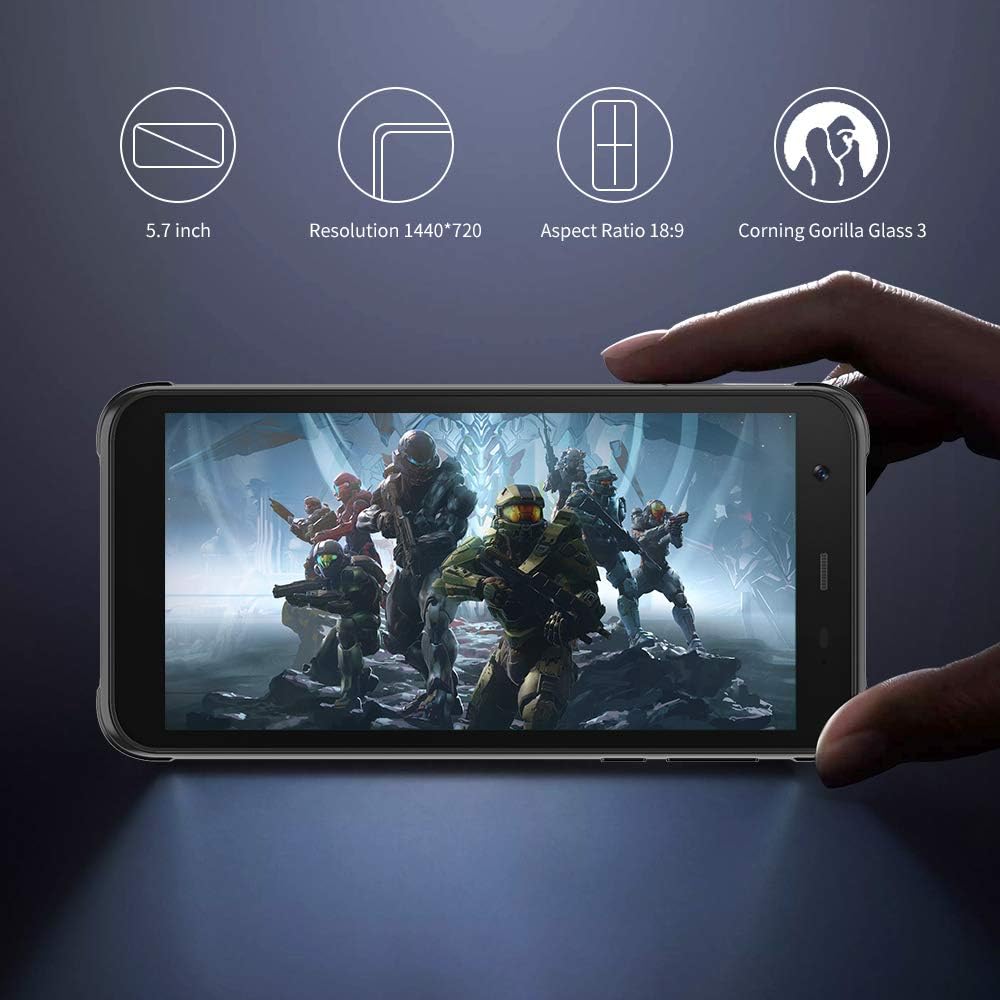
Resim: Siyahview BV6300 Pro held in a hand, displaying its 5.7-inch screen with a resolution of 1440x720, an 18:9 aspect ratio, and Corning Gorilla Glass 3 protection.

Image: Technical drawing of the Blackview BV6300 Pro showing its dimensions: 159.6mm height, 78.2mm width, and 11.6mm thickness.
Garanti ve Destek
Garanti bilgileri ve müşteri desteği için lütfen satın alma işleminizle birlikte gelen belgelere bakın veya resmi Black web sitesini ziyaret edin.view webSite. Satın alma belgenizi garanti talepleriniz için saklayın.