
1. Giriş
The PNI House IP516 is a 16-channel Network Video Recorder (NVR) designed for advanced surveillance systems, supporting up to 5MP IP cameras and H.265 video compression. This NVR allows for local and remote monitoring, recording, and management of your security cameras. It is compatible with ONVIF protocol cameras, offering flexibility in camera selection. This manual provides essential information for the proper installation, operation, and maintenance of your PNI House IP516 NVR.
2. Paket İçeriği
Lütfen aşağıda listelenen tüm öğelerin paketinizde bulunduğundan emin olun. Herhangi bir öğe eksik veya hasarlıysa, satıcınızla iletişime geçin.
- PNI House IP516 NVR Unit
- USB Mouse
- Güç Adaptörü
- Kullanım Kılavuzu (bu belge)
- Yazılım içeren CD
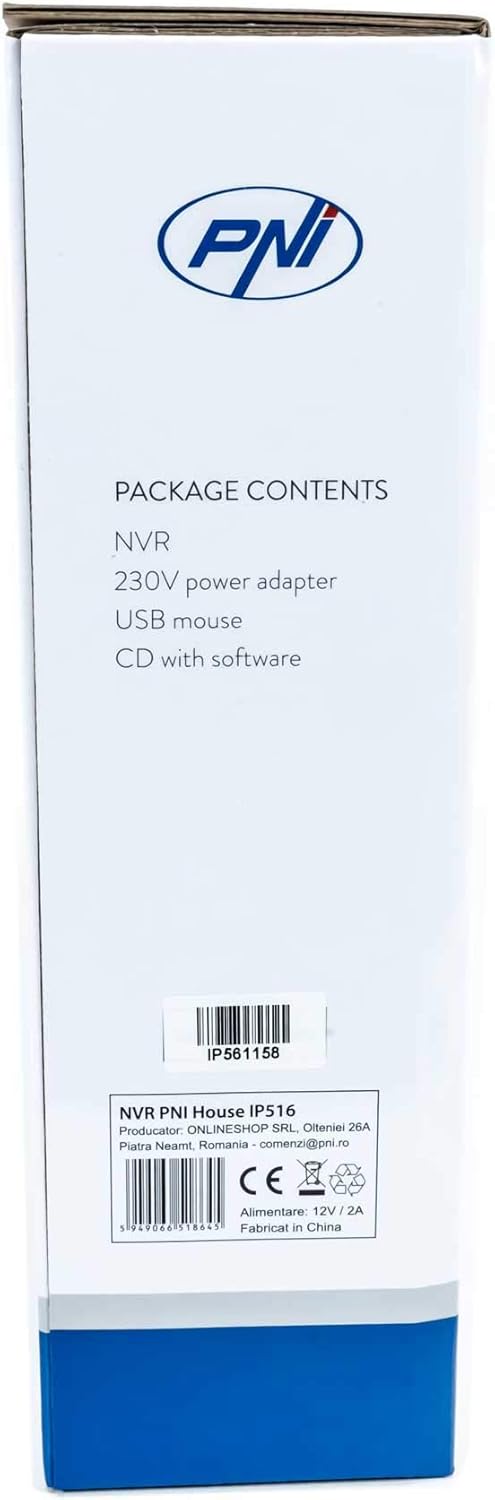
Image: Side of the NVR box detailing the package contents.

Image: The PNI House IP516 NVR unit, power adapter, and USB mouse included in the package.
3. Ürün Bittiview
3.1 Ön Panel
The front panel of the NVR features indicator lights for system status.
- PWR (Güç): Indicates the NVR is powered on.
- REC (Kayıt): Flashes when recording is active.
- NET (Ağ): Ağ etkinliğini gösterir.

Resim: Ön view of the PNI House IP516 NVR, showing the power, record, and network indicator lights.
3.2 Arka Panel
The rear panel provides all necessary connection ports for the NVR.
- VGA Bağlantı Noktası: Bir VGA monitöre bağlanır.
- HDMI Bağlantı Noktası: Yüksek çözünürlüklü video çıkışı için bir HDMI monitöre veya TV'ye bağlanır.
- LAN Port (RJ45 10/100 Mbps): Ağ yönlendiricinize veya anahtarınıza bağlanır.
- USB Bağlantı Noktaları (x2): For connecting the USB mouse, external storage, or for system upgrades.
- DC 12V Güç Girişi: Dahil edilen güç adaptörüne bağlanır.

Resim: Arka view of the PNI House IP516 NVR, displaying VGA, HDMI, LAN, USB, and DC 12V power input ports.
4. Kurulum
4.1 Sabit Disk Kurulumu (İsteğe Bağlı)
The NVR supports a hard drive up to 8 TB for video storage. It is recommended to use dedicated CCTV hard drives for optimal reliability and endurance.
- NVR'nin üst kapağını sökün ve çıkarın.
- NVR'dan sabit diske SATA veri ve güç kablolarını bağlayın.
- Verilen vidaları kullanarak sabit sürücüyü NVR kasasına sabitleyin.
- Üst kapağı yerine takın ve vidalarla sabitleyin.
4.2 İlk Bağlantılar
- Connect a monitor to the NVR's VGA or HDMI port.
- USB fareyi NVR'ın USB bağlantı noktalarından birine bağlayın.
- NVR'nin LAN portundan ağ yönlendiricinize veya anahtarınıza bir Ethernet kablosu bağlayın.
- Connect the power adapter to the NVR's DC 12V input and then plug it into a power outlet. The NVR will power on automatically.
4.3 First Boot and Basic Configuration
Upon the first boot, the NVR will guide you through an initial setup wizard. Follow the on-screen prompts to:
- Set up a strong password for the administrator account.
- Tarih ve saat ayarlarını yapılandırın.
- Format the installed hard drive (if applicable).
- Perform network settings (DHCP is usually enabled by default).
- Arama and add IP cameras to the NVR. The NVR supports up to 16 cameras at 2560x1920px (5MP) and is compatible with ONVIF protocol cameras.
5. NVR'yi Çalıştırma
5.1 Yerel Operasyon
Use the connected mouse to navigate the NVR's graphical user interface (GUI) on the monitor. Right-click to access the main menu, which includes options for live view, playback, recording settings, system configuration, and more.
5.2 Uzaktan Erişim
The PNI House IP516 NVR can be accessed remotely for live viewing, playback, and configuration.
- Mobile Application (XMEye): Download the XMEye app from the Android Play Store or Apple App Store. Register an account, add your NVR by scanning its QR code or entering its serial number, and then you can view your cameras from anywhere with an internet connection.
- PC Software (General CMS): Install the General CMS software from the included CD or download it from the PNI support website. This software allows for comprehensive management of your NVR and cameras from a Windows PC.
5.3 Kayıt Yönetimi
NVR çeşitli kayıt modlarını destekler:
- Sürekli Kayıt: 7/24 kayıt.
- Planlanmış Kayıt: Records during specific time periods.
- Hareket Algılama Kaydı: Sadece kameralar tarafından hareket algılandığında kayıt yapar.
Configure these settings in the NVR's menu under 'Record' or 'Storage' settings.
5.4 Hareket Algılama ve Uyarılar
When motion is detected, the system can trigger various alerts:
- Mobil Bildirimler: Text notifications sent via the XMEye mobile application.
- E-posta Uyarıları: An email sent to a predefined address.
- FTP Yükleme: The recording saved to an FTP server.
These alert settings can be configured in the NVR's 'Alarm' or 'Event' menu.
6. Bakım
6.1 Sabit Sürücü Yönetimi
Regularly check the status of your hard drive in the NVR's storage settings. If the hard drive becomes full, the NVR will typically overwrite the oldest recordings (loop recording). You may need to format the hard drive periodically if you encounter issues or wish to clear all data.
6.2 Sistem Güncellemeleri
Periodically check the PNI support website for firmware updates. Firmware updates can improve performance, add new features, or fix bugs. Follow the instructions provided with the firmware update carefully to avoid damaging the device.
6.3 Temizlik
Ensure the NVR unit is kept clean and free from dust. Use a soft, dry cloth to wipe the exterior. Do not use liquid cleaners or aerosols directly on the unit.
7. Sorun Giderme
| Sorun | Olası Neden | Çözüm |
|---|---|---|
| NVR açılmıyor. | No power supply; faulty power adapter | Güç bağlantısını kontrol edin; güç adaptörünü test edin; farklı bir priz deneyin. |
| Monitörde video çıkışı yok | Loose cable; incorrect input selected on monitor | Ensure VGA/HDMI cable is securely connected; select correct input on monitor. |
| NVR'ye uzaktan erişilemiyor | Network issue; incorrect app settings; NVR not connected to internet | Verify NVR network connection; check router settings; ensure correct NVR ID/serial in app. |
| Kameralar görüntülenmiyor | Camera not powered; network issue; incorrect camera IP/protocol | Check camera power and network cables; ensure cameras are ONVIF compatible; verify camera IP addresses. |
| Kayıt yok | Hard drive not installed/formatted; recording schedule not set; motion detection not configured | Install and format HDD; configure recording schedule; set up motion detection zones and sensitivity. |
8. Özellikler
| Özellik | Detay |
|---|---|
| Model Numarası | IP516 |
| Kanallar | 16 |
| Max Çözünürlük | 5MP (2560 x 1920px) |
| Video Sıkıştırma | H.265 |
| Uyumlu Cihazlar | IP Cameras, Smartphone |
| Bağlantı Teknolojisi | HDMI, USB, VGA, RJ45 Ethernet |
| İletişim Arayüzü | RJ45 10/100 Mb/sn |
| Maksimum Depolama Kapasitesi | 8 TB (HDD) |
| USB Bağlantı Noktaları | 2 |
| Güç Tüketimi | 10 Watt |
| Üretici Parça Numarası | PNI-1920P |
9. Garanti
The PNI House IP516 NVR comes with a standard manufacturer's warranty. Please refer to the warranty card included in your package or visit the official PNI webGaranti kapsamı, süresi ve servis prosedürleri ile ilgili ayrıntılı hüküm ve koşullar için lütfen siteyi ziyaret edin. Garanti talepleri için satın alma belgenizi saklayın.
10. Destek
For technical support, troubleshooting assistance, or further inquiries regarding your PNI House IP516 NVR, please visit the official PNI website or contact their customer service department. You can find contact information and additional resources on the PNI brand store page: PNI Brand Store.