
1. Giriş
This manual provides detailed instructions for the safe and effective use of the Walfront PM6508 Digital Temperature Humidity Meter. This device is designed for high-precision measurement of ambient temperature and relative humidity, offering features such as data hold, backlight display, and wet bulb/dew point temperature calculations. It is suitable for various applications including home, office, industrial settings, and environmental monitoring.
2. Güvenlik Bilgileri
Please read and understand all safety warnings and operating instructions before using this instrument. Failure to follow these instructions may result in electric shock, fire, or injury.
- Cihaz hasarlı görünüyorsa veya pil kapağı düzgün kapatılmamışsa, ölçüm cihazını çalıştırmayın.
- Avoid exposing the meter to extreme temperatures, direct sunlight, or high humidity for prolonged periods.
- Do not attempt to repair or modify the meter. Refer all servicing to qualified personnel.
- Uzun süre kullanılmayacaksa sızıntıyı önlemek için pilleri çıkarın.
- Keep the sensor area clean and free from obstructions to ensure accurate readings.
3. Ürün Bittiview
The Walfront PM6508 is a compact and portable digital meter designed for accurate environmental measurements. It features an easy-to-read LCD display with backlight and intuitive button controls.

Şekil 3.1: Ön view of the Walfront PM6508 meter with key components labeled. This includes the temperature and humidity sensor at the top, the HD display, various control buttons (Power, Max/Min, Data Hold, Data Storage, Unit Switch, Backlight), and an anti-fall protective sleeve.
3.1 Temel Özellikler
- Yüksek Hassasiyetli Sensör: Doğru sıcaklık ve nem değerleri sağlar.
- Arka Aydınlatmalı LCD Ekran: Çeşitli ışık koşullarında net okunabilirlik sağlar.
- Veri Tutma Fonksiyonu: Ekrandaki mevcut okumayı dondurur.
- Veri Depolama: 100 adede kadar ölçüm verisi grubunu saklar.
- Wet Bulb & Dew Point Temperature: Calculates and displays these critical environmental parameters.
- Birim Değiştirme: Santigrat (°C) ve Fahrenheit (°F) arasında kolayca geçiş yapın.
- Otomatik Kapanma: Pil ömrünü korur.
- Düşük Güç Göstergesi: Pillerin değiştirilmesi gerektiğinde uyarı verir.
3.2 Paket İçeriği

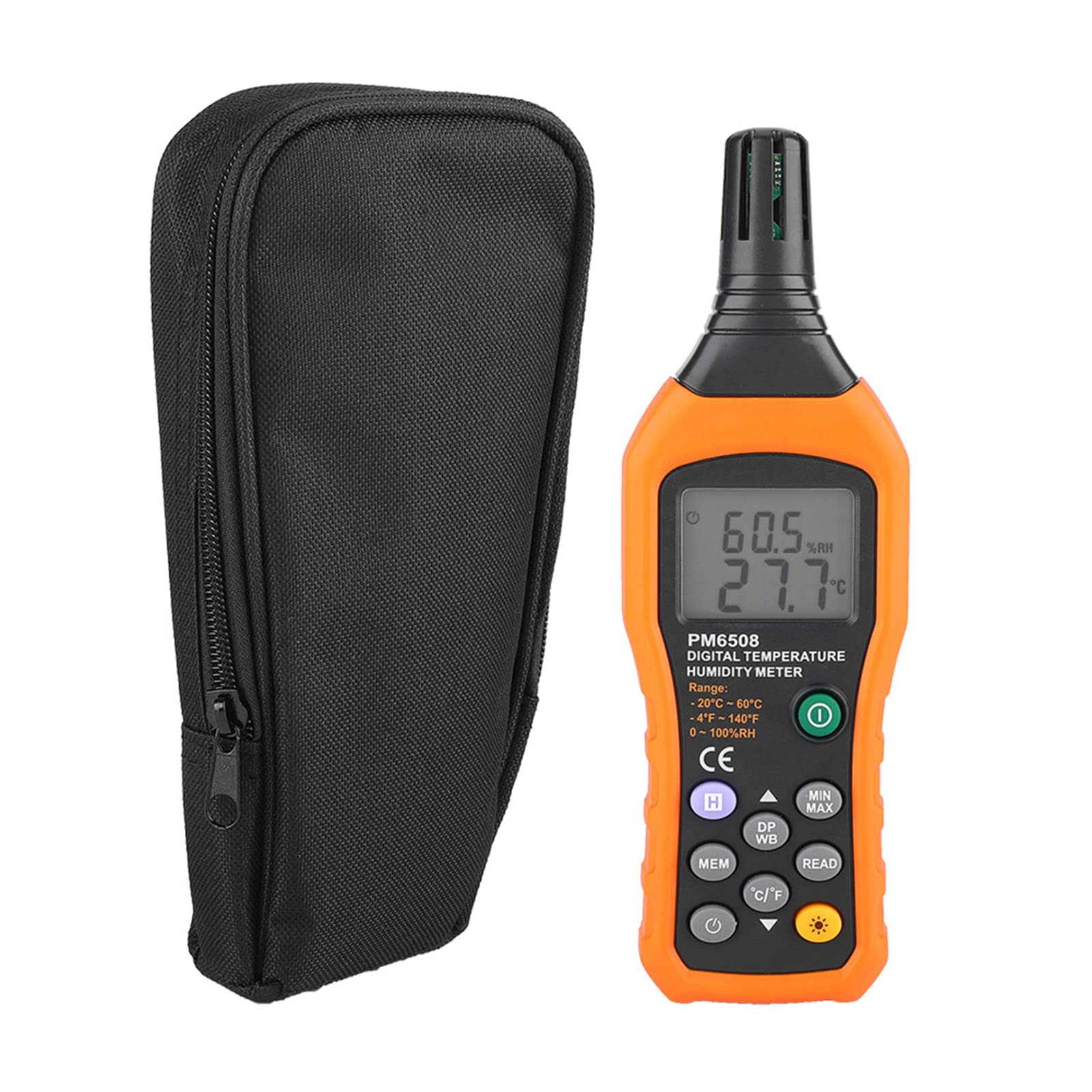
Şekil 3.2: The Walfront PM6508 meter shown alongside its portable storage bag, indicating typical package contents.
- Walfront PM6508 Digital Temperature Humidity Meter
- Taşınabilir Saklama Çantası
- Kullanıcı Kılavuzu
4. Kurulum
4.1 Pil Kurulumu
The PM6508 meter requires 4 x 1.5V AAA batteries (not included) for operation.
- Ölçüm cihazının arkasındaki pil bölmesi kapağını bulun.
- Pil kapağını açmak için aşağı doğru kaydırın.
- Insert four AAA batteries, ensuring correct polarity (+ and -) as indicated inside the compartment.
- Pil kapağını yerine oturtmak için, güvenli bir şekilde yerine oturana kadar kaydırın.
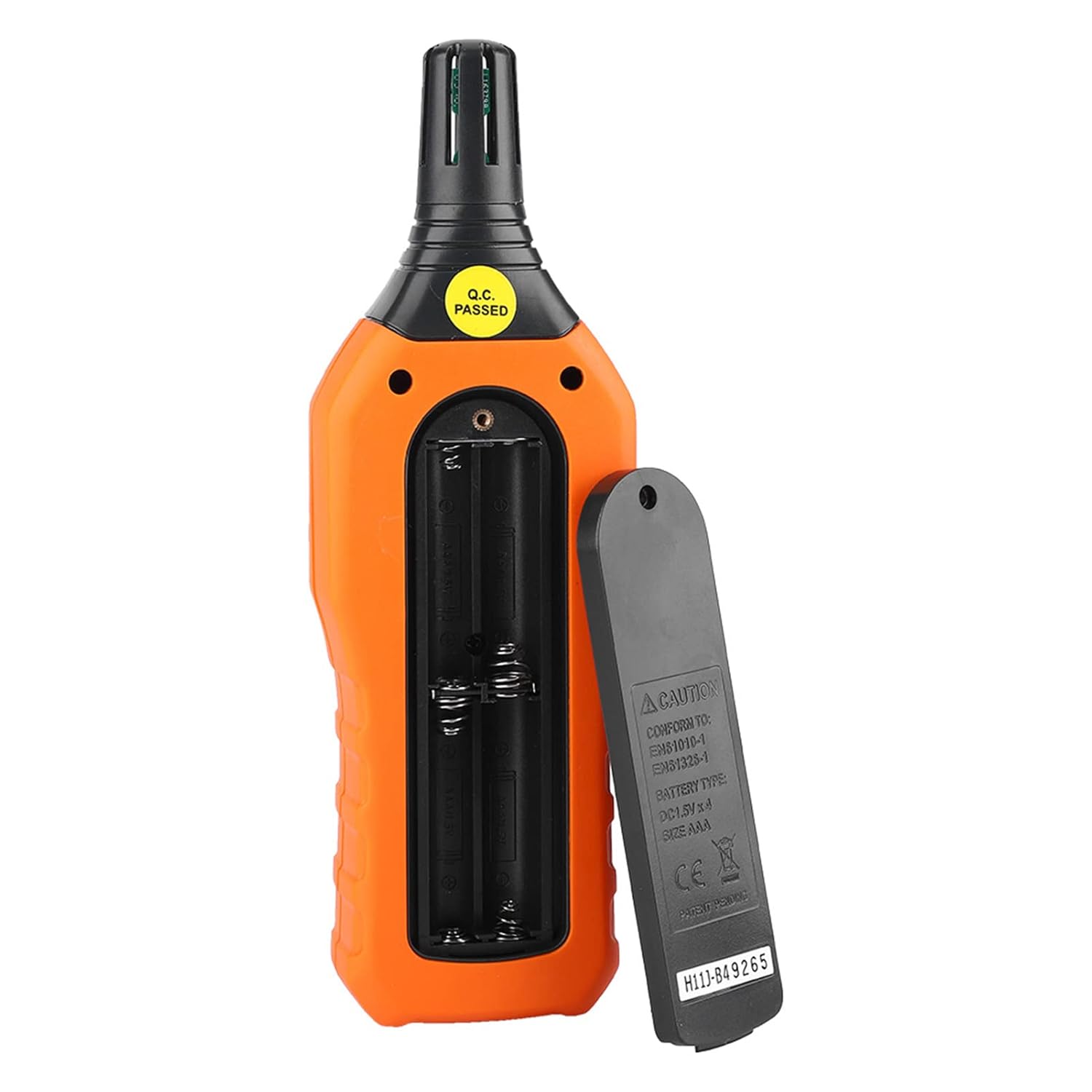
Şekil 4.1: Arka view of the meter showing the open battery compartment for AAA battery installation.
5. Kullanım Talimatları
5.1 Güç Açma/Kapatma
- Basın green power button (
 ) to turn the meter on.
 - Basılı tutun gray power button () for approximately 2 seconds to turn the meter off. The meter also features an automatic shut-down function to conserve battery life.
5.2 Ölçüm Alma
Once powered on, the meter will immediately begin displaying real-time temperature and humidity readings on the LCD screen. Ensure the sensor at the top of the device is exposed to the environment you wish to measure.

Şekil 5.1: The meter in use, displaying temperature and humidity readings on its LCD screen.
5.3 Birim Değiştirme (°C/°F)
Santigrat (°C) ve Fahrenhayt (°F) sıcaklık birimleri arasında geçiş yapmak için:
- Basın °C/°F düğmesi () located on the keypad. The display will update to show readings in the selected unit.
5.4 Arka Aydınlatma Fonksiyonu
To activate or deactivate the display backlight:
- Basın arka ışık düğmesi () to toggle the backlight on or off. This is useful for reading in low-light conditions.
5.5 Veri Tutma (H)
Ekrandaki mevcut değerleri dondurmak için:
- Basın H düğmesi (). The "H" icon will appear on the display, indicating that the data is held.
- Basın H düğmesi again to release the data hold and resume real-time measurements.
5.6 Maximum/Minimum (MIN/MAX) Measurement
İle view the maximum or minimum recorded values:
- Basın MIN/MAX düğmesi () once to display the maximum temperature and humidity recorded since the meter was powered on or the function was reset.
- Basın MIN/MAX düğmesi again to display the minimum temperature and humidity.
- Basın MIN/MAX düğmesi a third time to exit the MIN/MAX mode and return to real-time readings.
5.7 Data Storage (MEM) and Retrieval (READ)
The meter can store up to 100 groups of measurement data.
- To Store Data: Basın MEM düğmesi () to save the current temperature and humidity readings. The display will briefly show a memory location number.
- To Retrieve Data: Basın OKUMA düğmesi () to enter data retrieval mode. Use the MEM düğmesi to scroll through stored data records.
- To Exit Retrieval: Basın OKUMA düğmesi again to exit data retrieval mode.
5.8 Wet Bulb (WB) and Dew Point (DP) Temperature
To display Wet Bulb or Dew Point temperatures:
- Basın DP/WB button () once to display the Dew Point temperature.
- Basın DP/WB button again to display the Wet Bulb temperature.
- Basın DP/WB button a third time to return to standard temperature and humidity display.
6. Bakım
6.1 Temizlik
- Sayaçın c kısmını silin.asinyumuşak bir g ile, damp bezle silin. Aşındırıcı temizleyiciler veya çözücüler kullanmayın.
- Keep the sensor area clean and free from dust or debris to ensure accurate readings. Do not insert any objects into the sensor opening.
6.2 Depolama
- When not in use for extended periods, remove the batteries to prevent leakage and damage to the device.
- Ölçüm cihazını serin, kuru bir yerde, doğrudan güneş ışığından ve aşırı sıcaklıklardan uzakta saklayın.
- Utilize the provided portable storage bag for protection during storage and transport.
7. Sorun Giderme
| Sorun | Olası Neden | Çözüm |
|---|---|---|
| Sayaç açılmıyor. |
|
|
| Hatalı okumalar. |
|
|
| Ekran soluk veya titriyor. |
|
|
| Cannot store or retrieve data. |
|
|
8. Özellikler
The following table outlines the technical specifications for the Walfront PM6508 Digital Temperature Humidity Meter.


Şekil 8.1: Detailed technical specifications including ranges, resolution, and precision for temperature, humidity, wet bulb, and dew point measurements, along with general parameters.
| Parametre | Değer |
|---|---|
| Örnek | PM6508 |
| Ortam Sıcaklık Aralığı | -20 ila 60 °C (-4 ila 140 °F) |
| Ambient Temperature Precision | ±1.5 °C (-20 to 0 °C, 45 to 60 °C), ±0.5 °C (0 to 45 °C) |
| Bağıl Nem Aralığı | %0 - %100 bağıl nem |
| Relative Humidity Precision | ±4.0% (0-20%, 80-100%), ±3.0% (20-80%) |
| Yaş Termometre Sıcaklık Aralığı | -20 ila 60 °C (4 ila 140 °F) |
| Wet Bulb Temperature Precision | ±1.5 °C (-20 to 0 °C, 45 to 60 °C), ±0.5 °C (0 to 45 °C) |
| Çiy Noktası Sıcaklık Aralığı | -50 ila 60 °C (-58 ila 140 °F) |
| Dew Point Temperature Precision | ±1.5 °C (-50 to 0 °C, 45 to 60 °C), ±0.5 °C (0 to 45 °C) |
| Çözünürlük | 0.1 °C / °F / %RH |
| Veri Depolama | 100 grup |
| Güç Kaynağı | 4 x 1.5V AAA Battery (not included) |
| Boyutlar (U x G x Y) | 180 x 60 x 29 mm (7.1 x 2.4 x 1.1 inç) |
| Ağırlık | 254 gr (9 oz) |
| Çalışma Nemi | 0% - 100% (non-condensing) |
9. Uygulamalar
The Walfront PM6508 is suitable for a wide range of applications requiring accurate temperature and humidity monitoring.

Şekil 9.1: Examples of environments where the PM6508 meter can be effectively used for temperature and humidity monitoring.
- Residential and Office Environments: Monitoring indoor climate for comfort and health.
- Industrial Production: Ensuring optimal conditions for manufacturing processes.
- Warehousing and Storage: Protecting goods sensitive to temperature and humidity, such as in wine cellars or general storage.
- Tarım: Monitoring conditions in planting sheds, greenhouses, and aquaculture.
- Research and Development Laboratories: Maintaining precise environmental controls for experiments.
- Isıtma, Soğutma ve Havalandırma Sistemleri: Assisting in the evaluation and maintenance of heating, ventilation, and air conditioning systems.
10. Garanti ve Destek
Walfront products are designed for reliability and performance. For warranty information, technical support, or service inquiries, please refer to the contact information provided with your purchase or visit the official Walfront webLütfen garanti talepleriniz için satın alma belgenizi saklayın.